Leaving CoSchedule does not always mean finding another CoSchedule clone. The better choice depends on what you want to fix.
Social media now reaches a huge global audience. DataReportal finds 5.79 billion active social media user identities in April 2026. That represented 69.9% of the world’s population, with 294 million identities added during the previous year.
That scale creates different software needs. You may want lower costs, easier approvals, stronger analytics, evergreen automation, or API access.
We compared 15 CoSchedule alternatives around those switching reasons. We also checked current pricing, plan limits, integrations, automation, and developer access against vendor documentation.
TL;DR: Best picks by need— Buffer for simplicity, SocialPilot for value, Planable for approvals, Metricool for analytics, and Postiz for API and MCP workflows.
Key Findings
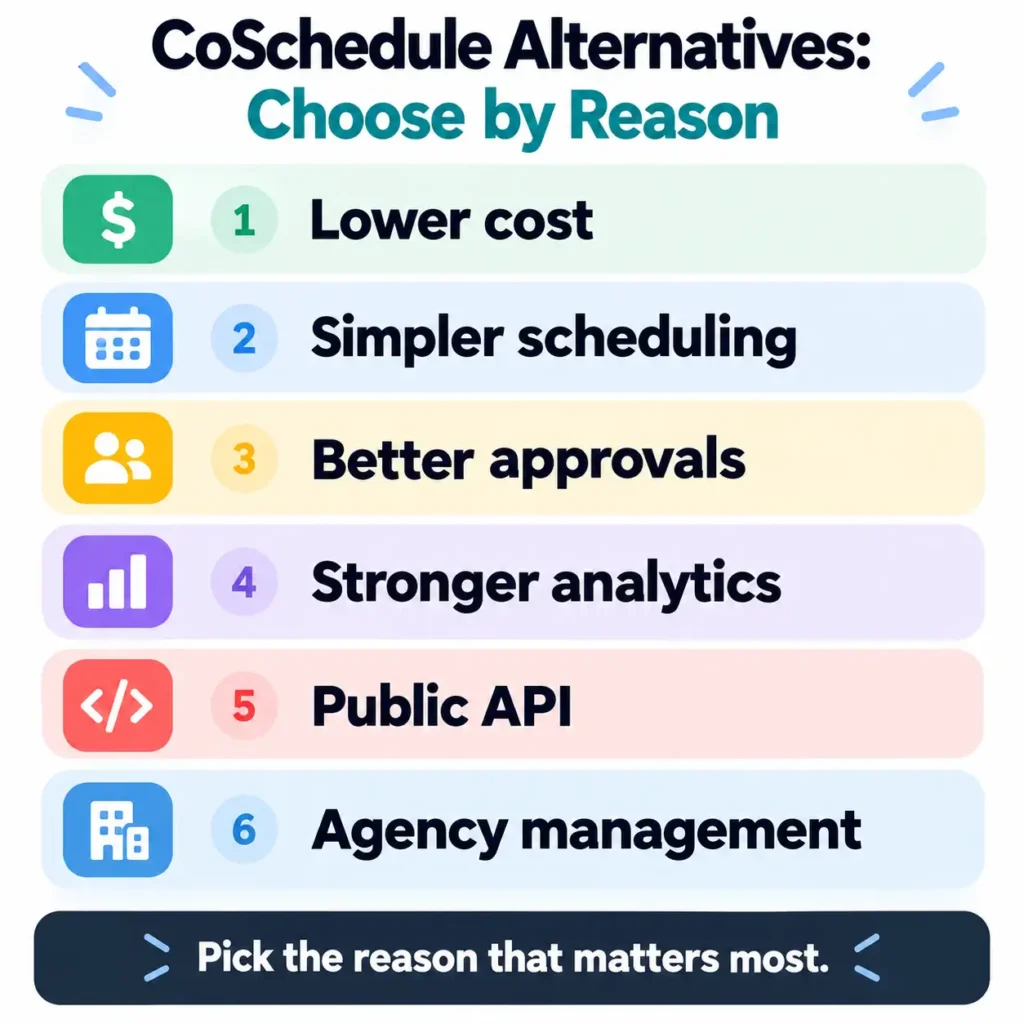
The best CoSchedule alternative depends on the problem you are solving.
| Reason for switching | Alternatives worth considering |
|---|---|
| Lower cost | SocialPilot, Buffer, RecurPost |
| Simpler scheduling | Buffer, Loomly |
| Better approvals | Planable |
| Stronger analytics | Metricool, Agorapulse |
| Evergreen content | SocialBee, RecurPost |
| Public API | Buffer, Postiz, ContentStudio |
| MCP and AI-agent workflows | Postiz, Buffer, Planable |
| Agency management | Sendible, SocialPilot, Planable |
| Social engagement | Agorapulse, Sprout Social |
| Visual planning | Later, Loomly |
| Content operations | ContentStudio, StoryChief |
| Project management | Asana, ClickUp, monday.com |
One distinction matters before comparing these tools. CoSchedule is not only a social scheduler.
Its current paid plans include scheduling, ReQueue, analytics, inbox features, AI tools, and collaboration. Its Suite plan also adds content and campaign planning, permissions, sub-calendars, and workspaces.
So the first question is simple:
Which part of CoSchedule are you actually replacing?
Why Users Look for CoSchedule Alternatives
CoSchedule has changed, so older comparisons can mislead
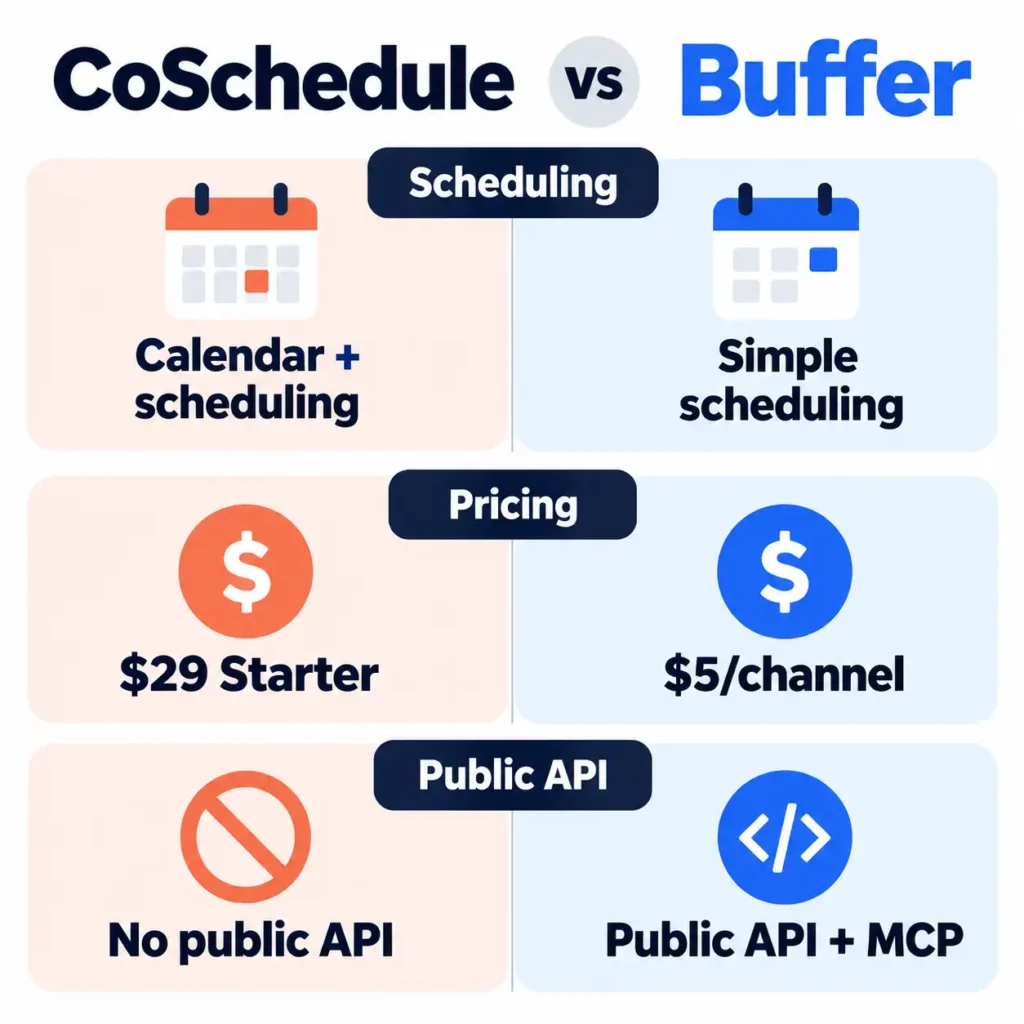
CoSchedule’s current Starter plan costs $29 per month with annual billing. It includes one user and three social profiles. Professional costs $49 and includes two users and five profiles.
Professional also adds message approvals, advanced inbox features, advanced analytics, AI insights, and agency publishing tools. The Professional plan allows one extra seat for $29 monthly.
That makes older comparison pages harder to trust.
The billing model can also change the final cost. CoSchedule charges separately for additional social profiles, while X/Twitter profiles are treated as a separate paid add-on.
Social teams now need more than scheduled posts
The software category is expanding beyond publishing.
Sprout Social’s 2026 content strategy research surveyed more than 2,300 consumers and 1,200 marketers across the United States, United Kingdom, and Australia. The research found that audiences increasingly expect brands to adapt content to individual social networks.
That helps explain why analytics, customer interaction, approvals, and platform-specific workflows now matter more.
Sprout’s research also found that 65% of leaders want social campaigns connected directly to business goals. Another 52% want quantifiable cost savings, while 45% want better visualization of social data.
For some teams, better measurement is a stronger reason to switch than better scheduling.
CoSchedule does not currently offer a public API
This is one of the clearest technical differences.
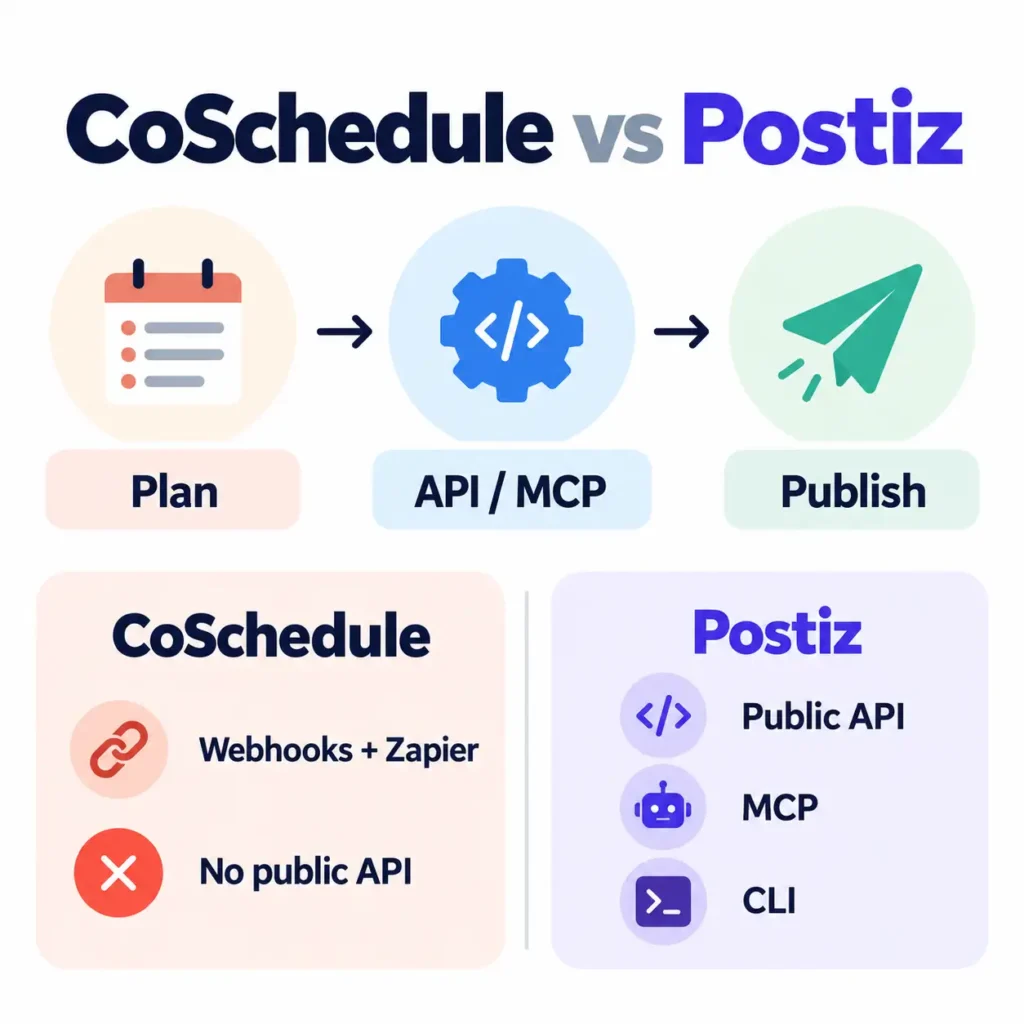
CoSchedule’s support documentation mentions that it does not have a public API. It supports webhooks and Zapier for connecting other systems.
That can matter when your team builds automated workflows.
Buffer takes a different approach. Its public API launched in May 2026 and is available on every current plan, including Free. Buffer also includes an MCP server and CLI.
For developers and AI-assisted workflows, that difference can be substantial.
How These CoSchedule Alternatives Were Compared
We did not rank these products simply by feature count.
Instead, we looked at why someone might leave CoSchedule.
The comparison criteria
We considered:
- Price and pricing model
- User and account limits
- Social scheduling
- Collaboration
- Approvals
- Analytics
- Evergreen automation
- AI features
- Public API access
- MCP support
- Agency workflows
- Social inbox features
- Content operations
- Migration effort
We also separated vendor facts from editorial judgments. Where pricing or feature availability can change, current vendor documentation takes priority.
So let’s get started with our findings!
1. SocialPilot, if CoSchedule costs too much
SocialPilot is one of the strongest value-focused alternatives.
Its Essentials plan costs $17 per month with annual billing. That tier includes five social accounts, one user, analytics, and a content library. Extra accounts cost $4 monthly.
Its Standard plan costs $34 monthly with annual billing. That tier supports ten accounts and three user seats.
Compare that with CoSchedule Professional.
CoSchedule Professional costs $49 and includes two users with five social profiles. A third seat adds another $29 monthly.
SocialPilot also provides a calendar, advanced reports, bulk importing, team management, approvals, and AI tools.
- Why switch: Lower entry cost and higher account capacity.
- Best for: Small teams, professionals, and agencies watching costs.
- Main trade-off: CoSchedule offers a stronger connection between social publishing and broader marketing planning.
- Verdict: Best budget-oriented CoSchedule alternative for social-heavy workflows.
🛠️ Hands-On Test: High-Volume Bulk CSV Ingestion
To verify whether SocialPilot handles bulk operations better than CoSchedule for agencies, we ran a batch test importing a 20-post schedule across 5 dummy brand profiles using a single CSV spreadsheet.
- Upload Speed: The batch ingested and queued in roughly 95 seconds, accurately mapping image URLs and scheduled time slots across all accounts.
- Operational Friction: The spreadsheet template requires strict 24-hour UTC/local time formatting. A single syntax slip in row 14 failed the entire upload rather than flagging isolated rows—something CoSchedule’s visual error highlighter handles more gracefully.
- Calendar UX: Once imported, editing copy at the post level in SocialPilot’s month grid feels snappy, though previewing individual carousel cards requires more clicks than CoSchedule’s unified sidebar.
Takeaway: If you queue dozens of posts a week, SocialPilot’s bulk engine saves significant manual setup time, provided your CSV data is cleanly formatted upfront.
2. Buffer, if you want a simpler scheduler
Buffer is a good fit when social publishing is the main job.
Its Free plan supports up to three channels, with ten scheduled posts per channel. It also includes AI assistance, insights, access to the community inbox, and API access.
The paid Essentials plan starts at $5 per channel monthly with annual billing. It adds unlimited scheduled posts, advanced analytics, and higher API limits.
The developer story is even more notable.
Buffer launched its current public API on May 27, 2026. The company says the API works on every plan, including Free. Its API also includes MCP and CLI capabilities.
Buffer’s developer documentation lists 3,000 requests per 30 days on Free. Essentials increases that allowance to 7,500 requests.
That combination makes Buffer unusual in this category.
You can get a lightweight scheduling tool alongside developer access.
- Why switch: Less operational complexity and flexible channel pricing.
- Best for: Solo marketers, creators, and small teams.
- Main trade-off: It does not aim to replace the full marketing-management layer.
- Verdict: Best choice when you mainly want simple social scheduling.
🛠️ Hands-On Test: Multi-Channel Tailoring & API Key Generation
We evaluated Buffer on two fronts: composer velocity for cross-platform teams and setup friction for developer/automation workflows.
- Composer Flexibility: Drafting a single update and adapting it into 3 distinct network variations (LinkedIn, X, and Threads) took under 45 seconds. The inline character-count warnings update in real time without overwriting the master image asset.
- Developer Setup: Generating a personal access token under Account > Developer took 3 clicks and less than 30 seconds. We pinged the GraphQL/REST endpoint to schedule a test draft via terminal; rate limit headers returned cleanly with zero authentication delay.
- Where It Falls Short: Unlike CoSchedule’s ReQueue, Buffer’s queue requires manual refill unless you hook into external automation scripts or RSS feeds.
Takeaway: Buffer stripped out nearly 70% of the UI friction found in heavier marketing suites. For straightforward scheduling or AI-agent pipelines via MCP, it operates noticeably faster.
3. Planable, if approvals are the problem
Planable is particularly useful for collaborative content workflows.
Its Basic plan currently costs $33 per workspace monthly with annual billing. That plan includes four social pages and unlimited users.
The pricing model differs substantially from CoSchedule.
CoSchedule Professional includes two seats. Its third seat costs $29 monthly.
Planable instead organizes collaboration around workspaces.
That can be useful when several people review the same client or brand content.
Planable has also moved into AI-agent workflows. Its MCP integration can connect AI assistants with Planable while keeping publishing within its normal approval process.
- Why switch: Better fit for review-heavy collaboration.
- Best for: Agencies, marketing teams, and approval-heavy workflows.
- Main trade-off: Planable is more collaboration-centered than marketing-calendar-centered.
- Verdict: Best CoSchedule alternative when review and approval bottlenecks matter most.
🛠️ Hands-On Test: Multi-Tier Approval & Contextual Annotations
Because Planable is positioned as the antidote to review bottlenecks, we set up a mock agency workspace with two roles: an internal Editor and an external Client Approver.
- Feed Preview Fidelity: Drafting a 5-image Instagram carousel rendered an interactive preview identical to the native mobile feed. Clients can swipe through slides inside the browser before approving.
- Inline Feedback Loop: Reviewers can drop targeted annotations on specific image slides (e.g., leaving a comment on slide 3 regarding brand logo placement). In CoSchedule, that feedback typically gets buried in detached task threads or external Slack chats.
- Approval Safeguards: Enabling the Mandatory Approval rule prevented drafts from being scheduled until the guest client clicked the green checkmark, effectively eliminating accidental publishing.
Takeaway: If client delays and miscommunicated revisions are your primary operational bottleneck, Planable’s visual markup tool resolves issues that conventional calendar tools cannot.
4. Metricool, if analytics matter more
Consider Metricool when measurement drives the decision.
Its Free plan supports one brand and up to 20 scheduled posts monthly. It includes 30 days of analytics, five competitor profiles, an AI assistant, and Metricool MCP.
Its Starter plan expands brand capacity and adds unlimited publishing, longer analytics history, reports, integrations, and additional analytics options. Advanced adds team and client management, role management, approvals, customizable reports, Looker Studio integration, and the Metricool API.
That creates a useful reporting workflow.
The business case for stronger measurement is also clear.
Sprout Social’s research found that only 44% of marketing leaders say their teams are experts at measuring social’s business value. Yet 80% are reallocating funds from traditional marketing channels toward social.
That gap makes analytics more than another checkbox.
- Why switch: Stronger focus on analytics, reporting, and competitor context.
- Best for: Performance marketers and agencies.
- Main trade-off: Some advanced features require higher plans.
- Verdict: One of the strongest choices for teams that need better social measurement.
5. SocialBee, if evergreen content drives your strategy
SocialBee is a strong candidate when recurring publishing matters.
Its Bootstrap plan costs $29 monthly and supports five social profiles, one user, one workspace, ten content categories, and ten content sources.
The Accelerate plan supports ten profiles and adds advanced analytics, hashtag tools, post approval, and other collaboration features.
CoSchedule approaches evergreen publishing through ReQueue.
Its Intelligent Groups can fill gaps in the publication calendar. Placeholder Groups can publish recurring content on selected schedules.
A useful comparison therefore focuses on workflow.
Don’t simply ask whether both platforms support automation.
- Why switch: Stronger focus on evergreen content systems.
- Best for: Bloggers, creators, and marketers with reusable content libraries.
- Main trade-off: The planning model differs from CoSchedule’s calendar workflow.
- Verdict: A strong ReQueue alternative for evergreen-heavy strategies.
6. RecurPost, if recurring publishing is the priority
RecurPost takes a simpler account-based approach.
Its Starter plan costs $9 per month and supports two social accounts with one user. The plan allows recurring and one-off scheduling.
The Personal plan costs $25 monthly and supports five social accounts. Agency costs $79 and supports 20 accounts with three users.
Its billing model is particularly interesting.
RecurPost charges around social accounts rather than charging every teammate the full plan amount. Its Agency plan also includes client workspaces, roles, approvals, and white-label reports.
That can change the economics for agencies.
- Why switch: Low entry price and recurring publishing.
- Best for: Users managing repeatable social content.
- Main trade-off: Less emphasis on broader marketing project management.
- Verdict: A practical lower-cost choice for recurring social publishing.
7. Postiz, if you need API and MCP access
Postiz is one of the most technically differentiated alternatives.
Its Standard plan costs $29 per month and supports five channels. It includes unlimited posts, an AI Copilot, an API, webhooks, repeated posts, and an MCP server.
Postiz says every plan includes its hosted MCP server, CLI, public API, and webhooks.
That creates a sharp contrast with CoSchedule.
CoSchedule currently says it has no public API. It instead offers webhooks and Zapier connections.
The difference matters if you want software to operate your scheduler.
Buffer’s API announcement makes the same broader point. AI agents can use its API and MCP to create and schedule social posts without relying only on manual interface actions.
- Why switch: Developer control and AI-agent workflows.
- Best for: Developers, technical marketers, and automation-heavy teams.
- Main trade-off: It does not replicate CoSchedule’s broader marketing suite.
- Verdict: One of the strongest technical alternatives in 2026.
8. ContentStudio, if you need content operations
ContentStudio sits between social management and content operations.
Its Standard plan starts at $19 monthly with annual billing. It includes five social accounts, one workspace, one user, AI Studio, unlimited social posting, analytics, a media library, MCP integration, and API access.
Its API is intended for programmatic content management.
The platform also provides connections for Zapier, Make, n8n, Pabbly, and other automation tools.
That gives content teams another reason to switch.
The platform can sit closer to content creation and distribution than a pure social scheduler.
- Why switch: You need content workflows plus social publishing.
- Best for: Content marketing teams.
- Main trade-off: Its structure differs from CoSchedule’s marketing calendar model.
- Verdict: A strong middle-ground option for content-focused teams.
9. Sendible, if you run an agency
Sendible is particularly relevant for agencies.
Its pricing model includes unlimited users on every plan. Plans are structured around workspaces, with each workspace designed for a client, location, or brand.
The Plus plan adds assignments and approvals. Premium adds content libraries, branded reports, campaigns, and dedicated onboarding.
That is a meaningful difference from CoSchedule Professional.
CoSchedule Professional includes two seats, with a maximum of three users.
For an agency, pricing architecture can matter as much as features.
- Why switch: Workspace-based agency management.
- Best for: Agencies with several collaborators and clients.
- Main trade-off: It is built more specifically around social management.
- Verdict: One of the strongest agency-oriented alternatives.
10. Agorapulse, if engagement matters more
Agorapulse is better suited to teams managing conversations alongside publishing.
Its Standard plan costs $79 per user monthly with annual billing. It includes unlimited scheduled publishing, a unified inbox, basic reporting, and support for several major social networks.
The Professional plan increases collaboration capabilities and costs $119 per user monthly with annual billing.
This is not a cost-saving move from CoSchedule.
It is a workflow change.
You may prefer Agorapulse when comments, messages, mentions, and reporting consume substantial team time.
- Why switch: Stronger engagement and inbox workflows.
- Best for: Social teams managing publishing and community interaction.
- Main trade-off: Higher per-user pricing.
- Verdict: Better suited to teams where engagement is central.
11. Sprout Social, if you need deeper social intelligence
Sprout Social belongs on this list for a different reason.
Its Essentials plan starts at $79 per seat monthly with annual billing. Its Standard plan starts at $199 per seat, while Professional starts at $299.
The product goes beyond publishing.
Depending on the plan, it adds inbox management, monitoring, competitor insights, reporting, collaboration, and advanced social intelligence.
That makes Sprout more of an upgrade path than a cheaper alternative.
Its positioning also matches the broader measurement problem. Sprout’s research found that poor compatibility between social-management tools and broader marketing stacks can limit teams’ ability to understand social’s business impact.
- Why switch: Social intelligence, reporting, and customer interaction.
- Best for: Larger social teams and organizations.
- Main trade-off: Significantly higher cost.
- Verdict: Consider it when social has become a strategic intelligence function.
12. Later, if visual planning matters most
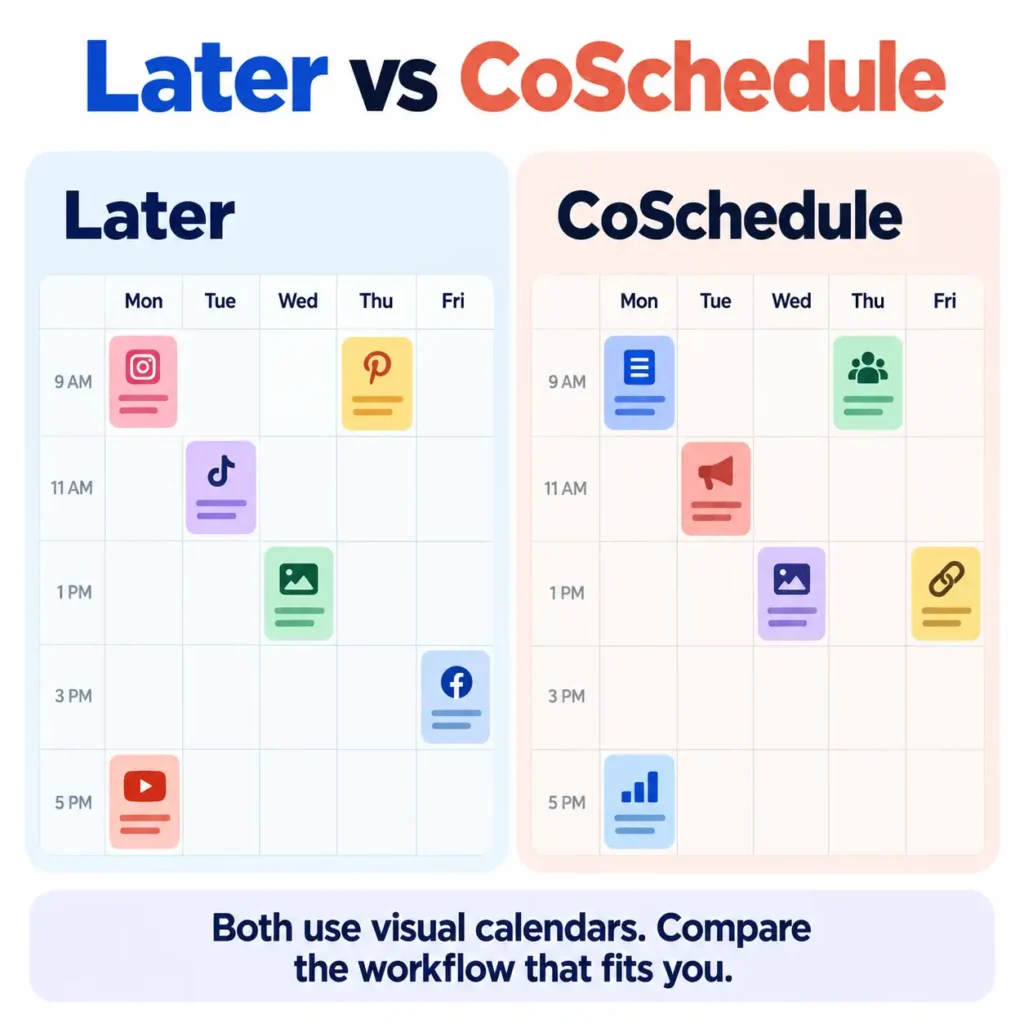
Later is a logical alternative for visually driven workflows.
Its Starter plan costs $18.75 monthly with annual billing. It includes one social set containing eight profiles and one user. The supported set includes Instagram, Facebook, Threads, Pinterest, TikTok, LinkedIn, YouTube, and Snapchat.
The Starter plan also includes scheduling, platform analytics, a Link in Bio tool, and limited AI credits.
Later is useful when content presentation matters heavily.
You may prefer its model when visual planning sits at the center of your workflow.
- Why switch: Visual-first social planning.
- Best for: Creators, brands, and visual marketing teams.
- Main trade-off: Less emphasis on broad marketing project management.
- Verdict: A strong fit for visually led social strategies.
13. Loomly, if you still want a calendar-first platform
Loomly is one of the closer conceptual alternatives.
Its Starter plan costs $49 per month with annual billing. It includes 12 social accounts, three users, unlimited calendars, scheduling, approval workflows, and advanced analytics.
Its Beyond plan supports 60 social accounts and unlimited users.
Loomly also includes AI assistance, recurring posts, content previews, reporting, and collaboration features.
That makes it useful for teams that still want a structured calendar.
The main reason not to switch would be API-centric requirements.
- Why switch: Similar calendar-oriented workflow.
- Best for: Small teams wanting collaborative social calendars.
- Main trade-off: The entry price is higher than some lightweight alternatives.
- Verdict: One of the closer traditional replacements for CoSchedule’s calendar experience.
14. StoryChief, if content marketing comes first
StoryChief makes more sense when social publishing supports a broader content operation.
Its Starter plan costs €49 per month, billed annually. It includes one user, four social channels, 25 articles monthly, AI research and writing, and a content calendar.
Its Growth plan costs €249 monthly and supports three users, ten social channels, 100 articles, team tasks, deadlines, and employee advocacy.
That changes the reason for switching.
You may choose StoryChief when articles, SEO, publishing, and distribution are tied together.
The platform is less useful when your workflow starts entirely with social posts.
- Why switch: Content publishing and distribution.
- Best for: Content teams and editorial operations.
- Main trade-off: Not primarily a social-management platform.
- Verdict: A good alternative when content marketing drives the workflow.
15. Asana, if CoSchedule is really acting as your project manager
Sometimes another social scheduler is not the answer.
CoSchedule’s Suite includes content and campaign planning, custom fields, templates, project reporting, sub-calendars, workspaces, team permissions, and social management.
If your team mostly uses those project features, Asana can make more sense.
Asana’s Starter plan costs $10.99 per user monthly with annual billing. It includes timeline and Gantt views, reporting dashboards, unlimited automations, forms, custom fields, templates, and AI capabilities.
This is not a one-for-one social replacement.
It replaces the project-management layer.
You may need another social tool alongside it.
- Why switch: Better project planning and task management.
- Best for: Marketing operations and cross-functional project teams.
- Main trade-off: Native social publishing is not the main purpose.
- Verdict: Choose this route when marketing project management matters more than social scheduling.
CoSchedule Alternatives Compared Side by Side
A giant feature checklist can obscure the actual decision.
The table below focuses on attributes that can change your choice.
| Alternative | Best switching reason | Starting price | Pricing unit | Public API | MCP |
|---|---|---|---|---|---|
| CoSchedule | Marketing calendar | $29 | User + profiles | No | Not the main distinction |
| SocialPilot | Lower cost | $17 | Social accounts | Varies | Varies |
| Buffer | Simplicity | $5/channel | Channel | Yes | Yes |
| Planable | Approvals | $33 | Workspace | Yes | Yes |
| Metricool | Analytics | Free | Brand | Advanced+ | Yes |
| SocialBee | Evergreen content | $29 | Profiles | Plan-dependent | Plan-dependent |
| RecurPost | Recurring content | $9 | Social accounts | Plan-dependent | Plan-dependent |
| Postiz | API/MCP | $29 | Plan/channels | Yes | Yes |
| ContentStudio | Content operations | $19 | Workspace/account | Yes | Yes |
| Sendible | Agency workflows | Varies | Workspace | Integrations | Varies |
| Agorapulse | Engagement | $79/user | User | Plan-dependent | Plan-dependent |
| Sprout Social | Social intelligence | $79/seat | Seat | Plan-dependent | Product-specific |
| Later | Visual planning | $18.75 | Social set | Not central | Not central |
| Loomly | Calendar workflow | $49 | Social accounts | Integrations | Plan-dependent |
| StoryChief | Content marketing | €49 | User/channels | Integrations | Plan-dependent |
| Asana | Project management | $10.99/user | User | Integrations | AI capabilities |
The API contrast is especially clear.
CoSchedule says it has no public API. Buffer provides API access on every plan, while Postiz includes its API on every plan and ContentStudio advertises API access within its Standard plan.
What a CoSchedule Alternative Really Costs
Starting prices are useful, but they rarely tell the whole story.
The reason is simple. Each platform uses a different billing unit.
CoSchedule uses users and social profiles. Buffer charges by channels. Planable uses workspaces. Metricool uses brands. RecurPost uses social accounts. Sprout Social charges per seat.
That means two $29 plans can have very different economics.
Compare the actual workflow
Before switching, you can calculate the likely cost this way:
- Count every social profile.
- Count every person needing access.
- Count your brands or clients.
- Identify required approval features.
- Check analytics and reporting needs.
- Check API or automation requirements.
- Add premium channel fees.
- Compare monthly and annual billing.
CoSchedule Professional starts at $49 with annual billing. It includes two users and five social profiles. A third user adds $29 monthly, while extra social profiles add $5 each.
RecurPost uses another structure.
Its Agency plan costs $79 monthly and includes 20 accounts with three users. Extra teammates cost $20 monthly.
Planable takes a third approach.
Its Basic plan costs $33 per workspace and supports unlimited users, with four social pages included.
So the lowest advertised price is not always the lowest real-world cost.
How These Products Replace Different Parts of CoSchedule
Social Calendar replacement
Buffer, Loomly, Planable, Later, and SocialPilot can cover core scheduling workflows.
The experience still differs.
CoSchedule connects social planning with broader marketing calendars. Lighter alternatives generally focus more narrowly on social publishing.
ReQueue replacement
SocialBee and RecurPost deserve the closest look.
FeedHive and Postiz are also worth considering for automation-heavy workflows.
CoSchedule’s ReQueue supports Intelligent Groups that can fill publishing gaps. It also has Placeholder Groups for recurring time-based publishing.
The better comparison is therefore the automation logic, not the feature label.
API replacement
This is a clearer distinction.
CoSchedule does not have a public API. Buffer provides API access on every plan, including Free. Postiz includes its API on every plan, while ContentStudio advertises API access within its Standard plan.
Project-management replacement
That requires a different category.
Asana, ClickUp, and monday.com can make more sense when tasks, dependencies, forms, timelines, and reporting dominate the workflow.
Asana’s Starter plan includes Gantt views, reporting dashboards, automations, forms, and custom fields for $10.99 per user monthly with annual billing.
Migration From CoSchedule
Migration is an overlooked part of software switching.
CoSchedule provides a Bulk Project Import workflow using CSV files. It supports importing project data from tools including Asana, monday.com, Google Sheets, Wrike, Trello, DivvyHQ, and Jira.
The process has limits.
Each import supports up to 200 projects and ten text attachments per project. CSV imports cannot add tasks directly. Project types also require manual setup after import.
That changes how migration should be evaluated.
The real question is not:
“Can I export my data?”
It is:
“How much of my workflow will I need to rebuild?”
Lower migration effort
Simple social schedulers may require fewer structures.
Medium migration effort
Approval-heavy platforms may require new users, workspaces, and workflows.
Higher migration effort
Project-management replacements can require a complete process redesign.
CoSchedule Alternatives by Team Size
Team size can change the answer.
Solo marketers
Buffer, Metricool, SocialPilot, and Later deserve the first look.
Their lower-cost entry tiers can cover basic publishing without requiring a full marketing suite.
Small marketing teams
Planable, Loomly, SocialPilot, Metricool, and ContentStudio are stronger candidates.
The biggest difference is collaboration.
Check whether pricing depends on users, workspaces, brands, or social profiles.
Agencies
Sendible, SocialPilot, Planable, and RecurPost deserve close consideration.
Sendible includes unlimited users across its plans, while RecurPost’s Agency tier includes client workspaces and approvals.
Larger organizations
Sprout Social, Agorapulse, and CoSchedule Suite become more relevant.
At this level, reporting, permissions, customer interaction, security, and governance matter more.
The Evidence Behind the Switching Decision
The statistics support an important point.
Teams increasingly need social platforms to prove business value.
Sprout Social reports that 65% of leaders want direct links between social campaigns and business goals. Another 52% want measurable cost savings.
Yet only 44% of marketing leaders say their teams are experts at measuring social’s business value. Meanwhile, 80% are reallocating funds from traditional channels toward social.
That creates a useful selection rule.
If social reporting influences budget decisions, analytics should rank above scheduling convenience.
The same logic applies to content scale.
DataReportal’s 5.79 billion social media user identities figure shows how large the social environment has become. The number increased by 294 million identities within one year. DataReportal’s 2026 global update
As reach expands, teams may also need stronger systems.
That can include approvals, reporting, automation, and integrations.
Reasons Not to Switch Automatically
Switching software can solve one problem and create another.
A cheaper platform may require more manual work. A larger platform may require more training.
Before switching, check five things:
- What exact problem are you solving?
- Which CoSchedule features must survive migration?
- What does the alternative cost at your team size?
- Which required features sit behind higher plans?
- How much workflow reconstruction will migration require?
Outdated comparison lists deserve extra caution.
Older articles may still mention ContentCal as an active standalone product. Adobe discontinued standalone ContentCal and shifted the functionality into its content scheduling ecosystem.
The broader lesson is simple:
Verify current product status before trusting an alternatives list.
Choosing the Right CoSchedule Alternative
There is no single winner for every use case.
Buffer suits simpler publishing
Buffer makes sense when publishing is the main job.
It becomes especially interesting for teams that need API or MCP access. Its API is available even on Free.
SocialPilot suits cost-focused teams
SocialPilot offers a low entry price and strong account capacity.
It is a practical option for smaller teams and agencies.
Planable suits approval-heavy workflows
Planable is built around collaborative content workflows.
That makes it particularly useful when several people review each post.
Metricool suits reporting-led teams
Metricool is better suited to teams that care about analytics, competitors, and reporting.
SocialBee and RecurPost suit evergreen strategies
Both deserve consideration when recurring content is central.
The better choice depends on how you want your content library organized.
Postiz suits API and MCP workflows
Postiz offers public API, MCP, CLI, and webhooks on every plan.
That makes it one of the strongest technical alternatives.
Sendible suits agency collaboration
Sendible’s unlimited-user structure can be useful when clients and internal collaborators need access.
Agorapulse suits engagement-heavy teams
Its unified inbox and reporting make it more suitable for teams handling substantial social interaction.
Sprout Social suits social intelligence
Sprout makes sense when social monitoring and business measurement are strategic priorities.
Later suits visual workflows
Later is a good fit when visual content planning drives the calendar.
Loomly suits calendar-first teams
Loomly remains a strong choice for teams wanting calendars, approvals, and scheduling together.
ContentStudio suits content operations
ContentStudio works well where content creation and social distribution overlap.
StoryChief suits editorial workflows
StoryChief makes more sense when articles, publishing, and social distribution share one process.
Asana suits project-heavy teams
Asana makes sense when your team needs tasks, dependencies, timelines, forms, and project reporting more than native social scheduling.
People Also Ask:
-
What is the best CoSchedule alternative in 2026?
The best alternative depends on your reason for switching. Buffer suits simpler workflows, SocialPilot suits budget-focused teams, Planable suits approvals, Metricool suits analytics, and Postiz suits API and MCP needs.
-
What is the cheapest CoSchedule alternative?
RecurPost and Buffer have some of the lowest entry prices. RecurPost starts at $9 monthly, while Buffer Essentials starts at $5 per channel monthly with annual billing.
-
Is Buffer better than CoSchedule?
Buffer can be better for simpler social publishing. CoSchedule can be better when you need broader marketing calendars and project coordination.
-
Is Planable better than CoSchedule?
Planable can be better for collaboration and approvals. CoSchedule may be preferable when marketing-calendar functionality carries more weight.
-
Which CoSchedule alternative is best for agencies?
Sendible, SocialPilot, Planable, and RecurPost are strong agency candidates. The right choice depends on account volume, users, reporting needs, and approvals.
-
Which CoSchedule alternatives have an API?
Buffer, Postiz, and ContentStudio currently provide public API capabilities. CoSchedule currently says it does not provide a public API.
-
Which alternatives support MCP?
Buffer, Planable, Metricool, Postiz, and ContentStudio currently advertise MCP capabilities. Availability and implementation vary by product and plan.
-
Which alternative is best for evergreen content?
SocialBee and RecurPost are strong candidates. Postiz and FeedHive are also worth considering for automation-heavy workflows.
-
Can I migrate from CoSchedule?
Yes, but not every workflow transfers automatically. CoSchedule supports bulk CSV project import, with limits around tasks and project properties.
-
Is there a free CoSchedule alternative?
Yes. Buffer and Metricool both offer free plans. Buffer Free supports three channels and ten scheduled posts per channel. Metricool Free supports one brand and 20 scheduled posts monthly.
-
What is the best CoSchedule alternative for small teams?
Planable, Buffer, SocialPilot, Metricool, and Loomly are worth comparing first. User counts, approval needs, and social-profile limits should determine the final choice.
Final Thoughts
The best CoSchedule alternative is rarely the tool with the longest feature list.
It is the tool that fixes the reason you want to leave.
Choose Buffer when you want simpler publishing. Choose SocialPilot when cost matters. Choose Planable when approvals slow your team. Choose Metricool when reporting needs improvement.
For evergreen content, SocialBee and RecurPost deserve attention. For API and MCP workflows, Postiz and Buffer stand out. Sendible fits larger agency teams, while Sprout Social suits deeper social intelligence.
The bigger lesson is about fit.
CoSchedule currently offers a broad combination of social publishing, ReQueue, analytics, AI, inbox tools, collaboration, and marketing planning.
You do not necessarily need to replace every part.
Identify the part causing friction. Then choose the alternative that solves that specific problem without adding a new one.
Overall verdict: Buffer is the strongest simple replacement. SocialPilot is the strongest value-focused option. Planable is the strongest collaboration choice. Metricool is a leading analytics option. Postiz is the standout choice for API and MCP workflows.
Important Note: Pricing and feature information checked against current official documentation during October 2026. SaaS plans can change, so the linked vendor pages should be checked before making a purchase.