
Daylite is not a native Windows desktop application.
A mixed-device team should verify that its Windows users can work through supported integrations or other workflows before adopting Daylite.
Evidence source ↗
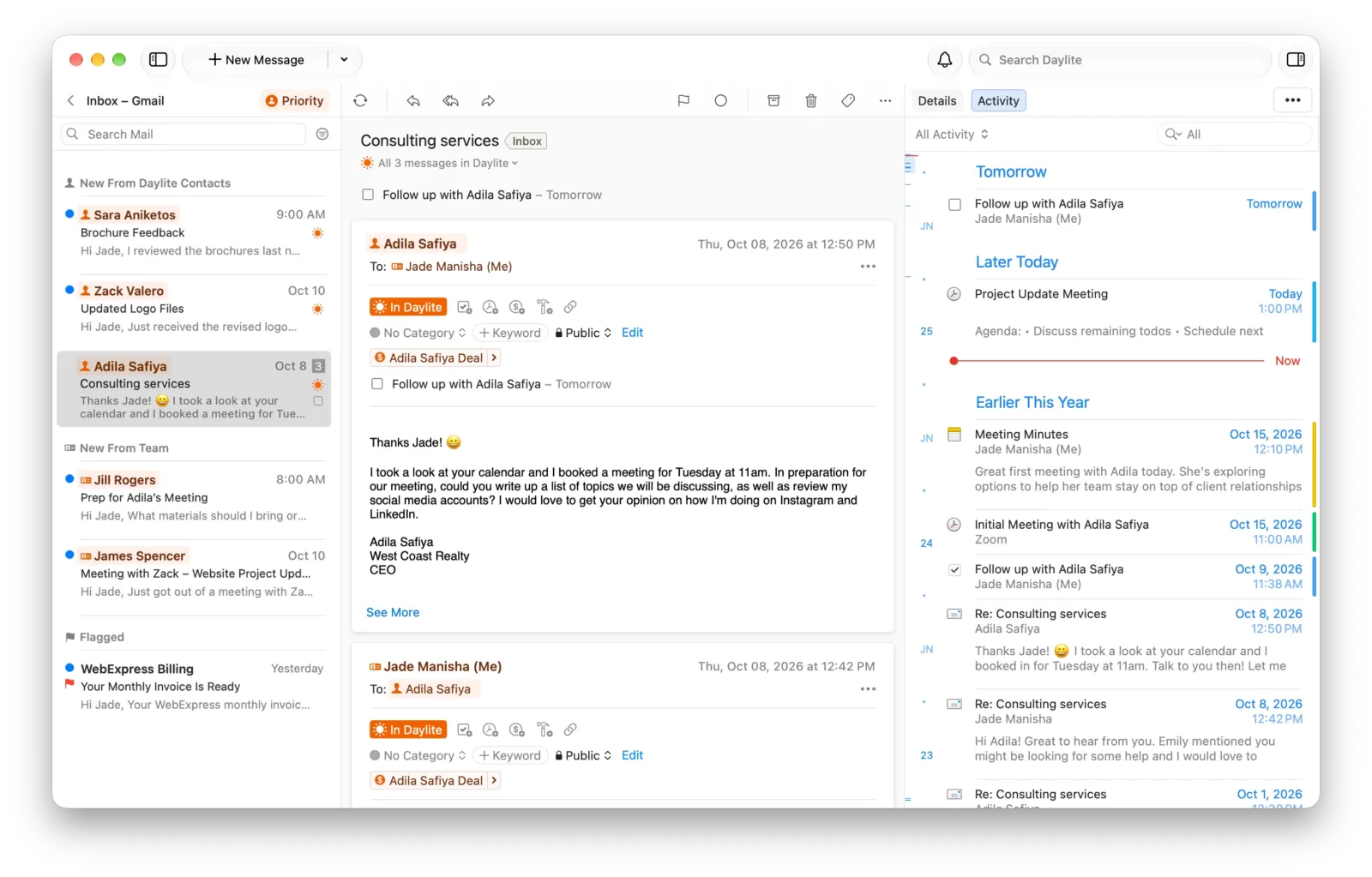
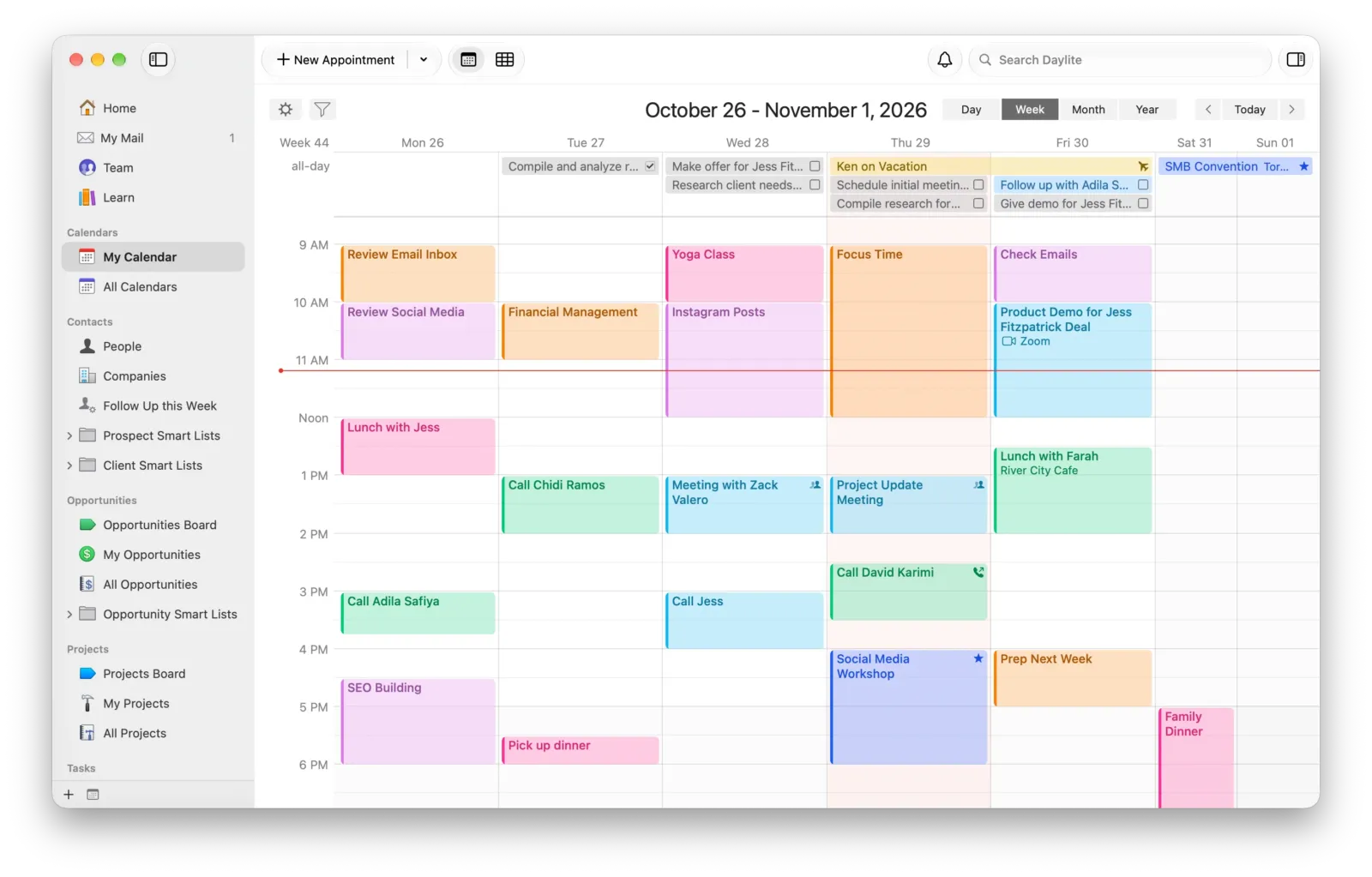
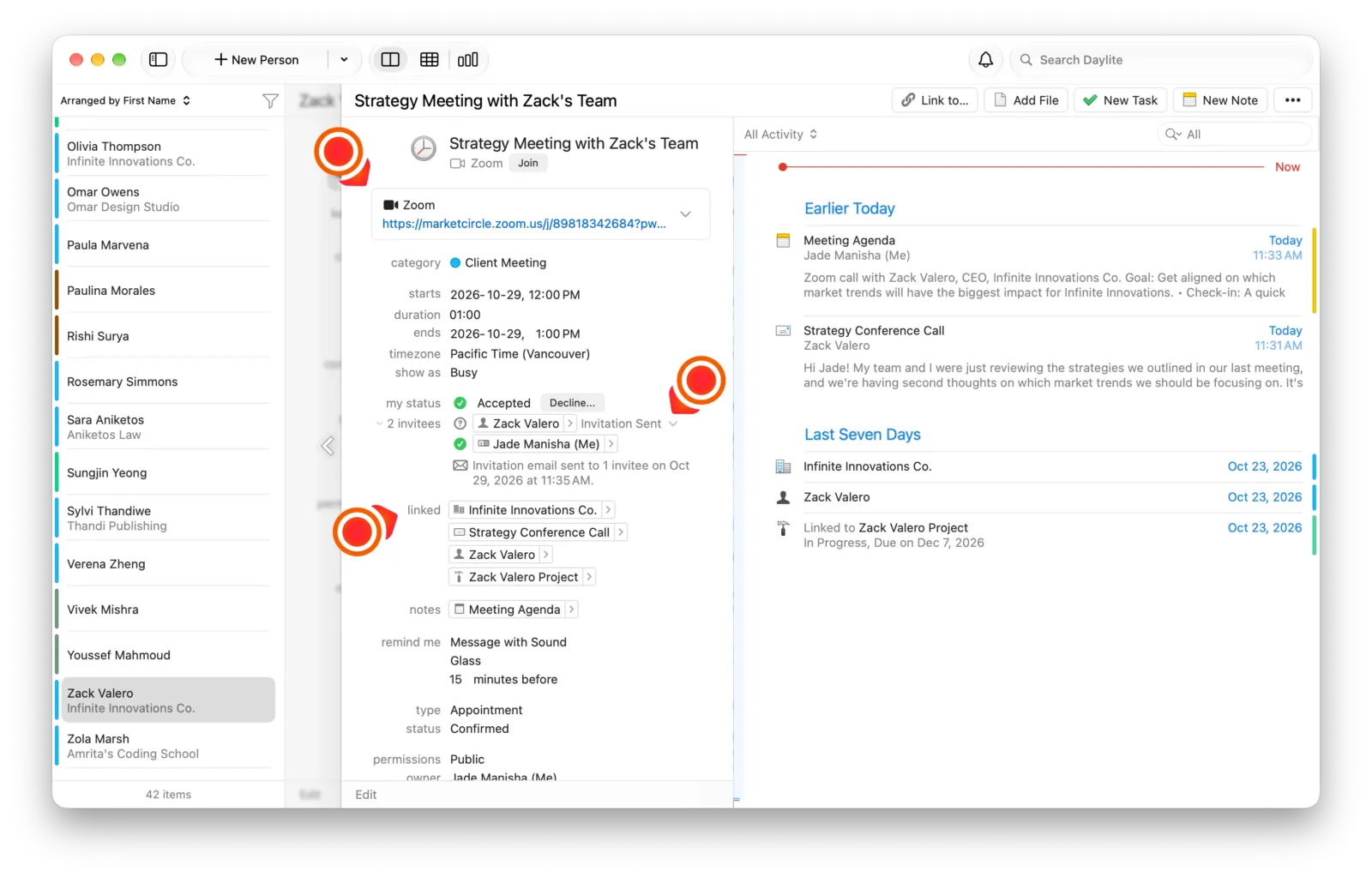
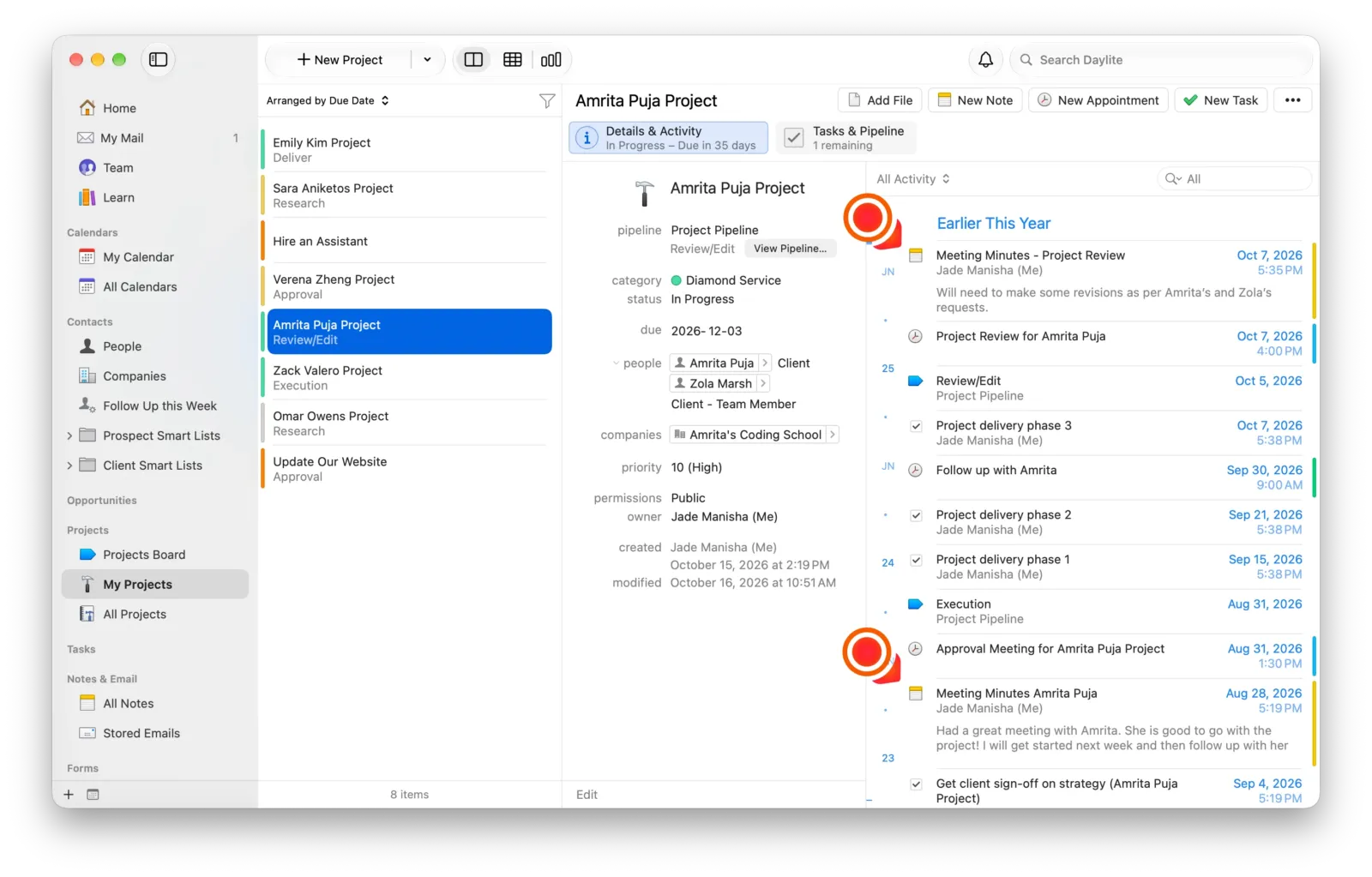
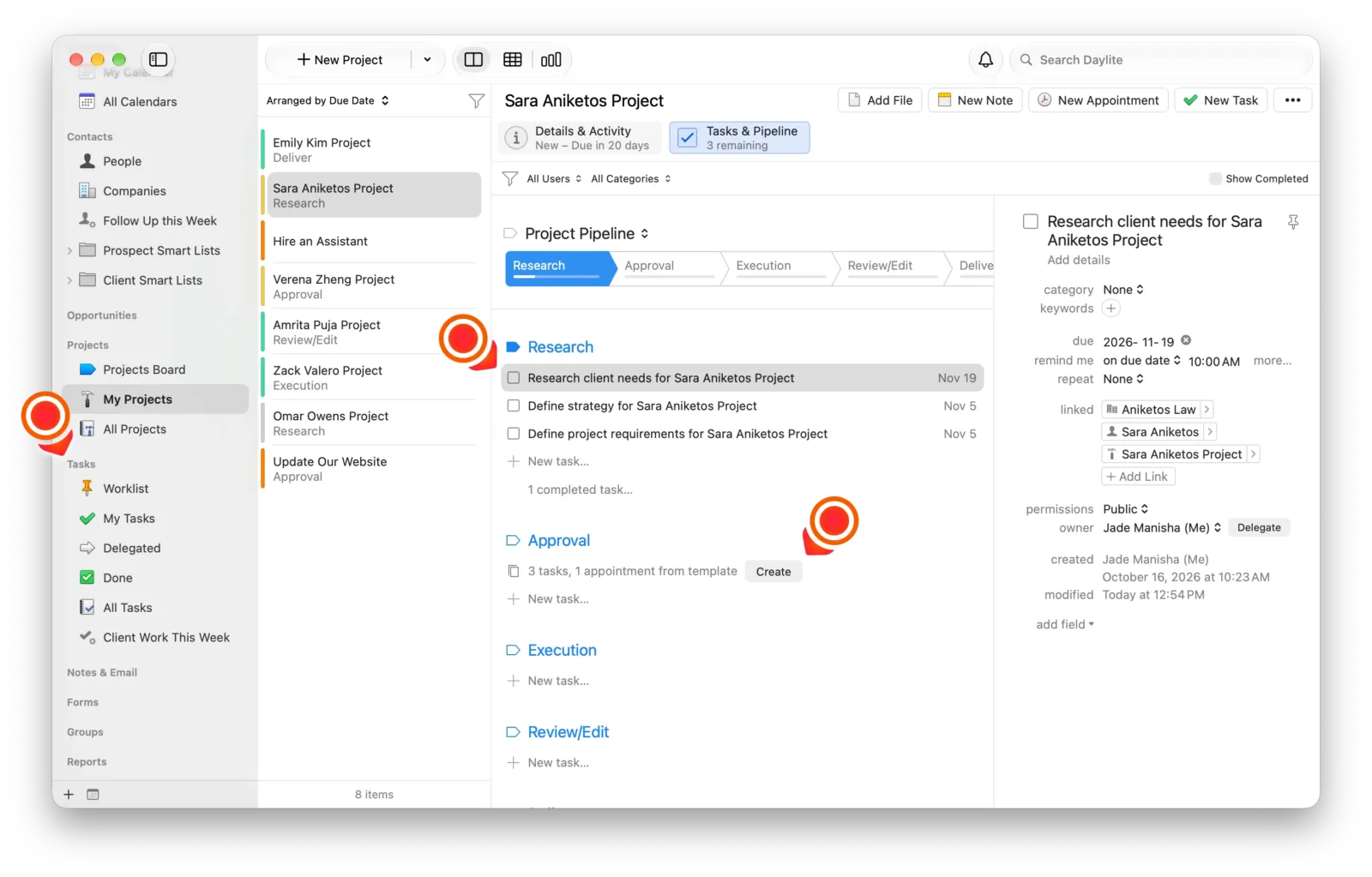
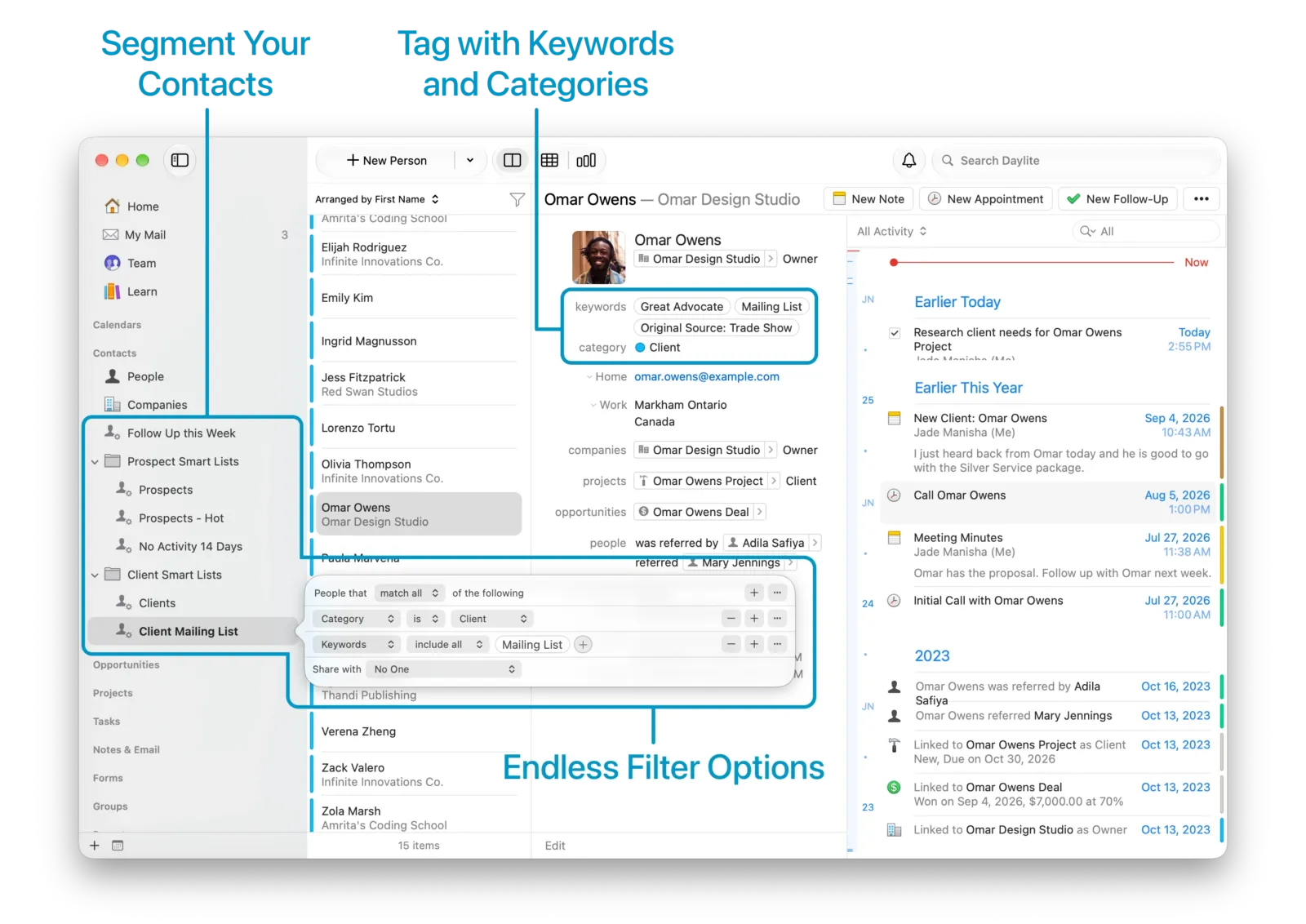
Daylite is a CRM and business-management app for Apple devices, combining contact histories, sales opportunities, projects, email, calendars, and tasks.
The product combines CRM, sales, project, calendar, and task functions, with native Apple apps and offline access. G2 shows 4.5/5 from 172 reviews; the accessible reviews also note a learning curve, limited integrations, and concerns about workflow automation.
This profile combines documented product information and independent evidence where available. It is not a hands-on test unless TechZella explicitly identifies one.
Daylite is a CRM and business-management product from Marketcircle for Mac, iPhone, and iPad. It links contacts and communication histories with opportunities, projects, calendars, and tasks.
The Mac app keeps a local copy of data for offline work, then syncs changes when the device reconnects. Daylite is not a native Windows desktop application, so it is most suited to Apple-based service teams.
A quick way to understand who this product may suit, where its limits matter, and which facts are most relevant before you compare alternatives.
Small service businesses using Macs, iPhones, and iPads that want client history, sales tracking, and project delivery connected in one workspace.
Windows-first teams, product retailers, or businesses seeking a browser-based CRM with extensive built-in workflow automation may find Daylite's Apple focus and workflow model restrictive, and should evaluate alternatives such as Pipedrive or HubSpot Sales Hub instead.
API, Cloud, iOS, iPadOS, macOS
7.8/10
These are the product-specific differences that may matter when deciding whether the software fits your workflow. They are based on documented evidence rather than a universal ranking.
These are documented constraints or practical friction points that may matter before you adopt the product.
A mixed-device team should verify that its Windows users can work through supported integrations or other workflows before adopting Daylite.
Evidence source ↗Teams should compare their expected records and connected mailboxes with the limits before choosing a plan.
Evidence source ↗Customers should export and verify their data before cancelling or changing systems.
Evidence source ↗One user, one email account integration, up to 500 contacts; email-only support.
Check current pricing →Up to 20 users, three email account integrations per user, up to 25,000 contacts; includes a one-hour setup session.
Check current pricing →Up to 100 users, ten email account integrations per user, up to 250,000 contacts; includes premium support and up to four setup sessions.
Check current pricing →One user, one email account integration, up to 500 contacts.
Check current pricing →Up to 20 users, three email account integrations per user, up to 25,000 contacts.
Check current pricing →Up to 100 users, ten email account integrations per user, up to 250,000 contacts.
Check current pricing →Pricing may change. Verify current plans on the vendor's website.
Compare similar products directly, then see which alternatives may make more sense when your requirements differ.
| Decision factor | Daylite | Pipedrive | HubSpot Sales Hub |
|---|---|---|---|
| Core scope | Combines CRM, sales opportunities, projects, calendars, tasks, email, and notes. | Centers on leads, deals, contacts, and sales pipeline workflows; some project tools are offered as add-ons. Source ↗ | Sales Hub offers sales tools on HubSpot's customer platform and provides a free tier with sales tools for up to two users. Source ↗ |
| Platform and offline use | Native Mac and iOS apps; the Mac app keeps a local copy for offline work. | Pipedrive describes a cloud CRM with limited offline access in its comparison page. Source ↗ | HubSpot presents Sales Hub as online sales software; the referenced pricing page does not document an offline desktop mode. Source ↗ |
| Pricing model | Paid per-user plans, with annual-billing prices of $15, $30, and $45 per month for Leap, Growth, and Scale respectively. | Paid per-seat plans; its pricing page lists Lite, Growth, Premium, and Ultimate tiers and a 14-day trial. Source ↗ | Offers a free tier for up to two users, plus paid Sales Hub tiers priced per seat. Source ↗ |
Only factors supported by the available research are shown. The comparison is descriptive, not a ranking.
These products address broadly similar requirements. The descriptions focus on documented reasons a buyer might compare them with Daylite.
| Supported devices | Mac, iPhone, and iPad |
|---|---|
| Offline access | Mac app stores a local copy of Daylite data |
| API | RESTful HTTP API; OAuth2 bearer authentication over HTTPS |
| Free trial | 14 days; no credit card required |
| Plan contact limits | 500 Leap; 25,000 Growth; 250,000 Scale |
| Plan user limits | 1 Leap; up to 20 Growth; up to 100 Scale |
| Email integrations per user | 1 Leap; 3 Growth; 10 Scale |
| Data export and retention | Export before cancellation; cancelled data remains for six months |
| Company address | 30 Centurian Drive, Suite 201, Markham, Ontario, Canada, L3R 8B8 |
Verified installation, hosting, administration, or environment details that can affect implementation.
| Installation or hosting | Native Mac, iPhone, and iPad apps connect to Daylite sync services. The Mac app keeps a local copy for offline work. Source ↗ |
|---|---|
| API | A RESTful HTTP API accesses and modifies data in a Daylite database. Requests use OAuth2 bearer tokens and HTTPS. Source ↗ |
Documented portability, standards, export, or switching considerations. No switching-cost score is shown unless the evidence supports one.
Daylite says users can export and download data before cancellation. Its help material documents contact import from Apple Contacts and spreadsheet formats such as CSV and TSV.
Evidence source ↗The vendor says cancelled-account data stays on its servers for six months before deletion.
Evidence source ↗A proprietary editorial score based on product capabilities, usability, value, performance, support and user sentiment evidence.
The product combines CRM, sales, project, calendar, and task functions, with native Apple apps and offline access. G2 shows 4.5/5 from 172 reviews; the accessible reviews also note a learning curve, limited integrations, and concerns about workflow automation.
Methodology v1.0. The assessment weighs feature coverage (25%), ease of use (15%), value for money (20%), performance (15%), support (10%) and user sentiment (15%), using researched product evidence and verified review evidence where available. It is a TechZella editorial assessment, not a direct user-review average.
Key claims are linked to the sources used to verify them. This evidence record is separate from third-party user ratings.
TechZella evaluates software using documented product capabilities, pricing information, usability and value considerations, independent user evidence where available, and competitive context. The assessment is an editorial review, not a hands-on test unless one is explicitly identified. Our editorial assessment is based on 5 documented sources.
The downloads page identifies Mac and iOS downloads and states that Daylite is a native Apple application.
View source ↗Verified 2026-11-29The downloads FAQ says users can continue offline on Mac and sync changes after reconnecting.
View source ↗Verified 2026-11-29The API getting-started documentation describes its HTTP/REST interface, JSON serialization, OAuth2 bearer tokens, and HTTPS requirement.
View source ↗Verified 2026-11-29The pricing FAQ states the trial lasts 14 days, includes all Daylite features, allows team invitations, and needs no credit card.
View source ↗Verified 2026-11-29The vendor's November 2, 2026 product update describes plan availability, administrator-only access, and early-access status.
View source ↗Verified 2026-11-29G2's public review page displayed the rating and review count.
View source ↗Verified 2026-11-29Answers begin with the clearest available response, followed by the context that helps you act on it.
No reviews yet. Be the first to share your experience.
Please log in to submit a review.