Editorial overview
Aggregated Overview
Scores reflect documented contact, deal, follow-up, mobile, integration, and API capabilities alongside public Capterra reviews. Review summaries and user comments identify a trade-off in advanced reporting and customization.
This profile combines documented product information and independent evidence where available. It is not a hands-on test unless TechZella explicitly identifies one.
Overview
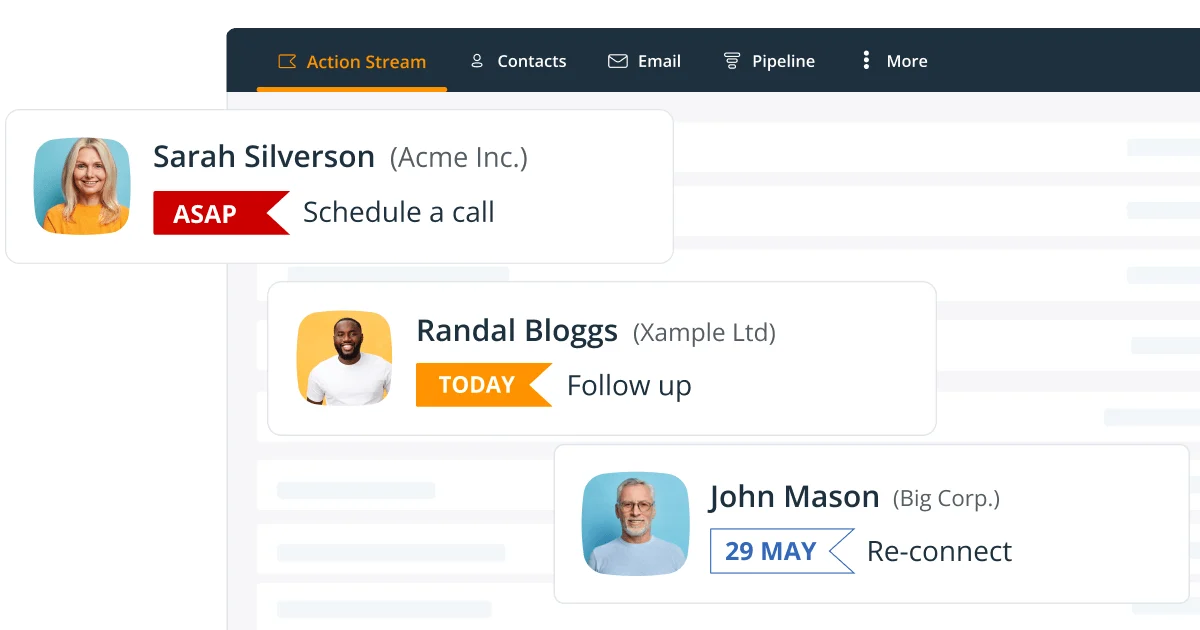
OnePageCRM is a cloud CRM built around contact records and follow-up actions. Its Action Stream organizes Next Actions into a prioritized work list, while deal and pipeline tools track sales progress.
The product is aimed primarily at small businesses. Teams can use the web application or native mobile apps, connect supported business tools, and extend workflows through an API and webhooks.
OnePageCRM Decision Snapshot
A quick way to understand who this product may suit, where its limits matter, and which facts are most relevant before you compare alternatives.
Best suited toSmall businesses and sales teams that want contact-centered records, visible next actions, and practical follow-up workflows across web and mobile.
Look elsewhere ifTeams needing extensive custom reporting, complex automation, or enterprise-scale process customization should compare broader CRM platforms before adopting it, and should evaluate alternatives such as Pipedrive is a direct CRM comparison for teams evaluating pipeline management, sales automation, and integration breadth. or Less Annoying CRM is a direct small-business CRM comparison for buyers prioritizing contact and pipeline management with a single published per-user price. instead.
PlatformsAndroid, iOS, REST API, SaaS, Web
TechZella assessment8.4/10
OnePageCRM — What Sets It Apart?
These are the product-specific differences that may matter when deciding whether the software fits your workflow. They are based on documented evidence rather than a universal ranking.
- Its Next Action and Action Stream organize follow-up work as a daily prioritized task list tied to contacts.
- The REST API and webhooks are included across all plans, with no-code marketplace integrations also available.
- The product combines CRM access with native iOS and Android apps and a separate field-sales route-planning app.
Editorial assessmentOnePageCRM Pros & Cons
Pros
- Action Stream and Next Actions connect follow-up tasks directly to contact records.
- Native iOS and Android apps support mobile CRM access.
- API access and webhooks are included on all listed plans.
- The official marketplace includes accounting and productivity integrations such as Xero, QuickBooks, Gmail, and Zapier.
Cons
- Public review summaries identify limits in advanced reporting, filtering, search, and custom-data flexibility.
- The main CRM service data is hosted in the United States, which may not suit all data-residency requirements.
- Using the API requires developer or engineering knowledge.
- QuickBooks integration supports QuickBooks Online, not QuickBooks Desktop.
OnePageCRM Gotchas & Operational Limits
These are documented constraints or practical friction points that may matter before you adopt the product.
OnePageCRM's primary CRM data is hosted on AWS servers in the United States; attachment storage locations can be selected separately.
Organizations assessing data residency should distinguish the CRM database location from the configurable location for attachments.
Evidence source ↗After the 21-day trial, the account becomes limited-access unless the account owner subscribes.
Teams should export or subscribe before relying on continued full-team access after the trial.
Evidence source ↗The QuickBooks integration supports QuickBooks Online, not QuickBooks Desktop, and only an account owner or administrator can set it up.
Buyers using desktop accounting software or delegating integration setup need to plan for a different workflow.
Evidence source ↗OnePageCRM Pricing & Plans
Professional
$9.95
per user/month
Includes unlimited contacts, one sales pipeline, mobile CRM app, and browser extension.
Check current pricing →Business
$19.95
per user/month
Adds full email sync, email open tracking, email scheduling, and light project management to Professional.
Check current pricing →Max
$29.95
per user/month
Adds email sequences, multiple email accounts, and unlimited pipelines to Business.
Check current pricing →Free trial
$0
21 days
Full-feature trial with no credit card required.
Check current pricing →Pricing may change. Verify current plans on the vendor's website.
Cost contextTotal Cost & Hidden Costs
Additional costs or implementation requirements that are documented in the available evidence.
Implementation and onboarding
The vendor provides a 21-day trial, documentation, live getting-started demos, and support. Public pricing does not state paid implementation fees or a required onboarding charge.
Evidence source ↗Hosting and infrastructure
The product is hosted SaaS, so customers do not install or host the CRM on their own computers. Public pricing does not itemize hosting separately.
Evidence source ↗Per-user subscription
Published monthly list prices are $9.95 per user for Professional, $19.95 for Business, and $29.95 for Max. A team's subscription total therefore depends on its number of users.
Evidence source ↗Add-ons and cancellation
The vendor says its listed CRM apps, including Web Forms, Lead Clipper, and Quick Quotes, require no extra subscription. It describes service as pay-as-you-go and cancellable from the account; terms state unused time is not refunded.
Evidence source ↗Quick Comparison
Compare the product with documented alternatives across the factors that can change a buying decision. Each row is evidence-backed rather than a generic feature checklist.
OnePageCRM vs. Pipedrive
Documented comparisonOnePageCRM vs. Less Annoying CRM
Documented comparisonOnly factors supported by the available research are shown. The comparison is descriptive, not a ranking.
CapabilitiesOnePageCRM Features
Contact and sales management
- Contact and company records
- Deal management and sales pipelines
- Custom fields, tags, and contact segmentation
Follow-up and collaboration
- Next Actions and Action Stream
- Team Stream and user permissions
- Activity and custom reports
Email and integrations
- Email sync and tracking according to plan
- Marketplace integrations including Gmail, Xero, QuickBooks, and Zapier
- REST API and webhooks on all plans
Mobile
- Native iOS and Android CRM apps
- AI business-card scanning in the mobile app
- Separate On the Road app for route planning and field sales
OnePageCRM Specifications
| Deployment | Cloud-hosted SaaS |
|---|
| Mobile apps | Native iOS and Android |
|---|
| API | REST API and webhooks; listed on all plans |
|---|
| Primary service data location | AWS servers in the United States |
|---|
| Attachment storage | Account owner or administrator can select a data center for attachments |
|---|
| Free trial | 21 days; no credit card required |
|---|
| Data export | CSV export documented for contacts, deals, and actions |
|---|
Alternatives
Pipedrive is worth comparing when a team wants a broader sales pipeline workspace, automation, and a larger listed integration catalog. Less Annoying CRM may suit buyers who prefer one flat per-user price and a 30-day trial.
OnePageCRM is a more focused fit when contact-based follow-up and its Next Action workflow are central requirements. Compare plan prices, integration needs, and reporting depth against each team’s process.
Migration & Lock-In
Documented portability, standards, export, or switching considerations. No switching-cost score is shown unless the evidence supports one.
Data export
The vendor documents exporting contacts and company details after a trial expires; its getting-started page also describes CSV export for contacts, deals, and actions.
Evidence source ↗Our evidence-based assessmentTechZella Score
A proprietary editorial score based on product capabilities, usability, value, performance, support and user sentiment evidence.
8.4/10Moderate confidence
Scores reflect documented contact, deal, follow-up, mobile, integration, and API capabilities alongside public Capterra reviews. Review summaries and user comments identify a trade-off in advanced reporting and customization.
Methodology v1.0. The assessment weighs feature coverage (25%), ease of use (15%), value for money (20%), performance (15%), support (10%) and user sentiment (15%), using researched product evidence and verified review evidence where available. It is a TechZella editorial assessment, not a direct user-review average.
Editorial transparency
Our Review Methodology
Key claims are linked to the sources used to verify them. This evidence record is separate from third-party user ratings.
TechZella evaluates software using documented product capabilities, pricing information, usability and value considerations, independent user evidence where available, and competitive context. The assessment is an editorial review, not a hands-on test unless one is explicitly identified. Our editorial assessment is based on 7 documented sources.
What TechZella adds- Its Next Action and Action Stream organize follow-up work as a daily prioritized task list tied to contacts.
- The REST API and webhooks are included across all plans, with no-code marketplace integrations also available.
- The product combines CRM access with native iOS and Android apps and a separate field-sales route-planning app.
Important limitations- Capterra's review summary identifies limits in search and filtering, custom data and reporting flexibility, and some pipeline or task workflows.
- The CRM is a hosted service; OnePageCRM says its primary service data is hosted on AWS servers in the United States.
- The API requires developer or engineering skills to configure and use.
Evidence-backed claimsOnePageCRM offers three listed plans with monthly starting prices of $9.95, $19.95, and $29.95 per user.The official pricing page names Professional, Business, and Max and displays those monthly prices.
View source ↗Verified 2026-11-27The free trial lasts 21 days and does not require a credit card.The official help article states the trial length and signup requirement.
View source ↗Verified 2026-11-27The vendor documents a REST API, webhooks, and an MCP server; API access and webhooks are available on all plans.The developer portal describes the connection methods, and the marketplace API page states that API access and webhooks come with every plan.
View source ↗Verified 2026-11-27The CRM has native Android and iOS apps.OnePageCRM's mobile help article describes its apps for both operating systems and their CRM functions.
View source ↗Verified 2026-11-27OnePageCRM's primary online and mobile service data is hosted on AWS servers in the United States.The vendor's help article states the service's server location and explains that attachment storage can be chosen separately.
View source ↗Verified 2026-11-27Novus Via Limited trades as OnePageCRM and lists its registered office in Galway, Ireland.The terms identify the legal entity and registered office address.
View source ↗Verified 2026-11-27The company timeline records first paying customers in 2010 and the product's public launch on March 22 in the following timeline entry.The official company story describes those milestones in its timeline.
View source ↗Verified 2026-11-27 Independent review sources
OnePageCRM Ratings & Reviews
Ratings are published by the respective review platforms and may change over time.
FAQ
Answers below summarize the vendor’s published trial, API, integration, and hosting information. Buyers should verify requirements against their own subscription and data policies.
Community feedback
Reviews
No reviews yet. Be the first to share your experience.
Write a Review
Please log in to submit a review.
Recently added CRM Software