
A Salesforce administrator may need to approve Scratchpad as a connected app before a new organization can sign in.
Teams should include Salesforce admin approval in initial rollout planning.
Evidence source ↗
Scratchpad is a Salesforce-connected sales workspace for pipeline updates, notes, and deal workflows. It offers browser-based access and a Chrome extension.
The assessment reflects documented Salesforce-focused workspace features, current list pricing, and public G2 evidence. It is an editorial assessment, not a hands-on test.
This profile combines documented product information and independent evidence where available. It is not a hands-on test unless TechZella explicitly identifies one.
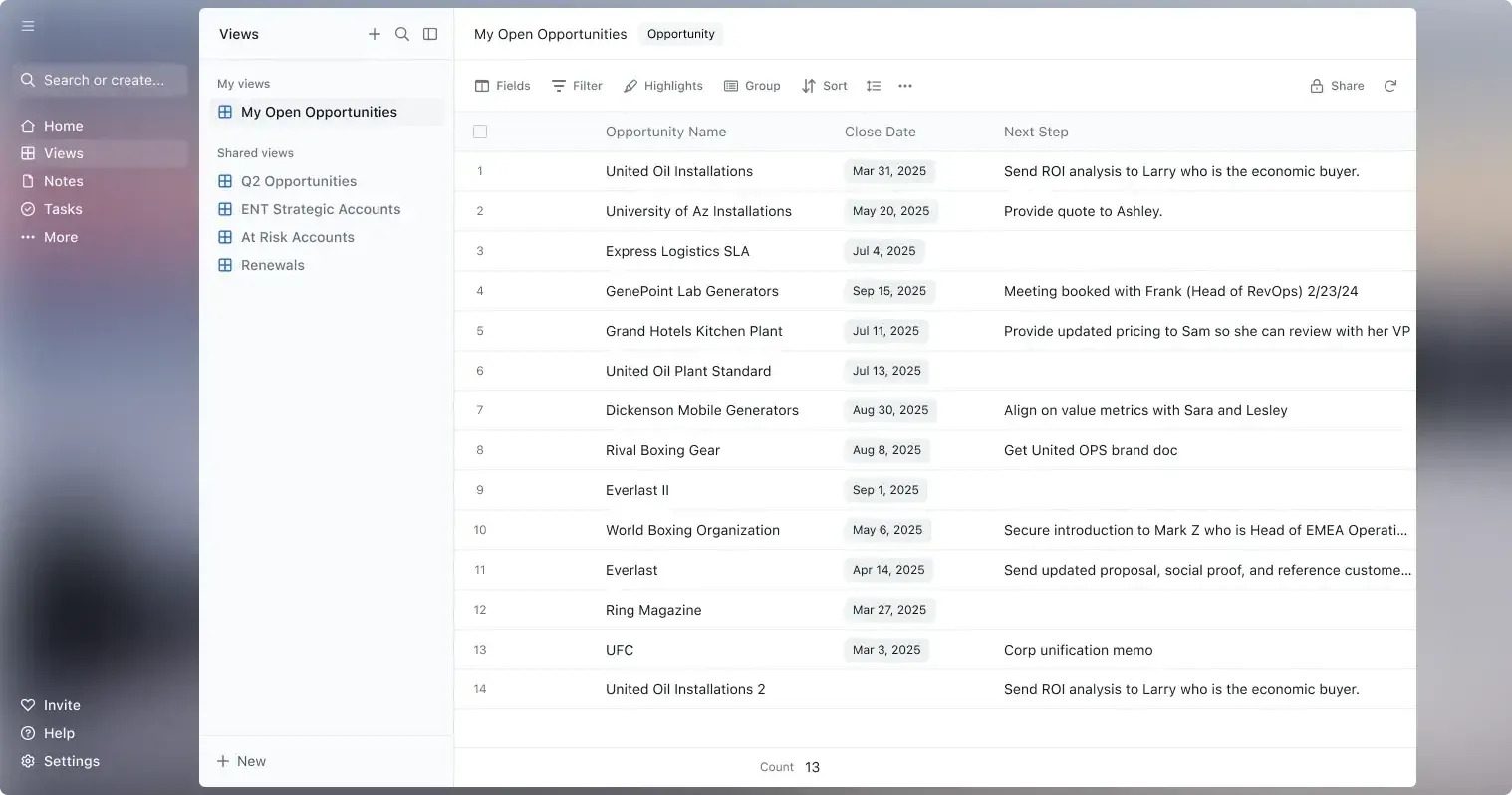
Scratchpad is a sales workspace designed to sit on top of Salesforce. It gives sellers web-based pipeline views, notes, and record-editing workflows while Salesforce remains the system of record.
The product connects to Salesforce through API and uses Salesforce authentication and permissions. Teams new to Scratchpad may need an administrator to approve its connected app before users can sign in.
A quick way to understand who this product may suit, where its limits matter, and which facts are most relevant before you compare alternatives.
Sales teams using Salesforce that want a browser-based workspace for pipeline reviews, bulk record changes, linked notes, and deal execution.
Teams without Salesforce, teams needing offline access, or organizations seeking a standalone CRM rather than a Salesforce-connected work layer, and should evaluate alternatives such as Weflow instead.
Chrome extension, Google Chrome, SaaS, Web
8.0/10
These are the product-specific differences that may matter when deciding whether the software fits your workflow. They are based on documented evidence rather than a universal ranking.
These are documented constraints or practical friction points that may matter before you adopt the product.
Teams should include Salesforce admin approval in initial rollout planning.
Evidence source ↗Users who need to review or update pipeline records without an internet connection should consider another workflow.
Evidence source ↗Buyers should compare the annual commitment with the higher month-to-month rate and the number of seats needed.
Evidence source ↗One listed plan with the features shown on the official pricing page.
Check current pricing →The vendor lists this rate as 20% below monthly billing.
Check current pricing →Pricing may change. Verify current plans on the vendor's website.
Compare similar products directly, then see which alternatives may make more sense when your requirements differ.
| Decision factor | Scratchpad | Weflow | Salesforce Sales Cloud |
|---|---|---|---|
| Core scope | Sales workspace for pipeline views, Salesforce updates, and linked notes. | Modular products cover Salesforce activity capture, conversation intelligence, and deal intelligence and forecasting. Source ↗ | A CRM platform with lead, account, contact, and opportunity management in its Starter Suite. Source ↗ |
| Pricing model | $16 per user per month billed annually, or $20 month-to-month. | Published annual pricing starts at $19 per user per month for Activity & Contact Capture; bundles have a 10-user minimum. Source ↗ | Salesforce lists Starter Suite at $25 per user per month. Source ↗ |
| Platform and deployment | Web app and Chrome extension; connects to Salesforce using Salesforce login and API. | Products integrate with Salesforce; Weflow lists Google and Microsoft ecosystem support across its activity capture offerings. Source ↗ | Provides the CRM system itself, with editions and features that vary by plan. Source ↗ |
Only factors supported by the available research are shown. The comparison is descriptive, not a ranking.
These products address broadly similar requirements. The descriptions focus on documented reasons a buyer might compare them with Scratchpad.

| Deployment | Cloud web app and Chrome extension |
|---|---|
| Required CRM | Salesforce |
| API | Connects to Salesforce through API; no public developer API documentation was verified |
| Free trial | 30 days |
| Offline access | Not supported |
| Security | Vendor states SOC 2 Type 2 compliance |
Verified installation, hosting, administration, or environment details that can affect implementation.
| Installation or hosting | Cloud web app and Chrome extension; sign-in uses Salesforce. The vendor describes a one-time connected-app approval for new organizations. Source ↗ |
|---|---|
| Salesforce data handling | The vendor says it connects through Salesforce API and does not routinely store Salesforce data, except when audit-trail is enabled. Source ↗ |
Documented portability, standards, export, or switching considerations. No switching-cost score is shown unless the evidence supports one.
Scratchpad notes linked to Salesforce records can be synced to Salesforce notes. No general-purpose export or migration procedure was verified.
Evidence source ↗A proprietary editorial score based on product capabilities, usability, value, performance, support and user sentiment evidence.
The assessment reflects documented Salesforce-focused workspace features, current list pricing, and public G2 evidence. It is an editorial assessment, not a hands-on test.
Methodology v1.0. The assessment weighs feature coverage (25%), ease of use (15%), value for money (20%), performance (15%), support (10%) and user sentiment (15%), using researched product evidence and verified review evidence where available. It is a TechZella editorial assessment, not a direct user-review average.
Key claims are linked to the sources used to verify them. This evidence record is separate from third-party user ratings.
TechZella evaluates software using documented product capabilities, pricing information, usability and value considerations, independent user evidence where available, and competitive context. The assessment is an editorial review, not a hands-on test unless one is explicitly identified. Our editorial assessment is based on 4 documented sources.
The vendor's setup page describes both access options and Salesforce sign-in.
View source ↗Verified 2026-11-01The official pricing page lists both rates and a 30-day free trial.
View source ↗Verified 2026-11-01The vendor's legal and security overview says it connects through API, uses Salesforce authentication, and inherits Salesforce configurations and permissions.
View source ↗Verified 2026-11-01The official pricing FAQ identifies Salesforce as the system of record and Scratchpad as the work interface.
View source ↗Verified 2026-11-01The vendor's security overview states that Scratchpad maintains SOC 2 Type 2 compliance.
View source ↗Verified 2026-11-01The public G2 product review page displayed the aggregate rating and review count.
View source ↗Verified 2026-11-01Answers begin with the clearest available response, followed by the context that helps you act on it.
No reviews yet. Be the first to share your experience.
Please log in to submit a review.