
L
Open Source Software
LightZone
LightZone is free, open-source desktop software for RAW development and non-destructive photo editing on Windows, macOS and Linux.
$0 / one-timeList of Photo Editing Software | Last updated: September 28, 2026
This page lists the 15 tools in the TechZella directory that are classified under Photo Editing Software, a software category in our taxonomy. Every profile summarises what the product does, who it suits, what it costs, and where it falls short, based on documented vendor and independent sources rather than hands-on testing. Examples in this group include ACDSee Photo Studio Ultimate, Adobe Lightroom Classic, Adobe Photoshop, Affinity Photo, Capture One Pro, Corel PaintShop Pro, Darktable and DxO PhotoLab; the list is alphabetical and does not imply a ranking. Across these tools the industries most often documented are Photography, Education, Media and Entertainment, Marketing and Advertising. The most common documented use cases are Batch Image Processing, Image compositing, Photo retouching, RAW photo development. Platform support most often listed is Windows, macOS, iOS, iPadOS. To compare options, open each profile and read the Decision Snapshot, the pricing and total cost sections, and the Gotchas, then check the alternatives listed for the products you are considering. Features, pricing and availability change, so confirm current details with each vendor before you decide.
Software discovery — this page combines TechZella's software profiles, structured comparisons, category guidance, and related topics to help you evaluate photo editing software software.
Editorial content availableStart here to understand what photo editing software software does, which teams commonly use it, and what to look for before comparing individual products.
This page lists the 15 tools in the TechZella directory that are classified under Photo Editing Software, a software category in our taxonomy. Every profile summarises what the product does, who it suits, what it costs, and where it falls short, based on documented vendor and independent sources rather than hands-on testing. Examples in this group include ACDSee Photo Studio Ultimate, Adobe Lightroom Classic, Adobe Photoshop, Affinity Photo, Capture One Pro, Corel PaintShop Pro, Darktable and DxO PhotoLab; the list is alphabetical and does not imply a ranking. Across these tools the industries most often documented are Photography, Education, Media and Entertainment, Marketing and Advertising. The most common documented use cases are Batch Image Processing, Image compositing, Photo retouching, RAW photo development. Platform support most often listed is Windows, macOS, iOS, iPadOS. To compare options, open each profile and read the Decision Snapshot, the pricing and total cost sections, and the Gotchas, then check the alternatives listed for the products you are considering. Features, pricing and availability change, so confirm current details with each vendor before you decide.
You do not need to evaluate every tool in this category. Start with the job you need to accomplish, the environment you work in, or the platform you need to support, then narrow the software list from there.
Start with the outcome you need. These paths connect the category to specific jobs, workflows and problems that software can help you address.
Your industry can change the features, integrations, compliance needs and workflows that matter. Explore software already associated with these industry contexts.
Platform compatibility can narrow the field quickly. Use these links when the devices or operating environments your team relies on are a key requirement.
These shortlists connect the category to specific jobs and business contexts. They are designed to help you move from a broad category to a few relevant products without treating every tool as equally suitable for every situation.
Explore software associated with this use case and compare the options that appear most relevant to this category.
Explore software associated with this use case and compare the options that appear most relevant to this category.
Explore software associated with this use case and compare the options that appear most relevant to this category.
This page lists the 18 tools in the TechZella directory that are classified under Photography, a industry in our taxonomy. Every profile summarises what…
This page lists the 83 tools in the TechZella directory that are classified under Media and Entertainment, a industry in our taxonomy. Every profile…
This page lists the 274 tools in the TechZella directory that are classified under Education, a industry in our taxonomy. Every profile summarises what…
Once you understand what you need, use these related category links to broaden or narrow your research. This is navigation rather than another evaluation layer, so it stays compact.
This explains what the information on the page means and how TechZella approaches comparison. It is intended to make the evaluation process easier to understand before you rely on a score or shortlist.
TechZella evaluates Photo Editing Software software using structured information stored in each profile, documented product capabilities, pricing information, user feedback where available, and evidence collected during research. The evaluation considers features, ease of use, value, performance, support and user sentiment so that the comparison reflects more than a single rating signal.
Use the comparison as a starting point, then check the individual software profile for current pricing, integrations, feature limitations and requirements that matter to your team. A higher TechZella Score does not automatically mean a tool is the right fit for every workflow.
| # | Software / Tool | Best For | TechZella Score | User Rating | Pricing |
|---|---|---|---|---|---|
| 1 | Pixelmator Pro | Pixelmator Pro is Apple’s image editor for Mac and iPad, combining photo… | 8.7/10 | — | $49.99 / $12.99 |
| 2 | Paint.NET | Paint.NET is free Windows software for raster image and photo editing, with… | 8.6/10 | — | $0 / $14.99 |
| 3 | Darktable | Darktable is free, open-source software for RAW development, non-destructive photo editing, image… | 8.5/10 | — | $0 |
| 4 | RawTherapee | RawTherapee is free, open-source software for non-destructive RAW photo processing on Windows,… | 8.5/10 | — | $0 |
| 5 | ACDSee Photo Studio Ultimate | ACDSee Photo Studio Ultimate is Windows software for digital asset management, RAW… | 8.4/10 | — | $179.99 USD / $9.99 USD monthly or $99.99… |
| 6 | DxO PhotoLab | DxO PhotoLab is desktop RAW photo editing software with AI masking, DeepPRIME… | 8.4/10 | — | $159.99 / $249.99 |
| 7 | Adobe Lightroom Classic | Desktop photo cataloging and editing software for organizing, processing, and exporting large… | 8.3/10 | — | US$11.99 / US$19.99 |
| 8 | Luminar Neo | AI-assisted photo editing software for Windows and macOS with RAW processing, layers,… | 8.3/10 | — | $0 / $129 |
| 9 | LightZone | LightZone is free, open-source desktop software for RAW development and non-destructive photo… | 7.6/10 | — | $0 |
| 10 | Pixlr Desktop | Pixlr Desktop was a Mac and Windows photo-editing application retired by Pixlr… | 6.5/10 | — | See pricing |
LightZone is free, open-source desktop software for RAW development and non-destructive photo editing on Windows, macOS and Linux.
$0 / one-timePixlr Desktop was a Mac and Windows photo-editing application retired by Pixlr in February 2017. It is no longer sold or supported…

ACDSee Photo Studio Ultimate is Windows software for digital asset management, RAW development, layered editing, and AI-assisted photography workflows.
$179.99 USD / one time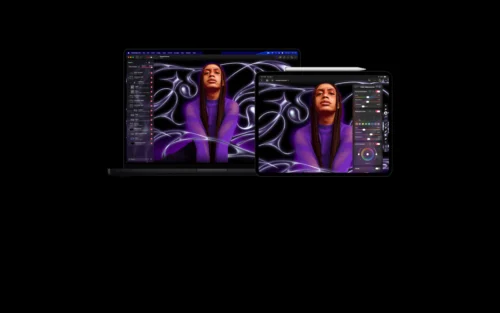
Pixelmator Pro is Apple’s image editor for Mac and iPad, combining photo editing, graphic design, vector tools, painting and machine-learning features.
$49.99 / one-timeRawTherapee is free, open-source software for non-destructive RAW photo processing on Windows, macOS and Linux.
$0 / one-time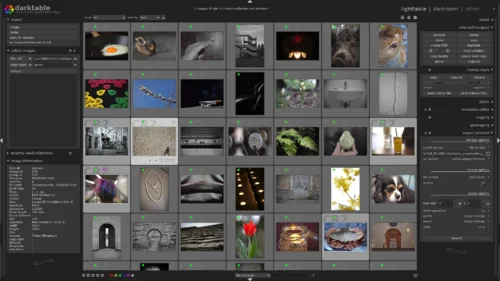
Darktable is free, open-source software for RAW development, non-destructive photo editing, image organization and photography workflow automation.
$0 / one-timePaint.NET is free Windows software for raster image and photo editing, with layers, unlimited history, effects, plugins and broad file-format support.
$0 / one-timeAI-assisted photo editing software for Windows and macOS with RAW processing, layers, masking, generative tools, and plugin support.
$0 / 7 daysDxO PhotoLab is desktop RAW photo editing software with AI masking, DeepPRIME denoising, camera and lens corrections, and non-destructive workflow tools.
$159.99 / one-timeDesktop photo cataloging and editing software for organizing, processing, and exporting large local image libraries.
US$11.99 / month