Editorial overview
Aggregated Overview
Official documentation confirms extensive photo, design, vector, painting, video and machine-learning capabilities. App Store evidence shows strong public user sentiment, while the current subscription transition complicates value comparisons.
This profile combines documented product information and independent evidence where available. It is not a hands-on test unless TechZella explicitly identifies one.
Overview
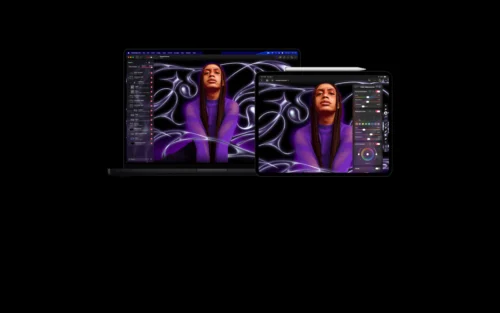
Pixelmator Pro is a non-destructive image editor for Mac and iPad. It combines photography, graphic design, vector illustration, painting, typography and selected video workflows.
The software supports layered compositions and common professional formats, including PSD, SVG, PDF, AI, Illustrator EPS, RAW, HEIF, AVIF, MP4 and MOV. Current Apple versions also add machine-learning and Apple Intelligence features.
Pixelmator Pro originated with Pixelmator Team, founded in 2007. Apple announced its agreement to acquire the team in November 2024, and Apple now distributes the product.
Pixelmator Pro Decision Snapshot
A quick way to understand who this product may suit, where its limits matter, and which facts are most relevant before you compare alternatives.
Best suited toMac and iPad users who need one application for layered photo editing, illustration, layouts, typography, painting and compatible video-frame work.
Look elsewhere ifWindows, Android and browser-based teams, or organizations requiring a documented public API, broad third-party integrations or cross-platform deployment, and should evaluate alternatives such as Adobe Photoshop or Affinity Photo instead.
TechZella assessment8.7/10
Pixelmator Pro — What Sets It Apart?
These are the product-specific differences that may matter when deciding whether the software fits your workflow. They are based on documented evidence rather than a universal ranking.
- Combines raster editing, vector drawing, typography, painting and video layers in one Apple-native application.
- Supports both a one-time Mac purchase and Apple Creator Studio access on Mac and iPad.
- Uses Apple Intelligence and machine-learning tools for background removal, enhancement, image generation and vector-shape generation in supported versions.
Editorial assessmentPixelmator Pro Pros & Cons
Pros
- Combines raster editing, vector design, illustration, painting and layout tools.
- Supports Mac and iPad workflows with Apple Pencil and iCloud project continuity.
- Includes extensive RAW, PSD, vector, image and video format compatibility.
- Offers machine-learning and Apple Intelligence features in supported versions.
- Provides both a Mac perpetual purchase and a subscription option.
Cons
- No verified Windows, Android or web version.
- The iPad version requires recent Apple hardware and iPadOS 26.
- The Mac standalone purchase does not include iPad access.
- Apple Creator Studio is required for the current iPad version and premium subscription features.
- No public API was identified in the reviewed official sources.
Pixelmator Pro Pricing & Plans
Mac standalone purchase
$49.99
one-time
Pixelmator Pro for Mac through the U.S. Mac App Store. The purchase does not include the iPad version.
Check current pricing →Apple Creator Studio Individual
$12.99
month
Includes Pixelmator Pro for Mac and iPad, plus Appleu2019s included creative applications and premium features.
Check current pricing →Apple Creator Studio Individual Annual
$129.00
year
Annual individual subscription including Pixelmator Pro for Mac and iPad.
Check current pricing →Apple Creator Studio Education
$2.99
month
Education pricing for verified college students and educators, with Pixelmator Pro included.
Check current pricing →Apple Creator Studio Education Annual
$29.99
year
Annual education subscription for verified college students and educators.
Check current pricing →Pricing may change. Verify current plans on the vendor's website.
Cost contextTotal Cost & Hidden Costs
The sticker price is rarely the whole cost. TechZella did not find published figures for the items below in the sources reviewed, so confirm them with the vendor before budgeting.
Implementation time
Not publicly documented. Ask for a typical onboarding and migration timeline for a team of your size, and whether paid onboarding is required.
Hosting & infrastructure
Not publicly documented for this product. For SaaS, hosting is normally part of the subscription; for self-hosted or hybrid deployments, budget for servers, backups, security patching and admin time.
Hidden fees & add-ons
No overage, add-on or premium-support fees were documented in the reviewed sources. Request a written quote that lists usage limits, minimum seats, integrations, support tiers and renewal terms.
Pixelmator Pro Competitors & Alternatives
Compare similar products directly, then see which alternatives may make more sense when your requirements differ.
Direct competitors
These products address broadly similar requirements. The descriptions focus on documented reasons a buyer might compare them with Pixelmator Pro.
Adobe PhotoshopAdobe Photoshop is raster-image editing software for photography, compositing, graphic design, digital painting, and AI-assisted image creation.
Affinity PhotoProfessional photo editing within Affinity’s free desktop app, with RAW development, retouching, compositing, layers, batch tools and optional Canva AI.
GIMPGIMP is a free, open-source desktop image editor for photo retouching, composition, digital art, batch processing and image conversion.
CanvaCanva is a visual communication platform for creating designs, presentations, videos, documents, websites and marketing content.
CapabilitiesPixelmator Pro Features
Photo Editing
- Nondestructive color adjustments and adjustment layers
- RAW processing for more than 750 camera formats
- Repair, cloning, retouching and object removal
- Machine-learning background removal and subject selection
- Super Resolution, Denoise, Deband, ML Enhance and Auto Crop
- More than 40 color adjustment presets
Graphic Design
- Layer-based composition
- More than 200 templates
- Customizable mockups
- Typography with path and circular text capabilities
- Smart Guides, alignment and distribution tools
- Layer styles and more than 70 nondestructive effects
Vector and Illustration
- Pen and Freeform Pen tools
- Smart Shapes and shape collections
- Vector masks and editable paths
- SVG and PDF import and export
- PSD, AI and Illustrator EPS compatibility
Painting and Video
- Dual-texture brushes
- Pressure and tilt support for compatible graphics tablets
- Apple Pencil support on supported iPads
- Video layers and animated-image workflows
- MP4, MOV, HDR, GIF and PNG-sequence support
AI and Automation
- Apple Intelligence integrations on supported systems
- Natural-language image generation through Apple Creator Studio
- Generated vector shapes through Apple Creator Studio
- Machine-learning enhancement and selection tools
- No public API identified in reviewed official documentation
Integrations and File Compatibility
- Apple Photos editing extension
- iCloud project synchronization between Mac and iPad
- Final Cut Pro frame transfer
- Keynote, Pages and Numbers image editing workflows
- AirDrop and Apple sharing workflows
- PSD, HEIF, JPEG, TIFF, PNG, WebP, AVIF, PDF, AI, MP4 and MOV support
Pixelmator Pro Specifications
| Deployment | Native desktop and tablet applications |
|---|
| Operating systems | macOS 26 or later; iPadOS 26 or later for the current Apple Creator Studio version |
|---|
| Supported Mac purchase | One-time purchase available through the Mac App Store |
|---|
| Supported iPad hardware | iPad with Apple M1 or later, iPad with A16, or iPad mini with A17 Pro |
|---|
| API | No public API identified in reviewed official documentation |
|---|
| Free trial | One month for new Apple Creator Studio subscribers |
|---|
| File compatibility | PSD, RAW, HEIF, JPEG, TIFF, PNG, SVG, AI, EPS, PDF, GIF, BMP, WebP, AVIF, MP4 and MOV |
|---|
| Integrations | Photos, iCloud, Final Cut Pro, Keynote, Pages, Numbers, AirDrop and Apple Pencil |
|---|
| Languages | English, French, German, Italian, Japanese, Korean, Portuguese, Russian, Simplified Chinese, Spanish and Traditional Chinese |
|---|
| Support | Apple Support, user guides and Apple Communities |
|---|
Our evidence-based assessmentTechZella Score
A proprietary editorial score based on product capabilities, usability, value, performance, support and user sentiment evidence.
8.7/10Moderate confidence
Official documentation confirms extensive photo, design, vector, painting, video and machine-learning capabilities. App Store evidence shows strong public user sentiment, while the current subscription transition complicates value comparisons.
Methodology v1.0. The assessment weighs feature coverage (25%), ease of use (15%), value for money (20%), performance (15%), support (10%) and user sentiment (15%), using researched product evidence and verified review evidence where available. It is a TechZella editorial assessment, not a direct user-review average.
Editorial transparency
Our Review Methodology
Key claims are linked to the sources used to verify them. This evidence record is separate from third-party user ratings.
TechZella evaluates software using documented product capabilities, pricing information, usability and value considerations, independent user evidence where available, and competitive context. The assessment is an editorial review, not a hands-on test unless one is explicitly identified. Our editorial assessment is based on 6 documented sources.
What TechZella adds- Combines raster editing, vector drawing, typography, painting and video layers in one Apple-native application.
- Supports both a one-time Mac purchase and Apple Creator Studio access on Mac and iPad.
- Uses Apple Intelligence and machine-learning tools for background removal, enhancement, image generation and vector-shape generation in supported versions.
Important limitations- The current iPad version requires iPadOS 26 and supported Apple silicon or A16-class hardware.
- The one-time purchase applies to the Mac version, while iPad access is included through Apple Creator Studio.
- No public developer API was identified in the reviewed official product and support documentation.
Evidence-backed claimsPixelmator Pro is available on Mac and iPad through Apple Creator Studio.Apple states that Pixelmator Pro is included on Mac and iPad through Apple Creator Studio.
View source ↗Verified 2026-09-23The Mac version remains available as a one-time purchase for $49.99 in the U.S. App Store.The U.S. Mac App Store listing shows Pixelmator Pro at $49.99 and identifies it as Mac-only for the standalone listing.
View source ↗Verified 2026-09-23Apple Creator Studio costs $12.99 monthly or $129 annually for individual subscribers.Apple’s subscription page lists the individual monthly and annual prices and a one-month free trial.
View source ↗Verified 2026-09-23Pixelmator Pro supports more than 750 RAW camera formats and more than 200 design templates.The Mac App Store listing documents RAW support for more than 750 cameras and more than 200 templates.
View source ↗Verified 2026-09-23The iPad version supports Apple Pencil and project handoff with Mac through iCloud.Apple’s App Store listing describes Apple Pencil support and round-tripping between iPad and Mac using iCloud.
View source ↗Verified 2026-09-23Pixelmator Pro requires macOS 26 or iPadOS 26 on supported hardware in the current Apple Creator Studio version.Apple lists macOS 26 and iPadOS 26 requirements, with iPad support for M1-or-later, A16 and A17 Pro devices.
View source ↗Verified 2026-09-23Apple added direct workflows between Pixelmator Pro and Final Cut Pro, Keynote, Pages and Numbers.Apple’s June 2026 update describes sending frames from Final Cut Pro and opening document images from Apple productivity applications in Pixelmator Pro.
View source ↗Verified 2026-09-23 Independent review sources
Pixelmator Pro Ratings & Reviews
Ratings are published by the respective review platforms and may change over time.
Common questionsPixelmator Pro FAQs
Answers begin with the clearest available response, followed by the context that helps you act on it.
Does Pixelmator Pro have a free trial?
Yes. Apple Creator Studio offers a one-month trial for new subscribers. Eligible new Mac and iPad purchases may include three months.
Is Pixelmator Pro available for Windows?
No verified Windows version is listed. Apple currently supports Mac and compatible iPad devices.
Can Pixelmator Pro edit Photoshop files?
Yes. The App Store listing identifies support for opening and exporting layered Adobe Photoshop files.
Does Pixelmator Pro have an API?
No public developer API was identified in the reviewed official product and support sources. The profile therefore treats API availability as unverified.
Can users move projects between Mac and iPad?
Yes. Apple documents project round-tripping between Mac and iPad through iCloud.
Does the one-time Mac purchase include iPad access?
No. Apple’s current pricing separates the Mac standalone purchase from Apple Creator Studio access, which includes the iPad version.
Community feedback
Reviews
No reviews yet. Be the first to share your experience.
Write a Review
Please log in to submit a review.
What Has Changed
This history records material data changes detected when TechZella re-researched the profile.
2026-09-23Research update changed: Pricing, Features, Specifications, Alternatives, Competitors, Trusted ratings, Description.
Recently added Graphic Design Software