Editorial overview
Aggregated Overview
Official documentation verifies visual site building, structured CMS, publishing, integrations, APIs, and hosting. G2 displayed a 4.4 rating from 995 reviews; only a small number of review excerpts were accessible for qualitative assessment. Scores are editorial assessments, not hands-on test results.
This profile combines documented product information and independent evidence where available. It is not a hands-on test unless TechZella explicitly identifies one.
Overview
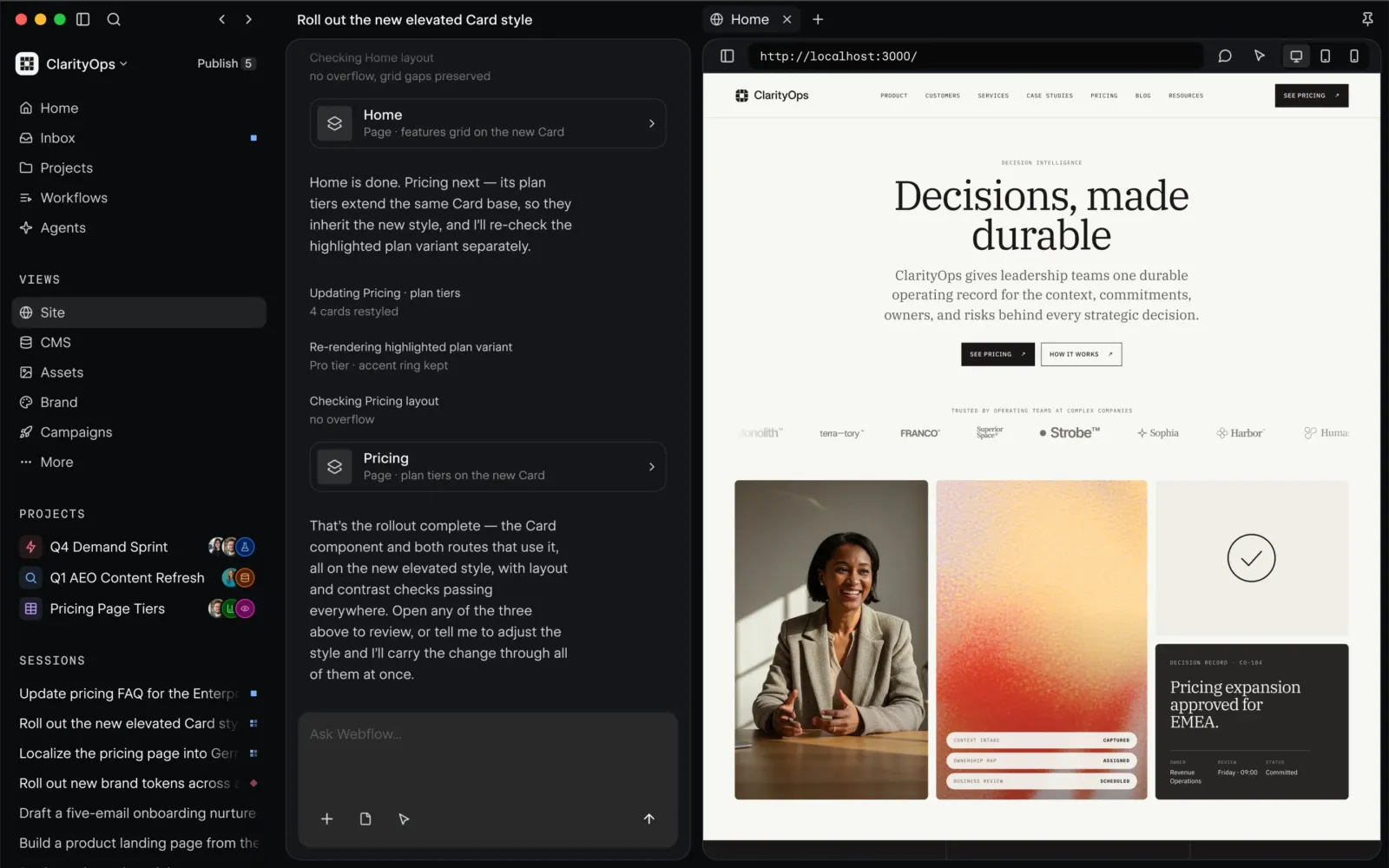
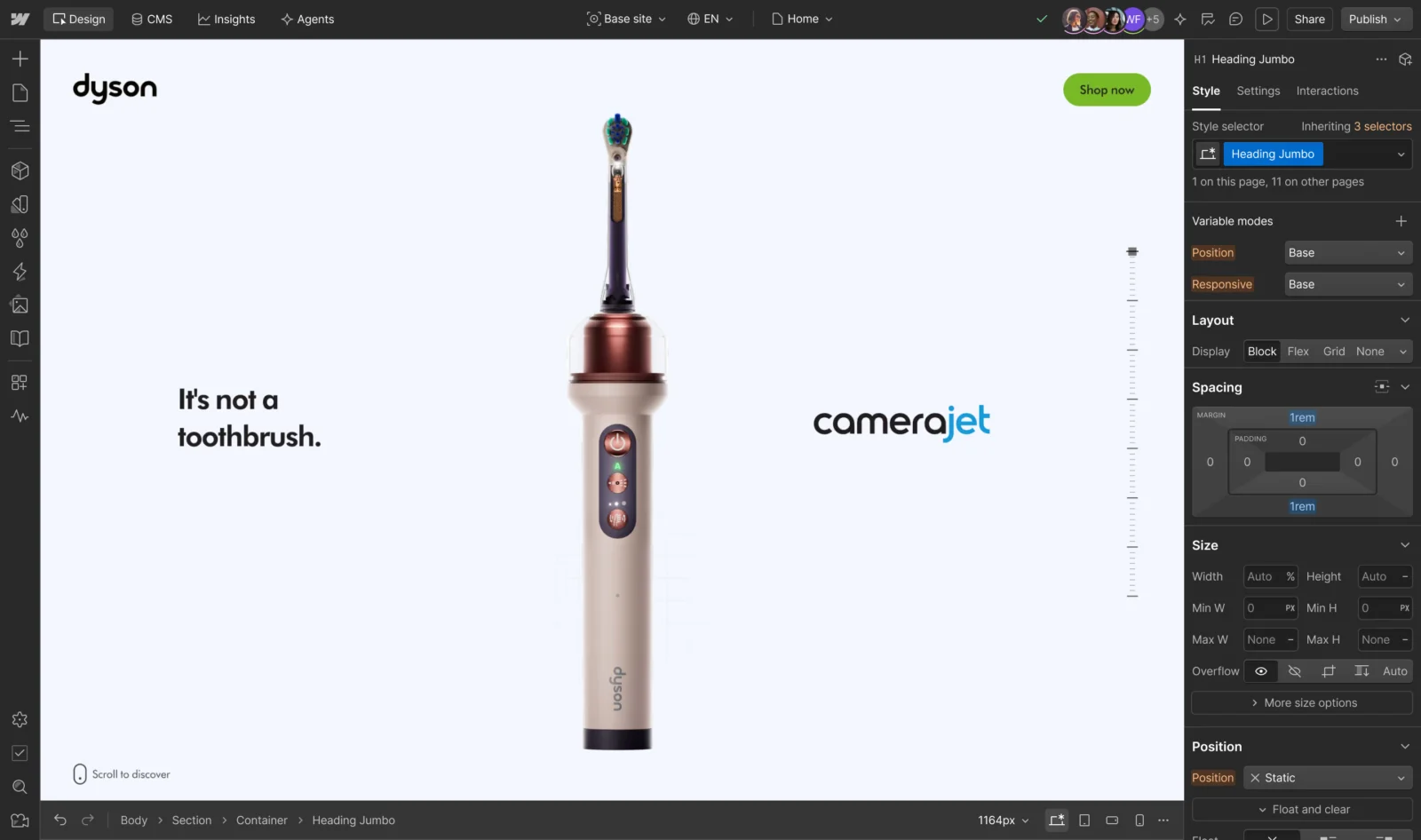
Webflow combines a visual website designer, hosted publishing, and a structured content management system. Teams can build page layouts, organize dynamic content into Collections, and publish to a Webflow-hosted site.
Its APIs support programmatic content management and delivery to other channels. Webflow also supports integrations through its app ecosystem, APIs, and connections such as Zapier and Google site tools. Code export is available on eligible paid Workspace plans, but exported code excludes several dynamic and hosted functions.
Webflow Decision Snapshot
A quick way to understand who this product may suit, where its limits matter, and which facts are most relevant before you compare alternatives.
Best suited toMarketing and design teams, agencies, and developers building visually tailored websites that need hosted publishing and structured content management.
Look elsewhere ifTeams that require portable CMS functionality after exporting the site should assess alternatives: Webflow's exported code excludes CMS functionality, form processing, and several other hosted features, and should evaluate alternatives such as Framer or WordPress instead.
PlatformsAPI, Cloud, SaaS, Web
TechZella assessment8.0/10
Webflow — What Sets It Apart?
These are the product-specific differences that may matter when deciding whether the software fits your workflow. They are based on documented evidence rather than a universal ranking.
- The visual design canvas and structured CMS are integrated, so collection templates can render CMS content directly in designed pages.
- Webflow provides both APIs for managing CMS data and read-only content delivery APIs for serving CMS data to other channels.
- The platform combines hosted publishing with code export, while documenting that dynamic site features do not travel with exported code.
Editorial assessmentWebflow Pros & Cons
Pros
- Visual website design and structured content management are integrated.
- CMS APIs and content delivery APIs support external workflows and multi-channel publishing.
- Bulk CMS content import is available through CSV.
- The free Starter plan enables exploration before subscribing.
Cons
- Exported code excludes CMS functionality and multiple other hosted features.
- A custom domain requires a paid Site plan.
- Workspace and Site plans are separate subscriptions with distinct capabilities and limits.
Webflow Gotchas & Operational Limits
These are documented constraints or practical friction points that may matter before you adopt the product.
Exported site code does not carry over CMS functionality, forms processing, site search, password protection, or localized content.
An export is not a complete operational migration for sites that rely on these services; replacement tools or hosted functionality may be needed.
Evidence source ↗The free Starter Site plan has a Webflow.io domain, two static pages, and 50 form submissions.
A public site on a custom domain requires a paid Site plan, and the free tier is constrained for production publishing.
Evidence source ↗CMS API request limits and content allowances vary by plan.
Teams integrating automated publishing or high-volume content delivery should check current plan limits against expected traffic and operations.
Evidence source ↗Webflow Pricing & Plans
Starter
$0
month
Free Site plan. Publishes to a Webflow.io domain; lists limited CMS access, two static pages, 1 GB bandwidth, and 50 form submissions.
Check current pricing →Basic
$15
month, billed yearly
Site plan for simple sites that do not need a CMS; includes custom domain publishing and 300 static pages.
Check current pricing →Premium
$25
month, billed yearly
Site plan that includes Webflow CMS, code components, site search, form file uploads, and other features.
Check current pricing →Freelancer
$16
month, billed yearly
Workspace plan listing 10 staging sites, client seats, and CMS access on staging sites.
Check current pricing →Agency
$35
month, billed yearly
Workspace plan listing unlimited staging sites, site-level roles, publishing permissions, and shared libraries.
Check current pricing →Pricing may change. Verify current plans on the vendor's website.
Cost contextTotal Cost & Hidden Costs
Additional costs or implementation requirements that are documented in the available evidence.
Site plan subscription
The pricing page lists a free Starter Site plan, Basic at $15 per month billed yearly, and Premium at $25 per month billed yearly. Prices are USD per site, with applicable taxes added at checkout.
Evidence source ↗Workspace subscription
Workspace plans are separate from Site plans. The pricing page lists Freelancer at $16 per month and Agency at $35 per month, billed yearly; the free Starter Workspace is also listed.
Evidence source ↗Additional bandwidth
The pricing page lists paid bandwidth add-ons for Premium Site plans, with prices depending on the added monthly bandwidth amount and billing cycle.
Evidence source ↗Webflow Competitors & Alternatives
Compare similar products directly, then see which alternatives may make more sense when your requirements differ.
At a glance
Content Management SystemOnly factors supported by the available research are shown. The comparison is descriptive, not a ranking.
Direct competitors
These products address broadly similar requirements. The descriptions focus on documented reasons a buyer might compare them with Webflow.
CapabilitiesWebflow Features
Website design and publishing
- Visual website design canvas
- Responsive page layouts
- Hosted site publishing
- Custom domain publishing on paid Site plans
- Global CDN
Content management
- CMS Collections and collection templates
- CMS item bulk import using CSV
- CMS content management REST API
- Read-only content delivery APIs
- Scheduled publishing on eligible plans
Integrations and extensibility
- Webflow Apps marketplace
- Zapier workflows for forms, CMS, and ecommerce actions
- Google site tools connection for Analytics, Search Console, and Tag Manager
- REST APIs and webhooks
- Custom code and code components on supported plans
AI capabilities
- Prompt-based site generation
- AI-assisted copy generation
- AI-assisted CMS item generation
- AI-supported SEO and answer engine optimization
- AI credits included in Workspace plans, with additional credits available separately
Webflow Specifications
| Deployment | Hosted SaaS with Webflow website publishing; Webflow Cloud app hosting is also listed. |
|---|
| Site plan pricing | Starter free; Basic $15/month and Premium $25/month when billed yearly, USD per site before tax. |
|---|
| CMS/API limits | Pricing page lists Starter with 50 CMS items and 60 API requests per minute, and Premium with 20,000 CMS items and 120 requests per minute. |
|---|
| Integrations | Webflow Apps, REST APIs, webhooks, Zapier, and Google site tools are documented. |
|---|
| Code export | Paid Workspace plans support exporting HTML, CSS, JavaScript, and assets; dynamic CMS features and other hosted functionality are excluded. |
|---|
| Free trial | Free Starter plan is available; a separate timed trial was not verified. |
|---|
| Founded | 2013 |
|---|
Exit planningMigration & Lock-In
Documented portability, standards, export, or switching considerations. No switching-cost score is shown unless the evidence supports one.
Content import
CMS collection items can be imported in bulk from CSV. Exported site code is separate from CMS data, which can also be exported as CSV.
Evidence source ↗Code portability
Exported HTML, CSS, JavaScript, and assets can be hosted elsewhere, but the export does not include CMS functionality, forms processing, search, or localized content.
Evidence source ↗Our evidence-based assessmentTechZella Score
A proprietary editorial score based on product capabilities, usability, value, performance, support and user sentiment evidence.
8.0/10Moderate confidence
Official documentation verifies visual site building, structured CMS, publishing, integrations, APIs, and hosting. G2 displayed a 4.4 rating from 995 reviews; only a small number of review excerpts were accessible for qualitative assessment. Scores are editorial assessments, not hands-on test results.
Methodology v1.0. The assessment weighs feature coverage (25%), ease of use (15%), value for money (20%), performance (15%), support (10%) and user sentiment (15%), using researched product evidence and verified review evidence where available. It is a TechZella editorial assessment, not a direct user-review average.
Editorial transparency
Our Review Methodology
Key claims are linked to the sources used to verify them. This evidence record is separate from third-party user ratings.
TechZella evaluates software using documented product capabilities, pricing information, usability and value considerations, independent user evidence where available, and competitive context. The assessment is an editorial review, not a hands-on test unless one is explicitly identified. Our editorial assessment is based on 6 documented sources.
What TechZella adds- The visual design canvas and structured CMS are integrated, so collection templates can render CMS content directly in designed pages.
- Webflow provides both APIs for managing CMS data and read-only content delivery APIs for serving CMS data to other channels.
- The platform combines hosted publishing with code export, while documenting that dynamic site features do not travel with exported code.
Important limitations- Code export does not include CMS functionality or content, forms, site search, password protection, ecommerce functionality, or localized content; several features therefore depend on Webflow hosting.
- Plan limits differ by tier. The pricing page lists Starter with 50 CMS items and 60 API requests per minute, while paid plans have different limits.
- The free Starter plan uses a Webflow subdomain and limits the site to two static pages; publishing to a custom domain requires a paid Site plan.
Evidence-backed claimsWebflow was founded in 2013.The company About page lists 2013 as its founding year.
View source ↗Verified 2026-10-12Webflow combines a visual site builder with a structured CMS and content APIs.The product CMS page describes visual content management, CMS APIs, and content delivery APIs.
View source ↗Verified 2026-10-12The CMS API supports programmatic management of CMS collections and items.The API documentation describes CMS operations, and the pricing page lists plan-specific API request limits.
View source ↗Verified 2026-10-12Code export omits CMS functionality and several other hosted features.The Help Center lists excluded features including CMS functionality, forms processing, site search, and localized content.
View source ↗Verified 2026-10-12Starter Site is free, while the listed Basic and Premium prices are $15 and $25 per month billed yearly.The official pricing page lists Starter as free, Basic at $15/month, and Premium at $25/month, with paid prices billed yearly.
View source ↗Verified 2026-10-12Webflow lists integrations and apps for Google site tools and Zapier workflows.Webflow documentation describes Google Analytics and Google site tools connections, plus Zapier workflows for forms, CMS, and ecommerce.
View source ↗Verified 2026-10-12 Independent review sources
Webflow Ratings & Reviews
Ratings are published by the respective review platforms and may change over time.
FAQ
Does Webflow have a free trial?
Webflow lists a free Starter plan for building and publishing to a Webflow.io subdomain. The reviewed pricing material did not identify a separate timed trial.
Does Webflow include a CMS?
Yes. The Premium Site plan includes Webflow CMS. Starter also lists limited CMS access, while Basic is described for sites that do not need a CMS.
Does Webflow have an API?
Yes. Webflow documents REST APIs for sites, pages, assets, and CMS content, as well as webhooks. API limits vary by plan.
Can I host an exported Webflow site elsewhere?
Eligible paid Workspace plans can export HTML, CSS, JavaScript, and assets. Exported sites do not retain several dynamic or hosted features, including CMS functionality, form processing, and site search.
Which integrations are documented?
Webflow documents Google site tools and Zapier integrations, along with a wider app ecosystem and APIs. Available integrations depend on the chosen workflow and configuration.
Community feedback
Reviews
No reviews yet. Be the first to share your experience.
Write a Review
Please log in to submit a review.
What Has Changed
This history records material data changes detected when TechZella re-researched the profile.
2026-10-12Research update changed: Pricing, Features, Specifications, Alternatives, Competitors, Trusted ratings, Description.
Recently added Content Management System