Editorial overview
Aggregated Overview
Feature breadth is supported by official documentation on pipelines, build chains, integrations, and APIs. Public review excerpts show positive comments about flexibility and integrations, alongside concerns about pricing and setup complexity; the available review evidence is limited.
This profile combines documented product information and independent evidence where available. It is not a hands-on test unless TechZella explicitly identifies one.
Overview
TeamCity is JetBrains’ continuous integration and delivery platform. It automates software build, test, and delivery workflows, and supports both classic build configurations and newer pipelines.
Buyers can choose JetBrains-managed Cloud or self-managed On-Premises. That choice affects who manages infrastructure, how capacity is licensed, and which migration steps apply.
TeamCity Decision Snapshot
A quick way to understand who this product may suit, where its limits matter, and which facts are most relevant before you compare alternatives.
Best suited toSoftware teams that need configurable CI/CD, integrations with multiple source-control systems, and a choice between JetBrains-managed cloud hosting and self-managed infrastructure.
Look elsewhere ifTeams wanting a fully bundled source-code hosting and CI/CD suite may prefer a platform such as GitLab. On-premises TeamCity also requires the buyer to provide and administer its server infrastructure, and should evaluate alternatives such as Jenkins instead.
PlatformsCloud, Linux, macOS, On-premises, Windows
TechZella assessment7.6/10
TeamCity — What Sets It Apart?
These are the product-specific differences that may matter when deciding whether the software fits your workflow. They are based on documented evidence rather than a universal ranking.
- Offers both classic build configurations and newer YAML-based pipelines, with support for linking them into build chains.
- Provides managed cloud and self-hosted server options, including the ability to connect self-hosted agents to TeamCity Cloud.
- Supports multiple version-control systems within a build chain and provides a REST API for external integrations and scripts.
Editorial assessmentTeamCity Pros & Cons
Pros
- Supports managed Cloud and customer-managed On-Premises deployment.
- Offers integrations with major source-control hosts and several version-control systems.
- Provides both build configurations and YAML-based pipelines.
- Includes a REST API for integration and automation.
Cons
- The free on-premises edition has documented build-configuration and pipeline limits.
- Cloud cost depends on committer count and resource use, with additional credits available at extra cost.
- On-premises operation requires customer-provided and administered infrastructure.
- The documented Cloud migration process excludes build artifacts and build logs.
TeamCity Gotchas & Operational Limits
These are documented constraints or practical friction points that may matter before you adopt the product.
TeamCity Cloud subscriptions include monthly build credits, while additional build-credit purchases do not expire. Additional resources bought with credits can renew automatically until canceled.
Buyers should estimate active committers, build time, storage, data transfer, and agent needs, then check recurring resource purchases.
Evidence source ↗The Cloud migration process does not import build artifacts or build logs, and import files are limited to about 1.5 GB.
Teams may need a separate retention or transfer plan for artifacts and logs before moving an existing installation.
Evidence source ↗TeamCity Pricing & Plans
Professional
$0
forever
On-premises edition with unlimited users, three build agents, and limits of 100 build configurations and 10 pipelines.
Check current pricing →Enterprise
$2,399
year
On-premises server license with three included build agents and unlimited build configurations.
Check current pricing →Additional on-premises build agent
$359
year per agent
Additional build agent license for on-premises Professional or Enterprise.
Check current pricing →TeamCity Cloud
$15
month per committer
Cloud subscription with a three-committer minimum; resource usage and included credits affect total cost.
Check current pricing →Additional build credits
$20
per 25,000 credits
Additional TeamCity Cloud credits for build resources and storage.
Check current pricing →Pricing may change. Verify current plans on the vendor's website.
Cost contextTotal Cost & Hidden Costs
Additional costs or implementation requirements that are documented in the available evidence.
On-premises server and agent infrastructure
On-premises TeamCity is installed and managed by the customer. Server, storage, database, and agent infrastructure costs are not included in the license prices.
Evidence source ↗Implementation and administration
JetBrains does not publish a standard implementation fee or onboarding duration on the pricing page. On-premises customers should account for setup and ongoing infrastructure administration; TeamCity Cloud is managed by JetBrains.
Evidence source ↗Licenses and usage-based resources
On-premises Enterprise is listed at $2,399 per year, and each additional build agent is $359 per year. Cloud starts at $15 per committer per month with a three-committer minimum; additional build credits are listed at $20 per 25,000 credits.
Evidence source ↗TeamCity Competitors & Alternatives
Compare similar products directly, then see which alternatives may make more sense when your requirements differ.
At a glance
DevOps PlatformOnly factors supported by the available research are shown. The comparison is descriptive, not a ranking.
Direct competitors
These products address broadly similar requirements. The descriptions focus on documented reasons a buyer might compare them with TeamCity.
CapabilitiesTeamCity Features
CI/CD workflows
- Build configurations and YAML-based pipelines
- Build chains with dependencies
- Kotlin DSL for configuration as code
- Build and test automation
- Pipeline and build status reporting
Integrations and extensibility
- GitHub, GitLab, Bitbucket, and Azure DevOps integrations
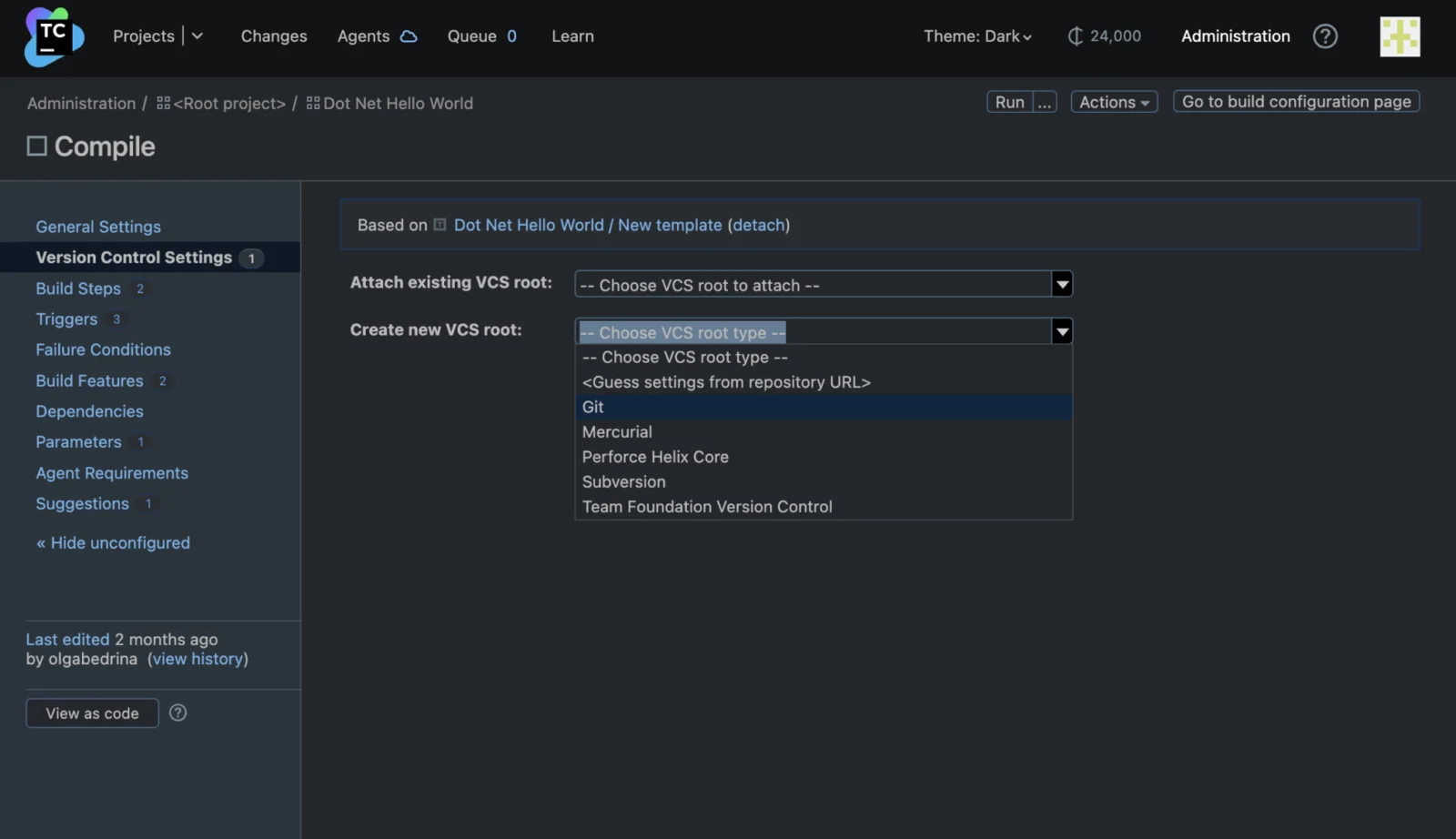
- Support for Git, Perforce, Mercurial, Subversion, and CVS
- REST API for external applications and scripts
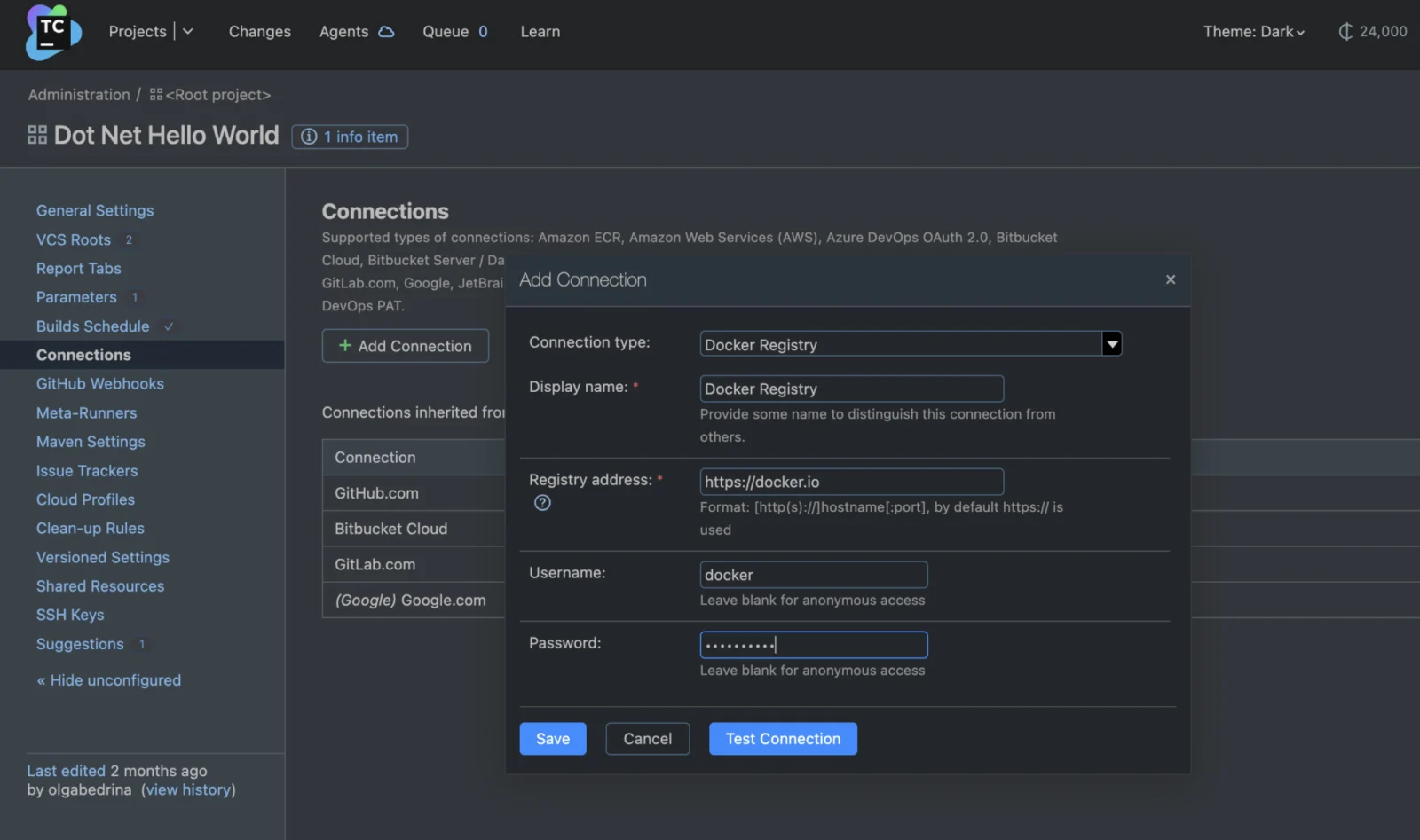
- Docker and Docker Compose support
- Cloud integrations including AWS, Kubernetes, Google Cloud Platform, Azure Resource Manager, and VMware vSphere
Deployment and capacity
- JetBrains-managed Cloud service
- Self-managed On-Premises server
- Self-hosted agents for Cloud
- Build agent licensing and Cloud build credits
TeamCity Specifications
| Deployment | JetBrains-managed Cloud or customer-managed On-Premises |
|---|
| Server operating systems | Recent Windows, Linux, and macOS versions |
|---|
| API | REST API |
|---|
| Cloud trial | 14 days; includes 12,000 build credits, 120 GB storage, unlimited parallel builds, and up to three self-hosted agents |
|---|
| On-premises Professional limits | 100 build configurations and 10 pipelines; configuration limit increases with additional agent licenses |
|---|
| Cloud pricing basis | Active committers and resource usage |
|---|
Exit planningMigration & Lock-In
Documented portability, standards, export, or switching considerations. No switching-cost score is shown unless the evidence supports one.
On-premises to Cloud
The migration guide supports importing project settings, build configurations, users, build history, changelogs, and statistics, subject to backup-size limits. Build artifacts and build logs cannot be imported.
Evidence source ↗Our evidence-based assessmentTechZella Score
A proprietary editorial score based on product capabilities, usability, value, performance, support and user sentiment evidence.
7.6/10Moderate confidence
Feature breadth is supported by official documentation on pipelines, build chains, integrations, and APIs. Public review excerpts show positive comments about flexibility and integrations, alongside concerns about pricing and setup complexity; the available review evidence is limited.
Methodology v1.0. The assessment weighs feature coverage (25%), ease of use (15%), value for money (20%), performance (15%), support (10%) and user sentiment (15%), using researched product evidence and verified review evidence where available. It is a TechZella editorial assessment, not a direct user-review average.
Editorial transparency
Our Review Methodology
Key claims are linked to the sources used to verify them. This evidence record is separate from third-party user ratings.
TechZella evaluates software using documented product capabilities, pricing information, usability and value considerations, independent user evidence where available, and competitive context. The assessment is an editorial review, not a hands-on test unless one is explicitly identified. Our editorial assessment is based on 6 documented sources.
What TechZella adds- Offers both classic build configurations and newer YAML-based pipelines, with support for linking them into build chains.
- Provides managed cloud and self-hosted server options, including the ability to connect self-hosted agents to TeamCity Cloud.
- Supports multiple version-control systems within a build chain and provides a REST API for external integrations and scripts.
Important limitations- The free on-premises Professional edition limits active build configurations to 100 and pipelines to 10; additional agent licenses raise the configuration limit.
- TeamCity Cloud pricing depends on active committers and resource use, so the entry price alone does not determine the full cost.
- Migration from on-premises to Cloud does not transfer all data; build artifacts and build logs cannot be imported according to the migration guide.
Evidence-backed claimsTeamCity is available in managed Cloud and self-hosted On-Premises editions.JetBrains describes Cloud as managed by JetBrains and On-Premises as installed and administered by the customer.
View source ↗Verified 2026-11-08TeamCity supports major VCS hosting services and multiple version-control systems.JetBrains lists GitHub, GitLab, Bitbucket, and Azure DevOps integrations, plus support for Git, Perforce, Mercurial, Subversion, and CVS.
View source ↗Verified 2026-11-08TeamCity provides a REST API for integrations and scripts.The REST API documentation describes access to TeamCity resources through HTTP requests.
View source ↗Verified 2026-11-08TeamCity Cloud has a 14-day trial.JetBrains documents a 14-day Cloud trial with 12,000 build credits, 120 GB storage, unlimited parallel builds, and up to three self-hosted build agents.
View source ↗Verified 2026-11-08TeamCity 2026.2 made pipelines generally available and added AI Assistant BYOK support.JetBrains' release announcement says pipelines became generally available on Cloud and On-Premises and describes connecting a supported AI provider using a user-provided key.
View source ↗Verified 2026-11-08The on-premises Professional edition has configuration and pipeline limits.The licensing documentation lists limits of 100 build configurations and 10 pipelines, with configuration limits increasing when additional agent licenses are purchased.
View source ↗Verified 2026-11-08 Common questionsTeamCity FAQs
Answers begin with the clearest available response, followed by the context that helps you act on it.
Does TeamCity have a free version?
Yes. The on-premises Professional edition is free, with limits on build configurations and pipelines. TeamCity Cloud offers a 14-day trial.
How much does TeamCity Cloud cost?
The listed starting price is $15 per committer per month, with a three-committer minimum. Cloud charges also depend on resource use.
Can TeamCity run on-premises?
Yes. Customers can install and manage the server themselves. JetBrains documents recent Windows, Linux, and macOS versions for the server.
Can an on-premises TeamCity installation migrate to Cloud?
Yes. The documented process can transfer project settings and other data, but build artifacts and build logs cannot be imported.
Community feedback
Reviews
No reviews yet. Be the first to share your experience.
Write a Review
Please log in to submit a review.
Recently added DevOps Platform