Editorial overview
Aggregated Overview
The platform combines multiple engineering simulation domains, cloud execution, CAD connections, and APIs. G2 reports 4.6/5 from 284 reviews; public pricing is free for Community and custom-quoted for paid plans.
This profile combines documented product information and independent evidence where available. It is not a hands-on test unless TechZella explicitly identifies one.
Overview
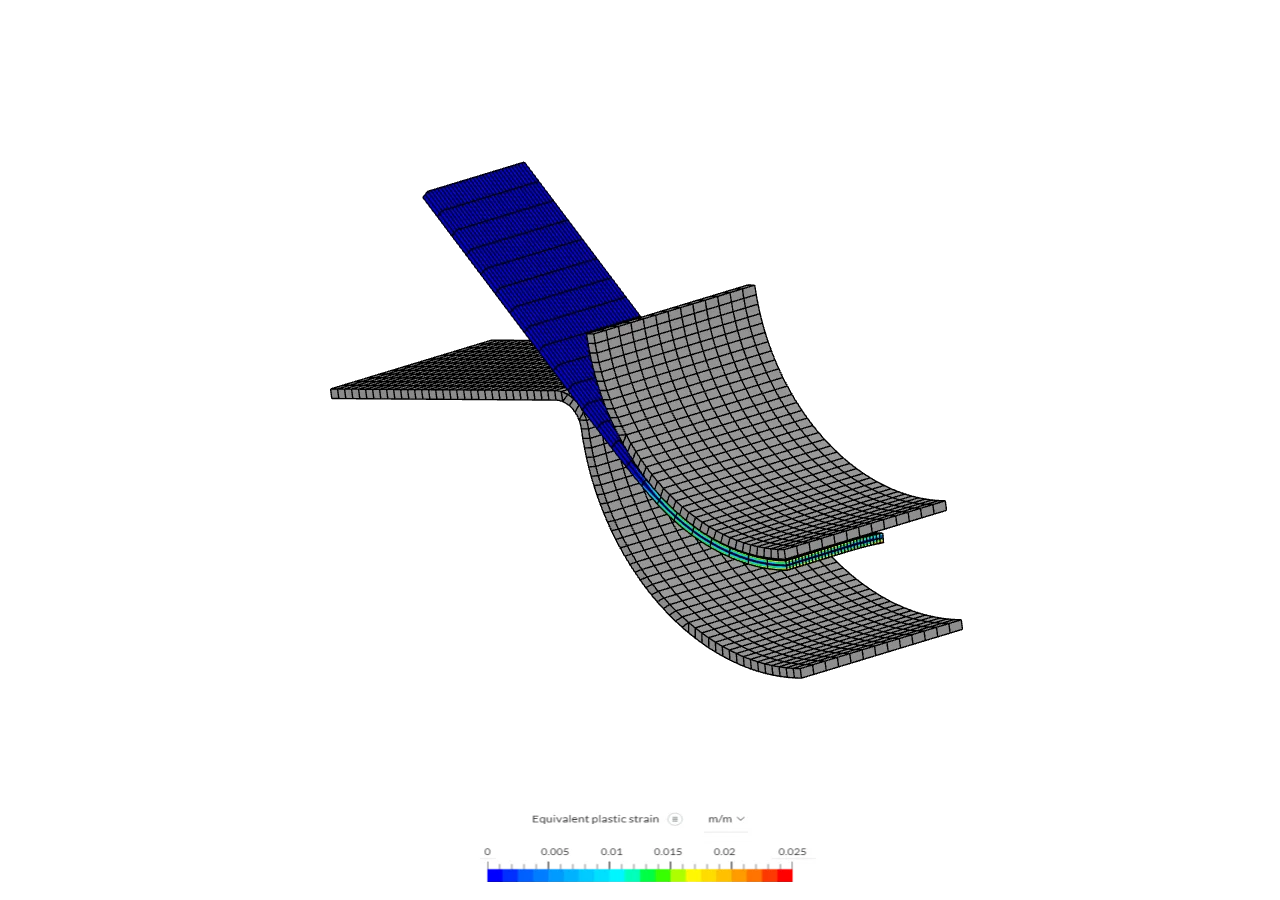
SimScale is a browser-based engineering simulation platform from SimScale GmbH, founded in Munich in 2012. Engineers use it for computational fluid dynamics, structural and thermal analysis, and electromagnetics, with computation performed in the cloud.
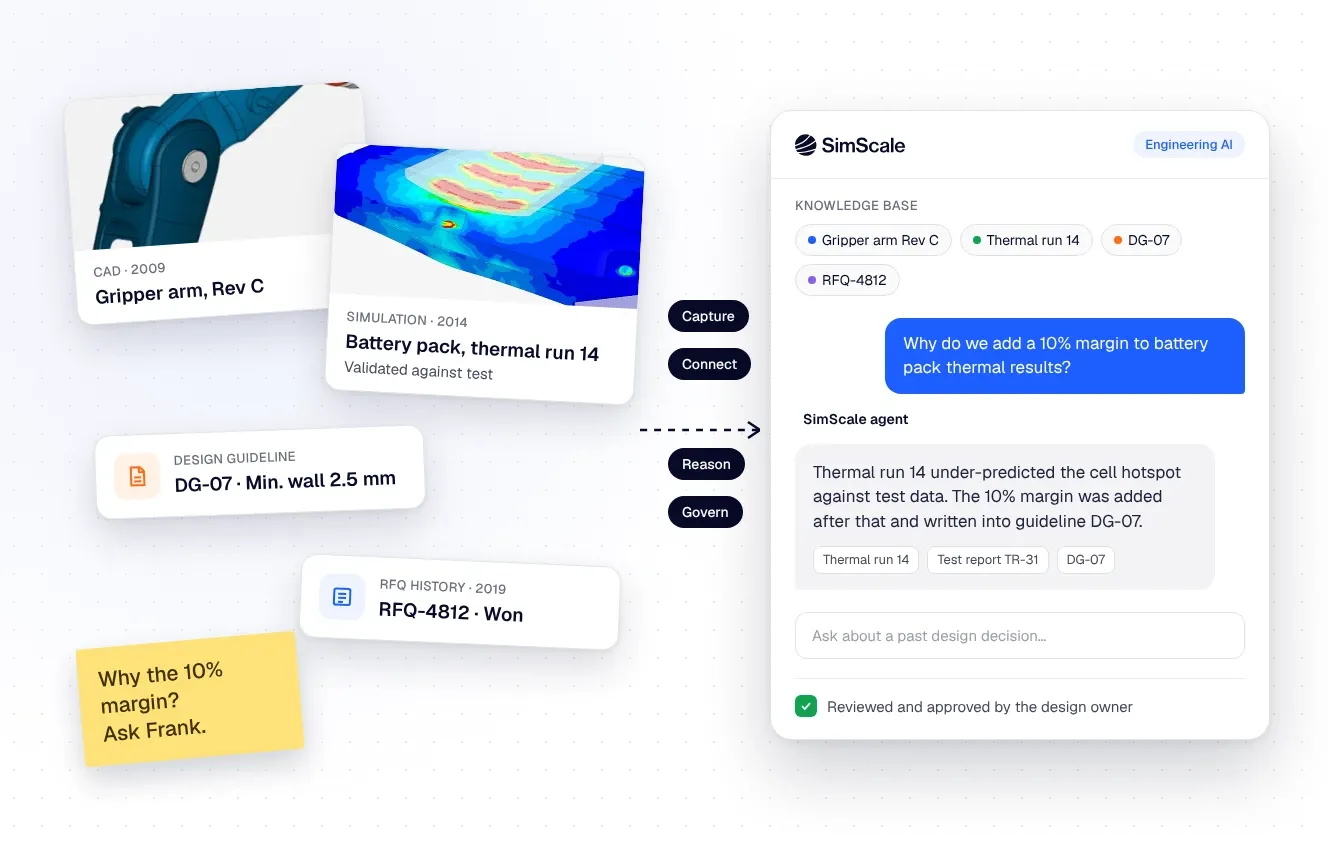
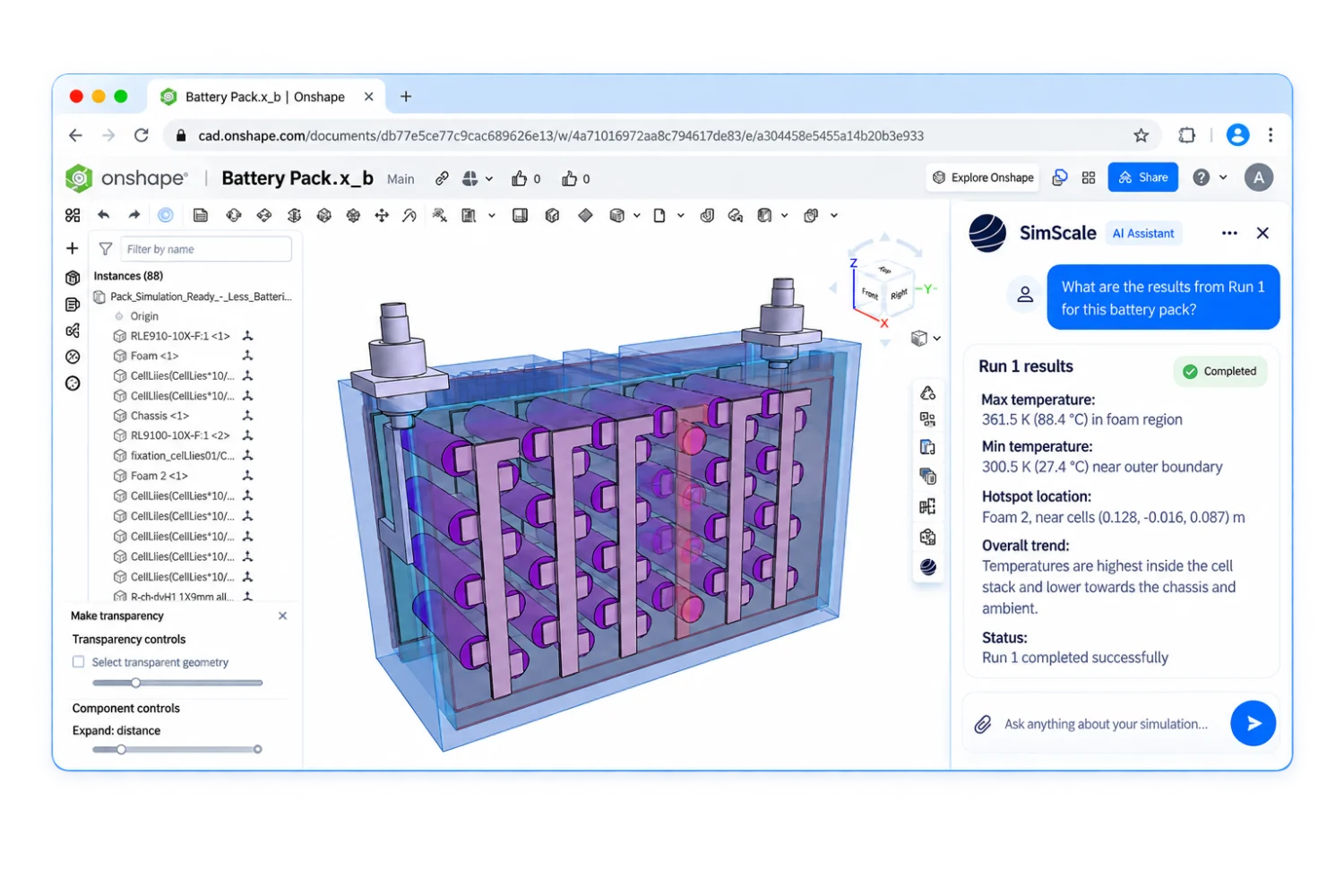
The platform accepts CAD models but does not create them. Its API supports programmatic simulation workflows, and its newer Engineering AI agent is available within Onshape. Paid plans are custom quoted, while the Community plan is free with stated usage limits.
SimScale Decision Snapshot
A quick way to understand who this product may suit, where its limits matter, and which facts are most relevant before you compare alternatives.
Best suited toEngineering teams that need browser-based CFD, structural or thermal simulation, shared projects, and scalable cloud computation without managing local solver hardware.
Look elsewhere ifTeams that require a native CAD authoring system, a public fixed price for paid plans, or a particular specialized analysis type should verify that workflow and plan availability before choosing SimScale, and should evaluate alternatives such as SOLIDWORKS Simulation instead.
PlatformsCloud, Python, REST API, SaaS, Web
TechZella assessment8.3/10
SimScale — What Sets It Apart?
These are the product-specific differences that may matter when deciding whether the software fits your workflow. They are based on documented evidence rather than a universal ranking.
- A browser-based simulation workbench runs computation in the cloud rather than on the user's local hardware.
- The API supports geometry upload, simulation setup and execution, parameter sweeps, results retrieval, and post-processing.
- The platform combines CFD, structural and thermal simulation, electromagnetics, and newer AI-assisted simulation capabilities.
Editorial assessmentSimScale Pros & Cons
Pros
- Cloud-based execution avoids the need to run computation-intensive jobs on local hardware.
- The platform brings multiple engineering simulation domains into a browser-based workbench.
- The API and SDKs support automated simulation workflows and parameter sweeps.
- The free Community plan offers a limited way to test selected analysis types.
Cons
- SimScale does not create CAD models, so users need a separate CAD tool or prepared geometry.
- Paid plan prices are not published as fixed amounts.
- The free Community plan limits simulation count and analysis availability.
- Core-hour overage and optional specialized features can affect paid-plan costs.
SimScale Gotchas & Operational Limits
These are documented constraints or practical friction points that may matter before you adopt the product.
Community access has a 10-simulation limit and up to 2,000 core hours; after the simulation limit, results become qualitative rather than quantitative.
The free plan may support initial learning and testing but does not provide unrestricted quantitative evaluation.
Evidence source ↗Paid plans include core-hour quotas, and additional use can incur monthly overage charges unless overage is disabled.
Compute consumption, instance size, and run duration affect the total subscription cost.
Evidence source ↗SimScale is a simulation environment, not a CAD model authoring tool.
Teams need an existing CAD workflow or compatible geometry files before setting up analyses.
Evidence source ↗SimScale Pricing & Plans
Community
Free
Selected analysis types, 10 simulations, and up to 2,000 core hours. Quantitative results are limited after the simulation limit.
Check current pricing →Mechanical
Custom
Structural and thermal analysis, private projects, unlimited simulations subject to core hours, and live support; specialized capabilities may be optional.
Check current pricing →Professional
Custom
Standard fluid, structural, and thermal analysis with custom computing quota and live support; specialized analysis types may be optional.
Check current pricing →Enterprise
Custom
Professional features plus Engineering AI, Physics AI, dedicated API support, a dedicated technical account manager, and custom integrations.
Check current pricing →Pricing may change. Verify current plans on the vendor's website.
Cost contextTotal Cost & Hidden Costs
Additional costs or implementation requirements that are documented in the available evidence.
Onboarding and implementation
The public pricing page lists live support for paid plans but does not publish typical onboarding hours, implementation fees, or rollout timelines. Confirm these during the quote process.
Evidence source ↗Hosting and compute
The software runs in the cloud, so local solver infrastructure is not required. Paid plans include stated core-hour quotas; additional use may be billed monthly, and overage can be turned off.
Evidence source ↗Specialized capabilities and add-ons
Paid plans are custom quoted. Certain specialized analysis types and Physics AI are listed as optional on some plans; verify the selected configuration and quote.
Evidence source ↗SimScale Competitors & Alternatives
Compare similar products directly, then see which alternatives may make more sense when your requirements differ.
At a glance
Artificial Intelligence SoftwareOnly factors supported by the available research are shown. The comparison is descriptive, not a ranking.
Direct competitors
These products address broadly similar requirements. The descriptions focus on documented reasons a buyer might compare them with SimScale.
SOLIDWORKS SimulationFEA packages offer structural analysis, with package-dependent studies such as thermal, buckling, fatigue, and nonlinear analysis.
CapabilitiesSimScale Features
Engineering Simulation
- Computational fluid dynamics
- Structural mechanics and finite element analysis
- Thermal analysis
- Electromagnetics, subject to plan and options
- Meshing and simulation post-processing
Cloud and Collaboration
- Browser-based workbench
- Cloud-executed computation
- Private projects on paid plans
- Free review access for visitors
Integrations and Automation
- Onshape connector
- CAD import and integrations for selected tools
- REST-based simulation API
- Official Python and C# SDKs
- API workflows for simulation setup, execution, and result retrieval
AI Capabilities
- Physics AI availability varies by plan
- Engineering AI listed for Enterprise
- Engineering AI Agent announced for Onshape
SimScale Specifications
| Deployment | Browser-based cloud SaaS |
|---|
| Computation | Cloud instances; local hardware is not used for computation-intensive work |
|---|
| API | REST-based API with Python and C# SDKs |
|---|
| CAD file upload limit | 3 GB |
|---|
| Community plan | 10 simulations; up to 2,000 core hours |
|---|
| Paid plan pricing | Custom quote |
|---|
Exit planningMigration & Lock-In
Documented portability, standards, export, or switching considerations. No switching-cost score is shown unless the evidence supports one.
Geometry import
CAD models can be uploaded in supported native or neutral formats; the documented upload limit is 3 GB.
Evidence source ↗Data portability
The public materials reviewed did not establish a complete project-export or migration process. Confirm required project and results export formats with SimScale.
Evidence source ↗Our evidence-based assessmentTechZella Score
A proprietary editorial score based on product capabilities, usability, value, performance, support and user sentiment evidence.
8.3/10Moderate confidence
The platform combines multiple engineering simulation domains, cloud execution, CAD connections, and APIs. G2 reports 4.6/5 from 284 reviews; public pricing is free for Community and custom-quoted for paid plans.
Methodology v1.0. The assessment weighs feature coverage (25%), ease of use (15%), value for money (20%), performance (15%), support (10%) and user sentiment (15%), using researched product evidence and verified review evidence where available. It is a TechZella editorial assessment, not a direct user-review average.
Editorial transparency
Our Review Methodology
Key claims are linked to the sources used to verify them. This evidence record is separate from third-party user ratings.
TechZella evaluates software using documented product capabilities, pricing information, usability and value considerations, independent user evidence where available, and competitive context. The assessment is an editorial review, not a hands-on test unless one is explicitly identified. Our editorial assessment is based on 7 documented sources.
What TechZella adds- A browser-based simulation workbench runs computation in the cloud rather than on the user's local hardware.
- The API supports geometry upload, simulation setup and execution, parameter sweeps, results retrieval, and post-processing.
- The platform combines CFD, structural and thermal simulation, electromagnetics, and newer AI-assisted simulation capabilities.
Important limitations- SimScale does not create CAD models; users upload or connect geometry from CAD tools.
- Paid plan prices are custom quoted rather than listed as fixed public amounts.
- Community use is limited to selected analysis types and 10 simulations; quantitative results are limited after the included simulation threshold.
- Specialized analysis types and AI capabilities may require paid options or higher-tier plans.
Evidence-backed claimsSimScale GmbH was founded in Munich in November 2012.The company history lists its founding month, year, and location.
View source ↗Verified 2026-11-10SimScale provides browser-based engineering simulation with cloud computation.The documentation describes a browser-based platform and says computation-intensive operations run on cloud instances.
View source ↗Verified 2026-11-10The Community plan is free and includes 10 simulations and up to 2,000 core hours.The current pricing page lists the Community plan limits and price.
View source ↗Verified 2026-11-10SimScale provides an API for managing simulation workflows.The API page describes geometry upload, setup, execution, parameter sweeps, results access, and post-processing, plus Python and C# SDKs.
View source ↗Verified 2026-11-10The platform accepts multiple CAD formats and supports direct Onshape import.Documentation lists native and neutral formats and describes its Onshape connector.
View source ↗Verified 2026-11-10G2 lists SimScale at 4.6 out of 5 based on 284 reviews.The public G2 product page displays the aggregate rating and review count.
View source ↗Verified 2026-11-10SimScale launched an Engineering AI Agent within Onshape in September 2026.The company announcement describes the agent's Onshape App Store availability and simulation workflow.
View source ↗Verified 2026-11-10 Independent review sources
SimScale Ratings & Reviews
Ratings are published by the respective review platforms and may change over time.
FAQ
See the buyer questions below for verified answers about trial access, the free plan, CAD support, API capabilities, and paid-plan pricing.
Community feedback
Reviews
No reviews yet. Be the first to share your experience.
Write a Review
Please log in to submit a review.
Recently added Artificial Intelligence Software