
The API server listens on localhost and accepts HTTP, not HTTPS.
It is designed for local integrations; buyers should not treat it as a network-exposed or encrypted remote service.
Evidence source ↗
GPT4All is a desktop app and Python SDK for running language models locally, chatting with local files, and serving models through a local API.
Official documentation verifies desktop chat, LocalDocs, Python bindings, and a local OpenAI-compatible API. Users supply local hardware, and model licenses and performance vary. No representative third-party review evidence was verified.
This profile combines documented product information and independent evidence where available. It is not a hands-on test unless TechZella explicitly identifies one.
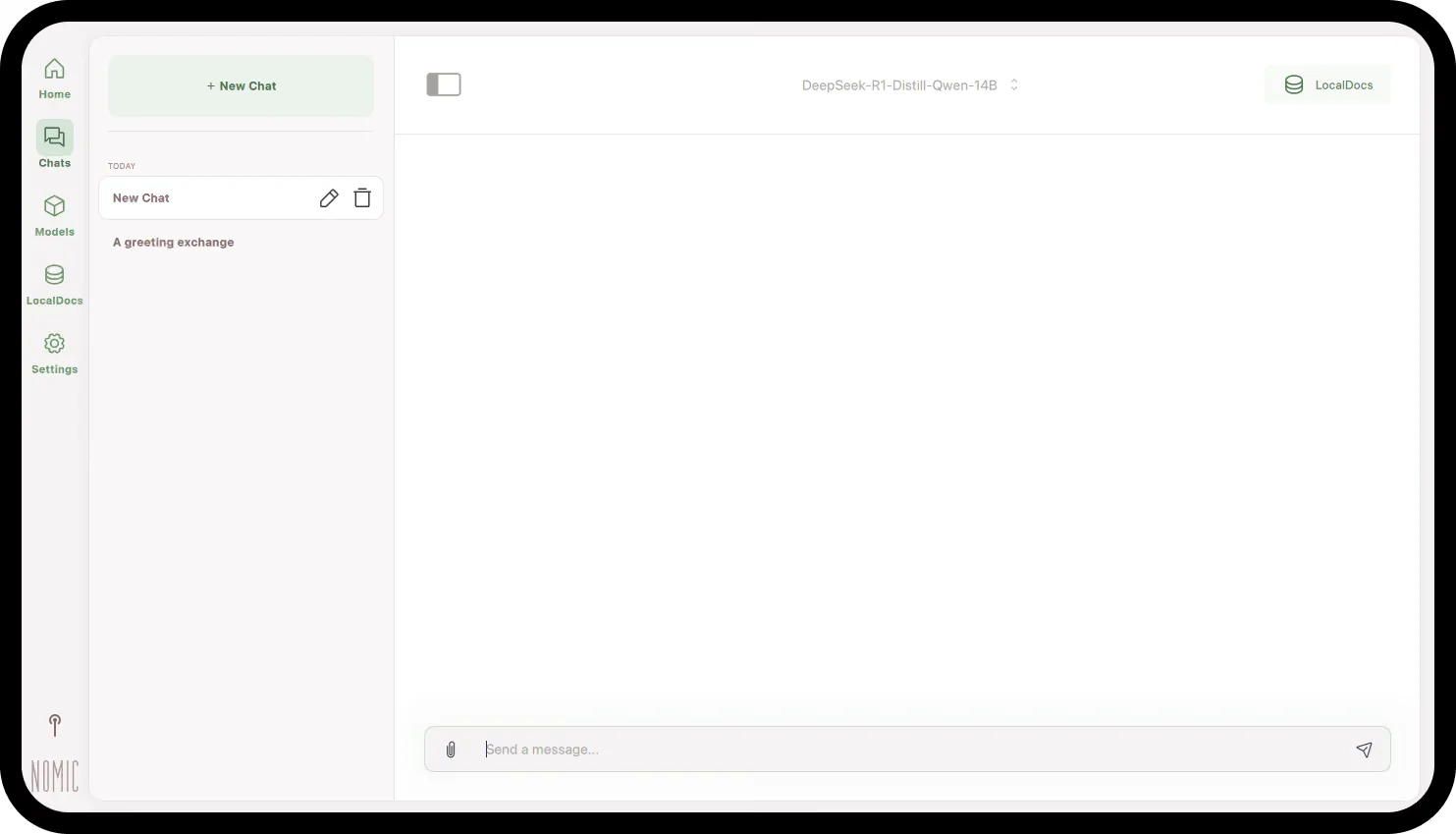
GPT4All is a Nomic-developed desktop application and Python SDK for using language models locally. Its desktop app supports chat, model downloads, and LocalDocs, which retrieves relevant text from indexed local folders.
Users can enable a local OpenAI-compatible API server for software integrations. The server is bound to localhost and uses HTTP, so it is intended for local access rather than direct network exposure.
A quick way to understand who this product may suit, where its limits matter, and which facts are most relevant before you compare alternatives.
Individuals and developers who want to run supported language models locally, ask questions about local documents, or connect compatible tools to a local model server.
Teams seeking centrally hosted inference, managed administration, or a provider-backed service-level commitment; GPT4All's documented API runs on the user's computer and listens only on localhost, and should evaluate alternatives such as LM Studio u2014 consider it when you need a local server that can listen on a network or additional API options. or Ollama u2014 consider it when you want a CLI-oriented local model runner with an API and optional cloud models. instead.
Linux, macOS, Python, REST API, Windows
7.2/10
These are the product-specific differences that may matter when deciding whether the software fits your workflow. They are based on documented evidence rather than a universal ranking.
These are documented constraints or practical friction points that may matter before you adopt the product.
It is designed for local integrations; buyers should not treat it as a network-exposed or encrypted remote service.
Evidence source ↗An automated integration may need a UI configuration step before retrieved document context appears in API responses.
Evidence source ↗Users need to verify commercial-use terms and memory needs for each model, separately from the app.
Evidence source ↗Desktop application and source are available without a published subscription price. Model licenses and remote-provider terms vary.
Check current pricing →Pricing may change. Verify current plans on the vendor's website.
Compare the product with documented alternatives across the factors that can change a buying decision. Each row is evidence-backed rather than a generic feature checklist.
| Decision factor | GPT4All | LM Studio |
|---|---|---|
| Core workflow | Desktop chat, local model downloads, and LocalDocs folder collections. | Desktop chat, local model downloads, and document attachments with retrieval for longer files. Source ↗ |
| Local API | Optional OpenAI-compatible HTTP server bound to localhost. | Local server offers REST and OpenAI-compatible endpoints and can serve on localhost or a network. Source ↗ |
| Pricing model | Open-source app; no subscription price is listed in the official GPT4All documentation. | Free local-model tier, with separate paid plans for optional cloud features. Source ↗ |
| Decision factor | GPT4All | Ollama |
|---|---|---|
| Core workflow | Desktop model chat with LocalDocs collections managed in the app. | Local model runner with a macOS and Windows chat app that supports file attachments; CLI downloads are available across macOS, Linux, and Windows. Source ↗ |
| Local API | Optional OpenAI-compatible HTTP server bound to localhost. | Ollama provides an API for local models, with OpenAI compatibility documented for its Windows app. Source ↗ |
| Pricing model | Open-source app; no subscription price is listed in the official GPT4All documentation. | Local installation is offered alongside optional cloud models; cloud usage requires credits or a paid plan. Source ↗ |
Only factors supported by the available research are shown. The comparison is descriptive, not a ranking.

| Desktop operating systems | Windows, macOS, Linux |
|---|---|
| SDK | Python |
| API | OpenAI-compatible local HTTP API; default port 4891 |
| API binding | 127.0.0.1; HTTP only, not HTTPS |
| Model support | Models with llama.cpp implementations; documentation describes GGUF models |
| Hardware | CPU, Apple Silicon Metal, or GPU; CPU requires AVX or AVX2 and enough RAM for the selected model |
| Deployment | Local desktop application and optional local API server |
| License considerations | Model licenses vary; verify terms for each model |
Verified installation, hosting, administration, or environment details that can affect implementation.
| Installation or hosting | Install the desktop application on Windows, macOS, or Linux; supported models run locally on the device. Source ↗ |
|---|---|
| API deployment | Optional local HTTP server, normally at http://localhost:4891/v1; it listens on 127.0.0.1 and does not support HTTPS. Source ↗ |
LM Studio is a comparable desktop tool with local model chat, document handling, and a local API server. Its documented server can also listen on a network, while GPT4All’s server binds to localhost.
Ollama provides a local model runner, CLI, API, and desktop chat app on macOS and Windows. Its current offering also includes optional cloud models, unlike GPT4All’s locally run desktop API focus.
Documented portability, standards, export, or switching considerations. No switching-cost score is shown unless the evidence supports one.
The app downloads model files to the device; documentation describes models in GGUF and other supported llama.cpp-compatible formats. Model-specific licenses still apply.
Evidence source ↗A proprietary editorial score based on product capabilities, usability, value, performance, support and user sentiment evidence.
Official documentation verifies desktop chat, LocalDocs, Python bindings, and a local OpenAI-compatible API. Users supply local hardware, and model licenses and performance vary. No representative third-party review evidence was verified.
Methodology v1.0. The assessment weighs feature coverage (25%), ease of use (15%), value for money (20%), performance (15%), support (10%) and user sentiment (15%), using researched product evidence and verified review evidence where available. It is a TechZella editorial assessment, not a direct user-review average.
Key claims are linked to the sources used to verify them. This evidence record is separate from third-party user ratings.
TechZella evaluates software using documented product capabilities, pricing information, usability and value considerations, independent user evidence where available, and competitive context. The assessment is an editorial review, not a hands-on test unless one is explicitly identified. Our editorial assessment is based on 6 documented sources.
The official quickstart describes local model use and LocalDocs for turning local files into information sources for chat.
View source ↗Verified 2026-11-12The documentation explains that collections are indexed into text snippets and relevant snippets are included in prompts.
View source ↗Verified 2026-11-12The official FAQ identifies Python as its SDK language and links to a lightweight CLI based on the Python client.
View source ↗Verified 2026-11-12The API guide lists model, completion, and chat-completion endpoints, and gives the default local URL and port.
View source ↗Verified 2026-11-12Nomic's company history lists GPT4All among its 2023 milestones.
View source ↗Verified 2026-11-12The project's changelog lists version 3.10.0 with that date and describes its changes.
View source ↗Verified 2026-11-12Answers begin with the clearest available response, followed by the context that helps you act on it.
No reviews yet. Be the first to share your experience.
Please log in to submit a review.