Editorial overview
Aggregated Overview
Feature breadth is supported by documentation for multiple data types, annotation modes, APIs, and deployment options. G2 reviews are positive overall, but review themes and editorial scores are not independent performance tests.
This profile combines documented product information and independent evidence where available. It is not a hands-on test unless TechZella explicitly identifies one.
Overview
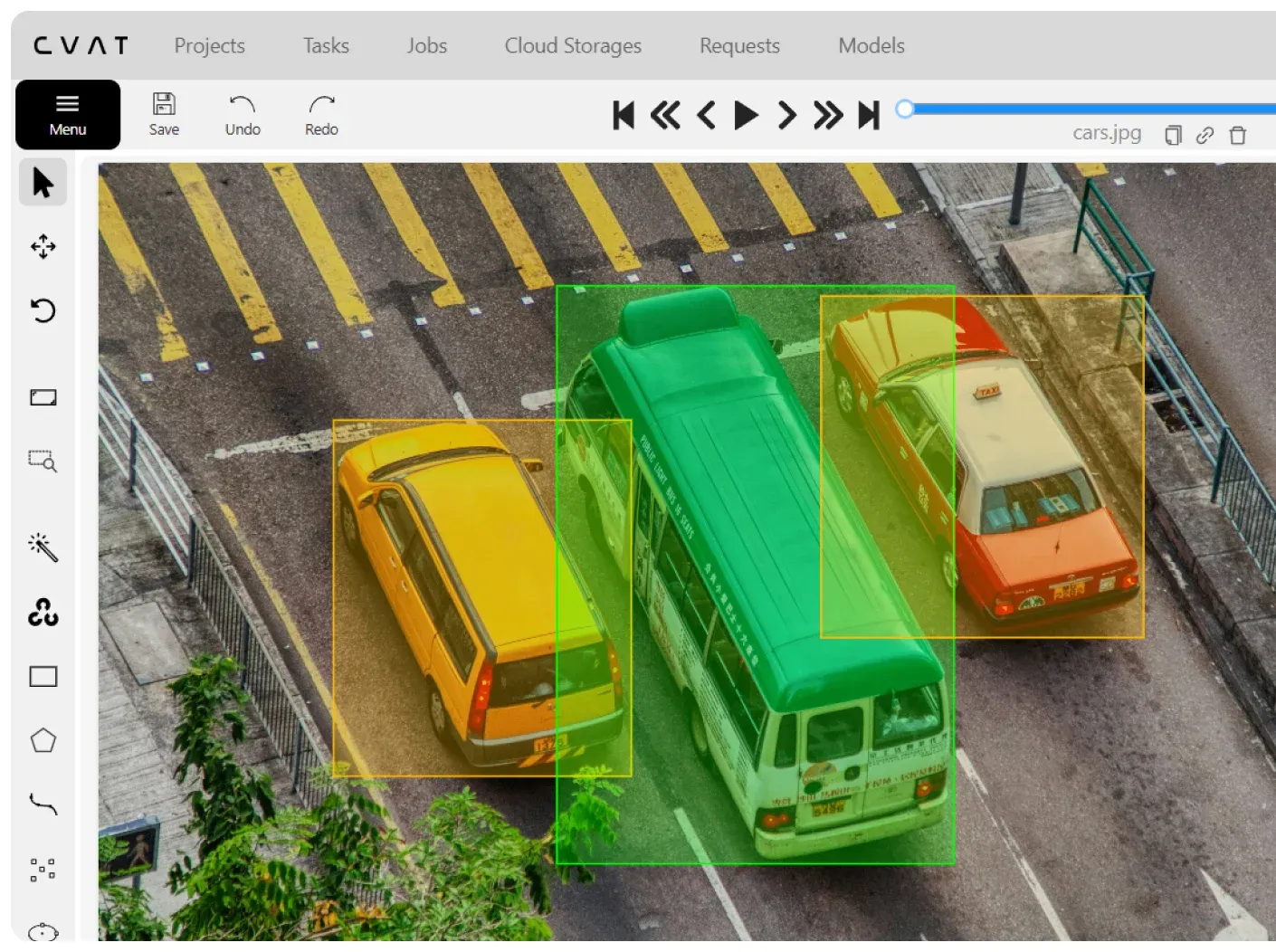
CVAT is an annotation platform that helps teams label datasets for computer-vision and related AI workflows. It supports images, video, audio, and 3D data, with manual tools, review workflows, and model-assisted annotation.
Users can choose CVAT Online, self-host the open-source Community edition, or discuss Enterprise deployment for on-premises and private-cloud environments. Its APIs and developer tools support programmatic task and dataset workflows.
CVAT Decision Snapshot
A quick way to understand who this product may suit, where its limits matter, and which facts are most relevant before you compare alternatives.
Best suited toComputer-vision teams and researchers labeling image, video, or 3D datasets who need annotation workflows, model-assisted tools, APIs, and a choice between hosted and self-managed deployments.
Look elsewhere ifTeams wanting a turnkey labeling-only tool may find self-hosting operationally demanding; CVAT Community installation requires Docker-based setup and administration, and should evaluate alternatives such as Label Studio or Roboflow instead.
PlatformsAWS, Docker, Linux, SaaS, Web
TechZella assessment8.3/10
CVAT — What Sets It Apart?
These are the product-specific differences that may matter when deciding whether the software fits your workflow. They are based on documented evidence rather than a universal ranking.
- Supports annotation workflows for images, video, 3D, and audio within one product family.
- Offers open-source Community deployment alongside hosted plans and a separately supported Enterprise offering.
- Provides a REST API, Python SDK, and CLI, with documented cloud-storage and model ecosystem connections.
Editorial assessmentCVAT Pros & Cons
Pros
- Covers image, video, audio, and 3D annotation in the product family.
- Offers hosted and self-managed options, including Enterprise on-premises deployment.
- Provides a REST API, Python SDK, and CLI for automation.
- Documents connections to major object-storage providers and model or dataset tools.
Cons
- The hosted Free plan imposes project, task, storage, and AI-call quotas.
- Community self-hosting requires users to configure and maintain the deployment.
- The developer documentation cautions that API, SDK, and CLI versions may be incompatible when major and minor versions differ.
CVAT Gotchas & Operational Limits
These are documented constraints or practical friction points that may matter before you adopt the product.
The free hosted plan limits projects, tasks, storage, cloud-storage connections, and AI-agent calls.
Teams should compare their expected workload with the current quota table before moving a production dataset into the free workspace.
Evidence source ↗CVAT's API, SDK, and CLI are documented as version-compatible when their major and minor versions match.
Automation owners should coordinate client upgrades with server upgrades to reduce incompatibility risk.
Evidence source ↗CVAT Pricing & Plans
Pricing may change. Verify current plans on the vendor's website.
Cost contextTotal Cost & Hidden Costs
Additional costs or implementation requirements that are documented in the available evidence.
Implementation and onboarding
Hosted users can start through the web service. Community deployment requires Docker and Docker Compose setup, initial administration, and configuration; CVAT does not publish a standard onboarding-time estimate.
Evidence source ↗Hosting and infrastructure
Hosting is included with CVAT Online subscriptions. Self-hosted Community and Enterprise deployments use the customer's own infrastructure; the public documentation does not give a universal infrastructure cost.
Evidence source ↗Quotas and additional charges
The online pricing table publishes plan quotas and seat rates. It does not specify a general overage fee schedule; Enterprise pricing is handled separately, so buyers should confirm any custom scope and support charges with sales.
Evidence source ↗CVAT Competitors & Alternatives
Compare similar products directly, then see which alternatives may make more sense when your requirements differ.
At a glance
Artificial Intelligence SoftwareOnly factors supported by the available research are shown. The comparison is descriptive, not a ranking.
Direct competitors
These products address broadly similar requirements. The descriptions focus on documented reasons a buyer might compare them with CVAT.
CapabilitiesCVAT Features
Annotation
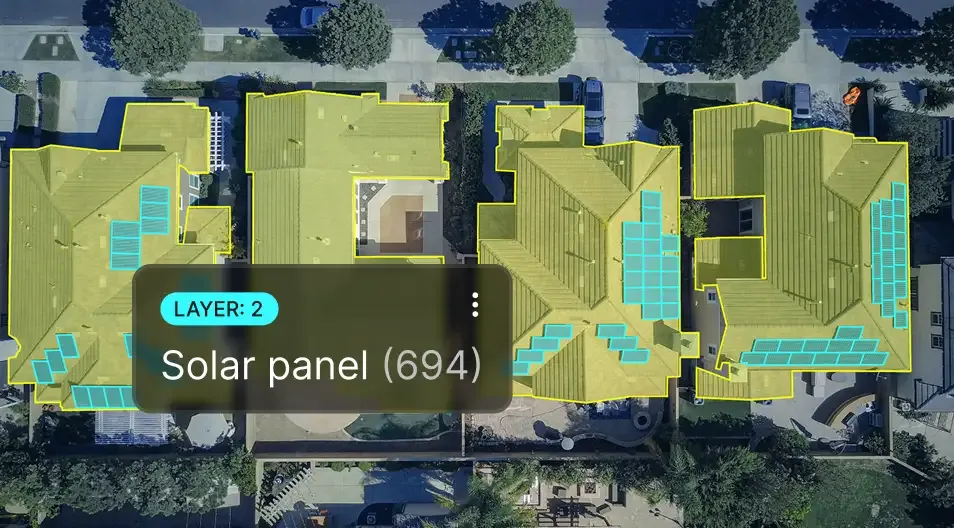
- Image, video, audio, and 3D annotation
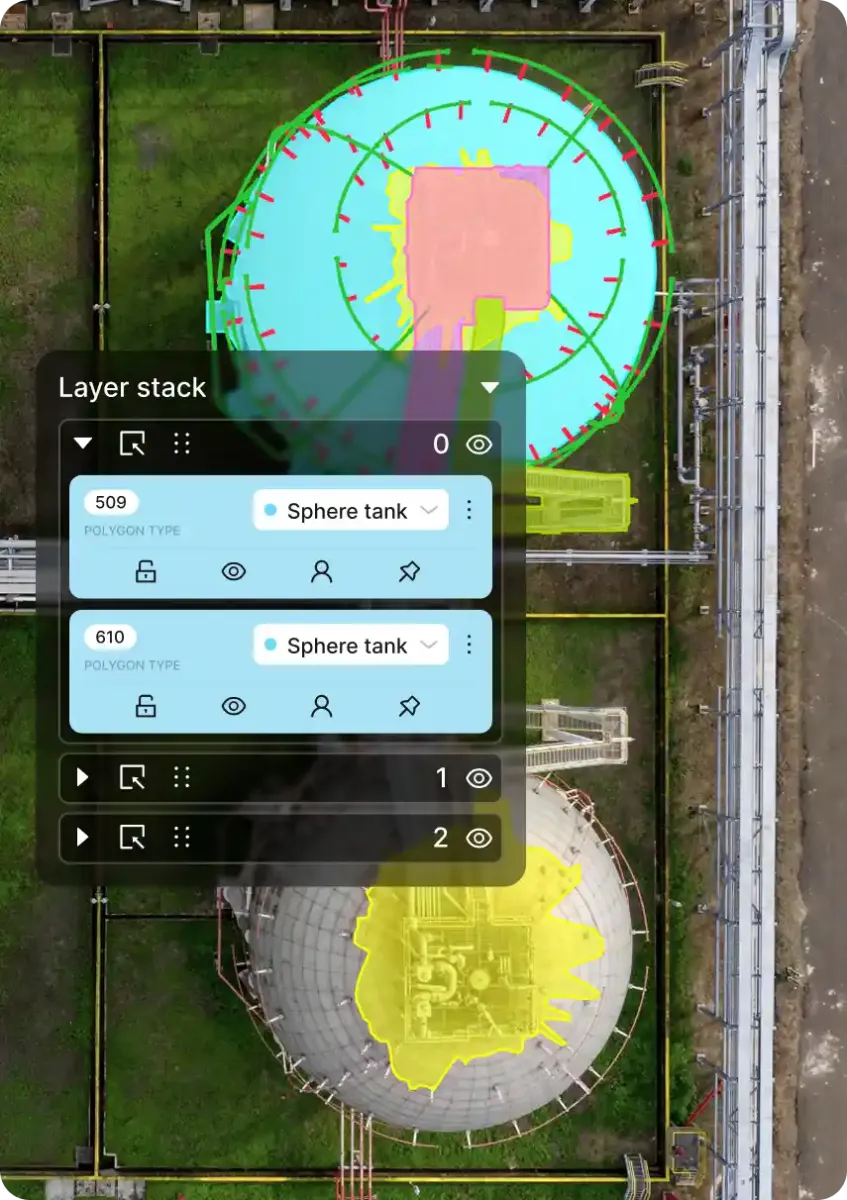
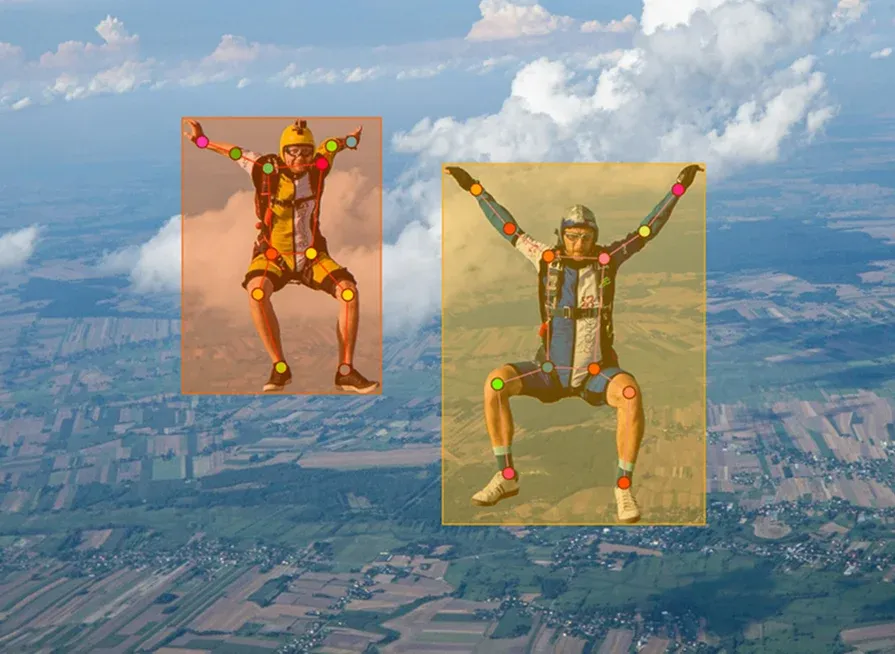
- Rectangles, polygons, polylines, points, cuboids, skeletons, and brush masks
- Video and 3D object tracking
AI assistance
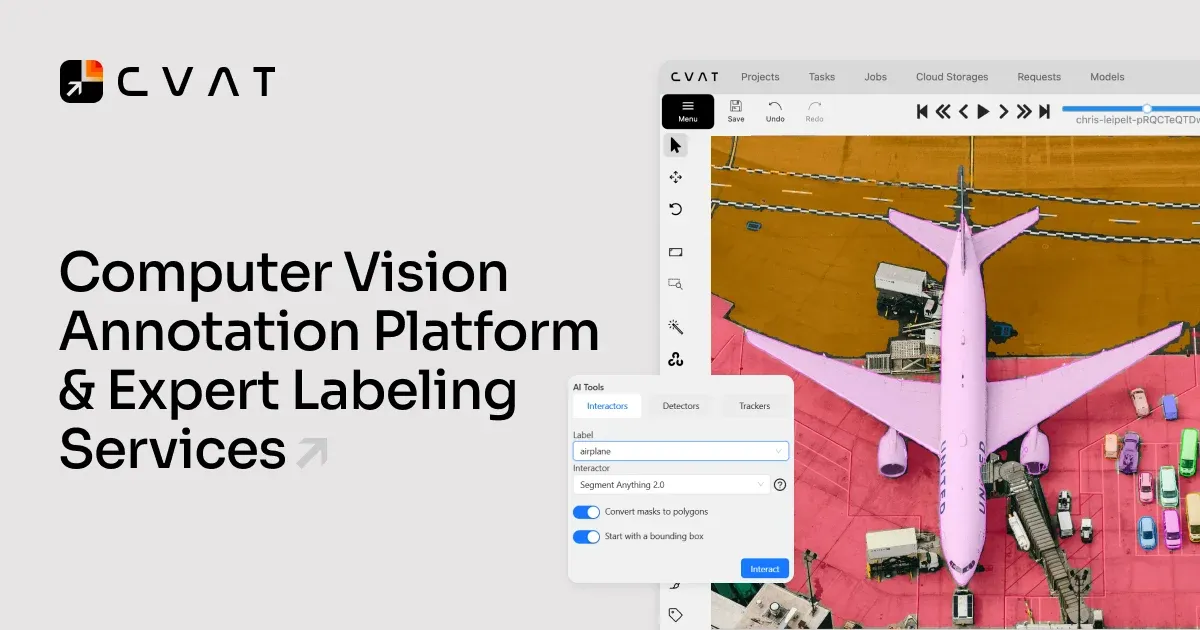
- Visual prompts for supported models
- Automatic labeling and tracking tools
- Custom model connections through CVAT AI Agents
Data and integrations
- Amazon S3, Azure Blob Storage, Backblaze B2, and Google Cloud Storage connections
- REST API, Python SDK, and CLI
- Documented connections with FiftyOne, Human Protocol, Hugging Face, and Roboflow
Quality and collaboration
- Manual review and validation workflows
- Ground truth and honeypot jobs
- Team collaboration and analytics on supported plans
CVAT Specifications
| Data types | Image, video, audio, and 3D |
|---|
| Deployment options | Hosted SaaS, self-hosted Community, Enterprise on-premises or private cloud |
|---|
| API | REST API, Python SDK, CLI |
|---|
| Supported cloud storage | Amazon S3, Azure Blob Storage, Backblaze B2, Google Cloud Storage |
|---|
| Community license | MIT |
|---|
| Self-hosting requirement | Docker and Docker Compose; official installation guide covers Ubuntu |
|---|
Exit planningMigration & Lock-In
Documented portability, standards, export, or switching considerations. No switching-cost score is shown unless the evidence supports one.
Dataset export
The pricing page distinguishes annotation-only exports on Free from exports containing annotations and images on paid Solo plans; documentation describes numerous computer-vision dataset formats.
Evidence source ↗Our evidence-based assessmentTechZella Score
A proprietary editorial score based on product capabilities, usability, value, performance, support and user sentiment evidence.
8.3/10Moderate confidence
Feature breadth is supported by documentation for multiple data types, annotation modes, APIs, and deployment options. G2 reviews are positive overall, but review themes and editorial scores are not independent performance tests.
Methodology v1.0. The assessment weighs feature coverage (25%), ease of use (15%), value for money (20%), performance (15%), support (10%) and user sentiment (15%), using researched product evidence and verified review evidence where available. It is a TechZella editorial assessment, not a direct user-review average.
Editorial transparency
Our Review Methodology
Key claims are linked to the sources used to verify them. This evidence record is separate from third-party user ratings.
TechZella evaluates software using documented product capabilities, pricing information, usability and value considerations, independent user evidence where available, and competitive context. The assessment is an editorial review, not a hands-on test unless one is explicitly identified. Our editorial assessment is based on 6 documented sources.
What TechZella adds- Supports annotation workflows for images, video, 3D, and audio within one product family.
- Offers open-source Community deployment alongside hosted plans and a separately supported Enterprise offering.
- Provides a REST API, Python SDK, and CLI, with documented cloud-storage and model ecosystem connections.
Important limitations- The free CVAT Online plan has capped projects, tasks, internal storage, cloud-storage connections, and AI calls.
- Community self-hosting requires users to operate the Docker-based application and its supporting services.
- The API, SDK, and CLI documentation warns that their major and minor versions should match.
Evidence-backed claimsCVAT began as an internal Intel tool in 2017 and became open source in 2018.CVAT's company history states its origin and release milestones.
View source ↗Verified 2026-11-12CVAT supports image, video, audio, and 3D annotation workflows.The product overview documents manual annotation for these data types.
View source ↗Verified 2026-11-12CVAT provides a REST API, Python SDK, and command-line tool.The developer documentation lists these three integration layers.
View source ↗Verified 2026-11-12CVAT Online's Free plan has usage limits, including 1 GB internal storage, one project, and three tasks.The current online pricing comparison lists these Free-plan allowances.
View source ↗Verified 2026-11-12CVAT Community is distributed under the MIT License.The project's public GitHub repository and license information identify the Community edition's MIT license.
View source ↗Verified 2026-11-12CVAT connects to Amazon S3, Azure Blob Storage, Backblaze B2, and Google Cloud Storage.The cloud-storage guide lists supported providers for dataset import and export.
View source ↗Verified 2026-11-12 Independent review sources
CVAT Ratings & Reviews
Ratings are published by the respective review platforms and may change over time.
Common questionsCVAT FAQs
Answers begin with the clearest available response, followed by the context that helps you act on it.
Does CVAT have a free plan?
Yes. CVAT Online lists a $0 Free plan with limits on projects, tasks, storage, and other usage. CVAT Community is also available as open-source software for self-hosting.
Does CVAT offer a free trial?
CVAT's public pages describe a Free plan, not a time-limited trial.
Can CVAT be self-hosted?
Yes. CVAT Community can be installed using Docker Compose, and CVAT Enterprise supports on-premises or private-cloud deployment.
Which cloud storage services can CVAT connect to?
Documentation lists Amazon S3, Azure Blob Storage, Backblaze B2, and Google Cloud Storage.
Does CVAT provide an API?
Yes. CVAT documents a REST API, a Python SDK, and a command-line tool.
Community feedback
Reviews
No reviews yet. Be the first to share your experience.
Write a Review
Please log in to submit a review.
Recently added Artificial Intelligence Software