Editorial overview
Aggregated Overview
Official documentation verifies desktop model management, local chat, document workflows, APIs, and MCP integrations. The core app is free, but practical performance depends on hardware and chosen models. Public review evidence is limited to seven Product Hunt reviews.
This profile combines documented product information and independent evidence where available. It is not a hands-on test unless TechZella explicitly identifies one.
Overview
LM Studio is desktop software for discovering, downloading, and running language models on a personal computer. Users can chat with models, attach documents for local retrieval-augmented generation, and expose loaded models through API endpoints. Its desktop application supports macOS, Windows, and Linux, subject to hardware and operating-system requirements.
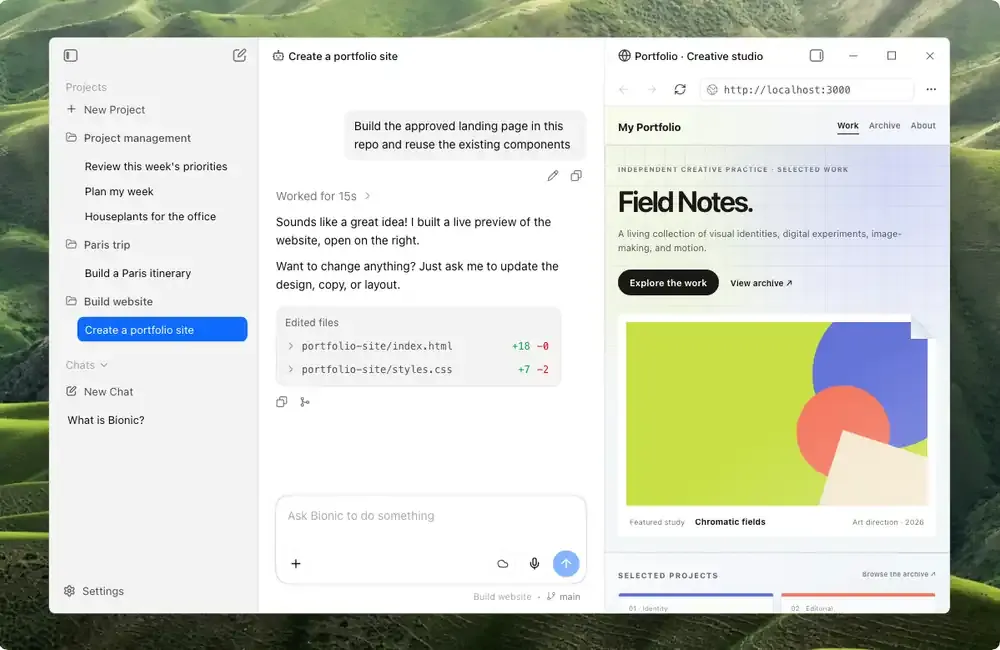
The core app is free for home and workplace use. Bionic adds agent workflows and optional cloud inference through separate plans. Local model execution depends on the computer’s available memory and the requirements of the chosen model.
LM Studio Decision Snapshot
A quick way to understand who this product may suit, where its limits matter, and which facts are most relevant before you compare alternatives.
Best suited toIndividuals, researchers, and development teams who want a desktop interface for trying local language models, chatting with documents, or serving models to local applications.
Look elsewhere ifTeams that need predictable model performance without supplying suitable hardware, or organizations requiring a fully open-source desktop client. Cloud inference and advanced team controls have separate plan boundaries, and should evaluate alternatives such as Ollama or Jan instead.
PlatformsAPI, Cloud, Linux, macOS, Windows
TechZella assessment8.2/10
LM Studio — What Sets It Apart?
These are the product-specific differences that may matter when deciding whether the software fits your workflow. They are based on documented evidence rather than a universal ranking.
- Combines a graphical desktop model browser and chat interface with local REST and OpenAI-compatible API serving.
- Supports both llama.cpp across supported desktop systems and Apple's MLX runtime on Apple Silicon.
- Offers document chat and MCP connections alongside local model execution.
- The current product direction includes Bionic, which combines local models with optional cloud inference and LM Link.
Editorial assessmentLM Studio Pros & Cons
Pros
- Combines model discovery, local chat, and API serving in one desktop application.
- The vendor permits free workplace use of the desktop app.
- Supports local document chat and MCP connections.
- Offers Python and TypeScript SDKs and a headless daemon.
Cons
- Available model size and performance depend on the user's hardware.
- The current requirements page does not support Intel-based Macs.
- Cloud services and usage beyond included Bionic allowances may add costs.
- The software can download models with different licenses, which users need to review.
LM Studio Gotchas & Operational Limits
These are documented constraints or practical friction points that may matter before you adopt the product.
The local API server defaults to localhost, but binding to a network address exposes it beyond the local machine.
Users serving models to other devices should understand network exposure and configure authentication rather than treating the endpoint as private by default.
Evidence source ↗A model must be downloaded and loaded into memory before local chat or serving can begin.
Model downloads require storage and network access, and model size affects whether the computer can load it.
Evidence source ↗Bionic's optional cloud services and web search involve cloud processing, unlike running downloaded models locally.
Buyers handling sensitive material should distinguish local workflows from paid cloud features and review the applicable privacy terms.
Evidence source ↗LM Studio Pricing & Plans
Free
$0
month
Bionic Free includes local LLM support, Bionic Agent, LM Link for up to five devices, and limited web search. The desktop app is free for home and workplace use.
Check current pricing →Bionic+
$20 USD
month
Includes Free features, US-hosted open-source models, discounted bulk tokens, web search, and page extraction.
Check current pricing →Pro
$100 USD
month
Includes Bionic+ features with five-times usage limits, discounted bulk tokens, and early access to new features.
Check current pricing →Pricing may change. Verify current plans on the vendor's website.
Cost contextTotal Cost & Hidden Costs
Additional costs or implementation requirements that are documented in the available evidence.
Setup and onboarding
Users install the app, find or import a model, download it, and load it. Setup effort depends on model choice and available hardware; no paid onboarding fee was listed on the reviewed pricing page.
Evidence source ↗Hardware and hosting
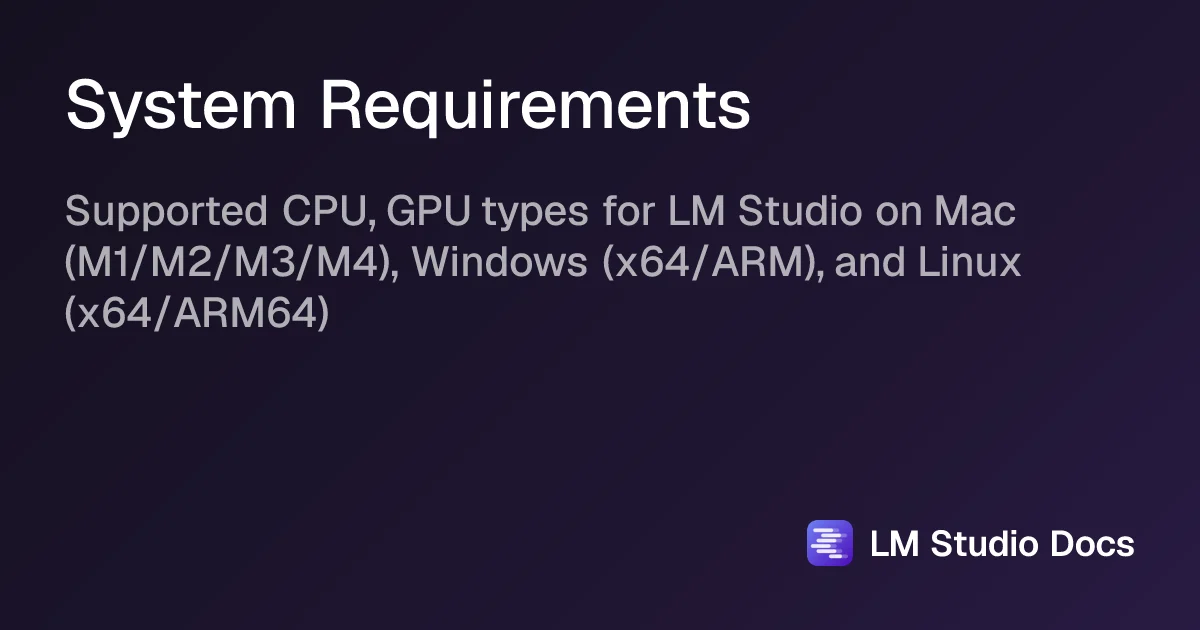
Local inference uses the user's computer, so memory, storage, and suitable hardware are buyer-side requirements. LM Studio's system-requirements page recommends 16 GB or more RAM for macOS and Windows.
Evidence source ↗Optional cloud usage
Bionic Free is listed at $0, Bionic+ at $20 per month, and Pro at $100 per month. The pricing page says cloud credits cover usage beyond the allowance; the reviewed page does not provide a universal overage amount.
Evidence source ↗LM Studio Competitors & Alternatives
Compare similar products directly, then see which alternatives may make more sense when your requirements differ.
At a glance
Artificial Intelligence SoftwareOnly factors supported by the available research are shown. The comparison is descriptive, not a ranking.
Direct competitors
These products address broadly similar requirements. The descriptions focus on documented reasons a buyer might compare them with LM Studio.
CapabilitiesLM Studio Features
Local Model Workflows
- Discover and download models
- Load downloaded or sideloaded models into memory
- Chat with local language models
- Chat with documents using local retrieval-augmented generation
- Run llama.cpp models on supported systems
- Run MLX models on Apple Silicon
Developer Interfaces
- Native REST API
- OpenAI-compatible and Anthropic-compatible endpoints
- Python SDK
- TypeScript SDK
- lms command-line interface
- Headless llmster daemon
Integrations and Bionic
- MCP server connections
- Documented integrations for Claude Code, Codex, Hermes Agent, and OpenClaw
- Bionic agent workflows
- Optional cloud inference and web search
- LM Link for connecting supported devices
LM Studio Specifications
| Supported desktop systems | macOS, Windows, Linux |
|---|
| macOS requirement | Apple Silicon; macOS 14.0 or newer; Intel Macs are not supported |
|---|
| Windows requirement | x64 systems require AVX2; Windows ARM is supported |
|---|
| Linux requirement | x64 and ARM64; AppImage distribution; Ubuntu 20.04 or newer |
|---|
| Recommended memory | 16 GB or more on macOS and Windows; model choice and context size affect requirements |
|---|
| API | Native REST, OpenAI-compatible, Anthropic-compatible, and Jev-compatible endpoints |
|---|
| Deployment | Desktop application, local server, or headless llmster daemon |
|---|
| Privacy | Privacy policy states local chats and documents are not transmitted when models run locally; cloud features are processed separately |
|---|
| Commercial use | Desktop app is free for home and workplace use |
|---|
Exit planningMigration & Lock-In
Documented portability, standards, export, or switching considerations. No switching-cost score is shown unless the evidence supports one.
Model portability
Models are downloaded or sideloaded as local files; model licenses and formats vary. The reviewed documentation does not establish a universal chat-history migration path.
Evidence source ↗Our evidence-based assessmentTechZella Score
A proprietary editorial score based on product capabilities, usability, value, performance, support and user sentiment evidence.
8.2/10Moderate confidence
Official documentation verifies desktop model management, local chat, document workflows, APIs, and MCP integrations. The core app is free, but practical performance depends on hardware and chosen models. Public review evidence is limited to seven Product Hunt reviews.
Methodology v1.0. The assessment weighs feature coverage (25%), ease of use (15%), value for money (20%), performance (15%), support (10%) and user sentiment (15%), using researched product evidence and verified review evidence where available. It is a TechZella editorial assessment, not a direct user-review average.
Editorial transparency
Our Review Methodology
Key claims are linked to the sources used to verify them. This evidence record is separate from third-party user ratings.
TechZella evaluates software using documented product capabilities, pricing information, usability and value considerations, independent user evidence where available, and competitive context. The assessment is an editorial review, not a hands-on test unless one is explicitly identified. Our editorial assessment is based on 5 documented sources.
What TechZella adds- Combines a graphical desktop model browser and chat interface with local REST and OpenAI-compatible API serving.
- Supports both llama.cpp across supported desktop systems and Apple's MLX runtime on Apple Silicon.
- Offers document chat and MCP connections alongside local model execution.
- The current product direction includes Bionic, which combines local models with optional cloud inference and LM Link.
Important limitations- System requirements recommend at least 16 GB RAM on Windows and macOS; model size and available memory constrain what users can run.
- Intel-based Macs are not supported by the current requirements page.
- Using cloud models, web search, or other cloud services is not the same as fully offline local inference.
- Model licenses differ, so users must check the terms for each downloaded model.
Evidence-backed claimsLM Studio's desktop software is free for home and workplace use.The vendor announced that the previous requirement to contact the company for a separate commercial license was removed.
View source ↗Verified 2026-11-12LM Studio supports macOS, Windows, and Linux.The vendor documents supported operating systems and detailed hardware requirements.
View source ↗Verified 2026-11-12LM Studio can serve local models through native and compatible APIs.Documentation lists the native REST API and OpenAI-, Anthropic-, and Jev-compatible endpoints.
View source ↗Verified 2026-11-12Local use can keep messages, chat histories, and documents on the user's device.The current privacy policy states that locally run models do not transmit these materials from the system.
View source ↗Verified 2026-11-12Bionic offers a free tier and paid monthly tiers.The current pricing page lists Free at $0, Bionic+ at $20 per month, and Pro at $100 per month.
View source ↗Verified 2026-11-12LM Studio launched in May 2023.The vendor's 2025 announcement refers to the product's launch in May 2023.
View source ↗Verified 2026-11-12 Independent review sources
LM Studio Ratings & Reviews
Ratings are published by the respective review platforms and may change over time.
Common questionsLM Studio FAQs
Answers begin with the clearest available response, followed by the context that helps you act on it.
Is LM Studio free for commercial use?
Yes. The vendor says the desktop app is free to use at home and at work.
Can LM Studio run without sending chats to a cloud service?
Yes. The privacy policy says locally run models keep messages, chat histories, and documents on the user's system. Cloud features use separate processing.
Does LM Studio have an API?
Yes. It provides a native REST API and compatible OpenAI and Anthropic endpoints, among others.
What operating systems does LM Studio support?
The desktop app supports macOS, Windows, and Linux. The current requirements page says Intel-based Macs are not supported.
Does LM Studio have a free plan?
Yes. The local desktop app is free, and the Bionic pricing page also lists a $0 Free tier. Paid Bionic tiers are listed separately.
Community feedback
Reviews
No reviews yet. Be the first to share your experience.
Write a Review
Please log in to submit a review.
Recently added Artificial Intelligence Software