Editorial overview
Aggregated Overview
Microsoft documents package discovery, installation, upgrades, configuration, and repeatable setup. It is free and open source, but requires Windows and command-line familiarity. No reliable public review data was accessed, so user sentiment remains neutral rather than review-derived.
This profile combines documented product information and independent evidence where available. It is not a hands-on test unless TechZella explicitly identifies one.
Overview
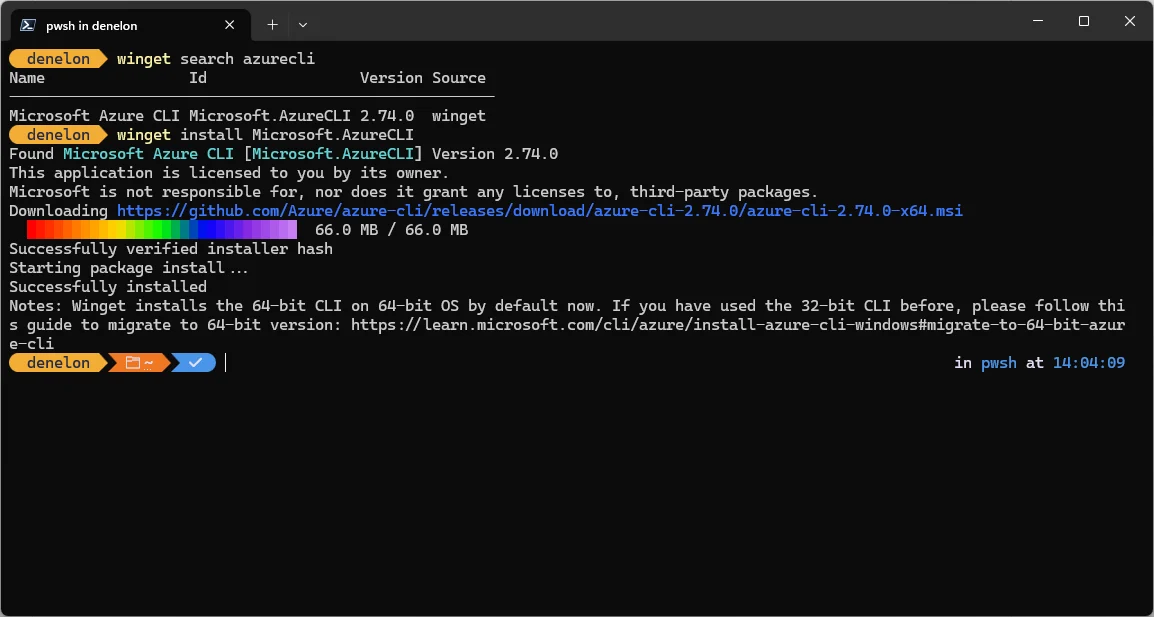
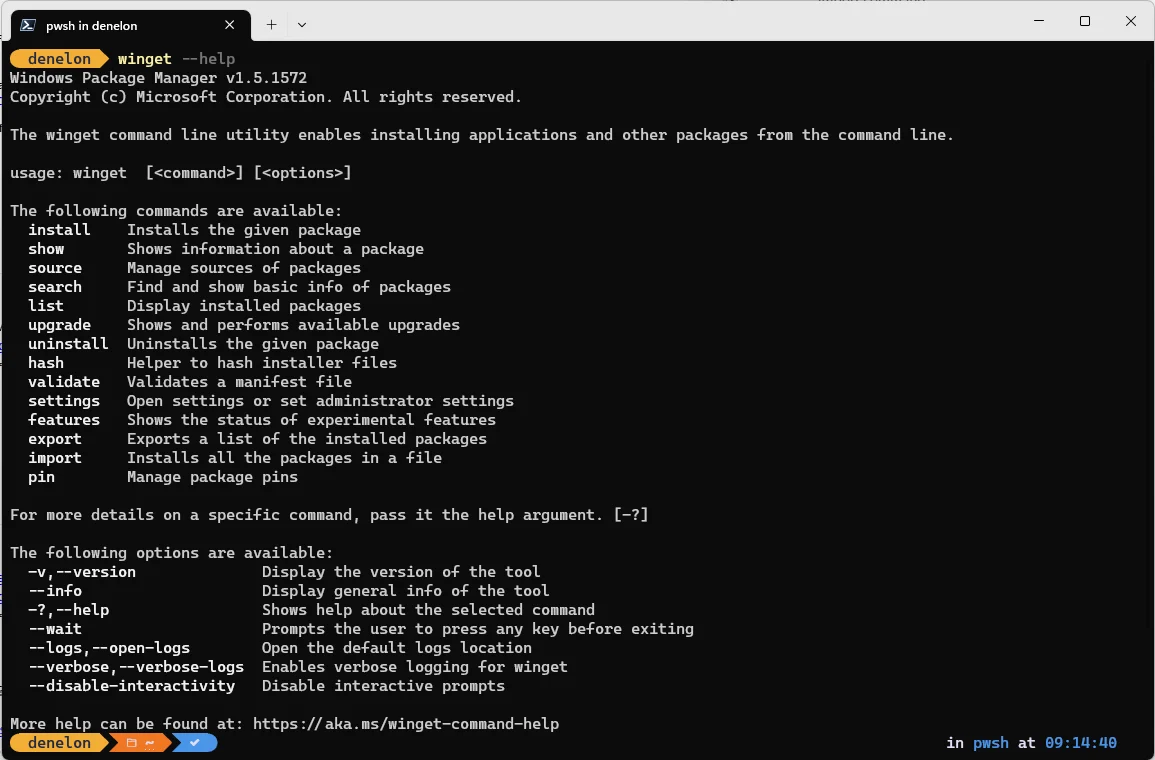
WinGet is Microsoft’s command-line client for the Windows Package Manager. It searches configured sources and installs, upgrades, removes, and configures applications on supported Windows systems.
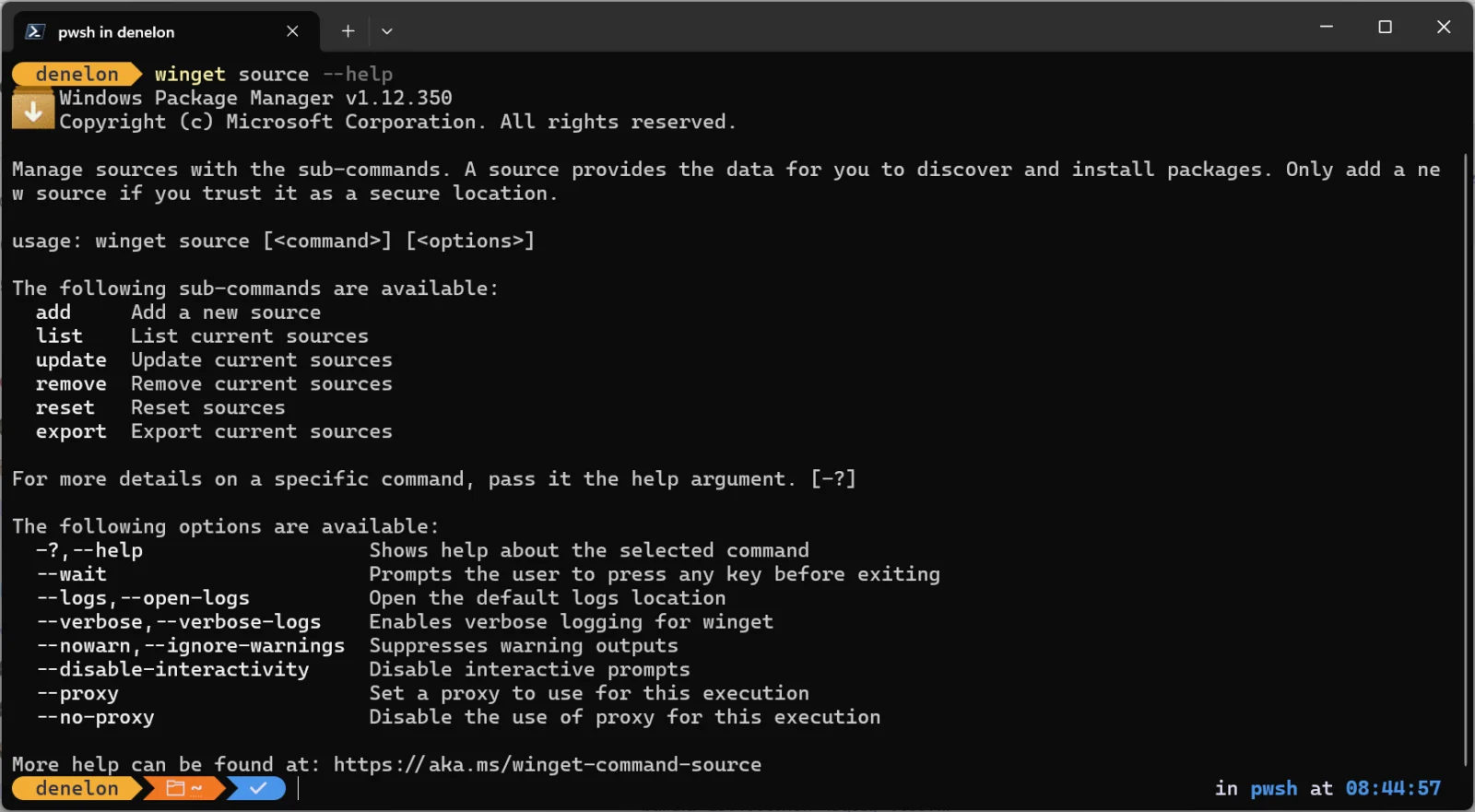
Its default sources include the Microsoft Store catalog and the WinGet community repository. Developers can also configure other sources. The client is most relevant to Windows software setup and administration workflows.
WinGet Configuration extends package installation with PowerShell Desired State Configuration resources. Teams can describe software and settings in a configuration file for repeatable development-environment setup. Microsoft cautions users to inspect configuration files and associated resources before running them.
Winget Decision Snapshot
A quick way to understand who this product may suit, where its limits matter, and which facts are most relevant before you compare alternatives.
Best suited toWindows developers and IT teams that want command-line app installation, repeatable development-environment setup, or package-list export and restoration.
Look elsewhere ifUsers who need a cross-platform package manager, a graphical software catalog, or a documented centrally managed patching service, and should evaluate alternatives such as Chocolatey: consider it when its package workflow or separately licensed commercial features fit an organization's requirements; WinGet fits users who want Microsoft's free Windows package client and built-in Microsoft Store source. or Scoop: consider it when default per-user installation under the home directory is important; WinGet fits users who want Microsoft Store and WinGet community-repository sources. instead.
PlatformsAPI, CLI, Windows
TechZella assessment7.6/10
Winget — What Sets It Apart?
These are the product-specific differences that may matter when deciding whether the software fits your workflow. They are based on documented evidence rather than a universal ranking.
- The client can search both the Microsoft Store catalog and the WinGet community repository through configured sources.
- WinGet Configuration combines package installation with PowerShell Desired State Configuration resources to reproduce development-machine setup.
- The client includes command-line, PowerShell-module, and COM API components.
Editorial assessmentWinget Pros & Cons
Pros
- Free and MIT-licensed client.
- Supports package discovery, installation, upgrades, and removal from the command line.
- JSON export and import support repeatable package setup.
- Configuration files can combine software installation with machine settings.
Cons
- Requires a supported Windows environment and is not a cross-platform package manager.
- The command-line workflow may be less suitable for users who want a graphical app catalog.
- Export may not identify every installed application when package metadata does not match.
- Configuration files and external DSC resources need review before execution.
Winget Gotchas & Operational Limits
These are documented constraints or practical friction points that may matter before you adopt the product.
WinGet is distributed through the App Installer package, and some new or sandboxed Windows environments may require registration or a separate installation.
Administrators should confirm client availability and registration before relying on commands in provisioning scripts.
Evidence source ↗A WinGet Configuration may download PowerShell DSC modules and apply system changes.
Review the configuration and resource sources before running it, especially on managed devices.
Evidence source ↗Winget Pricing & Plans
Pricing may change. Verify current plans on the vendor's website.
Cost contextTotal Cost & Hidden Costs
Additional costs or implementation requirements that are documented in the available evidence.
Implementation and onboarding
WinGet configuration files can automate development setup and project onboarding. Microsoft does not publish a typical implementation-time estimate.
Evidence source ↗Hosting or infrastructure
The client runs on Windows rather than as a hosted SaaS service. Microsoft documents default online sources and custom sources; costs for operating a private source are not specified on the pages checked.
Evidence source ↗Licensing and ancillary fees
The client repository uses the MIT License, and Microsoft documents no WinGet subscription or paid plan. Third-party application licenses and any separately operated infrastructure remain outside the client price.
Evidence source ↗Quick Comparison
Compare the product with documented alternatives across the factors that can change a buying decision. Each row is evidence-backed rather than a generic feature checklist.
Winget vs. Chocolatey
Documented comparisonWinget vs. Scoop
Documented comparisonOnly factors supported by the available research are shown. The comparison is descriptive, not a ranking.
CapabilitiesWinget Features
Package management
- Search configured package sources
- Install and remove applications
- List installed packages
- Upgrade selected applications or all eligible applications
Setup and configuration
- Export and import package lists using JSON
- Apply WinGet Configuration files
- Use PowerShell DSC resources for machine setup
Interfaces and sources
- Command-line client
- PowerShell modules
- COM API
- Microsoft Store and WinGet community repository sources
- Configurable additional sources
Winget Specifications
| Vendor | Microsoft |
|---|
| License | MIT |
|---|
| Operating system | Windows 10 version 1809 or later, Windows 11, and Windows Server 2025 or later |
|---|
| Interfaces | CLI, PowerShell modules, COM API |
|---|
| Default sources | Microsoft Store catalog and WinGet community repository |
|---|
| Configuration | WinGet Configuration files and PowerShell DSC resources |
|---|
Alternatives
Chocolatey is another Windows command-line package manager. Its free Open Source edition may suit teams that want its package workflow, while paid editions add separately listed commercial features.
Scoop is a Windows command-line installer that places programs in the user’s home directory by default. It may suit users who prioritize per-user installs without default administrator prompts.
Migration & Lock-In
Documented portability, standards, export, or switching considerations. No switching-cost score is shown unless the evidence supports one.
Package-list portability
The export command writes a JSON package list that can be used with import on another Windows setup. Apps that cannot be matched to a configured source produce warnings.
Evidence source ↗Our evidence-based assessmentTechZella Score
A proprietary editorial score based on product capabilities, usability, value, performance, support and user sentiment evidence.
7.6/10Moderate confidence
Microsoft documents package discovery, installation, upgrades, configuration, and repeatable setup. It is free and open source, but requires Windows and command-line familiarity. No reliable public review data was accessed, so user sentiment remains neutral rather than review-derived.
Methodology v1.0. The assessment weighs feature coverage (25%), ease of use (15%), value for money (20%), performance (15%), support (10%) and user sentiment (15%), using researched product evidence and verified review evidence where available. It is a TechZella editorial assessment, not a direct user-review average.
Editorial transparency
Our Review Methodology
Key claims are linked to the sources used to verify them. This evidence record is separate from third-party user ratings.
TechZella evaluates software using documented product capabilities, pricing information, usability and value considerations, independent user evidence where available, and competitive context. The assessment is an editorial review, not a hands-on test unless one is explicitly identified. Our editorial assessment is based on 5 documented sources.
What TechZella adds- The client can search both the Microsoft Store catalog and the WinGet community repository through configured sources.
- WinGet Configuration combines package installation with PowerShell Desired State Configuration resources to reproduce development-machine setup.
- The client includes command-line, PowerShell-module, and COM API components.
Important limitations- The client is designed for Windows and is not supported on Windows versions earlier than Windows 10 version 1809.
- Package export can fail to match installed applications when available source metadata does not correspond to Windows Add/Remove Programs metadata.
- WinGet Configuration files and their associated DSC resources require trust review before execution.
Evidence-backed claimsWinGet supports searching, installing, upgrading, removing, and configuring Windows applications.Microsoft's overview describes these client functions and documents the available commands.
View source ↗Verified 2026-11-19WinGet is delivered as part of the App Installer package and supports Windows 10 version 1809 and later, Windows 11, and Windows Server 2025 or later.The project README describes client requirements and App Installer distribution.
View source ↗Verified 2026-11-19WinGet provides CLI, PowerShell modules, and a COM API.The official repository describes the project's included interfaces.
View source ↗Verified 2026-11-19WinGet can export installed-package information to JSON for later import.Microsoft documents export as a JSON package-list operation that can be paired with import.
View source ↗Verified 2026-11-19WinGet Configuration uses configuration files and PowerShell DSC resources to set up a desired development environment.Microsoft describes configuration files as declaring software, dependencies, tools, and machine settings.
View source ↗Verified 2026-11-19WinGet's client repository is MIT-licensed.The repository includes an MIT license for the client.
View source ↗Verified 2026-11-19 Common questionsWinget FAQs
Answers begin with the clearest available response, followed by the context that helps you act on it.
Is WinGet free?
Yes. The client repository is MIT-licensed, and Microsoft does not list a paid WinGet client plan.
Which Windows versions support WinGet?
The current project README lists Windows 10 version 1809, Windows 11, and Windows Server 2025 or later.
Can WinGet recreate a software setup on another PC?
Yes. It can export installed-package information to JSON, which can be used with import. Some installed apps may not match available source metadata.
Does WinGet have an API?
The project README identifies a COM API and PowerShell modules alongside its command-line interface.
Can WinGet configure a development machine?
Yes. WinGet Configuration files can specify packages and system settings, using PowerShell DSC resources to apply the desired state.
Community feedback
Reviews
No reviews yet. Be the first to share your experience.
Write a Review
Please log in to submit a review.
Recently added Developer Tools