Editorial overview
Aggregated Overview
The product documentation verifies broad search, dashboards, alerts, data ingestion, and REST APIs. G2 shows 4.3/5 from 434 reviews, while public review content and vendor pricing indicate cost and learning-curve considerations. Scores are editorial assessments, not hands-on test results.
This profile combines documented product information and independent evidence where available. It is not a hands-on test unless TechZella explicitly identifies one.
Overview
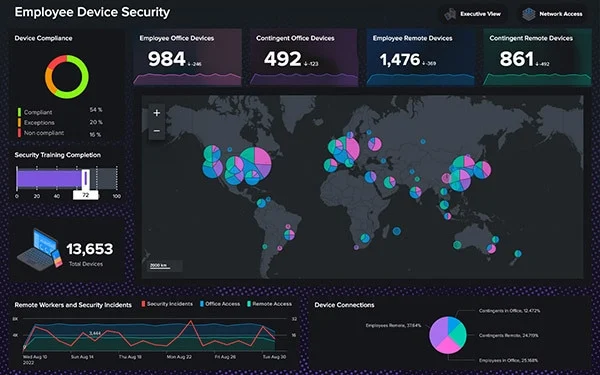
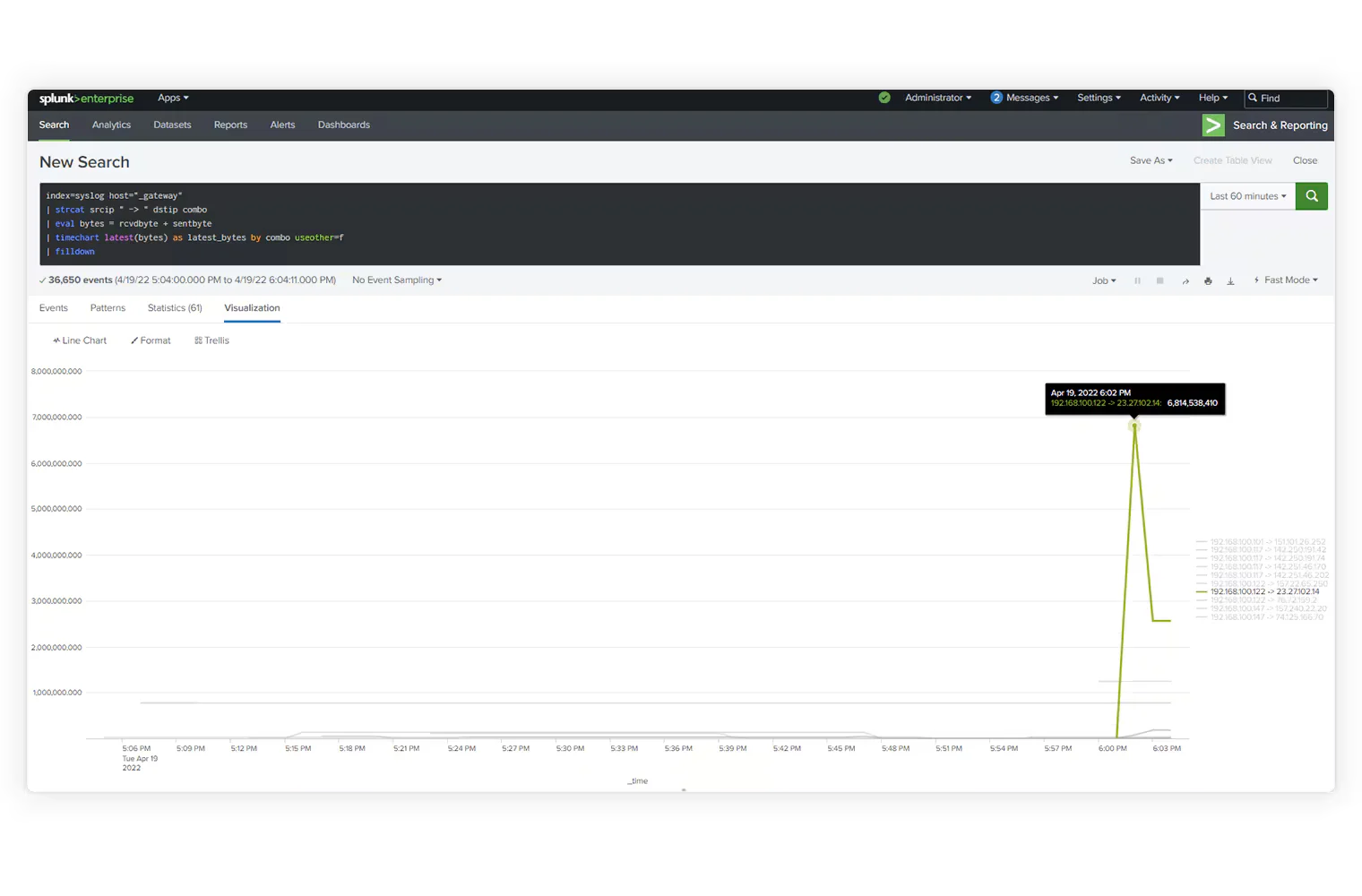
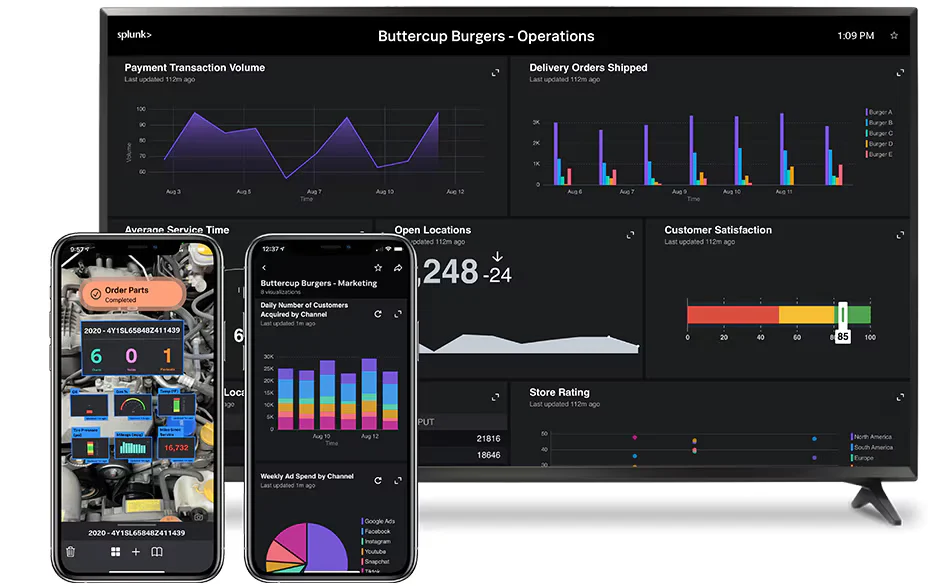
Splunk Enterprise collects, indexes, searches, analyzes, and visualizes data from IT infrastructure and business systems. Teams can use saved searches, reports, dashboards, and alerts to investigate events and monitor operations.
Unlike Splunk Cloud Platform, Enterprise is customer-managed. Splunk describes on-premises, customer-cloud, and hybrid deployment options, so buyers need to plan for infrastructure and platform administration.
Splunk Enterprise Decision Snapshot
A quick way to understand who this product may suit, where its limits matter, and which facts are most relevant before you compare alternatives.
Best suited toOrganizations with security or IT teams that need to bring machine data from multiple systems into a searchable, self-managed platform for investigation, monitoring, and alerting.
Look elsewhere ifTeams seeking fixed, publicly listed enterprise pricing or a fully vendor-managed service may prefer a hosted service or a product with published rates; Splunk Enterprise requires customer-side deployment and administration, and should evaluate alternatives such as Elastic Stack or Graylog instead.
PlatformsLinux, On-premises, Private Cloud, REST API, Windows
TechZella assessment7.6/10
Splunk Enterprise — What Sets It Apart?
These are the product-specific differences that may matter when deciding whether the software fits your workflow. They are based on documented evidence rather than a universal ranking.
- Supports on-premises, customer-cloud, and hybrid deployments, rather than requiring the managed Splunk Cloud service.
- Combines event search, reporting, dashboards, alerts, and a documented REST API in one platform.
- Splunkbase provides apps and add-ons for connecting data sources and extending workflows.
Editorial assessmentSplunk Enterprise Pros & Cons
Pros
- Combines search, reports, dashboards, and alerting in one platform.
- Supports customer-managed on-premises and cloud deployments.
- REST API and Splunkbase apps support programmatic management and extensions.
Cons
- Paid pricing is not publicly listed.
- Self-managed operation requires customer infrastructure and administration.
- The perpetual Free license is limited to a standalone instance, 500 MB/day, and a subset of features.
Splunk Enterprise Gotchas & Operational Limits
These are documented constraints or practical friction points that may matter before you adopt the product.
The 60-day Enterprise trial includes a 500 MB-per-day indexing limit, and the later Free license has feature and deployment restrictions.
A trial workload that exceeds this allowance may not represent a planned production deployment, and the Free license is not a like-for-like production substitute.
Evidence source ↗Splunk Enterprise is self-managed; the buyer must plan for infrastructure and operational administration.
Hardware, storage, maintenance, and staff effort may affect total cost beyond the software license.
Evidence source ↗Security & Privacy
For security-sensitive software, TechZella focuses on documented architecture, authentication, data handling, deployment and privacy details that can affect a buying decision. This is product research, not an independent security audit.
Security posture at a glance
| Deployment | Customer-managed; on-premises, customer cloud, or hybrid |
|---|
Security claims are presented only when supported by documented sources. The presence of this section does not constitute a penetration test, certification or independent security audit.
Plans & pricingSplunk Enterprise Pricing & Plans
Enterprise trial
$0
60 days
Free 60-day trial; Splunk states no credit card is required. Trial indexing is limited to 500 MB per day.
Check current pricing →Free license
$0
perpetual
Available after the trial for standalone, single-instance use; limited to 500 MB indexed per day and a subset of Enterprise features.
Check current pricing →Paid Enterprise
Contact sales
Quote-based. Splunk documents ingest-based and workload-based pricing options for Enterprise.
Check current pricing →Pricing may change. Verify current plans on the vendor's website.
Cost contextTotal Cost & Hidden Costs
Additional costs or implementation requirements that are documented in the available evidence.
Implementation and onboarding
Splunk's trial and product pages provide access to documentation and community resources, but do not publish a standard deployment duration or implementation fee. Scope professional services and administrator training during procurement.
Evidence source ↗Hosting and infrastructure
Splunk Enterprise is self-managed. The buyer supplies deployment infrastructure; Splunk's public materials reviewed do not state a standard hardware or cloud-hosting cost.
Evidence source ↗License and usage costs
Paid prices require a sales quote. Splunk lists ingest-based and workload-based pricing models for Enterprise; estimate expected data volume or compute needs with the vendor.
Evidence source ↗Splunk Enterprise Competitors & Alternatives
Compare similar products directly, then see which alternatives may make more sense when your requirements differ.
At a glance
Cybersecurity SoftwareOnly factors supported by the available research are shown. The comparison is descriptive, not a ranking.
Direct competitors
These products address broadly similar requirements. The descriptions focus on documented reasons a buyer might compare them with Splunk Enterprise.
CapabilitiesSplunk Enterprise Features
Data search and analysis
- Search machine and business data
- Save searches and pivots as reports
- Analyze events and metrics
Monitoring and reporting
- Create dashboards and visualizations
- Schedule searches and reports
- Configure alerts and custom alert actions
Deployment and extensibility
- Self-managed on-premises or customer-cloud deployment
- Splunkbase apps and add-ons
- Documented REST API for platform resources
Splunk Enterprise Specifications
| Deployment | Customer-managed; on-premises, customer cloud, or hybrid |
|---|
| Trial | 60 days; up to 500 MB indexed per day |
|---|
| Free license | Perpetual, standalone single instance; 500 MB/day indexing limit |
|---|
| Pricing model | Paid pricing by quote; ingest and workload models documented |
|---|
| API | Splunk REST API |
|---|
| Current downloadable operating systems | Windows and Linux |
|---|
Exit planningMigration & Lock-In
Documented portability, standards, export, or switching considerations. No switching-cost score is shown unless the evidence supports one.
Data portability
Splunk documents REST API endpoints for accessing, creating, updating, and deleting platform resources. Public evidence reviewed did not establish a turnkey migration path to competing products.
Evidence source ↗Our evidence-based assessmentTechZella Score
A proprietary editorial score based on product capabilities, usability, value, performance, support and user sentiment evidence.
7.6/10Moderate confidence
The product documentation verifies broad search, dashboards, alerts, data ingestion, and REST APIs. G2 shows 4.3/5 from 434 reviews, while public review content and vendor pricing indicate cost and learning-curve considerations. Scores are editorial assessments, not hands-on test results.
Methodology v1.0. The assessment weighs feature coverage (25%), ease of use (15%), value for money (20%), performance (15%), support (10%) and user sentiment (15%), using researched product evidence and verified review evidence where available. It is a TechZella editorial assessment, not a direct user-review average.
Editorial transparency
Our Review Methodology
Key claims are linked to the sources used to verify them. This evidence record is separate from third-party user ratings.
TechZella evaluates software using documented product capabilities, pricing information, usability and value considerations, independent user evidence where available, and competitive context. The assessment is an editorial review, not a hands-on test unless one is explicitly identified. Our editorial assessment is based on 7 documented sources.
What TechZella adds- Supports on-premises, customer-cloud, and hybrid deployments, rather than requiring the managed Splunk Cloud service.
- Combines event search, reporting, dashboards, alerts, and a documented REST API in one platform.
- Splunkbase provides apps and add-ons for connecting data sources and extending workflows.
Important limitations- Paid pricing is quote-based, with pricing models tied to data ingestion or workload resources.
- Self-managed installations require customers to provide and maintain deployment infrastructure.
- The perpetual Free license is restricted to a standalone, single-instance installation and a 500 MB daily indexing allowance; some features and operating systems are unavailable.
Evidence-backed claimsSplunk Enterprise supports search, analysis, and visualization of infrastructure and business data.Splunk's documentation describes search, reports, alerts, and dashboard functionality for gathered data.
View source ↗Verified 2026-11-08Splunk offers a 60-day Enterprise trial and a restricted perpetual Free license after the trial.The licensing documentation says the trial lasts 60 days and describes the Free license's 500 MB daily limit and restrictions.
View source ↗Verified 2026-11-08Paid Splunk Enterprise pricing is available through sales, with ingest and workload pricing models documented.Splunk's pricing page describes workload- and ingest-based models and directs customers to request a quote.
View source ↗Verified 2026-11-08Splunk Enterprise has a documented REST API for platform resource operations.The reference documents endpoints and GET, POST, and DELETE operations across resource groups.
View source ↗Verified 2026-11-08Splunk Enterprise is available for customer-managed Windows and Linux installation.Splunk's current Enterprise download page lists Windows and Linux installation packages.
View source ↗Verified 2026-11-08Splunk was founded in 2003.Splunk's media kit gives 2003 as its founding year.
View source ↗Verified 2026-11-08Splunk Enterprise 10.6 was announced on September 30, 2026.Splunk's announcement identifies the Enterprise 10.6 release and its publication date.
View source ↗Verified 2026-11-08 Independent review sources
Splunk Enterprise Ratings & Reviews
Ratings are published by the respective review platforms and may change over time.
Common questionsSplunk Enterprise FAQs
Answers begin with the clearest available response, followed by the context that helps you act on it.
Does Splunk Enterprise have a free trial?
Yes. Splunk lists a 60-day Enterprise trial; its license documentation states that the trial permits indexing up to 500 MB per day.
Is Splunk Enterprise pricing public?
No standard paid price is listed on Splunk's pricing pages. Splunk describes pricing models and directs buyers to sales for a quote.
Can Splunk Enterprise be self-hosted?
Yes. Splunk describes deployment on-premises or in a customer's cloud environment, including hybrid environments.
Does Splunk Enterprise provide an API?
Yes. Splunk documents a REST API with endpoints for platform resources, including search, access control, and knowledge objects.
What happens after the Splunk Enterprise trial?
Splunk says customers can purchase a paid license or convert to the restricted Free license for standalone use and up to 500 MB/day of indexing.
Community feedback
Reviews
No reviews yet. Be the first to share your experience.
Write a Review
Please log in to submit a review.
Recently added Cybersecurity Software