
The Premium trial is accessed with a trial license key, but the public trial page does not state a trial duration.
Buyers should confirm the trial period and any account requirements before planning an evaluation.
Evidence source ↗
Fleet is an open-core endpoint management platform for device inventory, security policies, vulnerability visibility, and software deployment across operating systems.
Fleet documents multi-OS management, osquery-based inventory and policies, API access, self-hosting, and managed cloud. Self-hosted operation requires infrastructure administration, and public review evidence is limited to two G2 reviews.
This profile combines documented product information and independent evidence where available. It is not a hands-on test unless TechZella explicitly identifies one.
Fleet is an endpoint management platform built around fleetd and osquery. It gives IT and security teams a shared view of device inventory, software, policy results, and vulnerabilities.
Fleet supports desktop and mobile operating systems, with managed-cloud and self-hosted deployment options. Its free edition and paid Premium features differ in support and capabilities, so buyers should check the current plan matrix against their required controls.
A quick way to understand who this product may suit, where its limits matter, and which facts are most relevant before you compare alternatives.
IT and security teams seeking a shared endpoint inventory and management workflow across macOS, Windows, Linux, and mobile devices, especially when they value APIs, GitOps, or self-hosting.
Teams wanting a fully supported free hosted service, or those unable to operate the documented database, cache, TLS, and server components for self-hosting, and should evaluate alternatives such as Microsoft Intune: consider it when an organization prefers Microsoft's cloud endpoint-management ecosystem or already has a qualifying Microsoft subscription. or Jamf Pro: consider it when the main requirement is Apple-focused device management and related Apple workflows. instead.
Android, iOS, Linux, macOS, Windows
7.8/10
These are the product-specific differences that may matter when deciding whether the software fits your workflow. They are based on documented evidence rather than a universal ranking.
These are documented constraints or practical friction points that may matter before you adopt the product.
Buyers should confirm the trial period and any account requirements before planning an evaluation.
Evidence source ↗The software license is not the full operating cost; teams must account for database, cache, backups, networking, and upgrades.
Evidence source ↗For security-sensitive software, TechZella focuses on documented architecture, authentication, data handling, deployment and privacy details that can affect a buying decision. This is product research, not an independent security audit.
| Deployment | Managed cloud or self-hosted |
|---|---|
| Self-hosted dependencies | MySQL, Redis-compatible cache, and TLS |
The product documentation describes reports powered by osquery SQL and policies for security compliance.
Source ↗Security claims are presented only when supported by documented sources. The presence of this section does not constitute a penetration test, certification or independent security audit.
Free plan with basic features and no support. Self-hosting is listed.
Check current pricing →Paid plan with additional device-management features, managed-cloud hosting, and professional support.
Check current pricing →Custom plan for larger deployments; pricing is not published.
Check current pricing →A trial license key is available after logging in or creating an account. The trial duration is not stated on the public page.
Check current pricing →Pricing may change. Verify current plans on the vendor's website.
Compare the product with documented alternatives across the factors that can change a buying decision. Each row is evidence-backed rather than a generic feature checklist.
| Decision factor | FleetDM | Microsoft Intune |
|---|---|---|
| Core scope | Fleet combines device management with osquery-backed inventory, policies, and vulnerability visibility. | Intune provides cloud-based endpoint and app management within Microsoft's endpoint management plans. Source ↗ |
| Platform and deployment | Fleet supports multiple desktop and mobile operating systems and offers managed cloud or self-hosting. | Microsoft describes Intune as cloud-based endpoint management. Source ↗ |
| Pricing model | Free is $0 per host per month; Premium is $7.00 per host per month; Custom is quote-based. | Standalone Intune Plan 1 is $8.00 per user per month with an annual commitment; it is also included in specified Microsoft subscriptions. Source ↗ |
| Administration and extensibility | Fleet documents a REST API, webhooks, fleetctl CLI, and GitOps workflows. | Microsoft presents Intune as part of its Microsoft 365 and endpoint-management ecosystem. Source ↗ |
| Decision factor | FleetDM | Jamf Pro |
|---|---|---|
| Core scope | Fleet manages a mixed endpoint estate, including macOS, Windows, Linux, and mobile operating systems. | Jamf for Mac is a macOS-focused management and security offering. Source ↗ |
| Platform and deployment | Fleet supports multiple operating systems and offers managed-cloud or self-hosted deployment. | Jamf for Mac pricing is for Jamf Cloud customers; Jamf Pro focuses on Apple device management. Source ↗ |
| Pricing model | Free is $0 per host per month; Premium is $7.00 per host per month; Custom is quote-based. | Jamf for Mac is $12.50 per macOS device per month, billed annually, with a 25-device minimum. Source ↗ |
| Administration and extensibility | Fleet documents REST API access, webhooks, CLI, and GitOps workflows. | Jamf Pro documents Apple-focused deployment, dynamic Smart Groups, inventory management, and integrations through its marketplace. Source ↗ |
Only factors supported by the available research are shown. The comparison is descriptive, not a ranking.


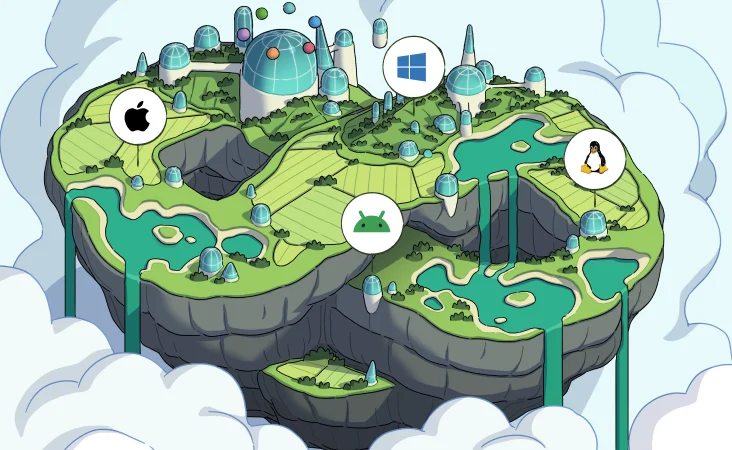
| Supported operating systems | macOS, Windows, Linux, iOS/iPadOS, Android, ChromeOS |
|---|---|
| Deployment | Managed cloud or self-hosted |
| API | REST API |
| Automation interfaces | Webhooks and fleetctl CLI |
| Self-hosted dependencies | MySQL, Redis-compatible cache, and TLS |
| License model | Open core; most Fleet software is MIT-licensed and paid features require a license key |
Verified installation, hosting, administration, or environment details that can affect implementation.
| Hosting options | Fleet offers managed cloud and self-hosted deployment. The self-hosted guide documents MySQL, Redis-compatible cache, and TLS requirements. Source ↗ |
|---|---|
| Local evaluation | The vendor provides a Docker-based local demo for macOS, Windows, and Linux; Premium features require a trial license key. Source ↗ |
Microsoft Intune may fit organizations already buying Microsoft endpoint-management subscriptions and seeking cloud-based device and app management in that ecosystem. Fleet may suit teams needing a free self-hosted option, osquery-style host reporting, or explicit GitOps and API workflows.
Jamf Pro is an Apple-focused option with Apple device management and related integrations. Fleet is a closer fit when the organization needs one management approach across multiple desktop and mobile operating systems, including Linux and Windows.
Documented portability, standards, export, or switching considerations. No switching-cost score is shown unless the evidence supports one.
Fleet documents a process for migrating hosts from plain osquery to fleetd without losing host data or configuration.
Evidence source ↗A proprietary editorial score based on product capabilities, usability, value, performance, support and user sentiment evidence.
Fleet documents multi-OS management, osquery-based inventory and policies, API access, self-hosting, and managed cloud. Self-hosted operation requires infrastructure administration, and public review evidence is limited to two G2 reviews.
Methodology v1.0. The assessment weighs feature coverage (25%), ease of use (15%), value for money (20%), performance (15%), support (10%) and user sentiment (15%), using researched product evidence and verified review evidence where available. It is a TechZella editorial assessment, not a direct user-review average.
Key claims are linked to the sources used to verify them. This evidence record is separate from third-party user ratings.
TechZella evaluates software using documented product capabilities, pricing information, usability and value considerations, independent user evidence where available, and competitive context. The assessment is an editorial review, not a hands-on test unless one is explicitly identified. Our editorial assessment is based on 6 documented sources.
The pricing page lists Free at $0 per host per month, Premium at $7.00 per host per month, and Custom with sales-led pricing.
View source ↗Verified 2026-11-20Fleet's FAQ lists supported host operating systems including macOS, Windows, Linux, iOS/iPadOS, ChromeOS, and Android.
View source ↗Verified 2026-11-20The product documentation describes reports powered by osquery SQL and policies for security compliance.
View source ↗Verified 2026-11-20The integration page documents REST API, webhooks, and fleetctl as means to build custom workflows.
View source ↗Verified 2026-11-20Fleet's hosting documentation states that customers can deploy Fleet themselves or have Fleet host it.
View source ↗Verified 2026-11-20The trial page instructs users to log in or create an account to obtain a license key for Premium features; it does not state the trial duration.
View source ↗Verified 2026-11-20Fleet documents a free plan and a Premium trial license. Its official trial page does not publish the trial duration.
Fleet supports macOS, Windows, Linux, iOS/iPadOS, Android, and ChromeOS host enrollment, subject to documented OS version requirements.
Fleet can be self-hosted or managed in Fleet Cloud. Self-hosted deployments require infrastructure such as MySQL, a Redis-compatible cache, and TLS.
Fleet provides a REST API, webhooks, and the fleetctl CLI for integrations and custom workflows.
No reviews yet. Be the first to share your experience.
Please log in to submit a review.