
The seven-day trial requires payment details and renews as a paid subscription unless canceled before it ends.
Trial users should record the end date and cancel in subscription settings if they do not intend to continue.
Evidence source ↗
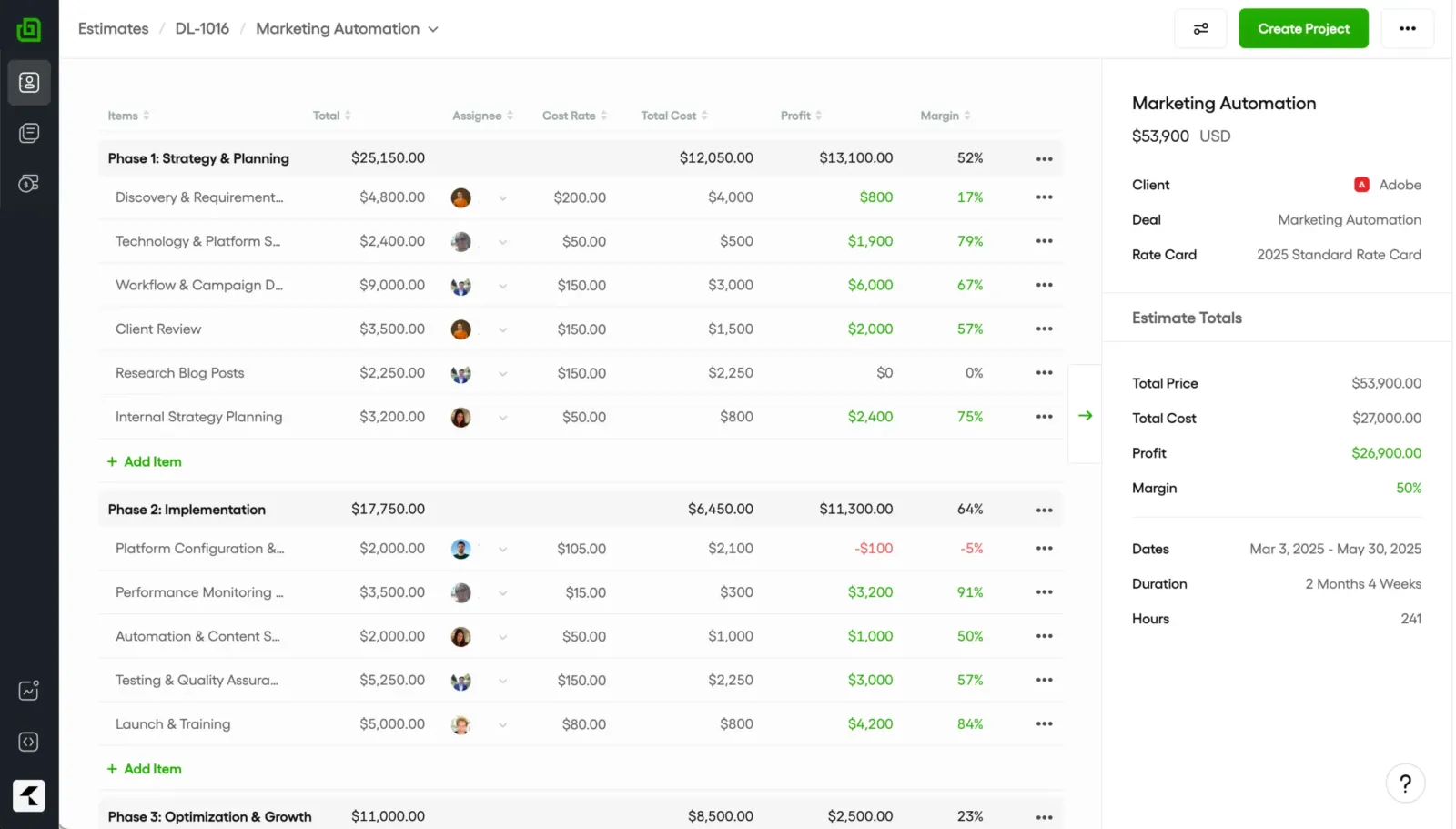
Bonsai combines CRM and deal tracking with project management, proposals, contracts, invoicing, and time tracking for freelancers and service businesses.
Scores reflect published feature coverage, plan boundaries, and documented integrations. Public review evidence was not sufficiently verified to assess user sentiment or claim hands-on performance.
This profile combines documented product information and independent evidence where available. It is not a hands-on test unless TechZella explicitly identifies one.
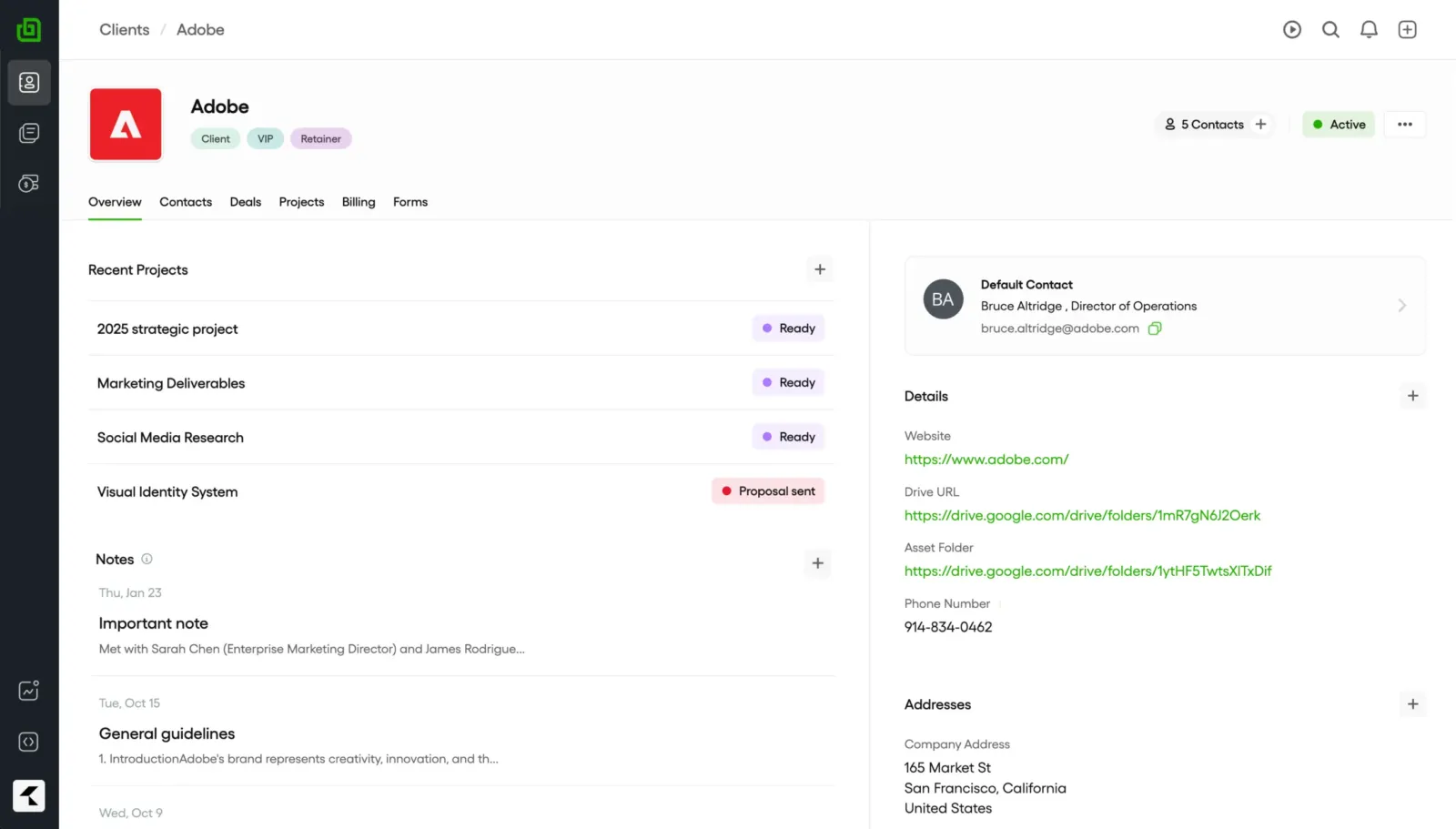
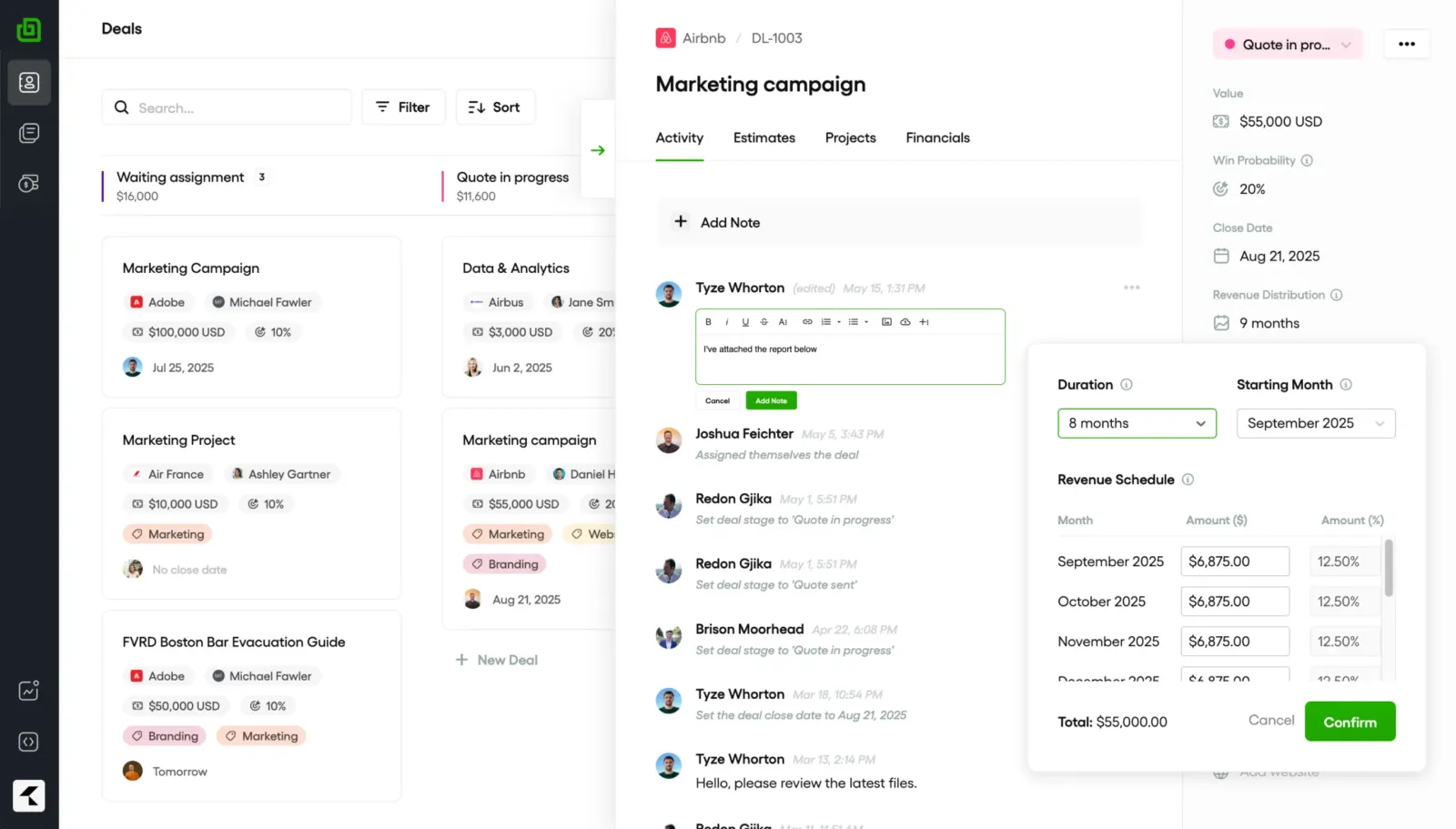
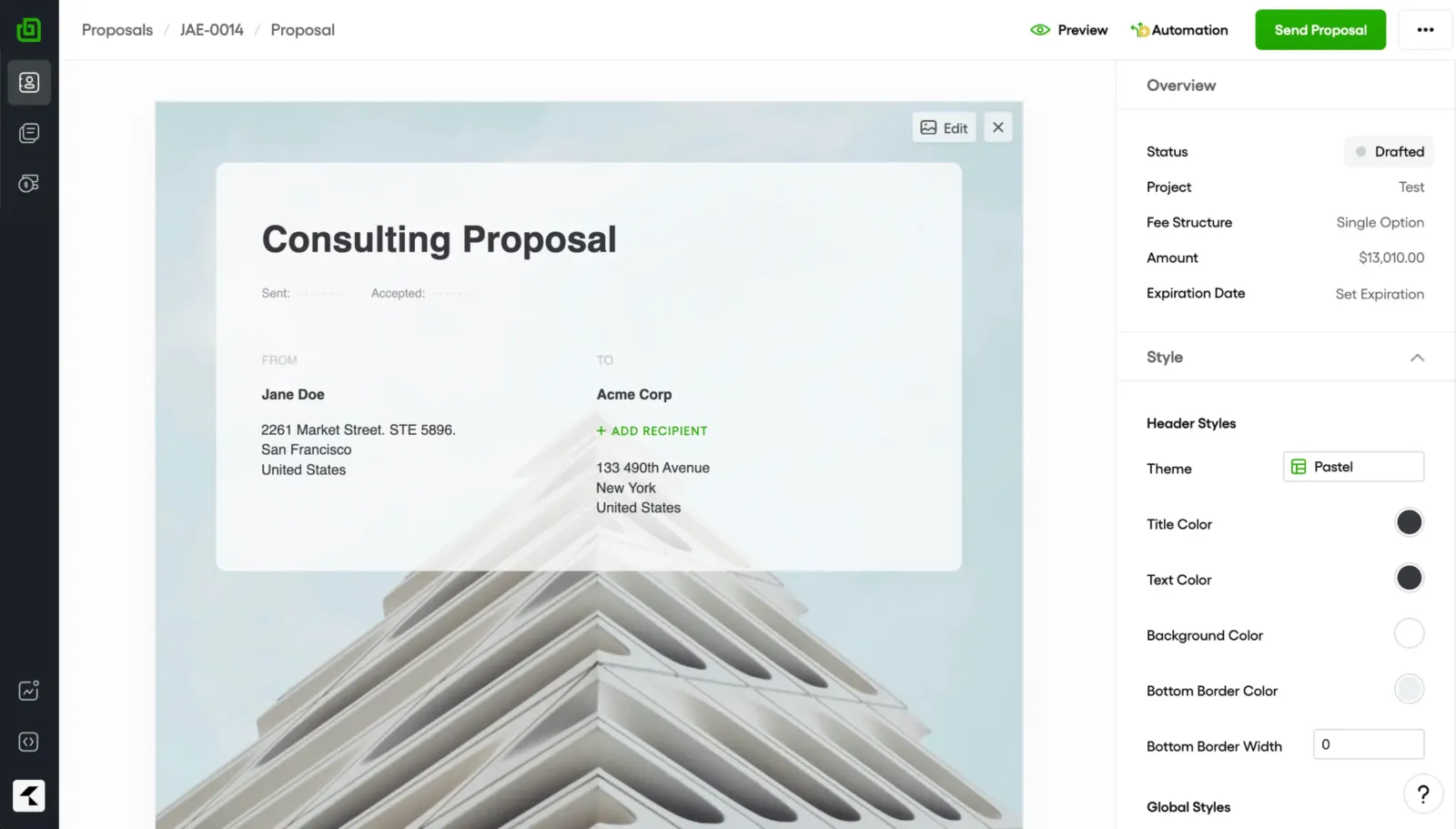
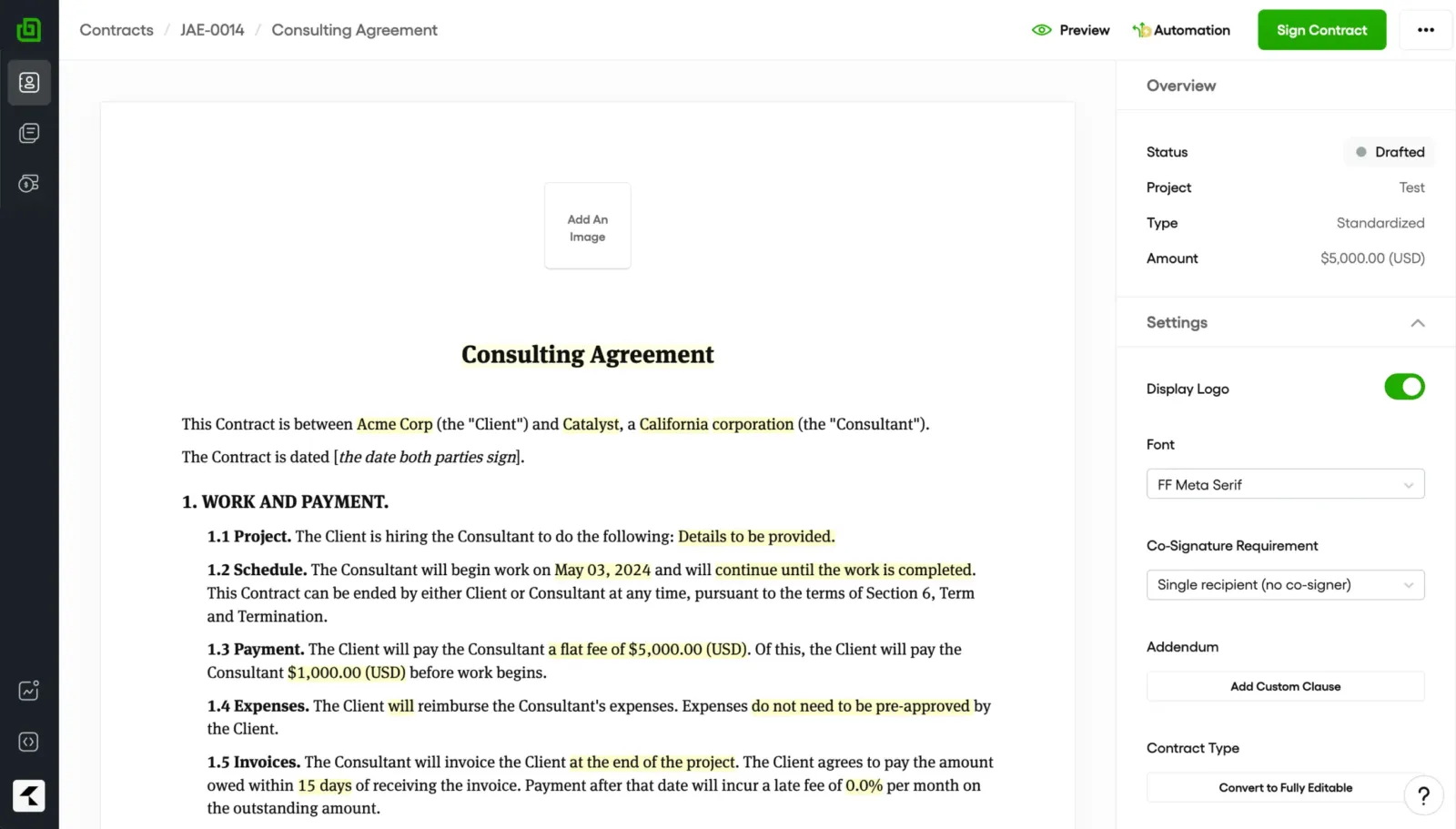
Bonsai is a business-management platform for freelancers and service businesses. Its CRM organizes companies, contacts, leads, and deals, then connects those records to projects, proposals, contracts, invoices, and tracked time.
This connected workflow is useful when client administration and project delivery sit with the same person or small team. Bonsai is less directly suited to buyers seeking a standalone, deeply configurable enterprise sales CRM.
Bonsai changed the CRM label “Clients” to “Companies” in August 2026. The vendor describes this as a terminology change, not a workflow or data change.
A quick way to understand who this product may suit, where its limits matter, and which facts are most relevant before you compare alternatives.
Freelancers and small service businesses that want client records and deal tracking connected to projects, proposals, contracts, invoicing, and time tracking.
Organizations needing a deeply configurable sales CRM, or buyers who need a fully functional ongoing free plan. The free Limited plan restricts creating and sending invoices and client documents, and should evaluate alternatives such as HoneyBook or Dubsado instead.
Android, API, iOS, macOS, Web
7.4/10
These are the product-specific differences that may matter when deciding whether the software fits your workflow. They are based on documented evidence rather than a universal ranking.
These are documented constraints or practical friction points that may matter before you adopt the product.
Trial users should record the end date and cancel in subscription settings if they do not intend to continue.
Evidence source ↗Accounting teams should test invoice, discount, payment, and product/service mapping behavior before relying on sync.
Evidence source ↗It is an account-retention option, not an equivalent free operating plan for an active business.
Evidence source ↗Time tracking, task management, unlimited projects, CRM, service library, and unlimited clients. Monthly billing is $15 per user.
Check current pricing →Adds invoices and payments, proposals and contracts, templates, forms, scheduling, client portal, expense tracking, and income tracking. Monthly billing is $25 per user.
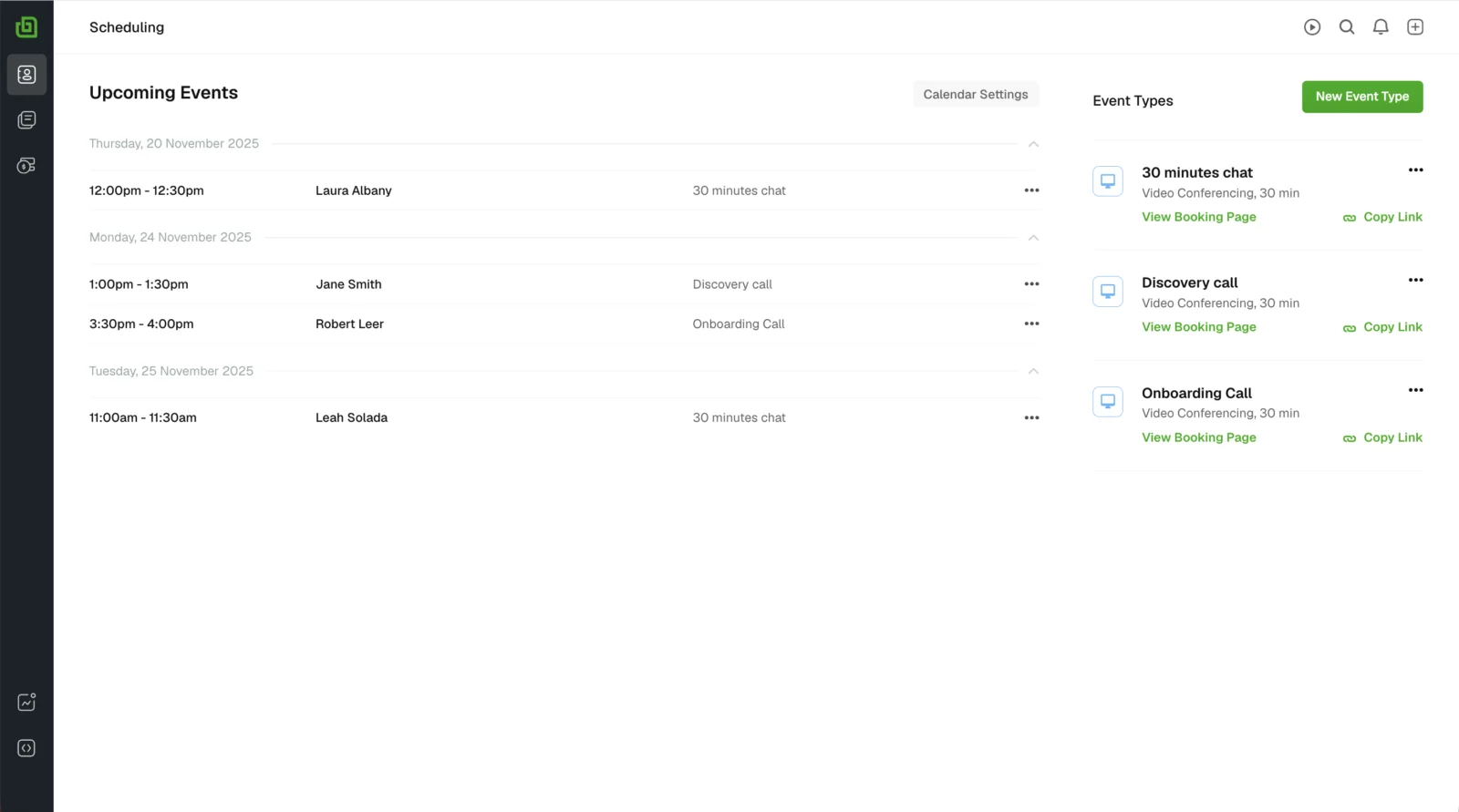
Check current pricing →Adds project insights, workload management, Gantt view, deals pipeline, custom fields, client tasks and messaging, reports, and listed integrations. Monthly billing is $39 per user.
Check current pricing →Adds custom permissions, timesheet locking, expense markups, and custom data import. Three-user minimum. Monthly billing is $59 per user.
Check current pricing →Restricted view-oriented plan for retaining account access. It does not allow creating or sending new invoices or client documents.
Check current pricing →Pricing may change. Verify current plans on the vendor's website.
Compare similar products directly, then see which alternatives may make more sense when your requirements differ.
| Decision factor | Bonsai | HoneyBook | Dubsado |
|---|---|---|---|
| Core scope | CRM, projects, time tracking, deals, proposals, contracts, and invoicing are offered in one service-business suite. | Client management bundles invoices, payments, proposals, contracts, calendar, templates, and client portal; higher plans add automation and team features. Source ↗ | Dubsado offers client/project management with invoices, payment plans, forms, email templates, and client portals. Source ↗ |
| Automation and CRM | Bonsai Premium lists deals pipeline, custom fields, client tasks and messaging, and integrations. | HoneyBook Essentials adds automations, scheduler, and QuickBooks Online integration; Starter includes up to two live lead forms. Source ↗ | Dubsado Premier adds automated workflows, scheduling, public proposals, unlimited active lead forms, and Zapier. Source ↗ |
| Pricing model | Annual prices range from $9 to $49 per user monthly, with monthly-billing prices from $15 to $59 per user. | US annual-billing list prices are $29, $49, and $109 monthly for Starter, Essentials, and Premium. Source ↗ | Dubsado lists Starter at $335 per year or $35 monthly, and Premier at $525 per year or $55 monthly. Source ↗ |
| Mobile access | Bonsai documents iPhone and Android apps, in addition to website access. | HoneyBook's pricing page describes the platform features and plans; the cited page does not specify mobile-app availability. Source ↗ | Dubsado lists mobile app access on its pricing page but does not specify in that page which mobile operating systems are supported. Source ↗ |
Only factors supported by the available research are shown. The comparison is descriptive, not a ranking.
These products address broadly similar requirements. The descriptions focus on documented reasons a buyer might compare them with Bonsai.
| Deployment | Web-based service with companion mobile and desktop apps |
|---|---|
| Mobile apps | iOS and Android |
| Desktop app | macOS menu-bar time tracker |
| API | Public API; access-token authentication |
| Free trial | 7 days; payment details required |
| Annual price range | $9–$49 per user/month |
| Data import | CSV import for companies, paid invoices, time entries, and expenses |
| Data export | CSV exports for selected records, including invoices, projects, tasks, expenses, companies, and tracked time |
Verified installation, hosting, administration, or environment details that can affect implementation.
| Installation or hosting | Bonsai is accessed through its website, with companion apps for iPhone, Android, and macOS time tracking. Source ↗ |
|---|---|
| API | A public API uses access tokens and bearer authentication; documented endpoints cover CRM records, deals, projects, tasks, time entries, and invoices. Source ↗ |
Documented portability, standards, export, or switching considerations. No switching-cost score is shown unless the evidence supports one.
CSV import is documented for companies, paid invoices, time entries, and expenses. Imports require Bonsai-formatted templates and field mapping.
Evidence source ↗CSV exports are available for invoices, projects, tasks, expenses, companies, company addresses, and tracked time; each dataset exports separately.
Evidence source ↗A proprietary editorial score based on product capabilities, usability, value, performance, support and user sentiment evidence.
Scores reflect published feature coverage, plan boundaries, and documented integrations. Public review evidence was not sufficiently verified to assess user sentiment or claim hands-on performance.
Methodology v1.0. The assessment weighs feature coverage (25%), ease of use (15%), value for money (20%), performance (15%), support (10%) and user sentiment (15%), using researched product evidence and verified review evidence where available. It is a TechZella editorial assessment, not a direct user-review average.
Key claims are linked to the sources used to verify them. This evidence record is separate from third-party user ratings.
TechZella evaluates software using documented product capabilities, pricing information, usability and value considerations, independent user evidence where available, and competitive context. The assessment is an editorial review, not a hands-on test unless one is explicitly identified. Our editorial assessment is based on 6 documented sources.
The official pricing page lists these annual-billing prices and separately lists monthly-billing prices.
View source ↗Verified 2026-11-28The help article says card details are required and billing starts after the trial unless the user cancels.
View source ↗Verified 2026-11-28The API guide lists contacts, companies, deals, projects, tasks, subtasks, comments, time entries, and invoices.
View source ↗Verified 2026-11-28The help documentation states partially paid invoices, online payment fees, refunds, and non-invoice income are not synced.
View source ↗Verified 2026-11-28Bonsai states that the change was a label-only update, without changes to functionality, data, or workflows.
View source ↗Verified 2026-11-28Official help pages describe import for companies, paid invoices, time entries, and expenses, and separate CSV exports for several record types.
View source ↗Verified 2026-11-28Answers begin with the clearest available response, followed by the context that helps you act on it.
No reviews yet. Be the first to share your experience.
Please log in to submit a review.