Editorial overview
Aggregated Overview
The product supports multiple data types, configurable interfaces, APIs, model connections, and several deployment choices. Community Edition requires customers to manage infrastructure, while larger exports and hosted or enterprise controls may require additional setup or a paid plan. Public G2 review evidence is too limited for reliable sentiment conclusions.
This profile combines documented product information and independent evidence where available. It is not a hands-on test unless TechZella explicitly identifies one.
Overview
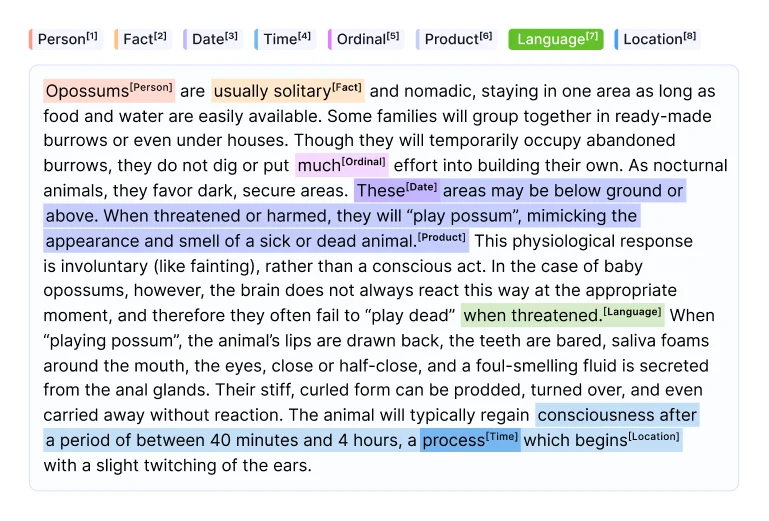
Label Studio is an open-source annotation application from HumanSignal. It supports projects that label text, images, audio, video, time series, and combinations of data types.
Teams configure labeling interfaces, import tasks, and export annotations. The product can connect to machine-learning backends for predictions and active-learning workflows, and provides API and SDK access for automation.
Community Edition can be self-hosted. HumanSignal also offers hosted Starter Cloud and Enterprise plans, with enterprise features such as SSO, enhanced quality workflows, and analytics.
Label Studio Decision Snapshot
A quick way to understand who this product may suit, where its limits matter, and which facts are most relevant before you compare alternatives.
Best suited toAI and machine-learning teams that need configurable annotation across multiple data types and want to connect labeling tasks to their own storage, models, or pipelines.
Look elsewhere ifTeams seeking a fully managed, maintenance-free platform without a subscription, or large Community Edition projects that depend on synchronous UI exports and built-in media backups, and should evaluate alternatives such as CVAT instead.
PlatformsDocker, Linux, macOS, Web, Windows
TechZella assessment7.4/10
Label Studio — What Sets It Apart?
These are the product-specific differences that may matter when deciding whether the software fits your workflow. They are based on documented evidence rather than a universal ranking.
- A single configurable interface supports text, images, audio, video, time series, and mixed-modality task formats.
- The open-source Community Edition can be installed locally or self-hosted, while Starter Cloud and Enterprise offer hosted options.
- The API, SDK, webhooks, and model backends support programmatic task import, annotation export, and connections to machine-learning workflows.
Editorial assessmentLabel Studio Pros & Cons
Pros
- Supports annotation across several data types in one configurable application.
- Offers both open-source self-hosting and vendor-hosted plans.
- API, SDK, webhooks, and model backends support integration with ML workflows.
- Annotations can be exported in multiple common formats.
Cons
- Self-hosted users must manage infrastructure, storage, and backups.
- Community Edition UI exports can time out on large projects.
- Imported media is not backed up by default, according to the documentation.
- Several advanced quality, analytics, and storage capabilities are plan-dependent.
Label Studio Gotchas & Operational Limits
These are documented constraints or practical friction points that may matter before you adopt the product.
UI-uploaded media is not backed up by default, and the vendor advises against this import method for large or business-critical projects.
Teams should plan external source storage and backups instead of treating the Label Studio instance as a durable media repository.
Evidence source ↗Community Edition UI exports run synchronously and can exceed reverse-proxy timeouts on large projects.
Large annotation jobs may need SDK or command-line exports, or Enterprise background snapshot exports.
Evidence source ↗Docker-mounted directories must have permissions compatible with the container's non-root UID 1001.
Incorrect volume ownership can prevent the application from accessing its persistent files.
Evidence source ↗Label Studio Pricing & Plans
Community Edition
$0
Open-source software for self-hosting. Infrastructure and maintenance are managed by the customer.
Check current pricing →Starter Cloud
$99
month
Hosted service, listed for up to 12 users; additional users are listed at $49 per month each.
Check current pricing →Enterprise
Custom
Custom-priced option with enhanced security, workflow features, and analytics.
Check current pricing →Pricing may change. Verify current plans on the vendor's website.
Cost contextTotal Cost & Hidden Costs
Additional costs or implementation requirements that are documented in the available evidence.
Implementation and onboarding
The vendor documents project creation, data import, labeling configuration, and export as setup steps, but does not publish typical implementation time. Self-hosted teams also need to configure the environment and storage.
Evidence source ↗Hosting and infrastructure
Starter Cloud is vendor-hosted. Community Edition is self-hosted, so compute, database, persistent storage, backups, and operational maintenance are customer responsibilities; no infrastructure price is stated.
Evidence source ↗Seats and plan upgrades
Starter Cloud lists $99 per month, up to 12 users, and $49 per month for each additional user. Enterprise pricing is custom; advanced features are plan-dependent.
Evidence source ↗Label Studio Competitors & Alternatives
Compare similar products directly, then see which alternatives may make more sense when your requirements differ.
At a glance
Artificial Intelligence SoftwareOnly factors supported by the available research are shown. The comparison is descriptive, not a ranking.
Direct competitors
These products address broadly similar requirements. The descriptions focus on documented reasons a buyer might compare them with Label Studio.
CapabilitiesLabel Studio Features
Annotation
- Configurable labeling interfaces
- Text, image, audio, video, and time-series tasks
- Multimodal task formats
- Annotation export formats
Integration and automation
- REST API
- Python SDK
- Webhooks
- Machine-learning backends
- Cloud-storage connections
Team workflows
- Project and task management
- Role-based access controls
- Enterprise quality workflows
- Enterprise analytics and reporting
Label Studio Specifications
| Deployment | Self-hosted Community Edition; hosted Starter Cloud; Enterprise cloud or on-premises options |
|---|
| Installation | pip, Docker, Ubuntu, source, and Anaconda methods documented |
|---|
| Supported data | Text, images, audio, video, time series, and multimodal tasks |
|---|
| Database | SQLite or PostgreSQL, subject to documented version requirements |
|---|
| API | API endpoints, access tokens, and Python SDK |
|---|
| Cloud storage | Amazon S3, Google Cloud Storage, Microsoft Azure Blob Storage, and local storage; advanced options vary by plan |
|---|
| Browser support | Documentation says Label Studio is tested with the latest Google Chrome |
|---|
Exit planningMigration & Lock-In
Documented portability, standards, export, or switching considerations. No switching-cost score is shown unless the evidence supports one.
Data portability
Annotations can be exported in JSON and other common formats, including COCO, Pascal VOC, and TSV. Some export formats contain annotations without the original task data.
Evidence source ↗Our evidence-based assessmentTechZella Score
A proprietary editorial score based on product capabilities, usability, value, performance, support and user sentiment evidence.
7.4/10Moderate confidence
The product supports multiple data types, configurable interfaces, APIs, model connections, and several deployment choices. Community Edition requires customers to manage infrastructure, while larger exports and hosted or enterprise controls may require additional setup or a paid plan. Public G2 review evidence is too limited for reliable sentiment conclusions.
Methodology v1.0. The assessment weighs feature coverage (25%), ease of use (15%), value for money (20%), performance (15%), support (10%) and user sentiment (15%), using researched product evidence and verified review evidence where available. It is a TechZella editorial assessment, not a direct user-review average.
Editorial transparency
Our Review Methodology
Key claims are linked to the sources used to verify them. This evidence record is separate from third-party user ratings.
TechZella evaluates software using documented product capabilities, pricing information, usability and value considerations, independent user evidence where available, and competitive context. The assessment is an editorial review, not a hands-on test unless one is explicitly identified. Our editorial assessment is based on 6 documented sources.
What TechZella adds- A single configurable interface supports text, images, audio, video, time series, and mixed-modality task formats.
- The open-source Community Edition can be installed locally or self-hosted, while Starter Cloud and Enterprise offer hosted options.
- The API, SDK, webhooks, and model backends support programmatic task import, annotation export, and connections to machine-learning workflows.
Important limitations- Community Edition UI exports run synchronously and may time out on large projects; the documentation points to SDK, console, or Enterprise snapshot workflows as alternatives.
- The documentation warns against uploading media through the UI for large or business-critical projects because imported media does not have backups by default.
- Self-hosting requires customers to provision and maintain application, database, storage, and deployment infrastructure.
Evidence-backed claimsHumanSignal was founded in 2019.The company About page states that the company was founded in 2019.
View source ↗Verified 2026-11-12Label Studio supports multiple data types and can connect machine-learning models for predictions or active learning.The product overview describes support for multiple data types and integrations with machine-learning models.
View source ↗Verified 2026-11-12Label Studio provides API endpoints for importing tasks, exporting annotations, connecting machine-learning workflows, and syncing cloud storage.The API guide lists these uses and describes token-based authentication.
View source ↗Verified 2026-11-12Starter Cloud is listed at $99 per month, with $49 per month for each additional user; Enterprise pricing is custom.The official pricing page lists the Starter price, additional-user price, hosted service, and custom Enterprise pricing.
View source ↗Verified 2026-11-12The product can be installed on Linux, Windows, or macOS, and supports Docker installation.The installation guide lists the operating systems and installation methods.
View source ↗Verified 2026-11-12Large Community Edition UI exports can time out, while Enterprise supports background snapshot exports.The export guide explains synchronous Community Edition exports, timeout risks, and Enterprise background workers.
View source ↗Verified 2026-11-12 Independent review sources
Label Studio Ratings & Reviews
Ratings are published by the respective review platforms and may change over time.
Common questionsLabel Studio FAQs
Answers begin with the clearest available response, followed by the context that helps you act on it.
Does Label Studio have a free version?
Yes. HumanSignal makes Community Edition available as open-source software; it is self-hosted.
Does Label Studio offer a free trial?
Yes. HumanSignal advertises a 14-day Starter Cloud trial.
What data types can Label Studio annotate?
The documentation lists text, images, audio, video, time series, and multimodal task formats.
Can Label Studio connect to cloud storage?
Yes. Documentation covers Amazon S3, Google Cloud Storage, Microsoft Azure Blob Storage, and local storage, with some advanced connections limited to Enterprise.
Can Label Studio be installed on-premises?
Yes. Community Edition supports self-installation, including on Linux, Windows, or macOS. Enterprise deployment options include on-premises arrangements.
Community feedback
Reviews
No reviews yet. Be the first to share your experience.
Write a Review
Please log in to submit a review.
Recently added Artificial Intelligence Software