
Octave does not implement every MATLAB function.
Users moving existing code should test the functions and toolboxes their scripts rely on before planning a migration.
Evidence source ↗
GNU Octave is free, open-source software for numerical computing, with a MATLAB-compatible language, plotting tools, and a package system.
The score reflects documented numerical, plotting, scripting, and extension capabilities, its no-cost GPL distribution, and G2's displayed rating. Performance is not benchmarked here; community package support is distinct from core project support.
This profile combines documented product information and independent evidence where available. It is not a hands-on test unless TechZella explicitly identifies one.
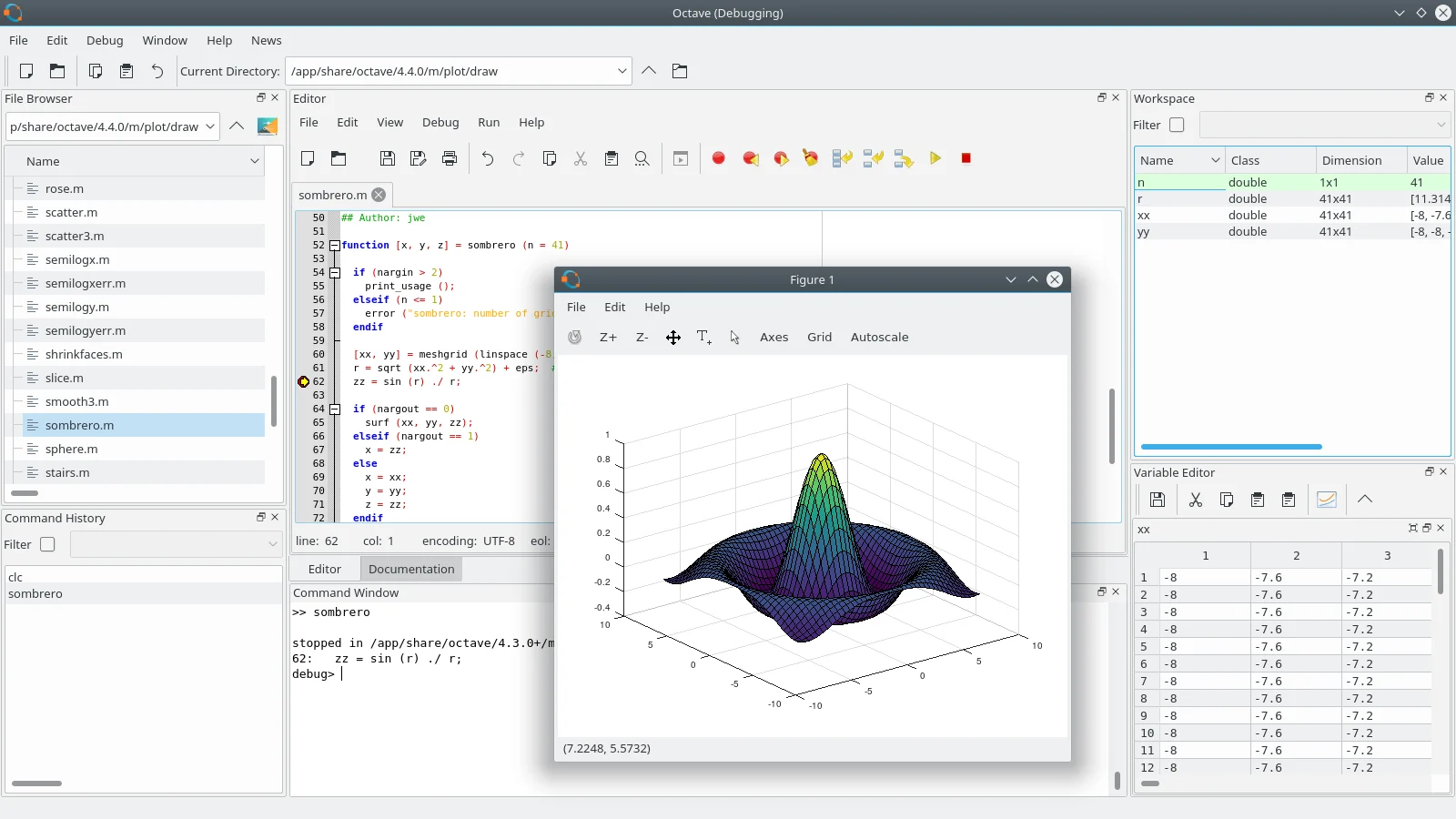
GNU Octave is a high-level programming language and environment for numerical computation. It supports matrix and linear algebra operations, solving nonlinear problems, differential equations, statistical analysis, and plotting.
Octave uses a language mostly compatible with MATLAB and can run interactively or in batch-oriented scripts. The project explicitly notes that compatibility is incomplete, so existing MATLAB code may need changes.
A quick way to understand who this product may suit, where its limits matter, and which facts are most relevant before you compare alternatives.
Students, researchers, and technical users who need local numerical scripting, matrix operations, plotting, and a free MATLAB-like environment.
Teams that depend on specific MATLAB functions, commercial toolboxes, or guaranteed support should verify compatibility and support requirements before adopting Octave, and should evaluate alternatives such as MATLAB or Scilab instead.
API, BSD, Linux, macOS, Windows
8.3/10
These are the product-specific differences that may matter when deciding whether the software fits your workflow. They are based on documented evidence rather than a universal ranking.
These are documented constraints or practical friction points that may matter before you adopt the product.
Users moving existing code should test the functions and toolboxes their scripts rely on before planning a migration.
Evidence source ↗A package issue may require contacting a different maintainer than the core Octave project.
Evidence source ↗Freely redistributable software under the GNU General Public License. No paid plan or trial was listed on the official pages checked.
Check current pricing →Pricing may change. Verify current plans on the vendor's website.
Compare similar products directly, then see which alternatives may make more sense when your requirements differ.
| Decision factor | GNU Octave | MATLAB | Scilab |
|---|---|---|---|
| Pricing model | GNU Octave is freely redistributable under the GPL. | MathWorks offers MATLAB licenses by intended use and term; MATLAB is a paid product. Source ↗ | Scilab is available free of charge under the GPL. Source ↗ |
| Core scope | Numerical computing, a MATLAB-like language, plotting, and community packages. | Numerical computing with MATLAB and optional MathWorks products, including Simulink and add-on products. Source ↗ | Numerical computation, scientific programming, 2D/3D graphics, and Xcos system modeling. Source ↗ |
| Platform and execution model | Downloadable desktop software with GUI, console, and shell-script execution modes. | MathWorks lists MATLAB Online for browser use and MATLAB Mobile for iOS and Android. Source ↗ | Scilab's current download page lists Windows, Linux, and macOS builds. Source ↗ |
| Extension ecosystem | Community packages are managed through Octave's package system. | MathWorks offers separately selectable add-on products for MATLAB licenses. Source ↗ | Scilab presents ATOMS as its modules and toolboxes management system. Source ↗ |
Only factors supported by the available research are shown. The comparison is descriptive, not a ranking.
These products address broadly similar requirements. The descriptions focus on documented reasons a buyer might compare them with GNU Octave.
| License | GNU General Public License |
|---|---|
| Latest stable release found | 11.3.0, released June 1, 2026 |
| Operating systems | GNU/Linux, macOS, BSD, Microsoft Windows |
| Execution | GUI, console, or shell script |
| Extension interfaces | C++ oct-files and MEX compatibility interface |
| MATLAB compatibility | Mostly compatible; not complete |
| Package support | Community packages; package-specific support is handled by maintainers |
Verified installation, hosting, administration, or environment details that can affect implementation.
| Installation or hosting | The project distributes downloadable Windows binaries and source code; packages for GNU/Linux and BSD are provided by operating-system distributions. macOS installation instructions and third-party package managers are listed. Source ↗ |
|---|---|
| Execution modes | The interpreter can run in GUI mode, as a console, or as part of a shell script. Source ↗ |
Documented portability, standards, export, or switching considerations. No switching-cost score is shown unless the evidence supports one.
Octave aims for MATLAB language compatibility but does not claim full compatibility; its project page identifies functions that are not implemented.
Evidence source ↗A proprietary editorial score based on product capabilities, usability, value, performance, support and user sentiment evidence.
The score reflects documented numerical, plotting, scripting, and extension capabilities, its no-cost GPL distribution, and G2's displayed rating. Performance is not benchmarked here; community package support is distinct from core project support.
Methodology v1.0. The assessment weighs feature coverage (25%), ease of use (15%), value for money (20%), performance (15%), support (10%) and user sentiment (15%), using researched product evidence and verified review evidence where available. It is a TechZella editorial assessment, not a direct user-review average.
Key claims are linked to the sources used to verify them. This evidence record is separate from third-party user ratings.
TechZella evaluates software using documented product capabilities, pricing information, usability and value considerations, independent user evidence where available, and competitive context. The assessment is an editorial review, not a hands-on test unless one is explicitly identified. Our editorial assessment is based on 5 documented sources.
The official about page describes its numerical computing purpose and lists linear algebra, nonlinear problems, integration, and differential equations.
View source ↗Verified 2026-11-10The official project page says compatibility is incomplete and provides a missing-function resource.
View source ↗Verified 2026-11-10The project about page states users may redistribute and modify the software under the GPL.
View source ↗Verified 2026-11-10The official release announcement gives the version and release date.
View source ↗Verified 2026-11-10The current manual documents package search, installation, updates, and the internet connection requirement for online access.
View source ↗Verified 2026-11-10The manual describes the oct-file interface and compiling MEX files with Octave.
View source ↗Verified 2026-11-10GNU Octave is free to redistribute under the GPL. It provides GUI, console, and shell-script execution modes. It is mostly, but not fully, compatible with MATLAB, and its package manager can install community packages from the online index.
No reviews yet. Be the first to share your experience.
Please log in to submit a review.