
The 30-day demo becomes limited-functionality mode after the trial.
After the trial, saving, clipboard transfer to other programs, and some Python functionality are disabled until licensing is activated.
Evidence source ↗
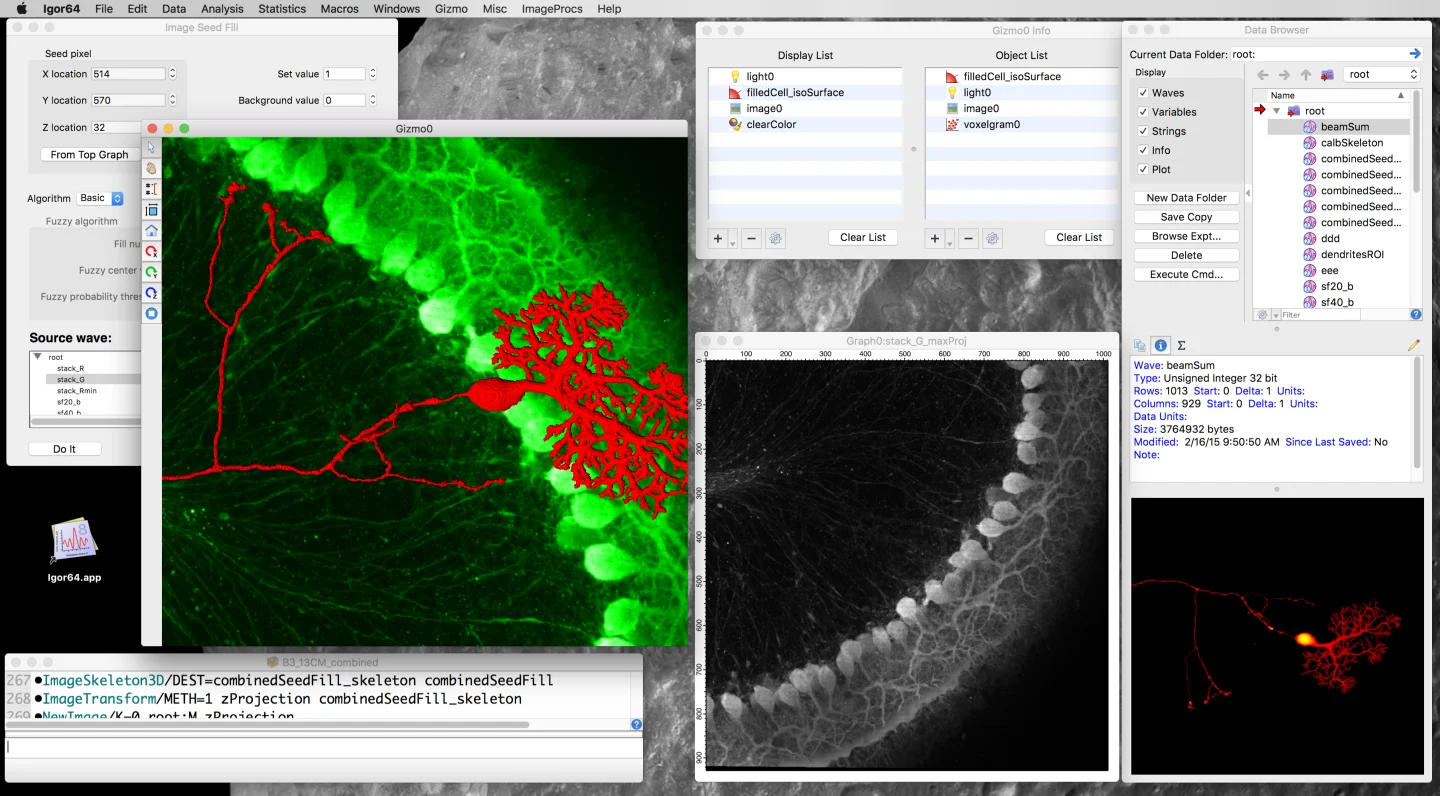
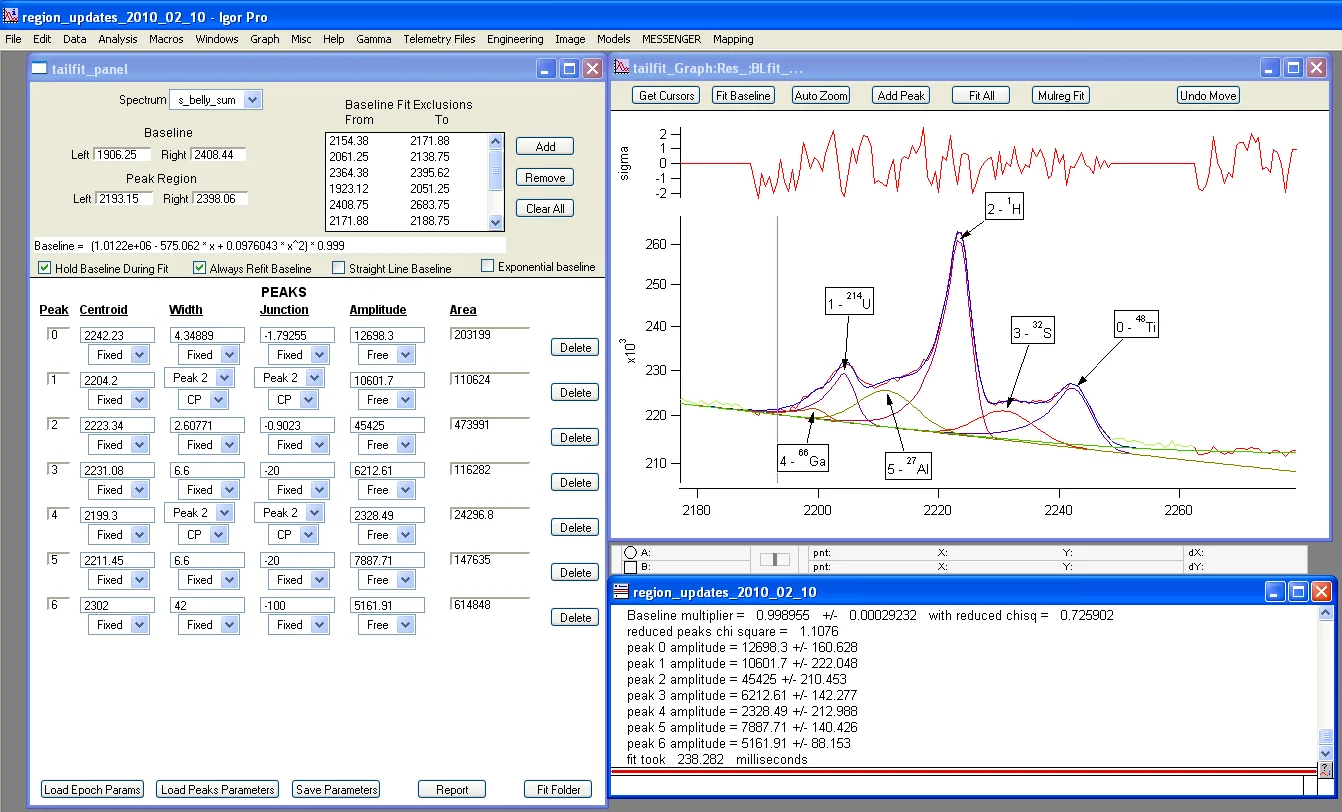
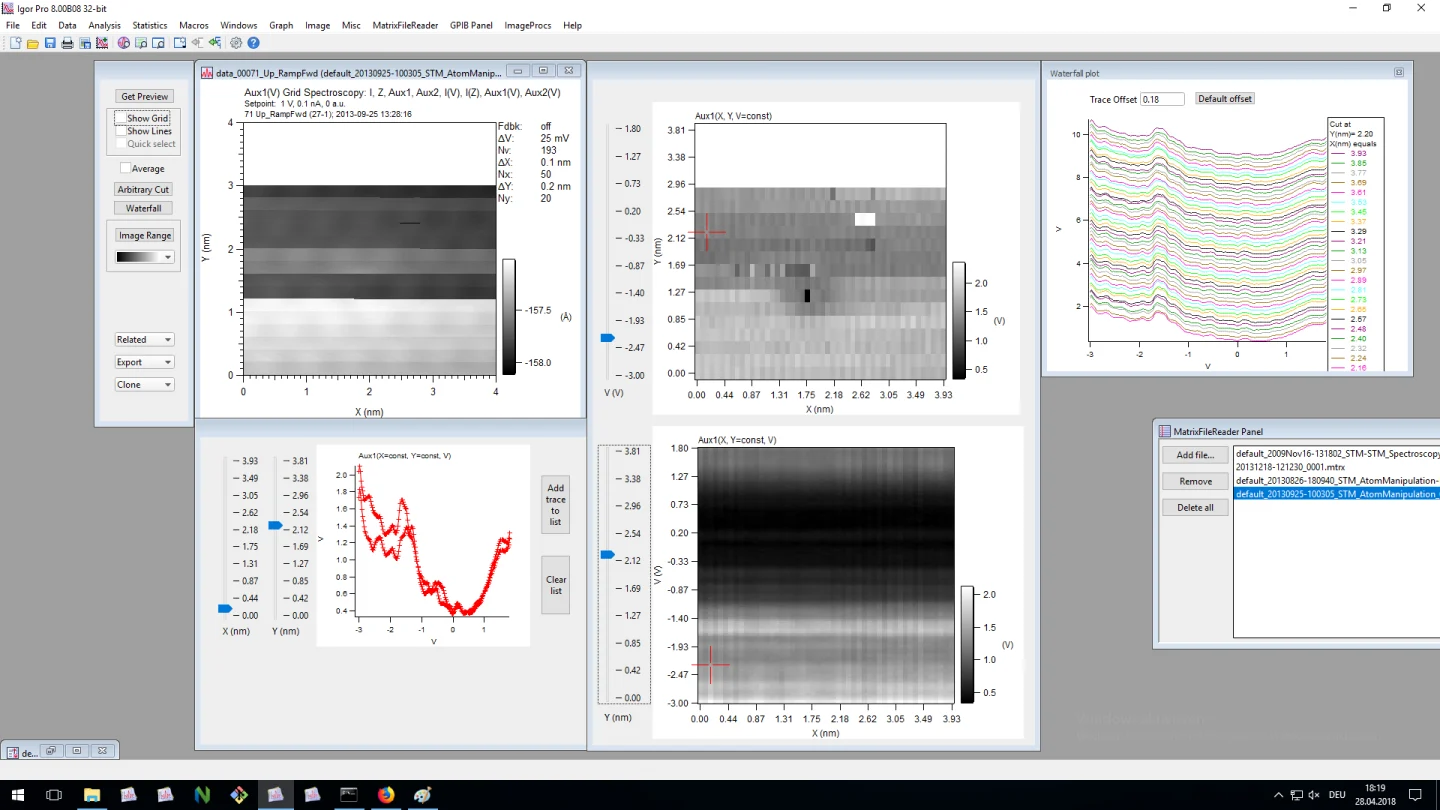
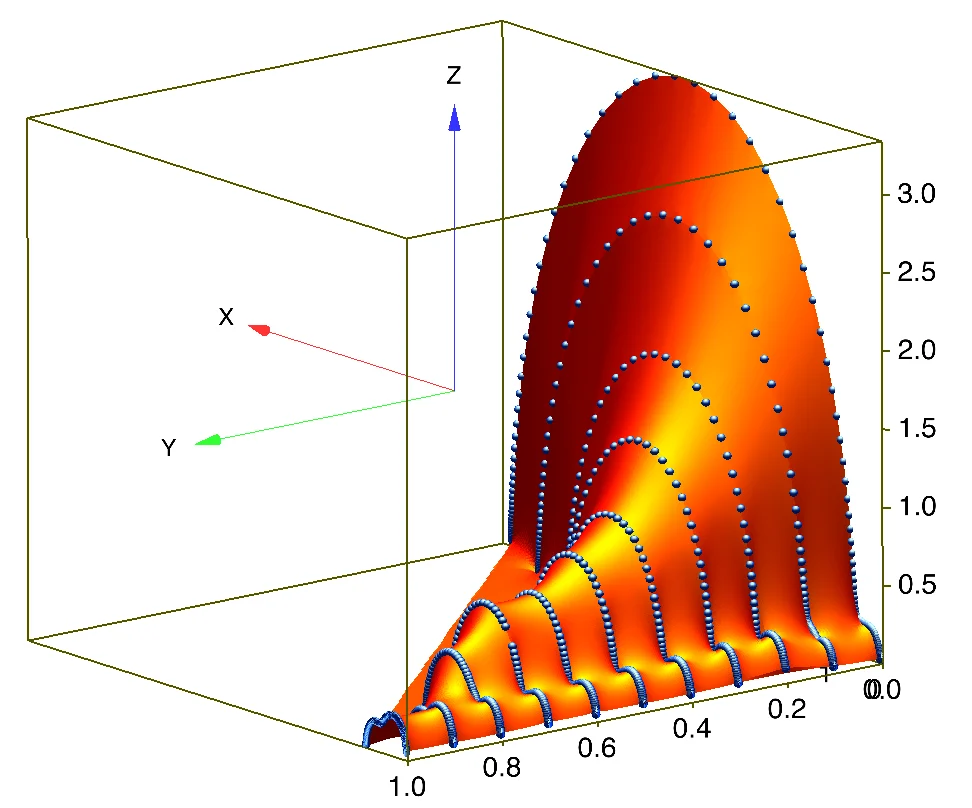
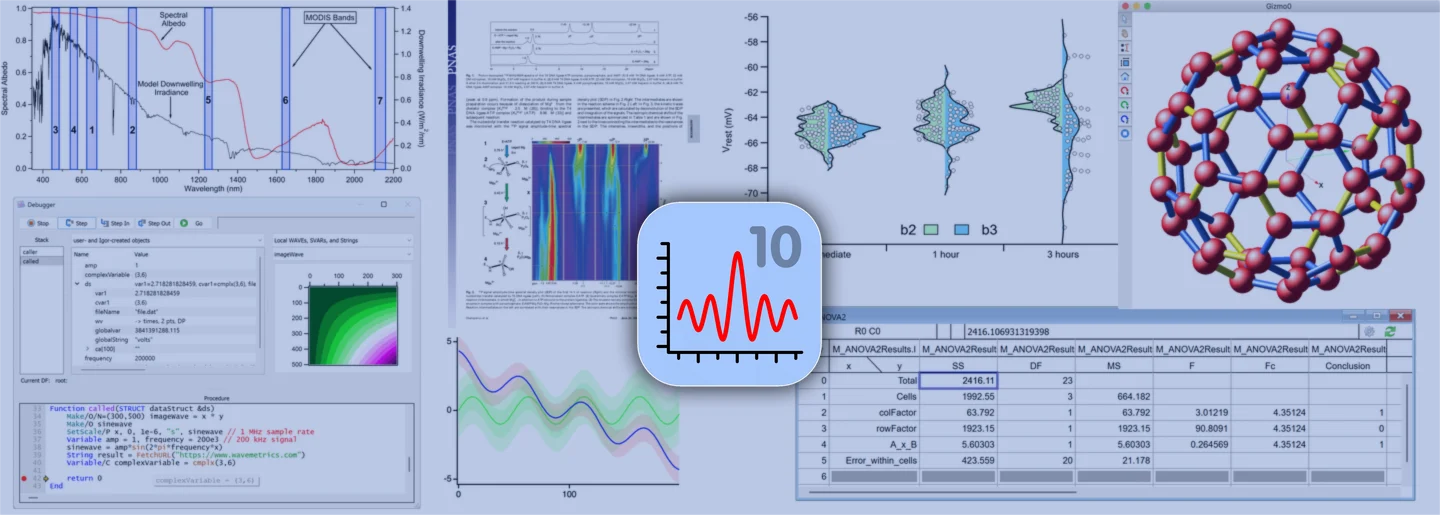
Igor Pro is desktop software for scientific data analysis, visualization, image processing, and publication-quality graphics. Version 10 runs on Windows and integrates with Python.
The product combines scientific plotting, analysis, programming, image tools, and Python integration. G2 reviews praise graph quality and scripting, while learning the programming model may take effort. Standard single-license pricing is not publicly displayed.
This profile combines documented product information and independent evidence where available. It is not a hands-on test unless TechZella explicitly identifies one.
Igor Pro is desktop software for scientific and engineering data. It combines data analysis, plotting, image processing, and a programmable environment.
Version 10 adds built-in Python integration and HDF5 support. It runs on Windows; version 9.05 is the final Mac release.
A quick way to understand who this product may suit, where its limits matter, and which facts are most relevant before you compare alternatives.
Researchers and engineers who need a desktop environment for scientific data analysis, customized graphing, and repeatable scripted workflows.
Mac users who need an actively updated native application, Linux users seeking a supported native version, or teams that require a publicly listed standard single-seat price, and should evaluate alternatives such as OriginPro or GraphPad Prism instead.
API, Desktop, Python, Windows
7.8/10
These are the product-specific differences that may matter when deciding whether the software fits your workflow. They are based on documented evidence rather than a universal ranking.
These are documented constraints or practical friction points that may matter before you adopt the product.
After the trial, saving, clipboard transfer to other programs, and some Python functionality are disabled until licensing is activated.
Evidence source ↗Mac users must continue with Igor Pro 9 or consider running Windows in a virtual environment; the Mac version will not receive further updates.
Evidence source ↗Python-based workflows depend on a supported local CPython installation, and the Igor Python module is intended to be used from inside Igor.
Evidence source ↗Listed by WaveMetrics; the public order page does not display the standard single-user price. The license does not auto-renew.
Check current pricing →A perpetual Igor Pro 10 license is listed, but its single-user price is not displayed on the public order page.
Check current pricing →Starting price; at least three seats are required. Additional seat pricing varies with license size.
Check current pricing →One-year license for student coursework only; it cannot be used for research.
Check current pricing →Pricing may change. Verify current plans on the vendor's website.
Compare similar products directly, then see which alternatives may make more sense when your requirements differ.
| Decision factor | Igor Pro | OriginPro | GraphPad Prism |
|---|---|---|---|
| Core scope | Scientific and engineering data analysis, graphing, image processing, and programming in one desktop environment. | Graphing and data analysis with OriginPro-specific peak fitting, surface fitting, statistics, signal processing, and image handling. Source ↗ | Prism focuses on scientific graphing and guided statistical analysis, including nonlinear regression and survival analysis. Source ↗ |
| Automation model | Igor procedure language, Python integration, and optional C/C++ XOP extensions. | Origin supports GUI-free repetitive workflows and programming with Origin's scripting and supported languages. Source ↗ | Prism supports automated analysis workflows and live updating of results and graphs when data or analysis choices change. Source ↗ |
| Platform | Igor Pro 10 runs on Windows; Igor Pro 9 is the final Mac version. | Origin is a Windows product; OriginLab documents running it on Mac through Windows virtualization. Source ↗ | Prism is available for Windows and Mac. Source ↗ |
| Pricing model | WaveMetrics lists annual and perpetual standard licenses; single-seat prices are not displayed on the public order page. | OriginLab lists annual subscription, three-year subscription, and perpetual node-locked commercial options. Source ↗ | GraphPad lists annual personal subscriptions and a monthly subscription option. Source ↗ |
Only factors supported by the available research are shown. The comparison is descriptive, not a ranking.
These products address broadly similar requirements. The descriptions focus on documented reasons a buyer might compare them with Igor Pro.
| Current version | Igor Pro 10 |
|---|---|
| Operating system | Windows 10 build 1809 or later, or Windows 11 |
| Architecture | 64-bit; Igor Pro 10 is not explicitly supported under Windows ARM emulation |
| macOS | Igor Pro 9.05 is the final Mac version; Igor Pro 10 may run in a Windows virtual environment |
| Linux | No native Linux version |
| Python | Supported CPython installation required separately; Microsoft Store Python is unsupported |
| Latest listed update | Igor Pro 10.04, dated November 3, 2026 |
| Support | Technical support by email and through the application's Help menu |
Verified installation, hosting, administration, or environment details that can affect implementation.
| Installation or hosting | Installed desktop application for Windows; Igor Pro 10 does not run on macOS except within a Windows virtual environment. Source ↗ |
|---|---|
| Architecture | Igor Pro 10 is 64-bit only. WaveMetrics does not explicitly support running it under Windows ARM emulation. Source ↗ |
| Linux | No native Linux version is offered. WaveMetrics notes that some users have tried Wine or CrossOver, without presenting them as supported platforms. Source ↗ |
Documented portability, standards, export, or switching considerations. No switching-cost score is shown unless the evidence supports one.
An Igor Pro 10 license includes the right to run Igor Pro 9. WaveMetrics recommends backing up Igor files before moving to version 10 because some behavior changed.
Evidence source ↗Existing Igor Pro 9 licenses remain valid. Igor Pro 10 purchasers may request keys for older versions, including Mac-compatible versions.
Evidence source ↗A proprietary editorial score based on product capabilities, usability, value, performance, support and user sentiment evidence.
The product combines scientific plotting, analysis, programming, image tools, and Python integration. G2 reviews praise graph quality and scripting, while learning the programming model may take effort. Standard single-license pricing is not publicly displayed.
Methodology v1.0. The assessment weighs feature coverage (25%), ease of use (15%), value for money (20%), performance (15%), support (10%) and user sentiment (15%), using researched product evidence and verified review evidence where available. It is a TechZella editorial assessment, not a direct user-review average.
Key claims are linked to the sources used to verify them. This evidence record is separate from third-party user ratings.
TechZella evaluates software using documented product capabilities, pricing information, usability and value considerations, independent user evidence where available, and competitive context. The assessment is an editorial review, not a hands-on test unless one is explicitly identified. Our editorial assessment is based on 6 documented sources.
WaveMetrics specifies Windows 10 or later and says the software does not run on macOS except in Windows virtual environments.
View source ↗Verified 2026-11-10WaveMetrics documents direct Python execution and data exchange between Python and Igor waves and other objects.
View source ↗Verified 2026-11-10WaveMetrics states the 30-day trial changes to limited-functionality mode, disabling saving and certain other functions.
View source ↗Verified 2026-11-10The company identifies Igor Pro 9.05 as the final Mac release and says no further Mac updates or bug fixes will be released.
View source ↗Verified 2026-11-10The product page says Igor has been used by technical professionals since its introduction in 1989.
View source ↗Verified 2026-11-10WaveMetrics says multi-user licenses require at least three seats and lists standard pricing starting at $1,070 per seat.
View source ↗Verified 2026-11-10Answers begin with the clearest available response, followed by the context that helps you act on it.
No reviews yet. Be the first to share your experience.
Please log in to submit a review.