Editorial overview
Aggregated Overview
Scores reflect documented features, the free MIT-licensed core, and setup responsibilities described in official documentation. No reliable public review sample was analyzed, and no hands-on testing was performed.
This profile combines documented product information and independent evidence where available. It is not a hands-on test unless TechZella explicitly identifies one.
Overview
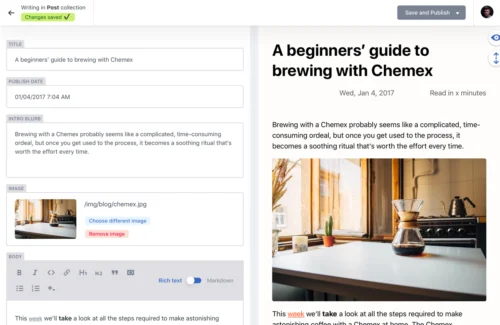
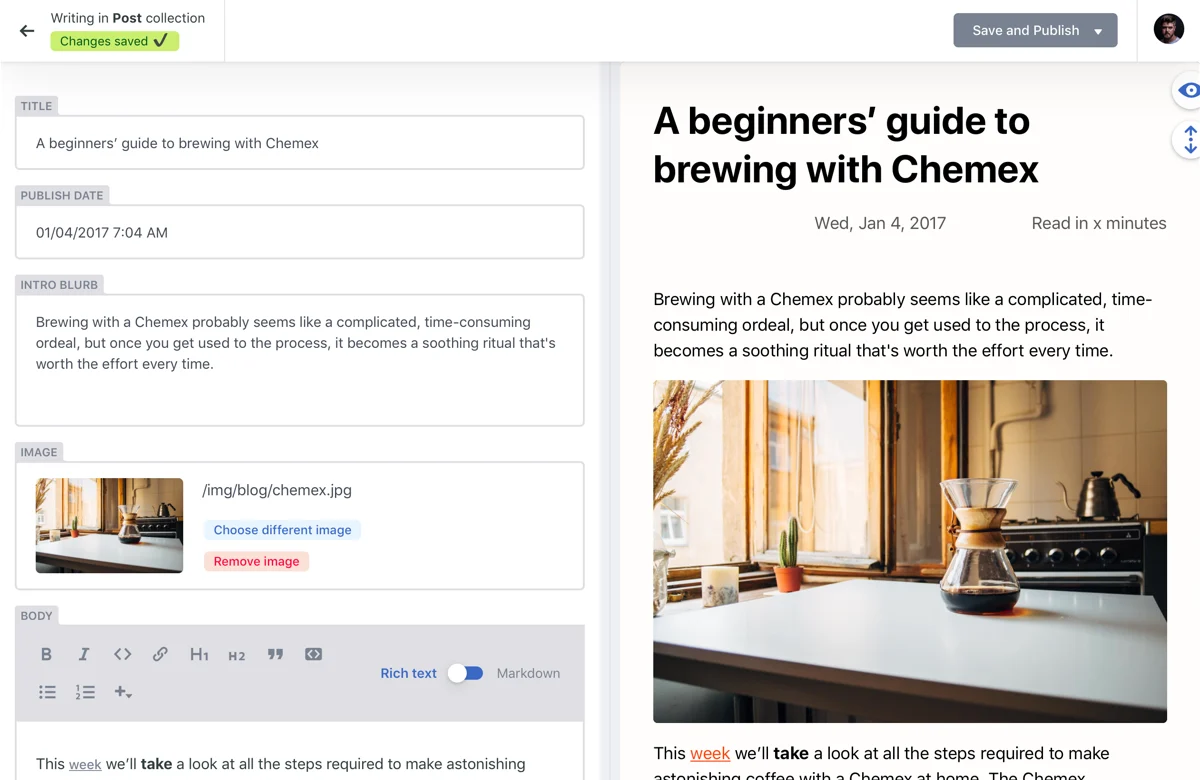
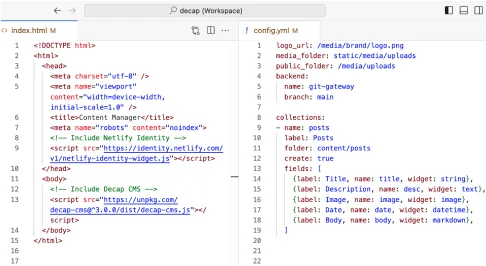
Decap CMS is a browser-based content management system for websites whose content is stored in Git. Editors use an admin interface, while the site’s developers define collections, fields, and backend settings.
The project was previously called Netlify CMS and adopted the Decap CMS name in February 2023. Its open-source core is MIT-licensed. It manages editing and repository updates, but the site owner remains responsible for building and delivering the website.
Decap CMS (formerly Netlify CMS) Decision Snapshot
A quick way to understand who this product may suit, where its limits matter, and which facts are most relevant before you compare alternatives.
Best suited toDeveloper-led teams managing content for static or Git-backed websites that want content changes stored and reviewed in their repositories.
Look elsewhere ifTeams seeking a fully managed CMS, a standalone content-delivery service, or an editor experience that requires no configuration or authentication setup may need another product or additional services.
PlatformsBitbucket, GitHub, GitLab, Web
TechZella assessment7.2/10
Decap CMS (formerly Netlify CMS) — What Sets It Apart?
These are the product-specific differences that may matter when deciding whether the software fits your workflow. They are based on documented evidence rather than a universal ranking.
- Content is stored in a Git repository, so content edits can follow repository branches and pull-request workflows.
- The project documents backends for GitHub, GitLab, Gitea, Bitbucket, Azure, and Git Gateway.
- The CMS is installed as a browser-based admin area alongside a website rather than as a hosted content-delivery platform.
Editorial assessmentDecap CMS (formerly Netlify CMS) Pros & Cons
Pros
- Free, MIT-licensed core.
- Content changes are stored in Git repositories.
- Supports multiple documented Git-provider backends.
- Optional review workflows use familiar pull or merge requests.
Cons
- Requires configuration and an authentication arrangement for the chosen backend.
- Does not build or deliver the website.
- Some backend and workflow capabilities differ by provider.
- Managed authentication and related Turbo capabilities are separate from the core CMS.
Decap CMS (formerly Netlify CMS) Gotchas & Operational Limits
These are documented constraints or practical friction points that may matter before you adopt the product.
With the direct GitHub backend, CMS users need push access to the content repository, and GitHub authentication requires a server-side setup.
Editors may need repository permissions or a separately configured authentication arrangement before they can publish.
Evidence source ↗Decap CMS manages content but does not deliver it to a website.
A separate static-site generator or frontend must turn repository content into pages and publish the site.
Evidence source ↗Decap Turbo is an optional paid managed service, separate from the free open-source CMS.
Buyers should distinguish the free CMS from paid hosting, authentication, and proxy features when estimating ongoing costs.
Evidence source ↗Decap CMS (formerly Netlify CMS) Pricing & Plans
Decap CMS core
$0
perpetual
Free, open-source CMS distributed under the MIT License. Site hosting and authentication setup are separate responsibilities.
Check current pricing →Decap Turbo Free
€0
month
Optional managed service plan; includes one site and one seat. The official page lists community support.
Check current pricing →Decap Turbo Pro
€19
month
Optional managed service plan; includes one site and five seats. Listed add-ons include €10 per additional site monthly and €6 per additional seat monthly. Public-preview Pro offer stated through October 15, 2026.
Check current pricing →Decap Turbo Enterprise
Custom
custom
Optional managed service with unlimited sites and seats under fair-use terms, according to the official pricing page.
Check current pricing →Pricing may change. Verify current plans on the vendor's website.
Cost contextTotal Cost & Hidden Costs
Additional costs or implementation requirements that are documented in the available evidence.
Authentication and hosting operations
The open-source core has no license fee, but teams must configure authentication and operate their site deployment. Decap Turbo offers paid managed infrastructure; official pricing lists Pro at €19 per month before add-ons.
Evidence source ↗Decap CMS (formerly Netlify CMS) Features
Content modeling and editing
- YAML-configured collections and fields
- Built-in field widgets and media selection
- Custom widgets, editor components, and preview templates
Git workflows
- Git-backed content storage
- GitHub, GitLab, Gitea, Bitbucket, Azure, and Git Gateway backends
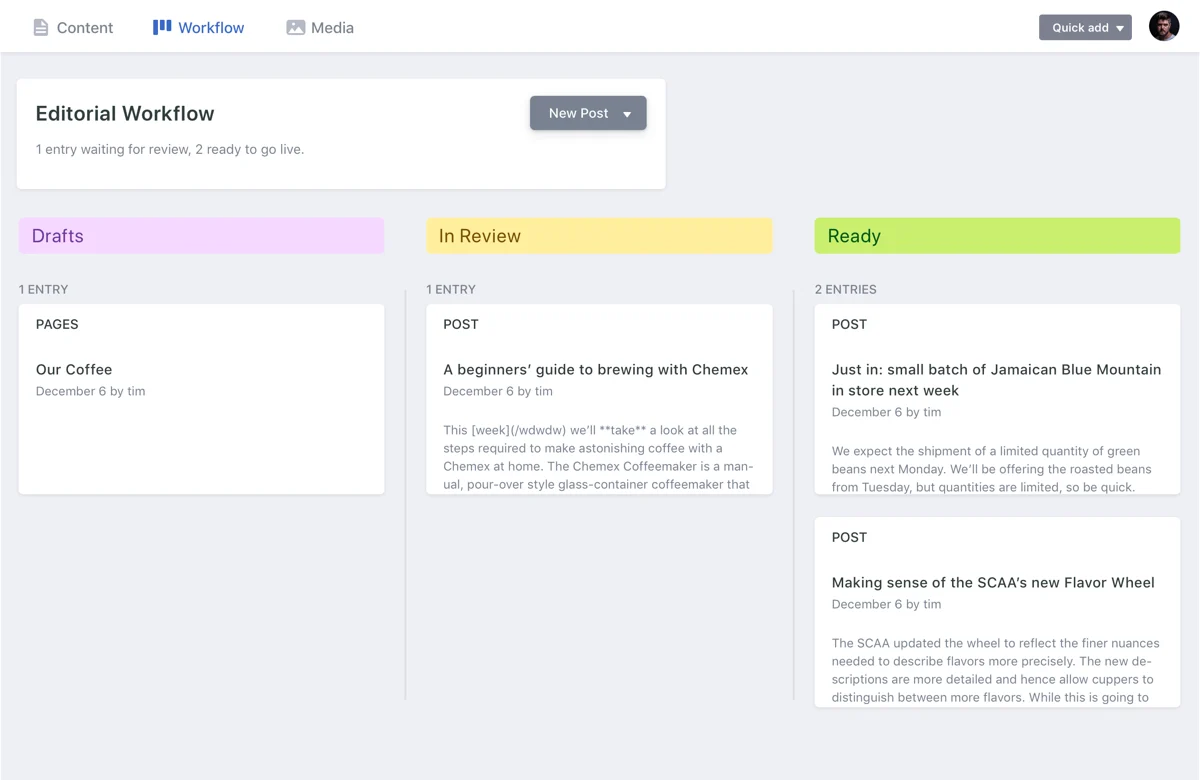
- Optional editorial workflow using branches and pull or merge requests
Optional managed service
- Decap Turbo hosted authentication and user management
- Git-host API request proxying and content-store features
- Site variables, S3-compatible media, and role options on eligible plans
Decap CMS (formerly Netlify CMS) Specifications
| License | MIT |
|---|
| Core pricing | Free and open source |
|---|
| Admin interface | Browser-based single-page application installed under the website's /admin path |
|---|
| Content storage | Git repository |
|---|
| Documented backends | GitHub, GitLab, Gitea, Bitbucket, Azure, Git Gateway, and Decap Turbo backends for GitHub and GitLab |
|---|
| API | Uses Git-provider APIs for repository content; exposes JavaScript customization methods. It is not a hosted content-delivery API service. |
|---|
| Static-site generator guidance | Documentation covers Jekyll, Hugo, Gatsby, Next.js, Astro, Eleventy, and other generators. |
|---|
| Free trial | The CMS core is free, not trial-based. Decap Turbo has separate trial and preview terms. |
|---|
| Latest release verified | 3.16.3, released September 22, 2026 |
|---|
Alternatives
Compare Decap CMS with other Git-backed CMS products if repository-based content editing is central to the workflow. Consider hosted headless CMS products when the requirement is a managed content service or delivery API rather than a CMS installed with a website. No product-specific comparative claims are included here because no alternative was verified in sufficient detail for this profile.
Our evidence-based assessmentTechZella Score
A proprietary editorial score based on product capabilities, usability, value, performance, support and user sentiment evidence.
7.2/10Low confidence
Scores reflect documented features, the free MIT-licensed core, and setup responsibilities described in official documentation. No reliable public review sample was analyzed, and no hands-on testing was performed.
Methodology v1.0. The assessment weighs feature coverage (25%), ease of use (15%), value for money (20%), performance (15%), support (10%) and user sentiment (15%), using researched product evidence and verified review evidence where available. It is a TechZella editorial assessment, not a direct user-review average.
Editorial transparency
Our Review Methodology
Key claims are linked to the sources used to verify them. This evidence record is separate from third-party user ratings.
TechZella evaluates software using documented product capabilities, pricing information, usability and value considerations, independent user evidence where available, and competitive context. The assessment is an editorial review, not a hands-on test unless one is explicitly identified. Our editorial assessment is based on 5 documented sources.
What TechZella adds- Content is stored in a Git repository, so content edits can follow repository branches and pull-request workflows.
- The project documents backends for GitHub, GitLab, Gitea, Bitbucket, Azure, and Git Gateway.
- The CMS is installed as a browser-based admin area alongside a website rather than as a hosted content-delivery platform.
Important limitations- The CMS does not deliver website content or build the site; teams must use their own site generator and frontend.
- Authentication and Git access require configuration. Depending on the backend, teams may need an OAuth service, Git Gateway, or a managed Decap Turbo plan.
- Editorial workflow is documented for GitHub, GitLab, and Bitbucket backends, not as a backend-independent approval system.
Evidence-backed claimsDecap CMS is distributed under the MIT License.The project's GitHub repository identifies the MIT license.
View source ↗Verified 2026-10-12Decap CMS was renamed from Netlify CMS in February 2023.The project repository states the name change and month.
View source ↗Verified 2026-10-12The CMS supports GitHub, GitLab, Gitea, Bitbucket, Azure, and Git Gateway backends.The official backend overview lists those backends and the hosted Turbo GitHub and GitLab backends.
View source ↗Verified 2026-10-12The CMS can create pull requests or merge requests for unpublished entries when editorial workflow is enabled.The official documentation describes branch and pull-request workflows and notes support for GitHub, GitLab, and Bitbucket.
View source ↗Verified 2026-10-12The CMS is an admin interface and does not itself deliver site content.The official setup guide says Decap CMS manages content and admin features but leaves frontend rendering and delivery to the site's developers.
View source ↗Verified 2026-10-12The project release page lists version 3.16.3, dated September 22, 2026.The GitHub releases page identifies version 3.16.3 and its release date.
View source ↗Verified 2026-10-12 Common questionsDecap CMS (formerly Netlify CMS) FAQs
Answers begin with the clearest available response, followed by the context that helps you act on it.
Is Decap CMS free?
Yes. The CMS is free and open source under the MIT License. Decap Turbo is an optional paid service with a separate free tier.
Does Decap CMS provide a hosted content API?
It uses Git provider APIs to access and update repository files, but it does not provide a separate hosted content-delivery service. Developers control how the website renders and serves content.
Which Git providers are supported?
Official documentation lists GitHub, GitLab, Gitea, Bitbucket, Azure, and Git Gateway. Some authentication and workflow capabilities differ by backend.
Does it support editorial approval?
An optional editorial workflow creates reviewable branches and pull or merge requests for supported Git backends.
Is there a free trial?
Yes. The CMS core is free rather than trial-based. Decap Turbo has separate plan and trial terms; its current pricing page describes a public-preview Pro offer through October 15, 2026.
Community feedback
Reviews
No reviews yet. Be the first to share your experience.
Write a Review
Please log in to submit a review.
What Has Changed
This history records material data changes detected when TechZella re-researched the profile.
2026-10-12Research update changed: Pricing, Features, Specifications, Alternatives, Competitors, Description.
Recently added Content Management System