Editorial overview
Aggregated Overview
Official materials document broad nonlinear, multiphysics, scripting, and CAD-link capabilities. G2 reviews show generally positive sentiment alongside reported learning, interface, cost, and computing-resource concerns. Commercial pricing is quote-based, limiting direct value assessment.
This profile combines documented product information and independent evidence where available. It is not a hands-on test unless TechZella explicitly identifies one.
Overview
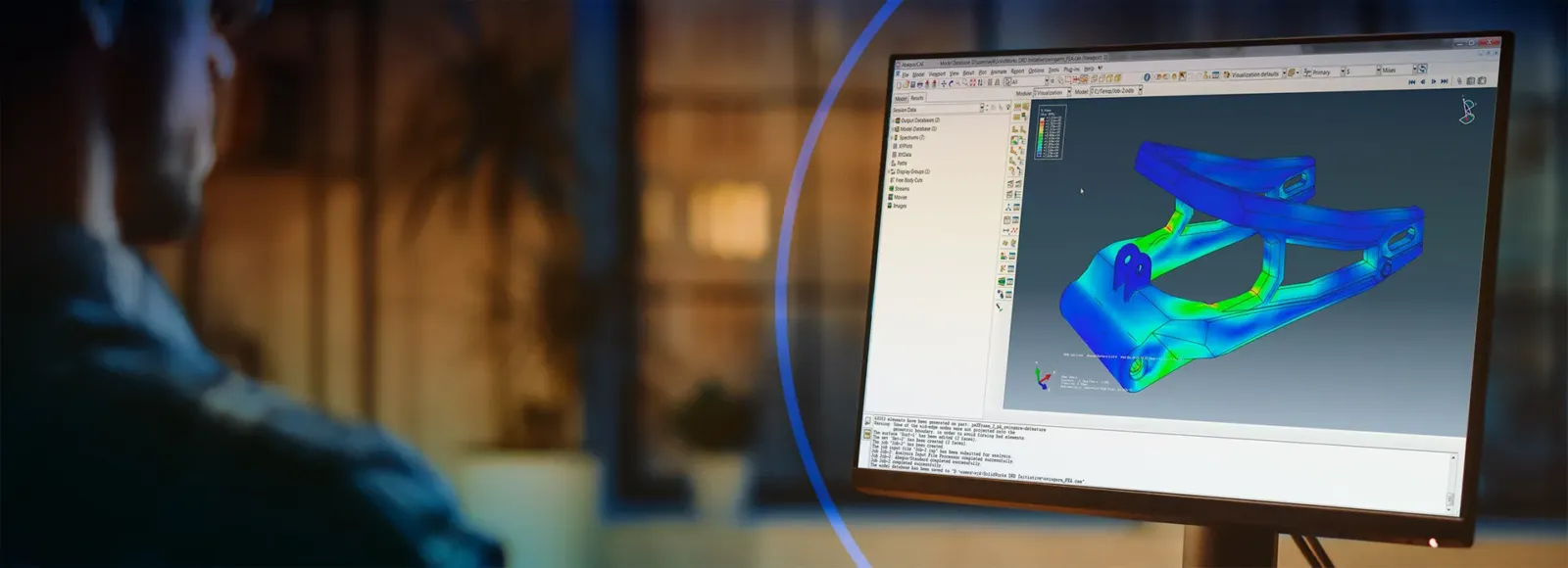
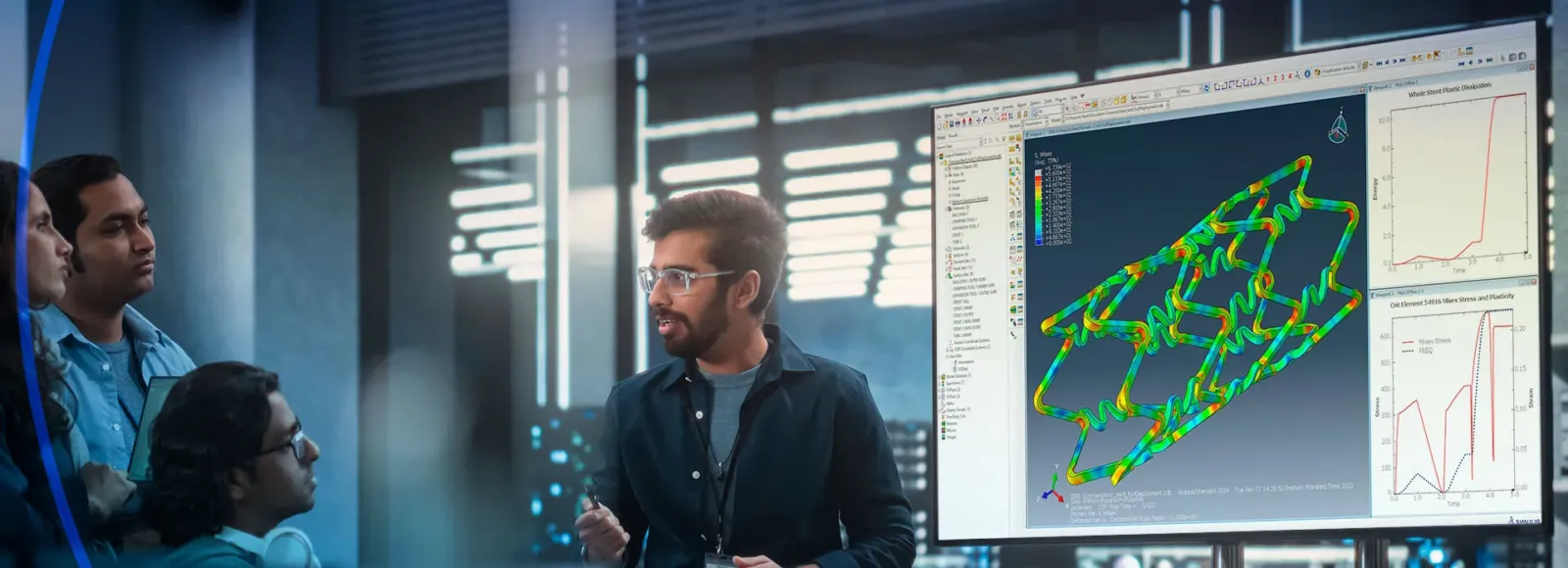
Abaqus is finite element analysis software from Dassault Systèmes’ SIMULIA brand. The suite includes Abaqus/Standard for general linear and nonlinear analysis, Abaqus/Explicit for highly nonlinear transient events, and Abaqus/CAE for modeling, job management, and results visualization.
Its documented workflows cover structural, thermal, acoustic, fracture, and other coupled analyses. The Standard and Explicit solvers can be used together for analyses that benefit from both implicit and explicit methods. Abaqus/CAE also supports Python-based automation and user customization.
Abaqus Decision Snapshot
A quick way to understand who this product may suit, where its limits matter, and which facts are most relevant before you compare alternatives.
Best suited toEngineering teams and researchers modeling nonlinear structural behavior, transient events, thermal coupling, fracture, or other specialized finite element problems, particularly when they need scripted workflows or supported CAD links.
Look elsewhere ifUsers seeking an unrestricted, inexpensive entry license may find the free Learning Edition too limited: it is Windows-only and capped at 1,000 structural-model nodes. Buyers needing public list pricing will also need a quote, and should evaluate alternatives such as Ansys Mechanical or COMSOL Multiphysics instead.
PlatformsLinux, Python, Windows
TechZella assessment7.6/10
Abaqus — What Sets It Apart?
These are the product-specific differences that may matter when deciding whether the software fits your workflow. They are based on documented evidence rather than a universal ranking.
- Abaqus/Standard and Abaqus/Explicit are designed to pass work between implicit and explicit solution methods within related analysis workflows.
- Abaqus/CAE exposes a Python scripting interface for model automation, and Standard supports user-coded subroutines.
- Officially documented associative CAD interfaces can preserve assigned analysis features while models are updated from supported CAD systems.
Editorial assessmentAbaqus Pros & Cons
Pros
- Pairs Abaqus/Standard and Abaqus/Explicit for workflows that use both implicit and explicit analysis methods.
- Provides a Python-based interface for model automation and customization.
- Documents a wide range of structural and coupled analysis procedures.
- Offers associative CAD interfaces for selected products and supported versions.
Cons
- The free Learning Edition is Windows-only and limited to 1,000 structural-model nodes.
- Commercial prices are quote-based rather than publicly listed on the reviewed product pages.
- CAD interfaces and geometry import can involve separate licensing and compatibility checks.
- Abaqus is a specialist engineering tool, so buyers should plan for technical setup and solver-specific learning.
Abaqus Gotchas & Operational Limits
These are documented constraints or practical friction points that may matter before you adopt the product.
The free Learning Edition supports structural models up to 1,000 nodes and runs on Windows only.
It may be suitable for learning but is not a substitute for a full commercial or academic license on larger models or Linux deployments.
Evidence source ↗Parasolid geometry import in Abaqus/CAE requires a license, according to the CAD interface page.
Teams should confirm that their Abaqus license includes the required import capability before relying on that CAD handoff.
Evidence source ↗Abaqus Pricing & Plans
Abaqus Learning Edition
$0
Free learning edition for Windows, limited to structural models of up to 1,000 nodes. Access requires a free 3DEXPERIENCE ID.
Check current pricing →Commercial Abaqus licenses
Quote-based
Commercial license pricing is specified in the applicable quote. The 2026 terms describe concurrent, system, and token-based license schemes.
Check current pricing →Pricing may change. Verify current plans on the vendor's website.
Cost contextTotal Cost & Hidden Costs
Additional costs or implementation requirements that are documented in the available evidence.
Commercial license and support
Commercial prices are not listed on the reviewed product pages. The 2026 license terms specify that the applicable pricing structure is set in a quote; ask the vendor or reseller for license and support costs.
Evidence source ↗Implementation and onboarding
The reviewed official pages do not publish typical deployment or onboarding hours. Teams should assess model migration, solver configuration, supported hardware, CAD interfaces, and scripting needs during evaluation.
Evidence source ↗Compute and infrastructure
Abaqus is installed software, and the reviewed pages do not state that computing infrastructure is included in the commercial license. Buyers should verify hardware, cluster, and license-server requirements for their own deployment.
Evidence source ↗Abaqus Competitors & Alternatives
Compare similar products directly, then see which alternatives may make more sense when your requirements differ.
At a glance
Developer ToolsOnly factors supported by the available research are shown. The comparison is descriptive, not a ranking.
Direct competitors
These products address broadly similar requirements. The descriptions focus on documented reasons a buyer might compare them with Abaqus.
CapabilitiesAbaqus Features
Analysis
- Abaqus/Standard for linear and nonlinear finite element analysis
- Abaqus/Explicit for highly nonlinear transient events
- Coupled workflows between Standard and Explicit
- Structural, thermal, acoustic, fracture, and other documented analysis procedures
Modeling and automation
- Abaqus/CAE for modeling, job management, and results visualization
- Python-based Abaqus Scripting Interface
- User subroutines for extending selected solver functionality
CAD and data exchange
- Associative interfaces for selected CAD products
- Parasolid geometry translators
- CAD interface compatibility depends on product and Abaqus release
Abaqus Specifications
| Deployment | Installed software; consult current release system requirements |
|---|
| Supported operating systems | Windows and Linux availability is documented; verify release-specific support |
|---|
| Free edition platform | Windows only |
|---|
| Scripting API | Abaqus Scripting Interface, based on Python |
|---|
| Commercial licensing | Concurrent, system, or token-based schemes are specified in the 2026 terms |
|---|
| Free edition model limit | 1,000 structural-model nodes |
|---|
| CAD connections | Associative interfaces and geometry translators are available for selected products |
|---|
Exit planningMigration & Lock-In
Documented portability, standards, export, or switching considerations. No switching-cost score is shown unless the evidence supports one.
CAD model transfer
Associative interfaces support geometry transfer and updates with supported CAD systems. The exact interface and compatible versions depend on the CAD product and Abaqus release.
Evidence source ↗Our evidence-based assessmentTechZella Score
A proprietary editorial score based on product capabilities, usability, value, performance, support and user sentiment evidence.
7.6/10Moderate confidence
Official materials document broad nonlinear, multiphysics, scripting, and CAD-link capabilities. G2 reviews show generally positive sentiment alongside reported learning, interface, cost, and computing-resource concerns. Commercial pricing is quote-based, limiting direct value assessment.
Methodology v1.0. The assessment weighs feature coverage (25%), ease of use (15%), value for money (20%), performance (15%), support (10%) and user sentiment (15%), using researched product evidence and verified review evidence where available. It is a TechZella editorial assessment, not a direct user-review average.
Editorial transparency
Our Review Methodology
Key claims are linked to the sources used to verify them. This evidence record is separate from third-party user ratings.
TechZella evaluates software using documented product capabilities, pricing information, usability and value considerations, independent user evidence where available, and competitive context. The assessment is an editorial review, not a hands-on test unless one is explicitly identified. Our editorial assessment is based on 6 documented sources.
What TechZella adds- Abaqus/Standard and Abaqus/Explicit are designed to pass work between implicit and explicit solution methods within related analysis workflows.
- Abaqus/CAE exposes a Python scripting interface for model automation, and Standard supports user-coded subroutines.
- Officially documented associative CAD interfaces can preserve assigned analysis features while models are updated from supported CAD systems.
Important limitations- The free Learning Edition is limited to Windows and structural models up to 1,000 nodes.
- Commercial prices are not publicly listed on the reviewed official pages; the license terms refer to pricing structures set in a quote.
- CAD associative interfaces and Parasolid geometry import have separate compatibility and licensing considerations.
Evidence-backed claimsAbaqus includes Standard, Explicit, and CAE product components.The official product page lists Abaqus/Standard, Abaqus/Explicit, and Abaqus/CAE in its module portfolio.
View source ↗Verified 2026-11-10Abaqus/Standard supports linear and nonlinear finite element analysis and can be coupled with Abaqus/Explicit workflows.The official Standard page describes its general-purpose solver, supported analysis domains, and transfer between Standard and Explicit analyses.
View source ↗Verified 2026-11-10Abaqus/CAE includes Python scripting for process automation.Dassault Systèmes documents interactive and scripted operation and customization in Abaqus/CAE; product documentation describes the Abaqus Scripting Interface as a Python-based API.
View source ↗Verified 2026-11-10The free Abaqus Learning Edition is Windows-only and limited to 1,000 structural-model nodes.The official Learning Edition page states both the platform restriction and model-size limit.
View source ↗Verified 2026-11-10The 2026 commercial licensing terms describe concurrent, system, and token-based licensing schemes.The Abaqus Release 2026 licensed program terms list the licensing schemes and refer to the applicable quote for pricing structures.
View source ↗Verified 2026-11-10Abaqus has associative CAD interfaces and geometry translators for supported systems.The official CAD interface page describes CATIA interfaces, other associative interface options, and Parasolid geometry transfer.
View source ↗Verified 2026-11-10 Independent review sources
Abaqus Ratings & Reviews
Ratings are published by the respective review platforms and may change over time.
FAQ
Answers below distinguish the free Learning Edition from commercial licensing and describe documented platforms, scripting, and CAD links.
Community feedback
Reviews
No reviews yet. Be the first to share your experience.
Write a Review
Please log in to submit a review.
Recently added Developer Tools