
Self-managed customers are responsible for deployment and upgrades.
Buyers should account for server, database, operational, and upgrade resources when comparing with fully hosted BI services.
Evidence source ↗
Yellowfin BI is a business intelligence platform for reporting, dashboards, data storytelling, automated insights, and embedded analytics.
Product documentation verifies broad reporting, integration, embedding, AI-assisted analysis, and deployment options. G2 reviews praise dashboards and collaboration, while some report learning effort and slower performance with large datasets. Public enterprise prices are quote-based.
This profile combines documented product information and independent evidence where available. It is not a hands-on test unless TechZella explicitly identifies one.
Yellowfin BI is a business intelligence product for building reports, dashboards, and analytics experiences. The vendor describes uses in enterprise analytics, embedded analytics, and bespoke analytical applications.
Its features combine data visualization with Stories, Signals, collaboration, and AI-assisted analysis. Buyers can deploy Yellowfin on their own infrastructure or ask about a managed service.
A quick way to understand who this product may suit, where its limits matter, and which facts are most relevant before you compare alternatives.
Organizations and software vendors seeking deployable BI with embedded analytics, dashboards, automated insights, and collaborative data storytelling.
Buyers needing an openly priced, turnkey hosted service or organizations unwilling to size and manage self-hosted infrastructure may find the quote-led and self-managed options less suitable, and should evaluate alternatives such as Microsoft Power BI or Tableau instead.
AWS, Azure, Linux, Web, Windows
7.6/10
These are the product-specific differences that may matter when deciding whether the software fits your workflow. They are based on documented evidence rather than a universal ranking.
These are documented constraints or practical friction points that may matter before you adopt the product.
Buyers should account for server, database, operational, and upgrade resources when comparing with fully hosted BI services.
Evidence source ↗Buyers need a quote tailored to named users, server cores, user tiers, or embedded usage before estimating total cost.
Evidence source ↗Enterprise pricing depends on named-user count, required server cores, or writer and consumer user tiers.
Check current pricing →Pricing models include usage-aligned pricing, revenue share, or server-core pricing for software vendors.
Check current pricing →Trial access is available by submitting the vendor's request form.
Check current pricing →Pricing may change. Verify current plans on the vendor's website.
Compare similar products directly, then see which alternatives may make more sense when your requirements differ.
| Decision factor | Yellowfin BI | Microsoft Power BI | Tableau |
|---|---|---|---|
| Pricing model | Enterprise pricing is quoted and can be based on named users, server cores, or user tiers. | Power BI offers a free account and lists Pro at $14.00 per user per month, paid yearly. Source ↗ | Tableau Cloud Standard starts at $15 per user per month, billed annually; Tableau Server has separately listed user and core-based options. Source ↗ |
| Deployment model | Self-managed on-premises or cloud deployment; a managed-service option is also described. | Microsoft's listed Power BI plans are delivered through the Microsoft Fabric service; free-account report sharing requires an upgrade. Source ↗ | Tableau offers hosted Tableau Cloud and self-hosted Tableau Server, including on-premises and public-cloud deployment. Source ↗ |
| Core scope | Includes dashboards, data stories, automated Signals, and embedded analytics capabilities. | Microsoft describes interactive reports and visual analytics, with report publishing and sharing included in Pro. Source ↗ | Tableau's portfolio includes Cloud, Server, and Tableau Next, with visualization, data preparation, and analytics products. Source ↗ |
Only factors supported by the available research are shown. The comparison is descriptive, not a ranking.
These products address broadly similar requirements. The descriptions focus on documented reasons a buyer might compare them with Yellowfin BI.
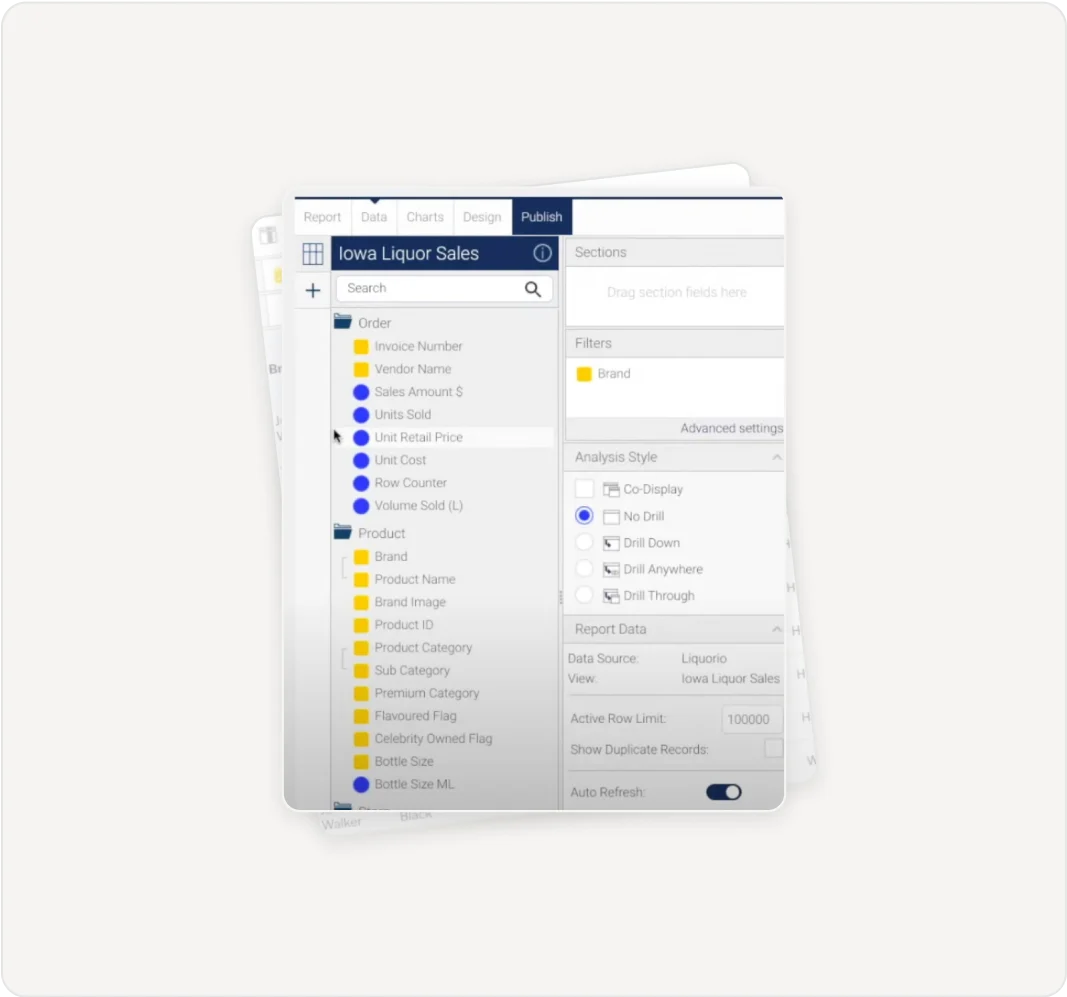
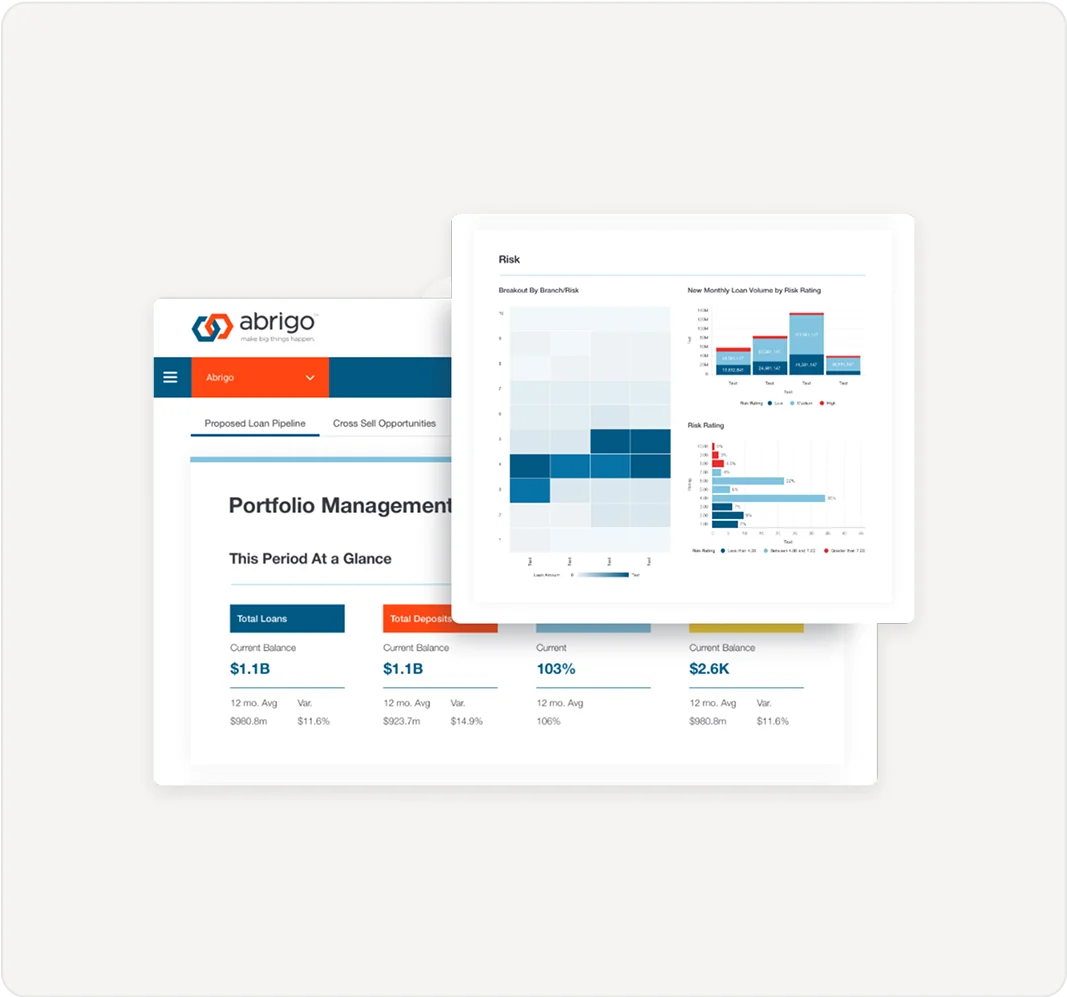
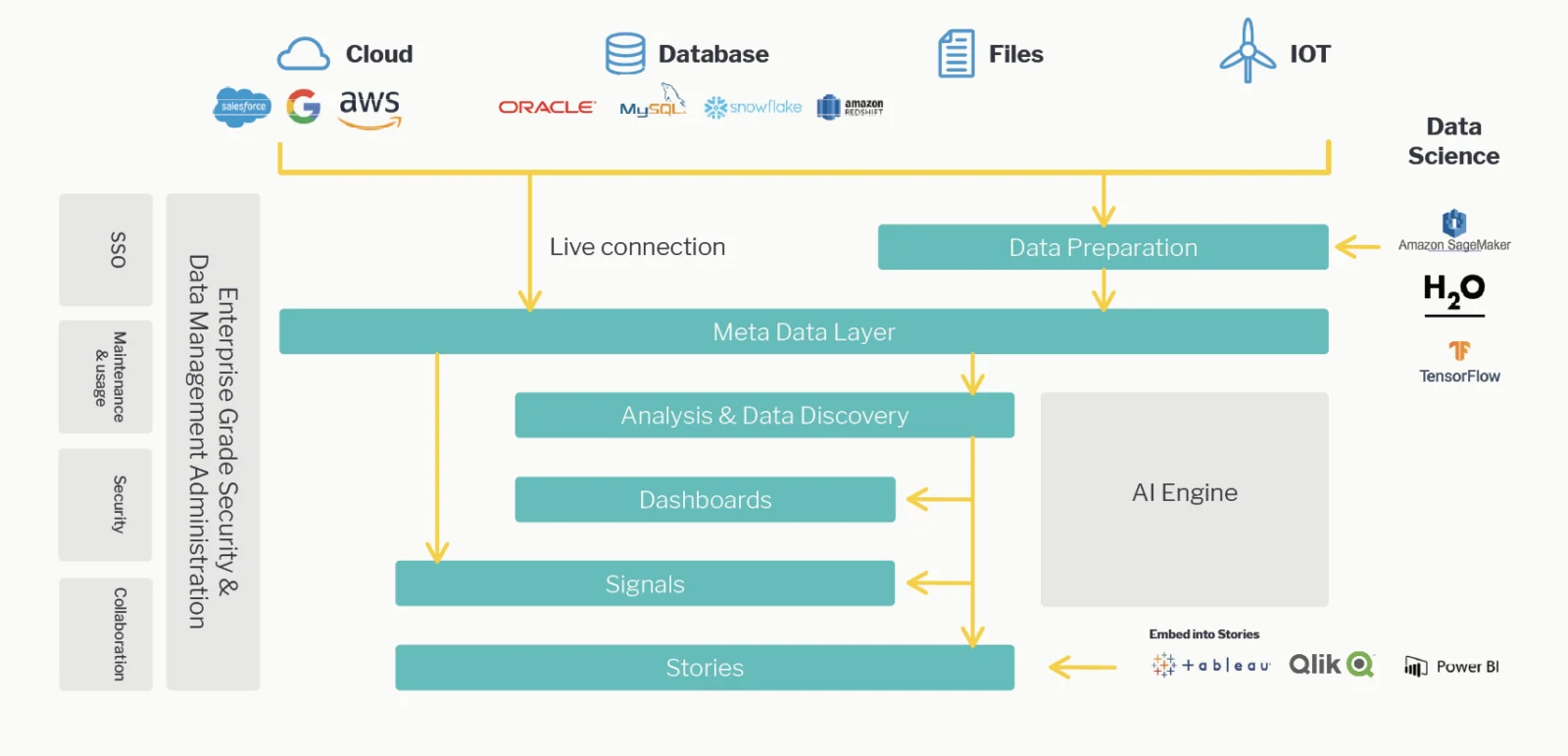
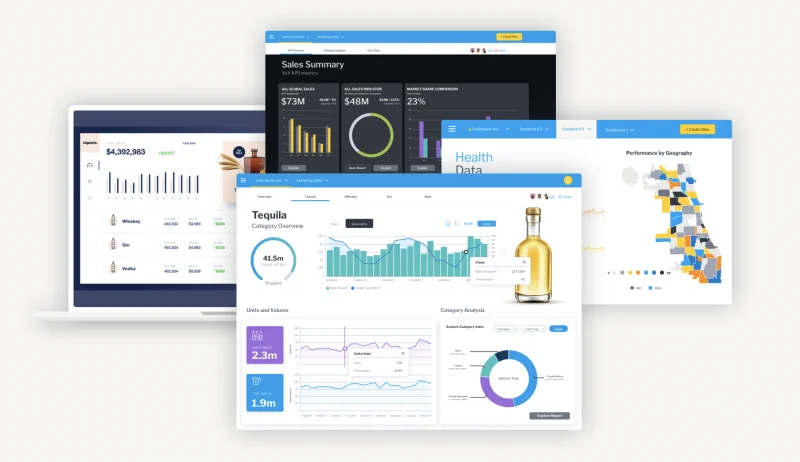

| Deployment | Self-managed cloud or on-premises; managed service is also described. |
|---|---|
| Operating systems | Windows, Linux, or MacOS on JVM-compatible environments. |
| Cloud providers | AWS, Azure, GCP, and other major providers. |
| Container support | Docker and Kubernetes deployments are documented. |
| API | REST API; JavaScript API and other integrations are documented. |
| Free trial | 30 days, by request. |
| Pricing basis | Enterprise: named users, server cores, or user tiers. Embedded: aligned utility, revenue share, or server cores. |
| Connectors | Includes database, SaaS, and application connectors; examples include Salesforce, Jira, Snowflake, and Google Analytics. |
Verified installation, hosting, administration, or environment details that can affect implementation.
| Hosting | Self-managed on-premises or cloud deployment; Yellowfin also describes a fully managed service option. Source ↗ |
|---|---|
| Operating environment | JVM-compatible environments, including Windows, Linux, and MacOS; Docker and major cloud providers are supported. Source ↗ |
Documented portability, standards, export, or switching considerations. No switching-cost score is shown unless the evidence supports one.
Yellowfin queries many existing sources directly and says reporting data generally remains in the connected data store; configuration data is held separately in its configuration database.
Evidence source ↗A proprietary editorial score based on product capabilities, usability, value, performance, support and user sentiment evidence.
Product documentation verifies broad reporting, integration, embedding, AI-assisted analysis, and deployment options. G2 reviews praise dashboards and collaboration, while some report learning effort and slower performance with large datasets. Public enterprise prices are quote-based.
Methodology v1.0. The assessment weighs feature coverage (25%), ease of use (15%), value for money (20%), performance (15%), support (10%) and user sentiment (15%), using researched product evidence and verified review evidence where available. It is a TechZella editorial assessment, not a direct user-review average.
Key claims are linked to the sources used to verify them. This evidence record is separate from third-party user ratings.
TechZella evaluates software using documented product capabilities, pricing information, usability and value considerations, independent user evidence where available, and competitive context. The assessment is an editorial review, not a hands-on test unless one is explicitly identified. Our editorial assessment is based on 6 documented sources.
The official enterprise pricing page describes each model and directs prospects to request pricing.
View source ↗Verified 2026-11-07The deployment guide describes self-hosted options, JVM compatibility, Windows/Linux/MacOS systems, and cloud providers.
View source ↗Verified 2026-11-07The vendor trial page invites applicants to try Yellowfin free for 30 days.
View source ↗Verified 2026-11-07The Yellowfin Guide describes REST API access to content types and selected administration functions.
View source ↗Verified 2026-11-07The official release page lists 9.18 as released in August 2026 and describes follow-up questions, context retention, and AI-use controls.
View source ↗Verified 2026-11-07The public G2 product page displays the aggregate rating and review count.
View source ↗Verified 2026-11-07Answers begin with the clearest available response, followed by the context that helps you act on it.
No reviews yet. Be the first to share your experience.
Please log in to submit a review.