
The app does not bundle PSP games.
Users need game files in supported formats, such as ISO or CSO, before they can play.
Evidence source ↗
PPSSPP is a free, open-source emulator for running PlayStation Portable games on desktop and mobile devices. Users supply their own game files.
Scores reflect documented emulator, graphics, save, and networking capabilities; free availability; public documentation; and limited visible Google Play evidence. Compatibility and speed depend on the game and device.
This profile combines documented product information and independent evidence where available. It is not a hands-on test unless TechZella explicitly identifies one.
A quick way to understand who this product may suit, where its limits matter, and which facts are most relevant before you compare alternatives.
Players seeking to run PSP game files on Windows, macOS, Linux, Android, or iOS, with options for enhanced rendering, save states, and supported multiplayer.
Users seeking a general-purpose console emulator, a packaged game library, PlayStation Store access, UMD video playback, or guaranteed compatibility across all PSP titles, and should evaluate alternatives such as JPCSP instead.
Android, iOS, Linux, macOS, Windows
8.4/10
PPSSPP is an open-source emulator for PlayStation Portable games. Its creator, Henrik Rydgård, first released it in November 2012 under GPL 2.0 or later.
The project provides versions for Windows, macOS, Linux, Android, and iOS. Users supply their own game files; the app does not include commercial PSP games.
PPSSPP Gold is a paid way to support development. The project says Gold has the same functionality as the regular version.
These are the product-specific differences that may matter when deciding whether the software fits your workflow. They are based on documented evidence rather than a universal ranking.
These are documented constraints or practical friction points that may matter before you adopt the product.
Users need game files in supported formats, such as ISO or CSO, before they can play.
Evidence source ↗A setting that helps one game or device may cause visual issues, synchronization problems, or disabled save states elsewhere.
Evidence source ↗The official FAQ explains that runtime code generation is disallowed for App Store apps, while sideloaded builds can use JIT.
Evidence source ↗Standard edition; the project says it is functionally the same as Gold.
Check current pricing →Optional purchase supporting development. Google Play displayed this price when researched; storefront and regional prices may vary.
Check current pricing →The official site offers contribution levels and a permanent right to download Gold for Windows and macOS. Exact amounts were not visible in the researched page text.
Check current pricing →The official purchase page identifies Gold as an in-app purchase in the regular iOS app. The amount was not verified.
Check current pricing →Pricing may change. Verify current plans on the vendor's website.
RetroArch can run PPSSPP as a core within a broader multi-system frontend. It may suit users who want to organize different emulator cores in one application; standalone PPSSPP is the direct choice for a dedicated PSP emulator.
JPCSP is another PSP emulator, written in Java. Its project documentation describes low-level emulation setup involving PSP firmware, making it a distinct option for users exploring that implementation approach.
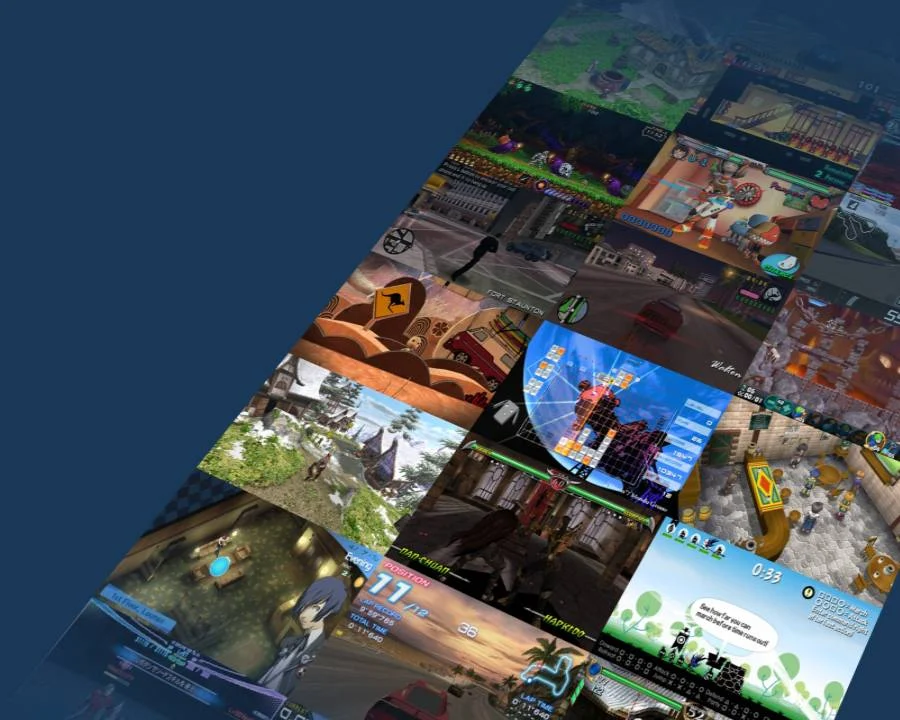
| Primary function | PlayStation Portable emulation |
|---|---|
| Supported platforms | Windows, macOS, Linux, Android, iOS |
| License | GPL 2.0 or later |
| Game file formats | ISO, CSO |
| Hosting | Locally installed application; not SaaS |
| API | No general public application API documented; a sparsely documented WebSocket remote debugger is available in developer tools. |
| Integrations | RetroAchievements; Windows Discord Rich Presence |
| Free trial | Not applicable; the standard edition is free. |
| Latest release verified | 1.20.4, announced May 16, 2026 |
Verified installation, hosting, administration, or environment details that can affect implementation.
| Installation or hosting | Installable desktop and mobile applications; the official download page offers Windows, macOS, Linux, Android, and iOS builds. It is not a hosted SaaS product. Source ↗ |
|---|
Documented portability, standards, export, or switching considerations. No switching-cost score is shown unless the evidence supports one.
The emulator stores memory-stick saves and save states in platform-specific folders. The FAQ documents their locations; users should back up the relevant files when moving between installations.
Evidence source ↗A proprietary editorial score based on product capabilities, usability, value, performance, support and user sentiment evidence.
Scores reflect documented emulator, graphics, save, and networking capabilities; free availability; public documentation; and limited visible Google Play evidence. Compatibility and speed depend on the game and device.
Methodology v1.0. The assessment weighs feature coverage (25%), ease of use (15%), value for money (20%), performance (15%), support (10%) and user sentiment (15%), using researched product evidence and verified review evidence where available. It is a TechZella editorial assessment, not a direct user-review average.
Key claims are linked to the sources used to verify them. This evidence record is separate from third-party user ratings.
TechZella evaluates software using documented product capabilities, pricing information, usability and value considerations, independent user evidence where available, and competitive context. The assessment is an editorial review, not a hands-on test unless one is explicitly identified. Our editorial assessment is based on 6 documented sources.
The project repository identifies Henrik Rydgård as creator and gives the original release month, year, and license.
View source ↗Verified 2026-10-03The official download page lists packages or app-store links for these platforms.
View source ↗Verified 2026-10-03The official FAQ says Gold supports the project and has the same functionality as the regular version.
View source ↗Verified 2026-10-03The FAQ specifies ISO or CSO game files and says the project cannot distribute them with the app.
View source ↗Verified 2026-10-03The official networking documentation covers ad hoc server addresses, packet relay, local server use, and infrastructure revival servers.
View source ↗Verified 2026-10-03The official news page labels the release announcement 1.20.4 and dates it May 16, 2026.
View source ↗Verified 2026-10-03The Google Play listing displayed “$4.99 Buy” when accessed.
View source ↗Verified 2026-10-03No reviews yet. Be the first to share your experience.
Please log in to submit a review.
Does PPSSPP include PSP games? No. Users provide their own game files, such as ISO or CSO files.
Does PPSSPP require a BIOS? No. The official FAQ says PPSSPP simulates the required BIOS and internal operating system behavior.
Is PPSSPP Gold functionally different? The project says Gold and the regular version are functionally the same; Gold purchases support development.
Can PPSSPP play games from other PlayStation consoles? No. PPSSPP is for PSP games and cannot access the PlayStation Store or play UMD video discs.
Does PPSSPP have an API? No general public application API is documented. Developer tools include a sparsely documented remote debugger that connects over WebSockets.
What integrations are documented? PPSSPP documents RetroAchievements support and a Windows-only Discord Rich Presence option. These are not a general business integration ecosystem.