Editorial overview
Aggregated Overview
Microsoft documents broad data connectors, reporting tools, mobile apps, and APIs. G2 displays a 4.5/5 rating, while its listing notes learning-curve and large-dataset concerns.
This profile combines documented product information and independent evidence where available. It is not a hands-on test unless TechZella explicitly identifies one.
Overview
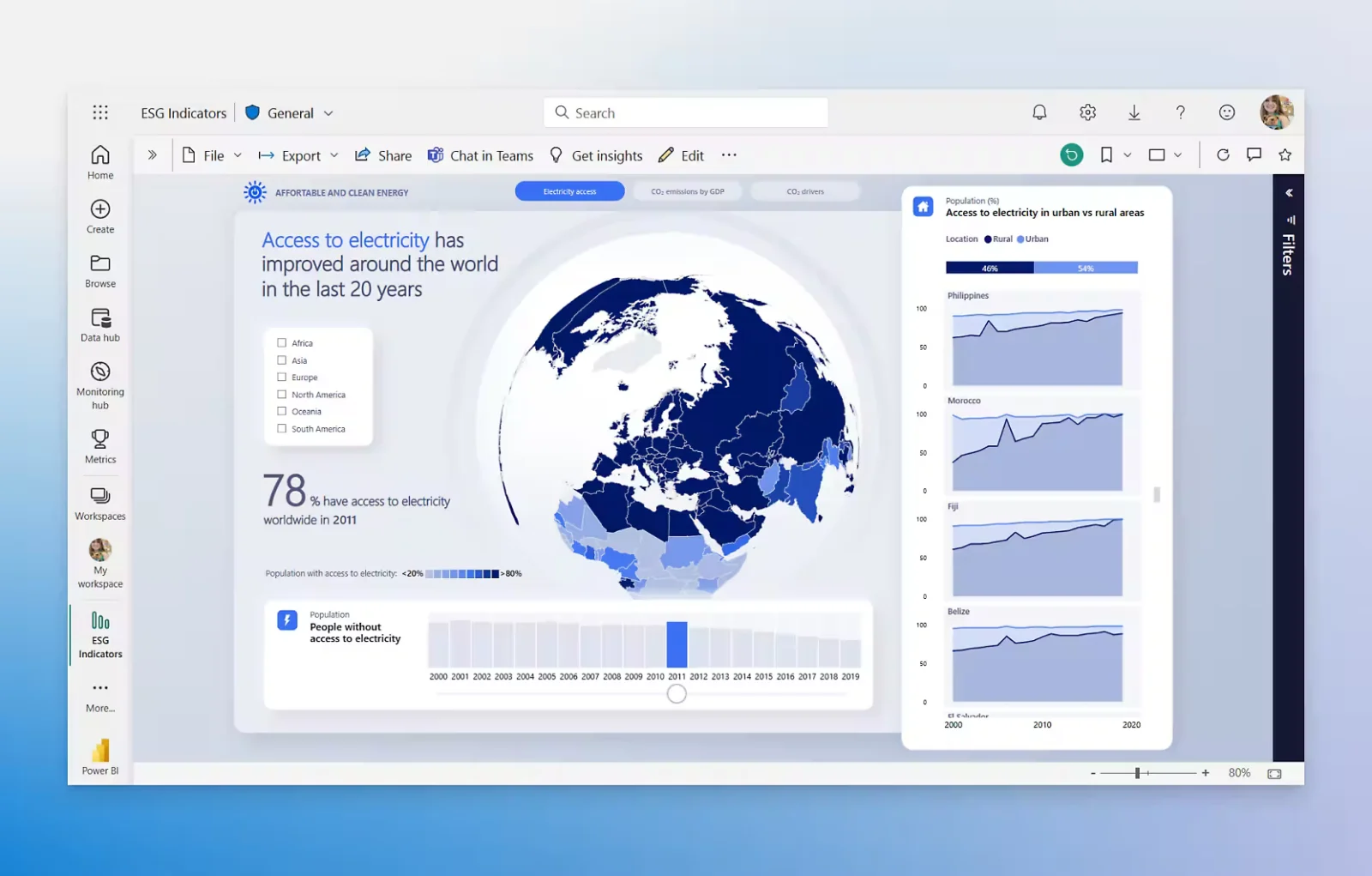
Microsoft Power BI is a business analytics platform for connecting data, building semantic models, and creating interactive reports and dashboards. Its product family includes the cloud service, Windows authoring applications, mobile apps, and embedded analytics tools.
Power BI entered preview in January 2015, and the updated service became generally available on July 24, 2015. Microsoft documents both cloud workflows and on-premises reporting through Power BI Report Server.
Microsoft Power BI Decision Snapshot
A quick way to understand who this product may suit, where its limits matter, and which facts are most relevant before you compare alternatives.
Best suited toOrganizations that need interactive reports and dashboards connected to varied data sources, especially teams already using Microsoft services.
Look elsewhere ifTeams seeking unrestricted report sharing with free users should assess capacity licensing; free licenses alone do not support ordinary sharing and collaboration, and should evaluate alternatives such as Tableau Cloud or Google Looker instead.
PlatformsAndroid, Cloud, iOS, Web, Windows
TechZella assessment8.3/10
Microsoft Power BI — What Sets It Apart?
These are the product-specific differences that may matter when deciding whether the software fits your workflow. They are based on documented evidence rather than a universal ranking.
- Power BI combines a free Windows report-authoring application with a cloud service and mobile apps.
- The Power BI REST APIs support content management, administration, governance, and embedded analytics.
- Microsoft's connector catalog lists sources including Excel, Salesforce, SAP, Oracle, and Google BigQuery.
Editorial assessmentMicrosoft Power BI Pros & Cons
Pros
- Broad connector catalog includes databases, business applications, and files.
- Free account and free Windows authoring applications are available.
- Provides mobile apps, REST APIs, embedded analytics, and an on-premises reporting option.
Cons
- Free licenses do not support ordinary sharing and collaboration in non-premium workspaces.
- API throttling requires client-side retry handling.
- G2's product listing notes learning-curve and large-dataset performance concerns in its review summary.
Microsoft Power BI Gotchas & Operational Limits
These are documented constraints or practical friction points that may matter before you adopt the product.
A free license is not sufficient for standard report sharing and collaboration outside personal workspaces.
Teams should account for paid user licenses or qualifying capacity when estimating how many colleagues can publish, share, and consume reports.
Evidence source ↗Power BI REST API requests can be throttled.
Integrations and automation should implement retry behavior using the API's Retry-After response header.
Evidence source ↗Microsoft Power BI Pricing & Plans
Free account
$0
month
Create reports for personal use; sharing and collaboration require an eligible paid license or qualifying capacity.
Check current pricing →Power BI Pro
$14
user/month, paid yearly
Includes report publishing and sharing capabilities.
Check current pricing →Power BI Premium Per User
$24
user/month, paid yearly
Includes Pro features plus larger model sizes and more frequent refreshes.
Check current pricing →Power BI Embedded
Variable
For embedding analytics in applications; Microsoft directs buyers to contact sales.
Check current pricing →Pricing may change. Verify current plans on the vendor's website.
Cost contextTotal Cost & Hidden Costs
Additional costs or implementation requirements that are documented in the available evidence.
Licensing
The US pricing page lists Power BI Pro at $14 per user/month and Premium Per User at $24 per user/month, paid yearly. Sharing requirements can affect how many users need paid licenses.
Evidence source ↗Hosting and infrastructure
The Power BI service is cloud-based. Embedded analytics has variable pricing, and Azure capacity pricing is separate from per-user plan prices.
Evidence source ↗Implementation and onboarding
The reviewed public pricing and documentation pages do not state a standard onboarding fee or implementation duration. Teams should estimate their own data modeling, permissions, and report-building effort.
Evidence source ↗Microsoft Power BI Competitors & Alternatives
Compare similar products directly, then see which alternatives may make more sense when your requirements differ.
At a glance
Productivity SoftwareOnly factors supported by the available research are shown. The comparison is descriptive, not a ranking.
Direct competitors
These products address broadly similar requirements. The descriptions focus on documented reasons a buyer might compare them with Microsoft Power BI.
Tableau CloudPricing model: Tableau Cloud Standard lists Creator at $75, Explorer at $42, and Viewer at $15 per user/month, billed annually.
CapabilitiesMicrosoft Power BI Features
Data and modeling
- Power Query data connectors
- Semantic models
- Data preparation and transformation
Reports and collaboration
- Interactive reports and dashboards
- Publishing and sharing subject to license and capacity
- Power BI mobile apps for iOS and Android
Developer and deployment
- Power BI REST APIs
- Embedded analytics
- Power BI Report Server for on-premises reporting
Microsoft Power BI Specifications
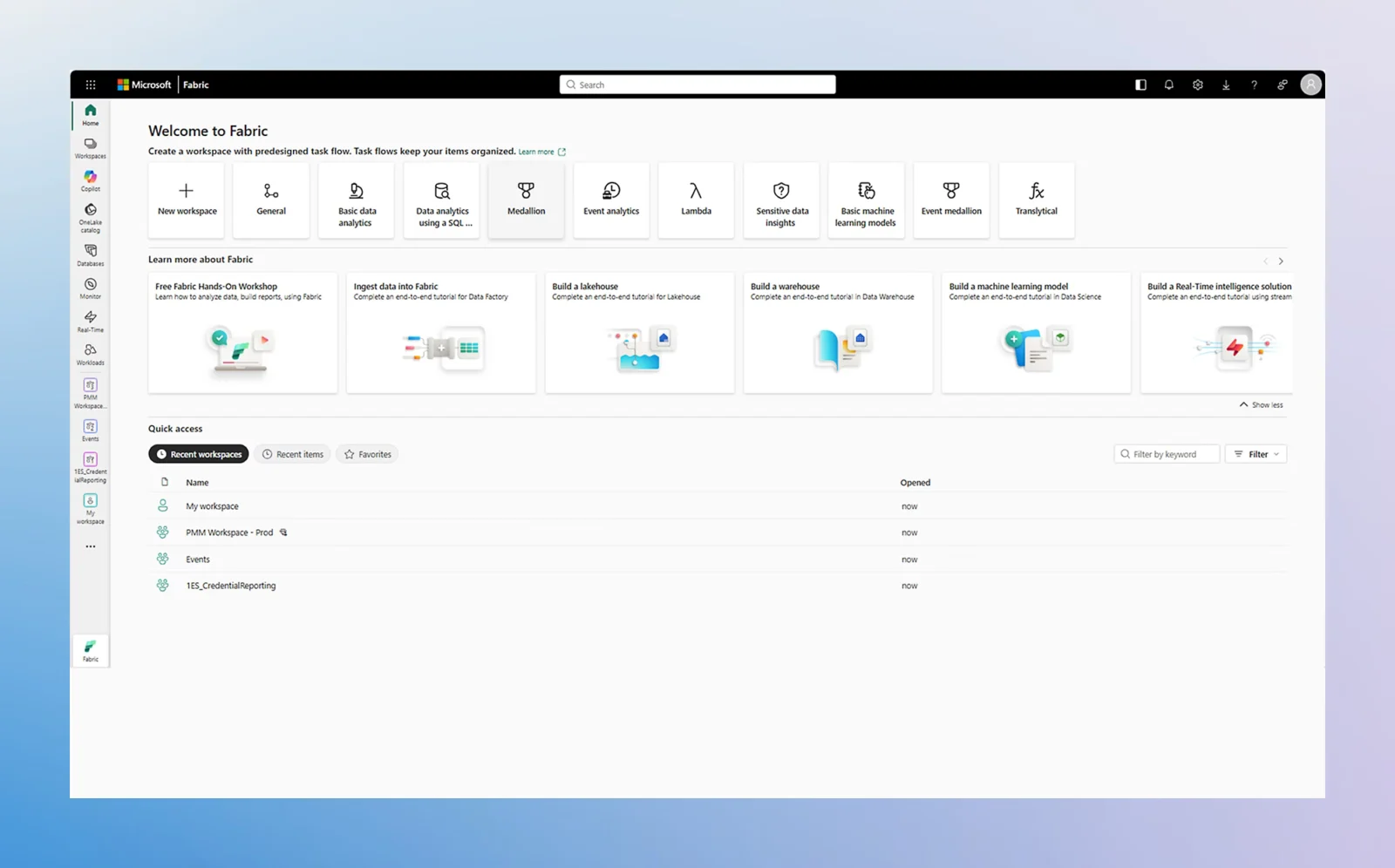
| Cloud service | Microsoft Fabric |
|---|
| Desktop authoring | Windows |
|---|
| Mobile applications | iOS and Android |
|---|
| API | Power BI REST APIs |
|---|
| Deployment options | Cloud service; on-premises reporting through Power BI Report Server |
|---|
| Integrations | Power Query connectors include Excel, Salesforce, SAP, Oracle, and Google BigQuery; requirements vary by connector. |
|---|
| Free trial | Individual trial options are documented; eligibility depends on account and organization settings. |
|---|
Our evidence-based assessmentTechZella Score
A proprietary editorial score based on product capabilities, usability, value, performance, support and user sentiment evidence.
8.3/10Moderate confidence
Microsoft documents broad data connectors, reporting tools, mobile apps, and APIs. G2 displays a 4.5/5 rating, while its listing notes learning-curve and large-dataset concerns.
Methodology v1.0. The assessment weighs feature coverage (25%), ease of use (15%), value for money (20%), performance (15%), support (10%) and user sentiment (15%), using researched product evidence and verified review evidence where available. It is a TechZella editorial assessment, not a direct user-review average.
Editorial transparency
Our Review Methodology
Key claims are linked to the sources used to verify them. This evidence record is separate from third-party user ratings.
TechZella evaluates software using documented product capabilities, pricing information, usability and value considerations, independent user evidence where available, and competitive context. The assessment is an editorial review, not a hands-on test unless one is explicitly identified. Our editorial assessment is based on 7 documented sources.
What TechZella adds- Power BI combines a free Windows report-authoring application with a cloud service and mobile apps.
- The Power BI REST APIs support content management, administration, governance, and embedded analytics.
- Microsoft's connector catalog lists sources including Excel, Salesforce, SAP, Oracle, and Google BigQuery.
Important limitations- Free users cannot normally share or collaborate on content in non-premium workspaces.
- Microsoft documents API throttling, so automated integrations must handle HTTP 429 responses.
- G2's product listing identifies a learning curve and large-dataset performance concerns among reported drawbacks.
Evidence-backed claimsPower BI preview began in January 2015, and the updated service became generally available in July 2015.Microsoft's announcement says the service and Power BI Desktop became generally available on July 24, 2015; a Microsoft Power Platform article identifies the January 2015 preview.
View source ↗Verified 2026-11-04The US pricing page lists a free account, Pro at $14 per user/month, and Premium Per User at $24 per user/month.Microsoft lists the free account and annual-billing per-user prices, and describes sharing, larger model sizes, and more frequent refreshes in its paid plans.
View source ↗Verified 2026-11-04Free-license users cannot ordinarily share or collaborate in non-premium workspaces.Microsoft's license comparison states that free users cannot share content or collaborate unless the content is in qualifying capacity.
View source ↗Verified 2026-11-04Power BI offers mobile applications for iOS and Android.Microsoft documentation describes mobile access to cloud and on-premises reports and dashboards on iOS and Android devices.
View source ↗Verified 2026-11-04Power BI has REST APIs for content management, administration, governance, and embedding.Microsoft's API documentation describes these service capabilities and documents throttling behavior.
View source ↗Verified 2026-11-04The Power Query connector index lists data sources including Excel, Salesforce, SAP, Oracle, and Google BigQuery for Power BI semantic models.Microsoft's connector index lists Power BI availability by connector and product host, while noting that availability and requirements vary.
View source ↗Verified 2026-11-04G2's public listing displayed a 4.5/5 rating based on 1,657 reviews.The accessible G2 listing showed the rating and review count.
View source ↗Verified 2026-11-04 Independent review sources
Microsoft Power BI Ratings & Reviews
Ratings are published by the respective review platforms and may change over time.
Common questionsMicrosoft Power BI FAQs
Answers begin with the clearest available response, followed by the context that helps you act on it.
Is Power BI free?
Yes. Microsoft offers a free account for personal report creation and use in My workspace. Free users cannot ordinarily share or collaborate in non-premium workspaces. Source:
Microsoft license documentation.
How much does Power BI Pro cost?
Does Power BI have a free trial?
Microsoft documents individual trial options, but availability can depend on account type, organization settings, existing licenses, and region. Source:
Microsoft sign-up and purchase guide.
Does Power BI have mobile apps?
Does Power BI provide an API?
Yes. The REST APIs support content management, administration, governance, and embedding. Microsoft documents authentication requirements and throttling. Source:
Microsoft REST API documentation.
Community feedback
Reviews
No reviews yet. Be the first to share your experience.
Write a Review
Please log in to submit a review.
What Has Changed
This history records material data changes detected when TechZella re-researched the profile.
2026-11-04Research update changed: Pricing, Features, Specifications, Alternatives, Competitors, Trusted ratings, Description.
Recently added Productivity Software