
The Windows nightly installer is generated from the development branch and may contain bugs or incomplete features.
Users who need a stable Windows build should verify the package source and version before standardizing on it.
Evidence source ↗
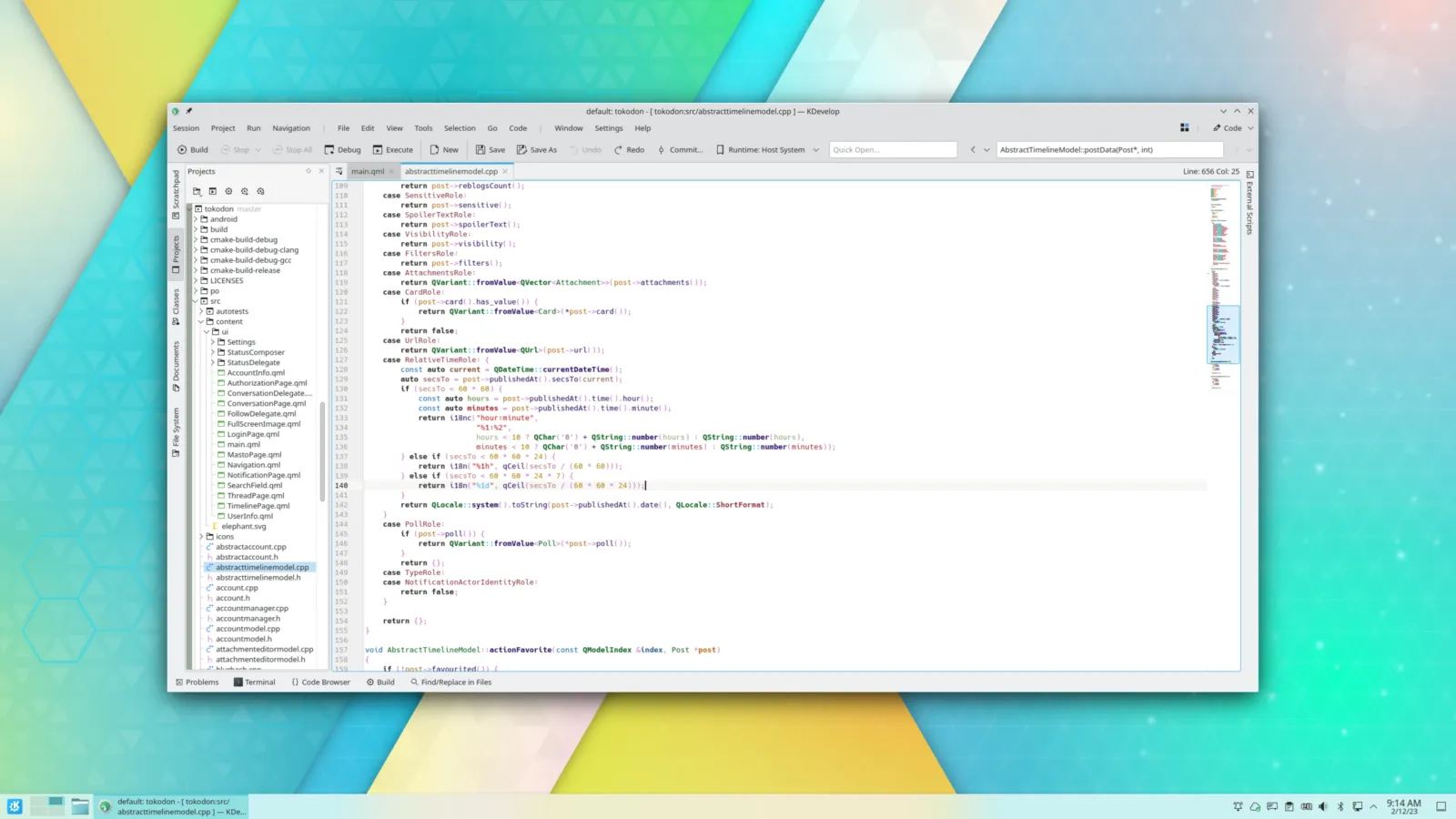
KDevelop is a free, open-source desktop IDE with language support, code navigation, debugging, and build and version-control integrations.
The feature assessment reflects documented language, navigation, debugger, build-system, and version-control support. KDevelop is free and open source. G2 shows 10 reviews, with positive overall ratings and some reported scanning and search slowdowns.
This profile combines documented product information and independent evidence where available. It is not a hands-on test unless TechZella explicitly identifies one.
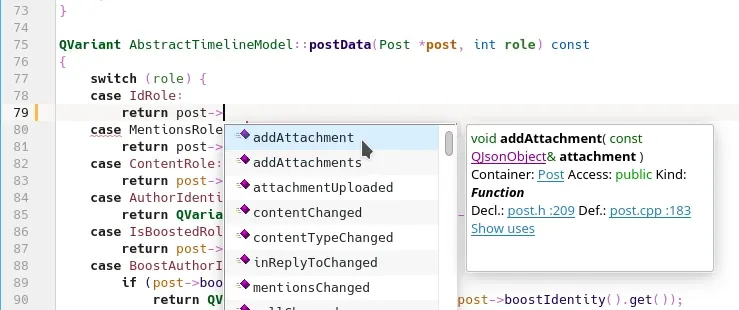
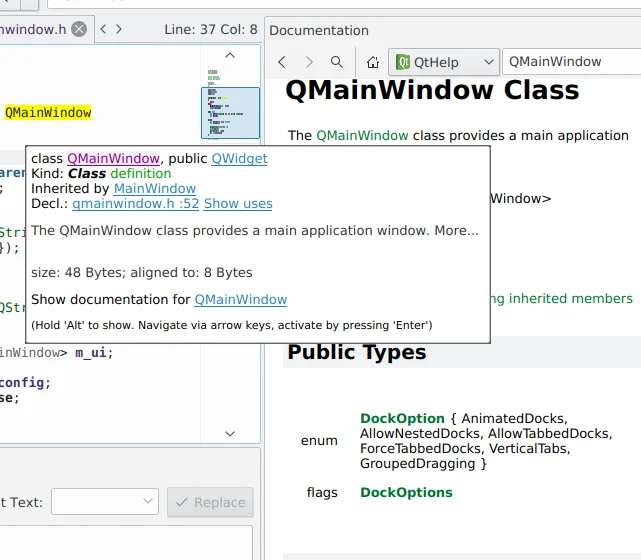
KDevelop is a free, open-source desktop integrated development environment maintained under the KDE umbrella. Its plugin-based design combines editing, code navigation, debugging, build-system support, and version-control tools.
Its documented semantic language support centers on C/C++, Objective-C, Qt QML, and JavaScript. Python and PHP support is available through optional plugins. The project lists Linux, Windows, and macOS installation options.
A quick way to understand who this product may suit, where its limits matter, and which facts are most relevant before you compare alternatives.
Developers seeking a free desktop IDE for C/C++ or Qt projects, especially when CMake, code navigation, debugger access, and integrated version control are useful.
Teams needing a vendor-backed support contract, a cloud-hosted development environment, or strong built-in language tooling beyond the documented language support may need another tool, and should evaluate alternatives such as Qt Creator or Visual Studio Code instead.
Linux, macOS, Windows
8.2/10
These are the product-specific differences that may matter when deciding whether the software fits your workflow. They are based on documented evidence rather than a universal ranking.
These are documented constraints or practical friction points that may matter before you adopt the product.
Users who need a stable Windows build should verify the package source and version before standardizing on it.
Evidence source ↗Package-manager installation does not guarantee access to the latest release.
Evidence source ↗Allow for initial indexing time when onboarding large or complex codebases.
Evidence source ↗Free and open-source IDE under GPL-2.0-or-later. Donations to KDE are optional.
Check current pricing →Pricing may change. Verify current plans on the vendor's website.
Compare similar products directly, then see which alternatives may make more sense when your requirements differ.
| Decision factor | KDevelop | Qt Creator |
|---|---|---|
| Primary documented scope | KDevelop documents semantic support for C/C++, Objective-C, QML/JavaScript, with Python and PHP optional plugins. | Qt Creator documents development for desktop, embedded, and mobile targets, as well as web browsers. Source ↗ |
| Build and project workflow | KDevelop lists CMake, QMake, partially supported custom Makefiles, and a generic build system. | Qt Creator organizes build and run configurations into kits that can specify a device, compiler, Qt version, and debugger. Source ↗ |
| Debugging | KDevelop documents graphical debugging for C/C++ and Python, with PHP debugging available through an extra plugin. | Qt Creator documents GDB, CDB, and LLDB for compiled code, and PDB for Python; debugger availability depends on platform and setup. Source ↗ |
| Distribution model | KDevelop is free and open source under GPL-2.0-or-later. | Qt Creator offers open-source and commercial versions, according to its installation documentation. Source ↗ |
Only factors supported by the available research are shown. The comparison is descriptive, not a ranking.
These products address broadly similar requirements. The descriptions focus on documented reasons a buyer might compare them with KDevelop.
| License | GPL-2.0-or-later |
|---|---|
| Deployment | Desktop application |
| Platforms | Linux, Windows, macOS |
| Supported build systems | CMake, QMake, custom Makefiles (partial), generic build system |
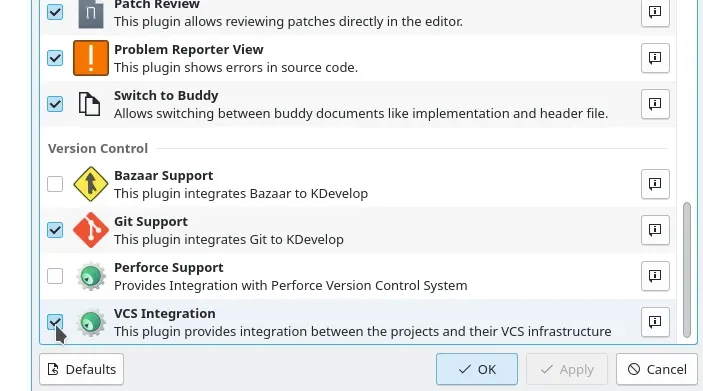
| Version-control integrations | Git, Bazaar, Subversion, CVS, Mercurial (optional plugin), Perforce |
| Free trial | Not applicable; KDevelop is free software |
| API |
Verified installation, hosting, administration, or environment details that can affect implementation.
| Installation or hosting | Desktop software. Install through a Linux distribution or app store, Snap, Windows downloads or Chocolatey, or the macOS release installer; source code is also available. Source ↗ |
|---|
A proprietary editorial score based on product capabilities, usability, value, performance, support and user sentiment evidence.
The feature assessment reflects documented language, navigation, debugger, build-system, and version-control support. KDevelop is free and open source. G2 shows 10 reviews, with positive overall ratings and some reported scanning and search slowdowns.
Methodology v1.0. The assessment weighs feature coverage (25%), ease of use (15%), value for money (20%), performance (15%), support (10%) and user sentiment (15%), using researched product evidence and verified review evidence where available. It is a TechZella editorial assessment, not a direct user-review average.
Key claims are linked to the sources used to verify them. This evidence record is separate from third-party user ratings.
TechZella evaluates software using documented product capabilities, pricing information, usability and value considerations, independent user evidence where available, and competitive context. The assessment is an editorial review, not a hands-on test unless one is explicitly identified. Our editorial assessment is based on 5 documented sources.
The project About page describes KDevelop as free software developed under KDE; the KDE application page identifies GPL-2.0-or-later.
View source ↗Verified 2026-10-01The download page lists distribution and Snap installation for Linux, nightly builds and Chocolatey for Windows, and a release installer for macOS.
View source ↗Verified 2026-10-01The official features page lists these languages and identifies Python and PHP as optional plugins.
View source ↗Verified 2026-10-01The features page lists Git, Bazaar, Subversion, CVS, Mercurial, and Perforce; it also lists CMake, QMake, Makefiles, and a generic build system.
View source ↗Verified 2026-10-01The releases list shows version 6.6.260801 with the date 2026-09-10.
View source ↗Verified 2026-10-01The public G2 listing displays the rating and review count.
View source ↗Verified 2026-10-01Answers begin with the clearest available response, followed by the context that helps you act on it.
No reviews yet. Be the first to share your experience.
Please log in to submit a review.