
Annual subscription cancellations stop renewal but do not result in partial refunds.
Buyers should align the subscription start and end dates with the period they need access.
Evidence source ↗
JMP is desktop statistical discovery software for data exploration, visualization, statistical modeling and experimental design. JMP Pro adds advanced predictive modeling and machine learning.
The assessment reflects documented statistical, visualization, experimental-design and data-connection capabilities, plus public review summaries. Ease and value scores account for review-page reports of a learning curve and high cost; no hands-on testing was performed.
This profile combines documented product information and independent evidence where available. It is not a hands-on test unless TechZella explicitly identifies one.
JMP is statistical discovery software from JMP Statistical Discovery LLC, a wholly owned SAS subsidiary. The product combines interactive visualization with exploratory analysis, statistical modeling and experimental design.
Its documented audiences include scientists, engineers and users working in quality, manufacturing, pharmaceuticals and other technical fields. JMP is a desktop application for Windows and macOS. JMP Live, a separate product, provides centralized sharing of JMP analyses.
The base JMP subscription covers core analysis and visualization. JMP Pro adds advanced predictive modeling and machine learning, including Bayesian optimization. Buyers should match the edition to their required methods because the listed annual prices differ substantially.
A quick way to understand who this product may suit, where its limits matter, and which facts are most relevant before you compare alternatives.
Scientists, engineers, researchers and quality teams who want interactive statistical exploration, visualization, design of experiments and process analysis in a desktop application.
Teams seeking a browser-first shared analytics workspace or a low-cost, open-source analysis environment may prefer another approach. JMP Live is a separate product, and the desktop subscription is priced per user, and should evaluate alternatives such as Minitab Statistical Software or IBM SPSS Statistics instead.
API, Desktop, macOS, Python, Windows
8.1/10
These are the product-specific differences that may matter when deciding whether the software fits your workflow. They are based on documented evidence rather than a universal ranking.
These are documented constraints or practical friction points that may matter before you adopt the product.
Buyers should align the subscription start and end dates with the period they need access.
Evidence source ↗A connector listed in product documentation may still require local setup or separate terms before a team can use it.
Evidence source ↗Organizations that need centralized browser-based sharing should budget and evaluate JMP Live separately from desktop JMP.
Evidence source ↗Annual price per user. Store listing states support is included; volume discounts are available.
Check current pricing →Annual price per user for the edition adding advanced predictive modeling and machine learning.
Check current pricing →Annual price per user; specialized for clinical-trial review workflows.
Check current pricing →Separate product for centralized sharing of JMP analyses.
Check current pricing →Fully functional trial; the vendor says no credit card is required.
Check current pricing →Pricing may change. Verify current plans on the vendor's website.
Compare similar products directly, then see which alternatives may make more sense when your requirements differ.
| Decision factor | JMP | Minitab Statistical Software | IBM SPSS Statistics |
|---|---|---|---|
| Core scope | Interactive statistical discovery, visualization, modeling, design of experiments and quality-analysis capabilities. | Statistical software offered within Minitab Solution Center, with packages targeting analytics and quality workflows. Source ↗ | Statistical analysis subscription with a base package and separately selectable add-ons for advanced statistics, forecasting and other analyses. Source ↗ |
| Platform and deployment | Desktop application with documented Windows and macOS support; database and web connections are available through documented connectors. | Minitab describes its annual named-user subscription as including online and desktop access. Source ↗ | IBM describes its subscription as client software for Windows and macOS, not a hosted cloud application. Source ↗ |
| Pricing model | JMP is listed at USD $1,390 per user annually; JMP Pro is USD $8,820 per user annually. | Minitab lists its annual single-user subscriptions at USD $1,995 for Statistical Software and higher-priced Solution Center bundles. Source ↗ | IBM lists SPSS Statistics subscription options with monthly or annual billing; the public product page shows a starting monthly price and separate add-ons. Source ↗ |
Only factors supported by the available research are shown. The comparison is descriptive, not a ranking.
These products address broadly similar requirements. The descriptions focus on documented reasons a buyer might compare them with JMP.
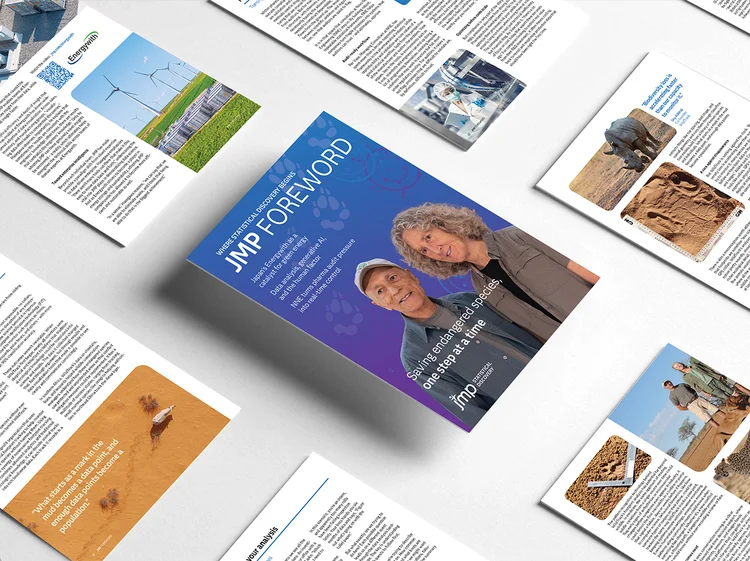
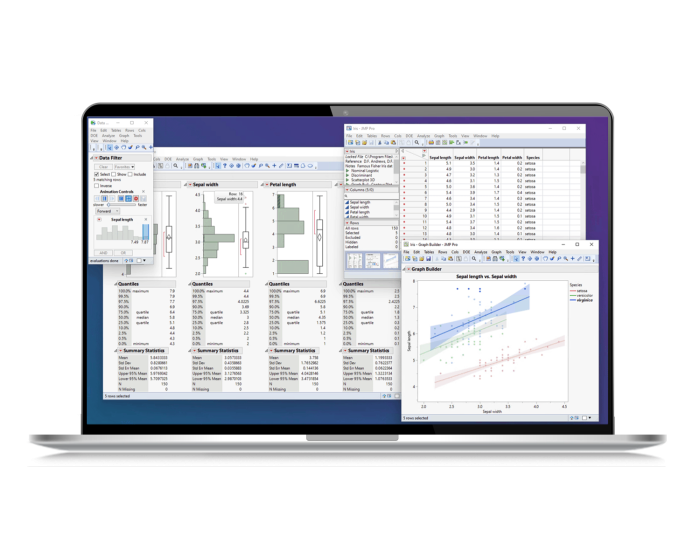
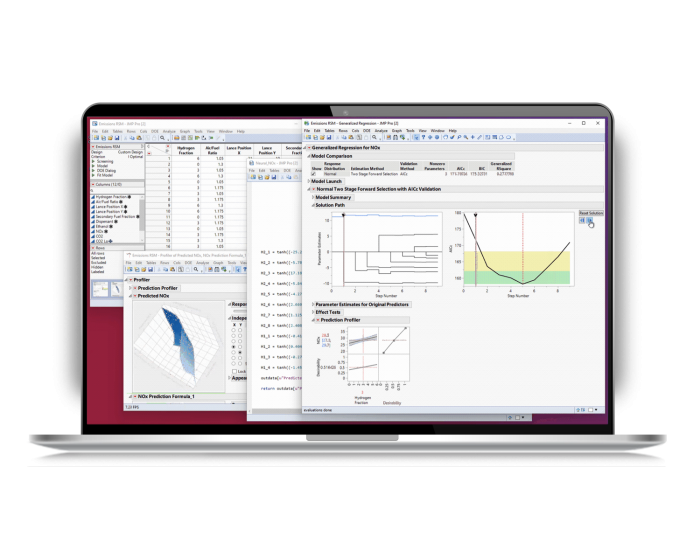
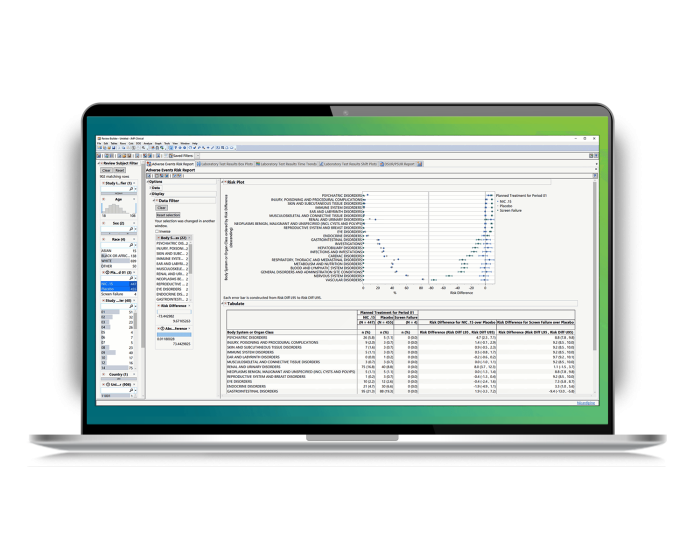


| Deployment | Desktop application; JMP Live is a separate product. |
|---|---|
| Operating systems | Windows and macOS. |
| Current documented version | JMP 19.2 documentation is listed by the vendor. |
| Programming integration | JMP Scripting Language (JSL), Python and R. |
| Data connections | ODBC databases, REST APIs, files, SAS, Python, R and selected cloud connectors. |
| Trial | Fully functional 30-day trial. |
| Subscription renewal | Automatic renewal; cancellation stops renewal, with no partial refund. |
| Support | Support included with annual subscription. |
Verified installation, hosting, administration, or environment details that can affect implementation.
| Installation or hosting | JMP is desktop software for Windows and macOS. The public store sells annual user subscriptions; JMP Live is a separately listed product for centralized sharing. Source ↗ |
|---|---|
| Supported operating systems | JMP 19 supports 64-bit Windows 10 and 11 and listed Windows Server releases; the vendor also provides separate macOS system requirements. Source ↗ |
Documented portability, standards, export, or switching considerations. No switching-cost score is shown unless the evidence supports one.
JMP can import or connect to common files and data sources including Excel, SAS, SPSS, CSV, JSON, databases, Python and R. The documentation does not establish that every source's analysis scripts or models migrate automatically.
Evidence source ↗Store subscriptions remain available through the paid term after cancellation, but cancellations do not receive partial refunds.
Evidence source ↗A proprietary editorial score based on product capabilities, usability, value, performance, support and user sentiment evidence.
The assessment reflects documented statistical, visualization, experimental-design and data-connection capabilities, plus public review summaries. Ease and value scores account for review-page reports of a learning curve and high cost; no hands-on testing was performed.
Methodology v1.0. The assessment weighs feature coverage (25%), ease of use (15%), value for money (20%), performance (15%), support (10%) and user sentiment (15%), using researched product evidence and verified review evidence where available. It is a TechZella editorial assessment, not a direct user-review average.
Key claims are linked to the sources used to verify them. This evidence record is separate from third-party user ratings.
TechZella evaluates software using documented product capabilities, pricing information, usability and value considerations, independent user evidence where available, and competitive context. The assessment is an editorial review, not a hands-on test unless one is explicitly identified. Our editorial assessment is based on 5 documented sources.
JMP's quality statement says its research-centric development process has continued since the software was first available in 1989.
View source ↗Verified 2026-11-10JMP's quality statement identifies JMP Statistical Discovery LLC as a wholly owned SAS subsidiary.
View source ↗Verified 2026-11-10The vendor describes JMP as a statistical environment for exploratory data analysis, statistical modeling and experimental design.
View source ↗Verified 2026-11-10The official trial page describes a fully functional 30-day trial and says no credit card is required.
View source ↗Verified 2026-11-10The JMP Store lists both annual prices per user and notes subscriptions renew automatically unless canceled.
View source ↗Verified 2026-11-10The vendor's JMP 19 release page describes data-table changes, Graph Builder updates, and JMP Pro additions including Bayesian optimization and causal-treatment modeling.
View source ↗Verified 2026-11-10The data connector catalog names supported sources, connection methods and cases where external drivers or Marketplace add-ins are needed.
View source ↗Verified 2026-11-10See the buyer questions below for verified information about trial eligibility, platforms, editions, integrations and subscription terms.
No reviews yet. Be the first to share your experience.
Please log in to submit a review.