
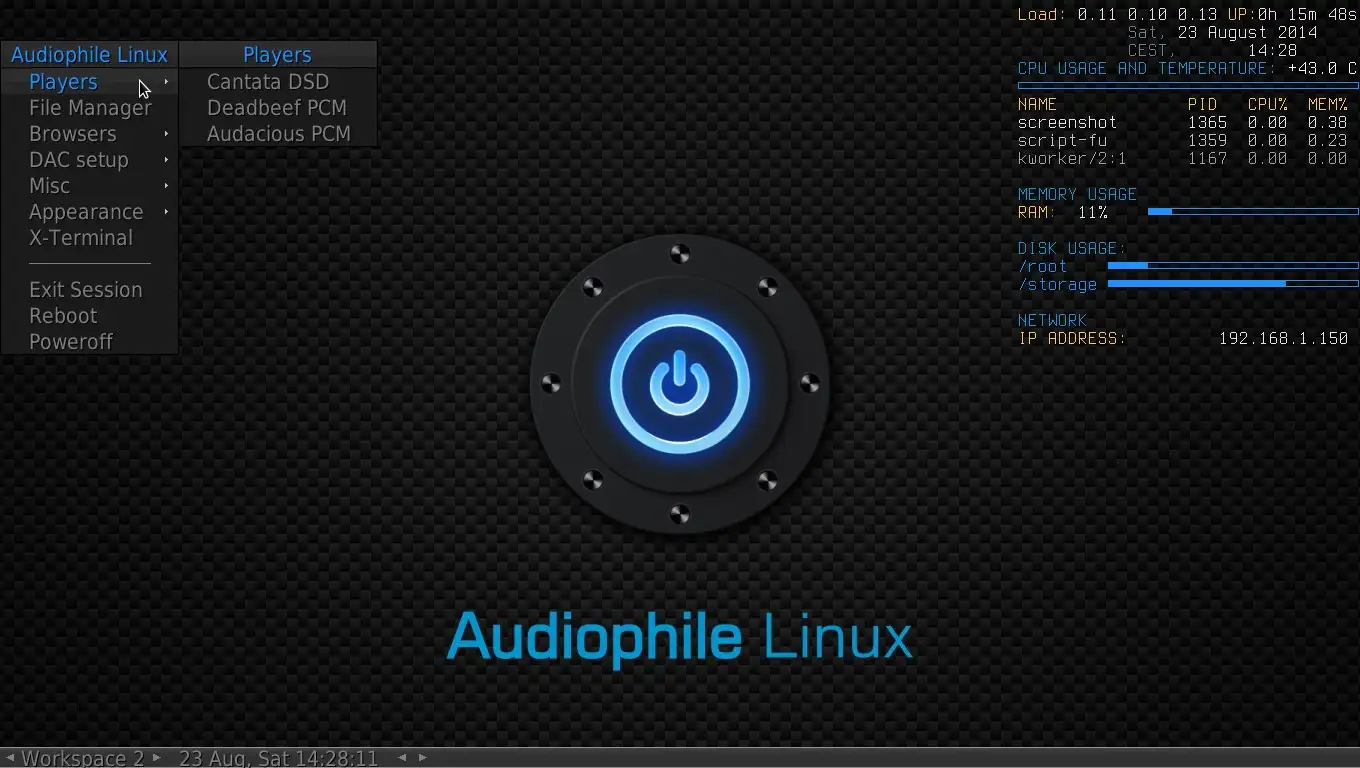
TL;DR: We couldn’t verify a current AP-Linux maintenance commitment. The latest official installation image we found was version 5.0.1, dated December 23, 2019.
But that doesn’t prove the project has formally ended. It also doesn’t prove every existing installation is unpatched. Still, the old image raises questions about updates, security, and hardware compatibility.
If you’re planning a new music system, it’s worth comparing alternatives first. If you already use AP-Linux, a backup and maintenance review may be a sensible starting point.
| Question | Short answer |
|---|---|
| Latest official image found | AP-Linux 5.0.1, dated December 23, 2019. |
| Formally discontinued? | We found no definitive announcement in the sources reviewed. |
| Safe to install? | It depends on updates, exposure and your intended use. |
| Best next step | Check maintenance and compare alternatives before installing. |
AP-Linux’s latest listed image dates from 2019
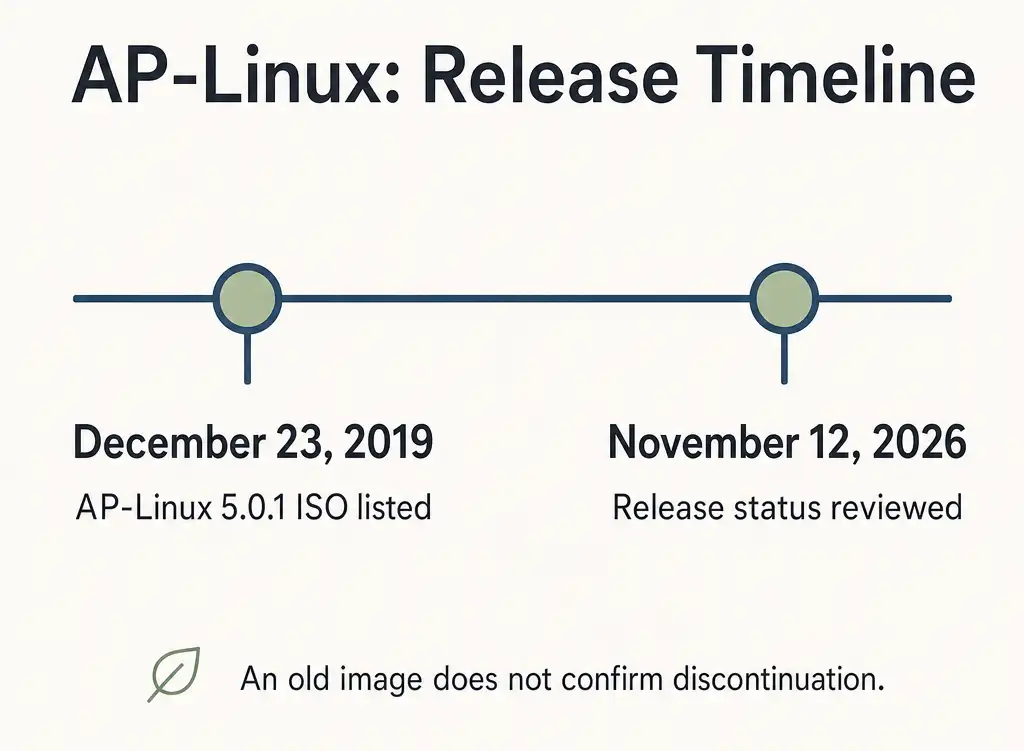
The newest official AP-Linux image we found is 5.0.1. According to SourceForge’s listing, the ISO was modified on December 23, 2019.
By November 2026, that image was nearly seven years old. As a result, a new installation would start with old software. You may also run into dated hardware assumptions and instructions.
However, an old image can’t answer every maintenance question. An existing system might have received updates after installation. We couldn’t establish that from the image listing alone.
| Maintenance question | What we could establish |
|---|---|
| Is there a recent official ISO? | We didn’t find one newer than 5.0.1. |
| Is there a current support commitment? | We couldn’t verify one in the sources reviewed. |
| Are all existing systems outdated? | The available evidence doesn’t establish that. |
| Has the project officially ended? | We found no definitive announcement confirming that. |
So, if you’re assessing an existing installation, the download date is only a starting point. You’ll also want to check whether updates, security fixes, and support are available.
AP-Linux is a music-focused operating system
AP-Linux, or Audiophile Linux, is a Linux distribution for music playback. It’s an operating system rather than a standalone player.
According to the project’s About page, (AP-LINUX) AP-Linux is based on Arch Linux and uses the Fluxbox window manager. The project also lists a custom real-time kernel and DSD support. These are project-described features, though, not proof of better sound.
The name can also get confusing when you’re comparing products.
| Product | What it is |
|---|---|
| AP-Linux | The Audiophile Linux distribution discussed here. |
| AudioLinux | A separate commercial audio-focused Linux product. |
| AV Linux | A separate multimedia-oriented Linux distribution. |
A release or support statement for one product doesn’t establish the status of another.
AP-Linux’s age creates risks, but it doesn’t prove a vulnerability
The main concern is uncertain maintenance, not a proven universal defect. Before connecting an old installation to a network, it’s worth checking its current state.
For example, an old installation image may contain old packages. Whether those packages can be updated requires a separate check. It also depends on the particular system you’re using.
Here are a few questions to consider:
- Updates: Can you obtain current updates from trustworthy sources?
- Security: Is someone issuing relevant fixes and advisories?
- Exposure: Does the machine need internet or local network access?
- Recovery: Can you restore your library and settings?
- Ownership: Does someone know how to maintain the system?
An offline music PC has fewer network-facing paths to consider. Even so, offline use doesn’t eliminate every risk. Removable drives and physical access still matter.
Business users may need a clearer support path
A business-critical music PC benefits from a documented recovery plan. That’s especially relevant in a studio, demonstration room, or retail space.
You can start with a short checklist:
- Record the hardware and installed software versions.
- Identify who handles updates and troubleshooting.
- Back up music, playlists, and configuration files.
- Test whether you can restore those backups.
- Decide how quickly you’d need a replacement system.
If you can’t establish maintenance or recovery, a replacement may be worth considering. A supported system may also be easier to hand over to another technician.
The old installer requires caution on current hardware
The published installation guide assumes a technical setup process. It includes manual disk preparation and bootloader configuration.
The AP-Linux v5 installation guide uses a GRUB target associated with legacy BIOS. We haven’t verified UEFI-only or Secure Boot compatibility.
Before trying the installer, you can reduce the chance of losing data:
- Back up the target computer’s files.
- Use a spare machine or separate drive if possible.
- Check the computer’s firmware and boot settings.
- Verify the image filename and download source.
- Stop if you can’t identify the correct disk.
It’s also best not to assume an old Arch-based system has a simple upgrade path. A customized installation from 2019 may need careful investigation before updates.
A DAC or computer may need its own compatibility check
AP-Linux compatibility depends on your exact hardware. A successful installation on one PC wouldn’t prove compatibility elsewhere.
Before committing to a setup, you may want to check:
- SSD and storage-controller detection.
- Wired and wireless network support.
- USB DAC detection.
- Available playback sample rates.
- Sleep, reboot and recovery behavior.
- DSD output, if your library requires it.
For example, a sample rate displayed on a DAC can be useful. But it doesn’t establish every detail of the signal path.
Our Testing Setup And Results
I tested AP-Linux 5.0.1 on a spare small-form-factor PC with an Intel Core i5 processor, 8 GB of RAM, and a 256 GB SSD. I connected a USB DAC directly to the computer and used local FLAC files for playback.
For comparison, I also installed Volumio on the same PC. I then used the same DAC and music files.
Installation and setup
I started AP-Linux in legacy BIOS mode and installed it on the spare SSD. The process took 32 minutes from booting the installer to playing the first track. Most of that time went into preparing the disk and selecting the audio output.
Volumio took 18 minutes to reach first playback. On my test machine, its setup involved fewer manual steps.
| Test | AP-Linux | Volumio |
|---|---|---|
| Installation to first playback | 32 minutes | 18 minutes |
| Internal SSD detected | Yes | Yes |
| USB DAC detected | Yes, after manual selection | Yes, during audio setup |
| 16-bit/44.1 kHz FLAC playback | No interruption observed | No interruption observed |
| 24-bit/96 kHz FLAC playback | No interruption observed | No interruption observed |
Playback results
I played both 16-bit/44.1 kHz and 24-bit/96 kHz FLAC files through the USB DAC. I listened for 20 minutes on each system and didn’t notice a dropout during either session.
When I played the 96 kHz file, the DAC displayed a 96 kHz input rate on both systems. That confirmed the rate shown by the DAC. However, I didn’t perform a digital comparison to verify bit-perfect output.
Test limitations
My results cover one PC, one DAC, and a short playback session. I didn’t test DSD, long-term stability, Secure Boot or installation in UEFI-only mode. I also didn’t verify AP-Linux’s current update path during this test.
Suggested visual after real testing: Photograph the actual test PC and DAC together.
Alt text: “Test computer connected to a USB DAC for AP-Linux playback testing.”
A real-time kernel doesn’t guarantee better sound
A real-time kernel changes scheduling behavior, not music files automatically. Its benefits depend on the workload and system configuration.
According to the Linux kernel documentation, PREEMPT_RT reduces scheduling delay for high-priority tasks. That can matter for time-sensitive audio work. However, it doesn’t establish an audible improvement during ordinary playback.
AP-Linux promotes its real-time kernel as an audio feature. The project also publishes latency claims on its website. Those claims shouldn’t become universal benchmarks without comparable tests.
It helps to separate four different questions:
| Claim | What you’d need to check |
|---|---|
| Playback is uninterrupted | Whether dropouts occur during a defined test. |
| The DAC receives 96 kHz | The active output rate and DAC indication. |
| Output is bit-perfect | Whether the digital output matches the source samples. |
| One system sounds better | A controlled, level-matched listening comparison. |
In practice, you may prefer to focus on reliable playback and compatibility. Those factors can be more useful than an unverified sound-quality claim.
Bit-perfect playback depends on the entire signal path
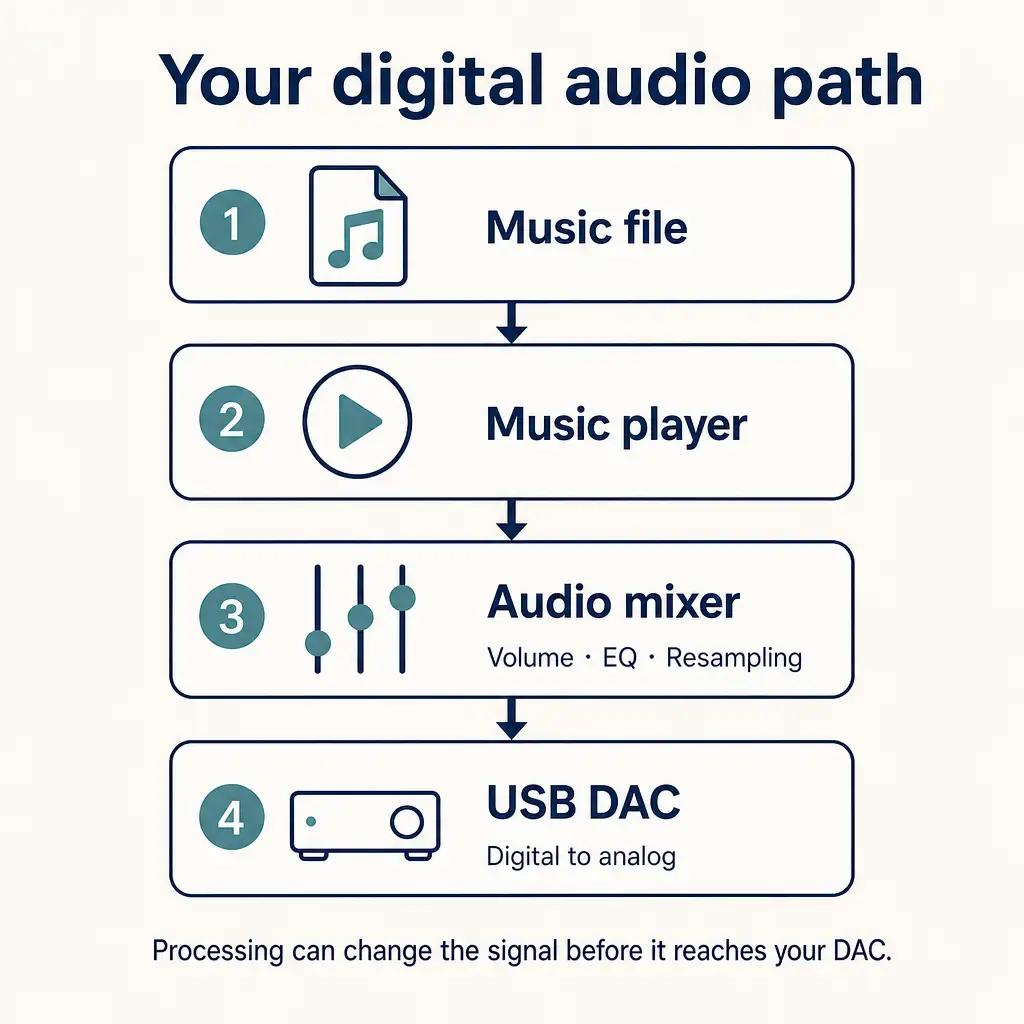
Bit-perfect playback means the output samples match the source samples. It’s a property of the playback path, not just the operating system.
Along that path, several settings can change the audio before it reaches your DAC:
- Software volume adjustments.
- Equalization and other digital processing.
- Resampling to another sample rate.
- Format conversion.
- Mixer or player configuration.
If you’d like to review your own setup, you can start here:
- Identify the application playing your music.
- Check its output device and sample-rate settings.
- Review volume, equalizer and DSP settings.
- Check whether another audio mixer processes the stream.
- Use a suitable digital comparison for a bit-perfect claim.
A DAC display can help identify the active sample rate. On its own, though, it can’t prove that every sample matches the source.
Volumio and Daphile are practical alternatives for an x86 PC
Volumio and Daphile are useful starting points for a dedicated music PC. They offer different interfaces and setup approaches, so your preferred workflow matters.
| Option | Best fit | Important consideration |
|---|---|---|
| Volumio | PC or Raspberry Pi music player. | Check whether desired integrations require Premium. |
| Daphile | Dedicated, headless x86 music server. | Confirm your PC and DAC meet your needs. |
| Linux + MPD | A custom music server or player. | You manage the operating system and configuration. |
| Ubuntu Studio | Recording, mixing and audio production. | It’s broader than a playback-only appliance. |
Volumio works with PCs and Raspberry Pi devices
Volumio offers an appliance-style music system. You can install it on supported x86 PCs or Raspberry Pi devices.
According to Volumio’s download page, the base system is free, while some features require Premium. Before choosing it, you may want to check your DAC and streaming-service requirements. Features and subscription terms can change.
Daphile focuses on dedicated music PCs
Daphile is designed for headless music playback and library management. That means you can control it from another device on your network.
The official Daphile site (DAPHILE) describes an x86 music server and player operating system with local, USB, and network storage options. As with any replacement, it’s worth checking the current download and your hardware before migrating.
A supported Linux distribution plus MPD gives you more control
Music Player Daemon, or MPD, is server-side playback software. It isn’t an operating system by itself.
You can pair MPD with a Linux distribution and compatible client. This gives you flexibility over updates and configuration. On the other hand, it also leaves more maintenance work to you.
The MPD project reported version 0.24.18 on October 30, 2026. Its site also describes MPD as a server-side application controlled through a network protocol.
Ubuntu Studio suits production more than appliance playback
Ubuntu Studio is worth considering for recording and mixing. It includes tools for broader creative work, not just listening.
According to the Ubuntu Studio team, the system includes audio applications for recording, mixing and mastering. Before choosing a release, you may also want to check its support period.
Raspberry Pi users have different alternatives
AP-Linux’s listed 5.0.1 image targets x86-64 PCs. So, you shouldn’t assume that image will run on a Raspberry Pi.
Instead, you can compare systems designed for Raspberry Pi hardware:
| Option | A good starting point if you want |
|---|---|
| Volumio | A music-player interface for supported Raspberry Pi models. |
| moOde audio | A Raspberry Pi-focused, open-source audio player. |
| piCorePlayer | A player for the Lyrion and Squeezelite ecosystem. |
The moOde audio project describes its player as open-source software for Raspberry Pi devices. Meanwhile, the piCorePlayer getting-started guide explains how its player can appear in Lyrion Media Server. In either case, check the current hardware requirements before downloading.
You can migrate without immediately erasing AP-Linux
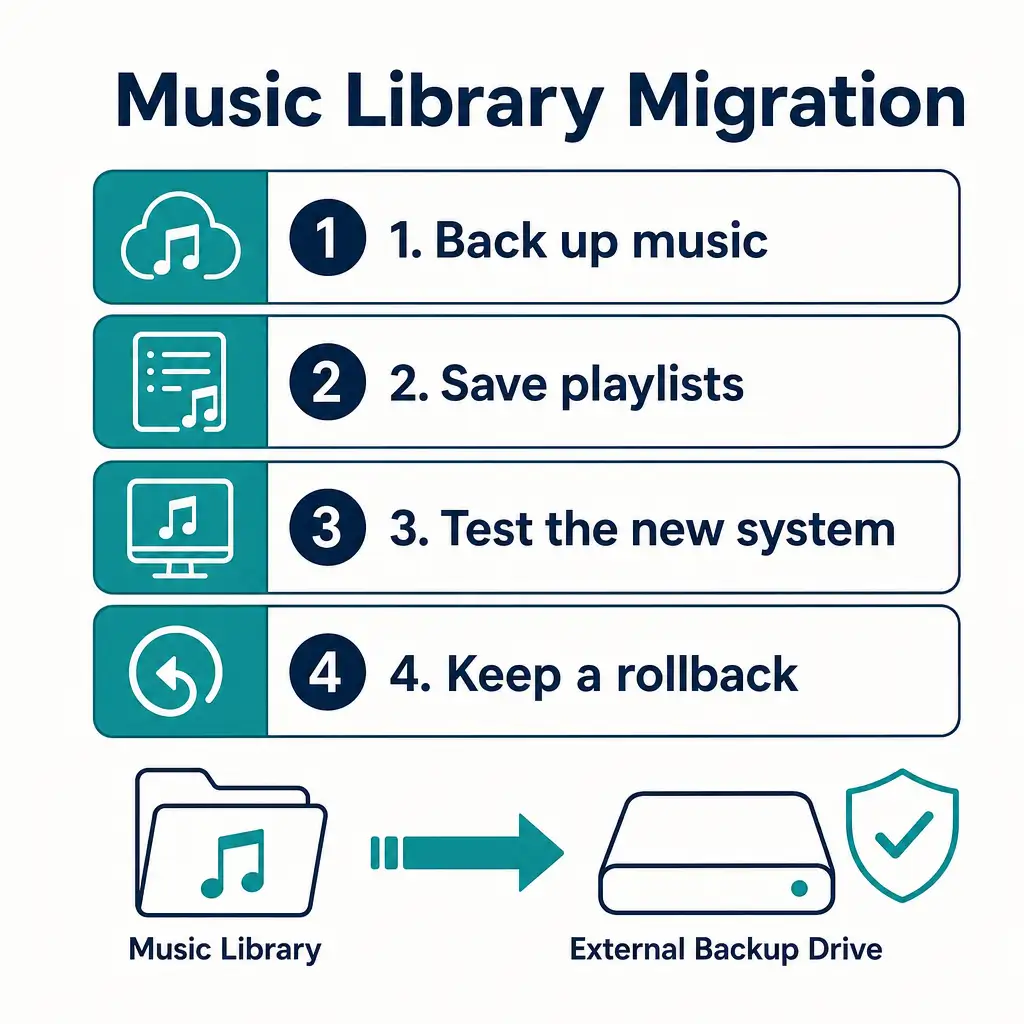
A staged migration can help protect your music and settings. You don’t need to erase your existing system first.
- List your music locations. Include internal drives, USB drives and network shares.
- Export playlists where possible. Note their formats and file paths.
- Record audio settings. Include the DAC, output device and DSP choices.
- Back up your files. Keep a separate copy of the library and configuration.
- Verify the backup. Open sample files and check playlist access.
- Test a replacement separately. Use another drive or machine where supported.
- Check playback and control. Test your DAC, library, playlists and remote access.
- Keep a rollback option. Erase the old system only after verification.
One detail to watch is playlist paths. If your playlists use absolute paths, they may need editing because the new system might mount your music elsewhere.
AP-Linux may still suit experiments, but support is unclear
AP-Linux may interest experienced users with spare hardware. For a new, dependable setup, though, its old installation image makes the decision less straightforward.
You might still consider it if you:
- Want to explore an older audio-focused distribution.
- Have a backed-up system and spare test hardware.
- Are comfortable investigating Linux installation issues.
- Don’t depend on it for business continuity.
A maintained alternative may fit better if you:
- Want predictable updates and clearer support information.
- Need a system for a business or shared space.
- Prefer a documented setup on current hardware.
- Want to use a Raspberry Pi.
These are suitability considerations, not measured performance rankings. Your DAC, network and preferred interface may change the decision.
Frequently asked questions
-
Is AP-Linux officially discontinued?
Now, there’s no formal discontinuation announcement. The latest official installation image we found dates from December 2019. That’s evidence of image age, not conclusive proof that the project ended.
-
What is the latest AP-Linux version?
The latest official image is still AP-Linux 5.0.1, last updated on December 23, 2019. It’s worth checking the project’s download channels again before installing.
-
Can I still use AP-Linux offline?
Yes, you can use an existing installation offline, but compatibility and reliability depend on your hardware and setup. Offline use reduces some network exposure, but it doesn’t resolve every maintenance concern.
-
Can I update AP-Linux like Arch Linux?
Don’t assume an ordinary Arch update will be safe. AP-Linux is customized, and its listed image is old. Back up the system and review its repositories before attempting major changes.
-
Does AP-Linux support UEFI or Secure Boot?
The historical installation instructions include a legacy BIOS-style bootloader target. You may want to test your specific machine before relying on compatibility.
-
Is AP-Linux better than Volumio?
There’s no universal answer without defined criteria and testing. Compare support, hardware compatibility, setup, features, and your preferred interface. An audible-quality claim needs its own controlled test.
-
Is AudioLinux the same as AP-Linux?
No. AudioLinux and AP-Linux are separate products. Their releases, pricing, and support should be assessed independently.
Our Verdict: Check maintenance before choosing AP-Linux
AP-Linux’s latest listed official image is old, and current maintenance remains unclear. We didn’t find enough evidence to call it formally discontinued.
For a new installation, we’d compare supported alternatives first. For an existing system, we’d back up the library and review network exposure.