Editorial overview
Aggregated Overview
The feature assessment reflects documented 2D and 3D tools, scripting APIs, platform builds, packages, and cloud services. Pricing and plan limits are publicly listed. Public review evidence was insufficient to support a reliable rating or detailed sentiment synthesis.
This profile combines documented product information and independent evidence where available. It is not a hands-on test unless TechZella explicitly identifies one.
Overview
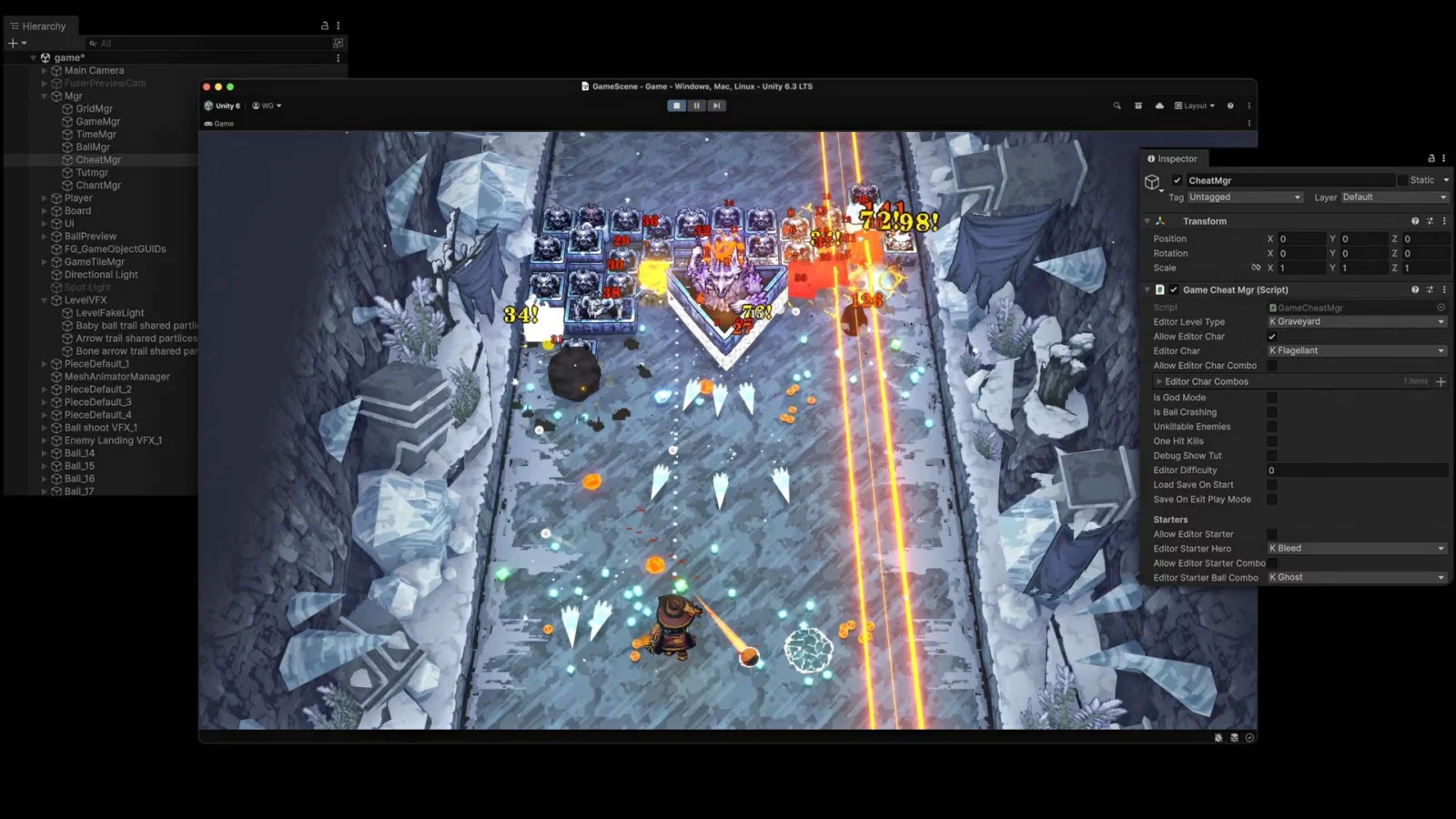
Unity is a desktop development environment and runtime for creating interactive 2D and 3D projects. Developers build scenes and scripts in the Editor, then configure projects for supported desktop, mobile, web, console, and XR targets.
The Editor is installed through Unity Hub. Unity also provides packages, cloud services, learning resources, and monetization tools. Some features and destinations require separate subscriptions, service usage, or platform-holder approval.
Unity Decision Snapshot
A quick way to understand who this product may suit, where its limits matter, and which facts are most relevant before you compare alternatives.
Best suited toGame teams and developers building 2D or 3D interactive software for desktop, mobile, web, console, or XR targets.
Look elsewhere ifTeams that require a browser-based editor, a completely open-source engine, or console deployment without console-maker approval and an eligible Unity subscription should compare other options, and should evaluate alternatives such as Unreal Engine or Godot instead.
PlatformsAndroid, iOS, Linux, macOS, Windows
TechZella assessment8.1/10
Unity — What Sets It Apart?
These are the product-specific differences that may matter when deciding whether the software fits your workflow. They are based on documented evidence rather than a universal ranking.
- A single engine workflow covers 2D and 3D projects and supports building for desktop, mobile, web, console, and XR targets.
- The Unity Editor includes scripting and editor APIs, while the Package Manager and Asset Store support project-specific extensions and assets.
- Unity publishes both a free Personal plan and paid tiers with different console publishing, support, storage, and LTS benefits.
Editorial assessmentUnity Pros & Cons
Pros
- Supports 2D and 3D interactive project development in one Editor.
- Documents a scripting API for project behavior and Editor extensions.
- Provides build workflows for a broad set of desktop, mobile, web, console, and XR targets.
- Offers a free Personal plan for users meeting its eligibility terms.
- Provides a package manager and Asset Store ecosystem.
Cons
- Requires desktop installation and local Editor setup.
- Console publishing depends on platform-holder approval and, for Xbox and PlayStation development, a Pro or Enterprise subscription.
- Paid services, additional storage, support, or usage may be subject to separate charges or plan limits.
- The free Personal plan has revenue and funding eligibility criteria.
Unity Gotchas & Operational Limits
These are documented constraints or practical friction points that may matter before you adopt the product.
Unity Personal is subject to a revenue and funding eligibility threshold, and Unity Pro is required above the stated threshold.
Teams should check their aggregate revenue and funding eligibility before choosing a plan, particularly before publishing or renewing.
Evidence source ↗Console development is not unlocked by installing the Editor alone.
Developers must apply for platform-holder developer status, and Unity says Xbox and PlayStation development requires a current Pro or Enterprise subscription.
Evidence source ↗The Unity Editor and Unity AI tools have different trial and access terms.
The Editor has a free Personal plan; the separately described AI tools offer a 14-day, 1,000-credit trial for Personal users.
Evidence source ↗Unity Pricing & Plans
Personal
Free
Free plan for eligible individuals, hobbyists, and small businesses; eligibility depends on the published revenue and funding threshold.
Check current pricing →Pro
$2,310
year per seat
Annual prepaid subscription; Unity also lists a monthly option at $210 per month per seat. Required for businesses above the Personal eligibility threshold.
Check current pricing →Pro monthly
$210
month per seat
Monthly paid subscription. Plan features include console publishing and expedited customer support.
Check current pricing →Enterprise
Custom pricing
Sales-quoted plan for larger organizations; minimum subscription or spending commitments may apply.
Check current pricing →Industry
Custom pricing
Sales-quoted subscription for industrial and enterprise use cases.
Check current pricing →Pricing may change. Verify current plans on the vendor's website.
Cost contextTotal Cost & Hidden Costs
Additional costs or implementation requirements that are documented in the available evidence.
Implementation and onboarding
Unity publishes Unity Hub installation instructions, manuals, and learning materials. No mandatory onboarding or implementation fee was found on the reviewed pricing pages.
Evidence source ↗Hosting and infrastructure
The Editor is locally installed. Cloud services are separate product capabilities; the reviewed plan page lists cloud storage and other services by plan but does not establish a general hosted-Editor fee.
Evidence source ↗Seats, add-ons, and renewals
Pro is priced per seat; Unity lists additional charges for selected services and says Pro and Enterprise prices increased by 5% starting January 12, 2026. Check current checkout or quote pricing for applicable services.
Evidence source ↗Unity Competitors & Alternatives
Compare similar products directly, then see which alternatives may make more sense when your requirements differ.
At a glance
Developer ToolsOnly factors supported by the available research are shown. The comparison is descriptive, not a ranking.
Direct competitors
These products address broadly similar requirements. The descriptions focus on documented reasons a buyer might compare them with Unity.
CapabilitiesUnity Features
Development
- 2D and 3D real-time project authoring
- Unity Editor and scene workflows
- Runtime and Editor scripting APIs
- Build profiles and platform-specific packages
Project ecosystem
- Unity Package Manager
- Unity Asset Store packages and assets
- Unity Version Control
- Unity Build Automation
Deployment and services
- Build targets across desktop, mobile, web, console, and XR
- Unity Cloud project services
- Diagnostics and analytics services
- Unity AI tools offered separately or bundled by subscription
Unity Specifications
| Product type | Desktop game engine and real-time development environment |
|---|
| Latest release family verified | Unity 6 |
|---|
| Editor operating systems | Windows, macOS, and Linux |
|---|
| Build target examples | Desktop, Android, iOS, web, console, and XR |
|---|
| Scripting API | Unity runtime and Editor scripting references |
|---|
| Installation | Desktop installation managed through Unity Hub |
|---|
| Free plan | Unity Personal, subject to eligibility requirements |
|---|
| Free trial | Unity AI tools trial for Personal users; the Editor has a free Personal plan |
|---|
| Console requirement | Console-maker developer approval; Pro or Enterprise required for Xbox and PlayStation development |
|---|
| Pricing model | Free Personal plan, per-seat Pro subscription, and custom-priced Enterprise and Industry plans |
|---|
| Runtime Fee | Canceled for games; Unity states it does not apply to games made with Unity versions |
|---|
Exit planningMigration & Lock-In
Documented portability, standards, export, or switching considerations. No switching-cost score is shown unless the evidence supports one.
Project and package portability
Unity projects use Unity Editor versions and packages; Unity documents package versioning and dependency management through the Unity Package Manager.
Evidence source ↗Our evidence-based assessmentTechZella Score
A proprietary editorial score based on product capabilities, usability, value, performance, support and user sentiment evidence.
8.1/10Moderate confidence
The feature assessment reflects documented 2D and 3D tools, scripting APIs, platform builds, packages, and cloud services. Pricing and plan limits are publicly listed. Public review evidence was insufficient to support a reliable rating or detailed sentiment synthesis.
Methodology v1.0. The assessment weighs feature coverage (25%), ease of use (15%), value for money (20%), performance (15%), support (10%) and user sentiment (15%), using researched product evidence and verified review evidence where available. It is a TechZella editorial assessment, not a direct user-review average.
Editorial transparency
Our Review Methodology
Key claims are linked to the sources used to verify them. This evidence record is separate from third-party user ratings.
TechZella evaluates software using documented product capabilities, pricing information, usability and value considerations, independent user evidence where available, and competitive context. The assessment is an editorial review, not a hands-on test unless one is explicitly identified. Our editorial assessment is based on 5 documented sources.
What TechZella adds- A single engine workflow covers 2D and 3D projects and supports building for desktop, mobile, web, console, and XR targets.
- The Unity Editor includes scripting and editor APIs, while the Package Manager and Asset Store support project-specific extensions and assets.
- Unity publishes both a free Personal plan and paid tiers with different console publishing, support, storage, and LTS benefits.
Important limitations- The Editor is installed locally through Unity Hub rather than used as a browser-based development environment.
- Publishing to closed console platforms requires approval from each console manufacturer; Unity Pro or Enterprise is also required for Xbox and PlayStation development.
- Paid plans are seat subscriptions, and some cloud, storage, support, and version-control services have separate allowances or charges.
Evidence-backed claimsUnity was originally founded in Denmark in 2004 as Over the Edge Entertainment.Unity's SEC-filed annual report identifies the original name, country, and year.
View source ↗Verified 2026-11-12Unity Personal is free and Unity Pro is listed from $2,310 per year or $210 per month.Unity's current plan comparison lists Personal as free and gives these Pro prices.
View source ↗Verified 2026-11-12Unity supports development for desktop, mobile, console, web, and XR targets.Unity's platform page lists these target groups and examples of platforms.
View source ↗Verified 2026-11-12The Unity Scripting Reference documents the engine's scripting API.The official reference describes API classes, methods, and properties available to scripts.
View source ↗Verified 2026-11-12Unity canceled its Runtime Fee for games in September 2024.Unity announced the cancellation and states it does not apply to games made with Unity versions.
View source ↗Verified 2026-11-12 Common questionsUnity FAQs
Answers begin with the clearest available response, followed by the context that helps you act on it.
Is Unity free?
Yes. Unity Personal is free for users within its published revenue and funding eligibility limits. Paid plans add capabilities such as console publishing, storage, or support.
Does Unity offer a free trial?
Unity's Editor has a free Personal plan. Unity separately offers Personal users a 14-day, 1,000-credit trial of its AI tools.
Can Unity build games for consoles?
Yes. Unity supports console targets, but developers must obtain developer status from each console manufacturer. Unity says Xbox and PlayStation development requires a current Pro or Enterprise subscription.
Does Unity charge a Runtime Fee?
No. Unity canceled the Runtime Fee for games in September 2024. Its current pricing updates page says it does not apply to games made with Unity versions.
Community feedback
Reviews
No reviews yet. Be the first to share your experience.
Write a Review
Please log in to submit a review.
Recently added Developer Tools