
The legacy macOS LTS build is not compatible with current macOS versions.
Mac users may need to use a community Homebrew tap or investigate another supported installation route instead of relying on the older download.
Evidence source ↗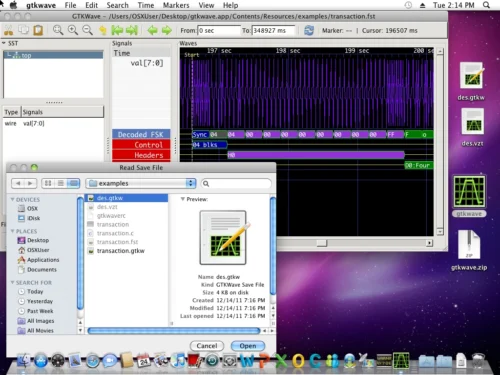
GTKWave is a desktop waveform viewer for examining digital and analog signals in hardware simulation dump files.
GTKWave supports multiple simulation formats, waveform navigation, saved views, and conversion utilities. It is free and locally installed, but users may need to build or configure it, and no commercial support or reliable public review evidence was verified.
This profile combines documented product information and independent evidence where available. It is not a hands-on test unless TechZella explicitly identifies one.
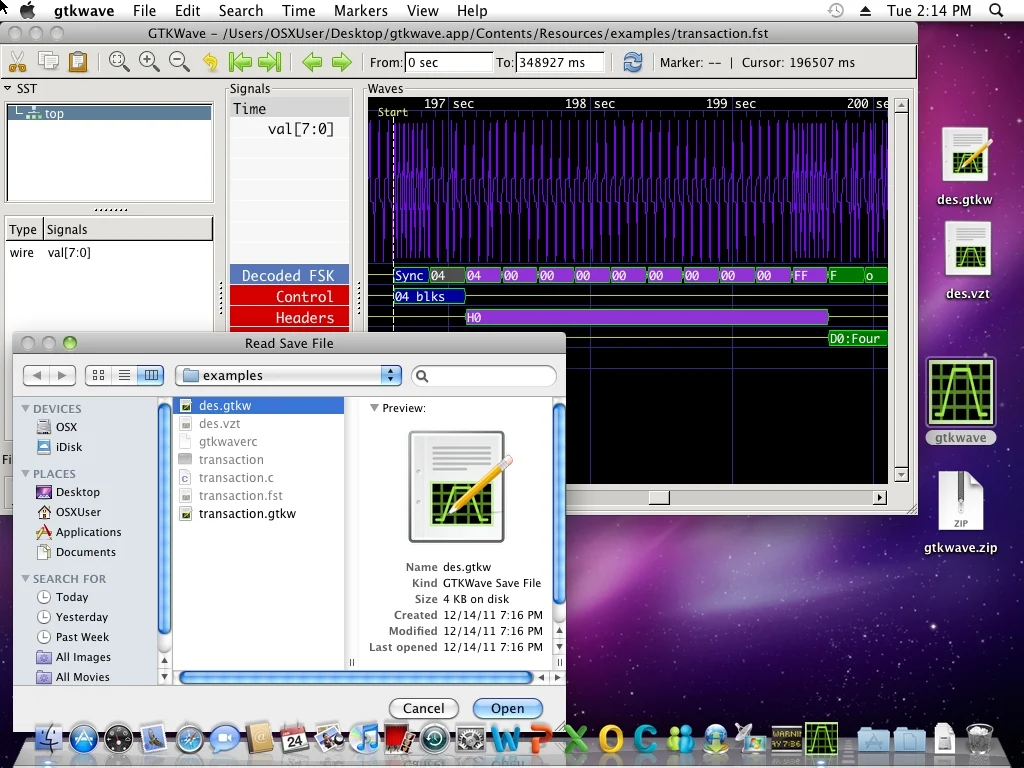
GTKWave is a locally installed waveform viewer for examining simulation dump files. Its documentation describes post-mortem analysis of Verilog and VHDL simulations, rather than real-time interaction with a running simulation.
It reads common formats such as VCD, FST, and GHW, plus legacy formats including LXT, LXT2, and VZT. Some less common formats depend on external conversion tools or libraries.
A quick way to understand who this product may suit, where its limits matter, and which facts are most relevant before you compare alternatives.
Hardware and RTL developers who need to inspect recorded Verilog or VHDL simulation traces locally, particularly when their simulator produces VCD, FST, or GHW files.
Teams needing live simulation interaction, a managed web service, or dependable compatibility with newer macOS releases through the legacy LTS download, and should evaluate alternatives such as Surfer instead.
Linux, macOS, Windows
7.5/10
These are the product-specific differences that may matter when deciding whether the software fits your workflow. They are based on documented evidence rather than a universal ranking.
These are documented constraints or practical friction points that may matter before you adopt the product.
Mac users may need to use a community Homebrew tap or investigate another supported installation route instead of relying on the older download.
Evidence source ↗A file format listed in the documentation may require additional tools and configuration before it can be opened.
Evidence source ↗Teams relying on formats such as LXT, VZT, WLF, or FSDB should verify support in the specific version they plan to use.
Evidence source ↗Free software under GNU GPL version 2. No paid plans or separate free trial were listed in the official materials reviewed.
Check current pricing →Pricing may change. Verify current plans on the vendor's website.
Compare similar products directly, then see which alternatives may make more sense when your requirements differ.
| Decision factor | GTKWave | Surfer |
|---|---|---|
| Core scope | Desktop waveform viewer with additional helper applications for conversion and RTL parsing. | Waveform viewer with configurable interface and a documented client-server mode. Source ↗ |
| File formats | Supports VCD, FST, GHW, LXT, LXT2, and VZT, among other formats or optional converted formats. | Supports VCD, FST, GHW, and FTR; its documentation notes that GHW support is less complete than VCD and FST. Source ↗ |
| Deployment model | Locally installed desktop software with documented builds for Unix/Linux, Windows, and macOS. | Available as a native installation; its project also documents browser use and a separate server workflow. Source ↗ |
| Extension and automation | Provides command-line options, Tcl commands, and Tcl callbacks. | Documents command-file and command-line scripting and embedding the viewer in web applications. Source ↗ |
Only factors supported by the available research are shown. The comparison is descriptive, not a ranking.
These products address broadly similar requirements. The descriptions focus on documented reasons a buyer might compare them with GTKWave.
| Platform | Unix/Linux, Windows, and macOS; current macOS use may require a community installation route |
|---|---|
| Deployment | Locally installed desktop software |
| License | GNU GPL version 2 |
| API and automation | Command-line interface, Tcl commands, and Tcl callbacks; no REST API verified |
| Integrations | Opens simulator waveform files; some formats require external converter tools or libraries |
| Free trial | Not applicable; the software is free |
| Latest LTS listed | 3.3.128 |
| VHDL source annotation | Not currently available according to the documentation |
Verified installation, hosting, administration, or environment details that can affect implementation.
| Installation or hosting | GTKWave is a locally installed desktop application. The project provides source code and a Flatpak listing; source builds use Meson. Source ↗ |
|---|---|
| Network deployment | No official hosted SaaS deployment was found in the project materials reviewed. Source ↗ |
Documented portability, standards, export, or switching considerations. No switching-cost score is shown unless the evidence supports one.
GTKWave saves selected traces and display state in GTKWave save files, which can be reopened with waveform dump files.
Evidence source ↗Bundled helper applications convert VCD into formats including LXT, LXT2, VZT, and FST; several formats can also be converted back to VCD.
Evidence source ↗A proprietary editorial score based on product capabilities, usability, value, performance, support and user sentiment evidence.
GTKWave supports multiple simulation formats, waveform navigation, saved views, and conversion utilities. It is free and locally installed, but users may need to build or configure it, and no commercial support or reliable public review evidence was verified.
Methodology v1.0. The assessment weighs feature coverage (25%), ease of use (15%), value for money (20%), performance (15%), support (10%) and user sentiment (15%), using researched product evidence and verified review evidence where available. It is a TechZella editorial assessment, not a direct user-review average.
Key claims are linked to the sources used to verify them. This evidence record is separate from third-party user ratings.
TechZella evaluates software using documented product capabilities, pricing information, usability and value considerations, independent user evidence where available, and competitive context. The assessment is an editorial review, not a hands-on test unless one is explicitly identified. Our editorial assessment is based on 5 documented sources.
The project documentation lists VCD, FST, LXT, LXT2, VZT, and GHW support, as well as some formats requiring external tools or libraries.
View source ↗Verified 2026-11-10The documentation describes analyzing simulation dump files rather than interacting with a simulation in real time.
View source ↗Verified 2026-11-10The user interface documentation describes saved traces, signal attributes, markers, and zoom state.
View source ↗Verified 2026-11-10The official project page lists the LTS version and a link to GTKWave on Flathub.
View source ↗Verified 2026-11-10The macOS section recommends a community-provided Homebrew tap for newer macOS versions.
View source ↗Verified 2026-11-10The user guide identifies the software as free software and references the GNU GPL version 2.
View source ↗Verified 2026-11-10Answers begin with the clearest available response, followed by the context that helps you act on it.
No reviews yet. Be the first to share your experience.
Please log in to submit a review.