Software / Developer Tools / Proteus Design Suite

Proteus Design Suite

Proteus combines schematic capture, PCB layout and circuit simulation, including firmware testing for supported microcontrollers. It is a Windows desktop suite with cloud licensing options.

6.5/10 TechZella Score
Visit Website ↗
6 key claims verifiedOur editorial team checked this profile against vendor documentation, company information, pricing information. Supported by 6 documented sources.
Editorial overview

Aggregated Overview

Official materials document a broad PCB design and embedded simulation suite, perpetual licenses, support, and Windows requirements. Publicly accessible independent review evidence was insufficient for a reliable user-sentiment score.

This profile combines documented product information and independent evidence where available. It is not a hands-on test unless TechZella explicitly identifies one.

Overview

Proteus Design Suite is an electronic design automation application from Labcenter Electronics Ltd. It combines schematic capture and PCB layout with circuit simulation, including firmware testing for supported microcontrollers.

The vendor positions the software for professional PCB design, rapid prototyping, and electronics education. Its desktop application requires Windows; cloud licensing is an option for managing team access, not a browser version of the design software.

Decision guide

Proteus Design Suite Decision Snapshot

A quick way to understand who this product may suit, where its limits matter, and which facts are most relevant before you compare alternatives.

Best suited to

Electronics teams and educators that want schematic capture, PCB layout, and supported microcontroller firmware simulation in one Windows application.

Look elsewhere if

Teams that require native macOS or Linux support, or a free full-featured PCB design suite, should compare alternatives. The official demo also does not save user work, and should evaluate alternatives such as KiCad or Altium Develop instead.

Platforms

Cloud, Windows

TechZella assessment

6.5/10

Decision context

Proteus Design Suite — What Sets It Apart?

These are the product-specific differences that may matter when deciding whether the software fits your workflow. They are based on documented evidence rather than a universal ranking.

  • Combines PCB design with mixed-mode SPICE and microcontroller simulation, so supported firmware can be tested against a virtual circuit before physical prototyping.
  • Offers modular bundles and perpetual licenses; cloud licensing provides seat allocation and reservations for groups.
  • The Proteus 9.2 release adds GDB-based simulation interaction with STM32CubeIDE and other GDB-compatible front ends.
Editorial assessment

Proteus Design Suite Pros & Cons

Pros

  • Integrates PCB design and supported microcontroller simulation in one suite.
  • Provides modular product configurations and perpetual licensing.
  • Documents manufacturing file outputs and selected MCAD exchange formats.
  • Offers network and cloud license management options for teams.

Cons

  • Published minimum requirements specify Windows and x64 Intel or AMD processors.
  • The demo cannot save work and restricts microcontroller simulation to 14 days.
  • Individual package prices were not verifiable from the retrieved public price page.
  • Access to later releases depends on Update Service Contract status.
Operational limits

Proteus Design Suite Gotchas & Operational Limits

These are documented constraints or practical friction points that may matter before you adopt the product.

The demo cannot save work and only permits printing included sample schematics and layouts.

Prospective buyers can evaluate workflows but cannot use the demo as a production or project handoff environment.

Evidence source ↗

The system requirements exclude ARM processors such as Snapdragon.

Buyers should verify workstation processor compatibility before deployment.

Evidence source ↗

Updates and major upgrades after an Update Service Contract expires require contract reactivation for newer releases.

Perpetual ownership preserves use of the purchased version, but staying current has a separate maintenance consideration.

Evidence source ↗

Pricing

Labcenter offers modular commercial packages, including Enterprise, Platinum, and custom configurations. It directs buyers to a configurator and quotation workflow; individual commercial prices were not verifiable in the retrieved public price page.

The vendor describes perpetual licenses, with updates and upgrades tied to an Update Service Contract. A downloadable demo is available, but it cannot save work and limits microcontroller simulation to 14 days. ([labcenter.com](https://www.labcenter.com/pricing/))

Cost context

Total Cost & Hidden Costs

Additional costs or implementation requirements that are documented in the available evidence.

Implementation and onboarding

The vendor provides tutorials and in-product guides, but does not publish a standard onboarding duration. Multi-user and educational buyers are directed to contact sales.

Evidence source ↗

Workstation

Proteus is installed locally. The vendor lists an x64 Intel or AMD processor and 8 GB RAM as minimum requirements; customers should check whether existing workstations meet them.

Evidence source ↗

Maintenance and upgrades

The license can be used perpetually at its purchased version, while access to subsequent releases depends on a valid Update Service Contract. Reactivation cost depends on how old the software is.

Evidence source ↗

License and add-on costs

The vendor offers module-based packages and an online quotation workflow. Multi-user and education pricing requires contacting sales; individual module prices were not verifiable in the retrieved public page.

Evidence source ↗
Compare options

Proteus Design Suite Competitors & Alternatives

Compare similar products directly, then see which alternatives may make more sense when your requirements differ.

Direct competitors

These products address broadly similar requirements. The descriptions focus on documented reasons a buyer might compare them with Proteus Design Suite.
Capabilities

Proteus Design Suite Features

PCB design

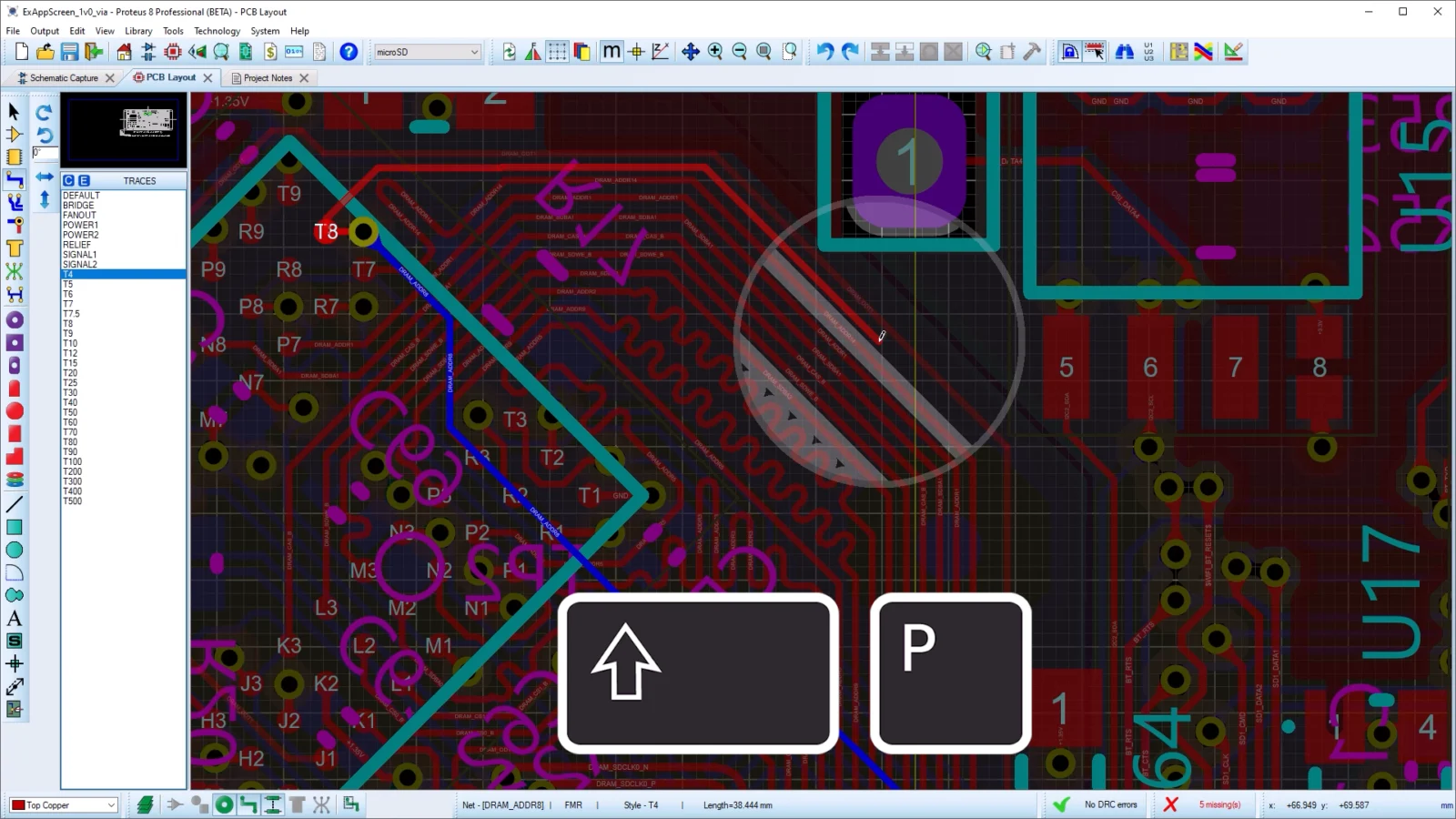
  • Schematic capture and PCB layout
  • Design-rule configuration and checking
  • Shape-based autorouting
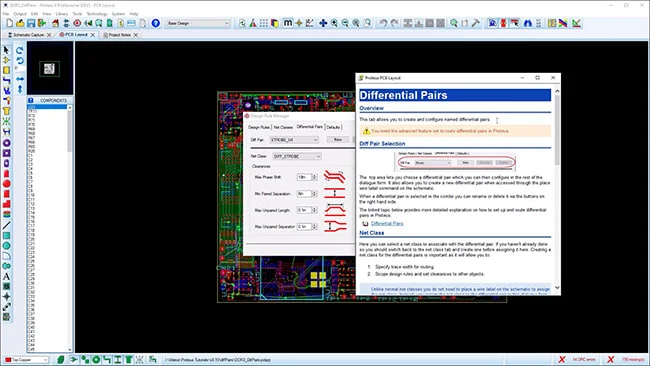
  • Differential-pair routing and length matching in supported packages
  • 3D board visualization and selected MCAD exports
  • Gerber and other manufacturing outputs, depending on package

Simulation and firmware

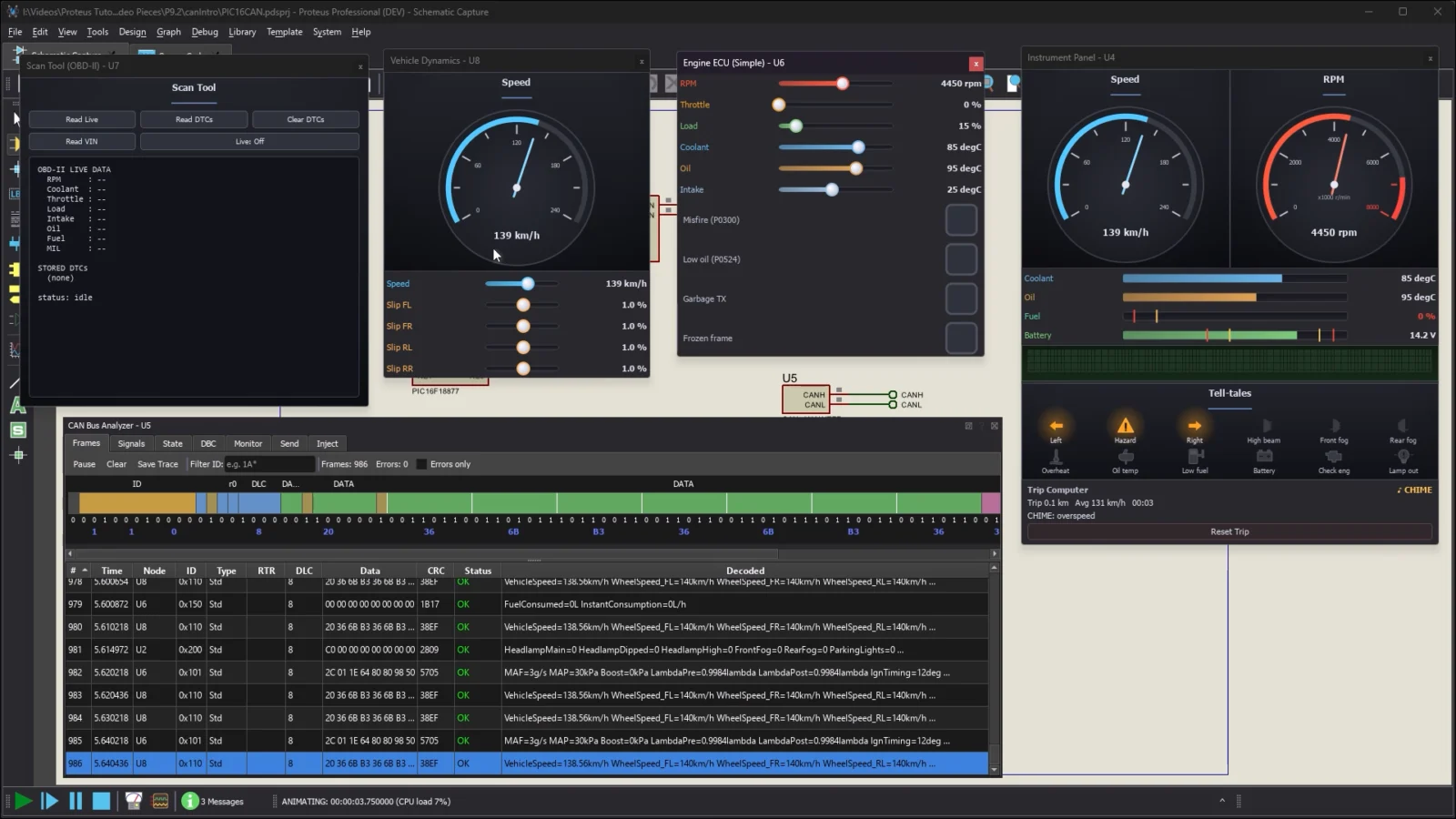
  • ProSPICE circuit simulation
  • VSM simulation for supported microcontroller families
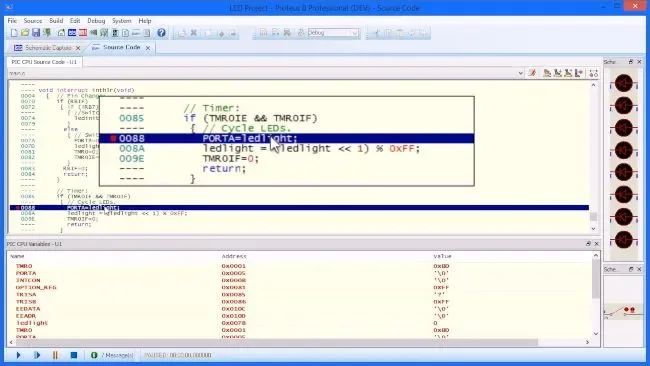
  • Firmware debugging features including breakpoints and stepping
  • BLE and RFID simulation models listed for Proteus 9.2
  • GDB integration for Cortex-M simulation targets

Libraries and assistance

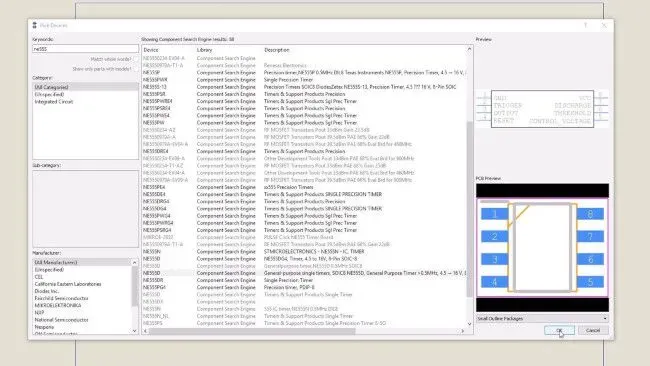
  • Built-in component libraries and online library search
  • SamacSys and SnapEDA component library access documented by the vendor
  • AI-assisted library part creation in beta in Proteus 9.2

Licensing and learning

  • Perpetual license option
  • Network licensing for multi-user deployments
  • Cloud license administration with groups and seat reservations
  • Demo and full evaluation license request options
Visual preview

Demo & Screenshots

Product details

Proteus Design Suite Specifications

Minimum operating systemMicrosoft Windows 10
Minimum processor3 GHz x64 Intel or AMD; ARM processors such as Snapdragon are not supported
Minimum RAM8 GB
License optionsPerpetual, network, and cloud licensing options documented
API
Demo limitationsCannot save work; microcontroller simulation is limited to 14 days
Deployment

Deployment & System Footprint

Verified installation, hosting, administration, or environment details that can affect implementation.

Application installationWindows desktop software. The published minimum requirements specify Windows 10, an x64 Intel or AMD processor, and 8 GB RAM. Source ↗
Team licensingNetwork licensing uses a server and USB dongle on a single LAN subnet; cloud licensing uses an administrator portal for credentials and seat reservations. Source ↗
Exit planning

Migration & Lock-In

Documented portability, standards, export, or switching considerations. No switching-cost score is shown unless the evidence supports one.

Manufacturing and mechanical outputs

Documented outputs include Gerber, ODB++, IDF, PDF, STEP, and IGES, depending on product level. These support manufacturing or MCAD handoff, not a claim of full project migration between EDA tools.

Evidence source ↗
Our evidence-based assessment

TechZella Score

A proprietary editorial score based on product capabilities, usability, value, performance, support and user sentiment evidence.

6.5/10Moderate confidence
Features8.5
Ease of Use7.0
Value for Money7.0
Performance7.5
Support8.0
User Sentiment0.0

Official materials document a broad PCB design and embedded simulation suite, perpetual licenses, support, and Windows requirements. Publicly accessible independent review evidence was insufficient for a reliable user-sentiment score.

Methodology v1.0. The assessment weighs feature coverage (25%), ease of use (15%), value for money (20%), performance (15%), support (10%) and user sentiment (15%), using researched product evidence and verified review evidence where available. It is a TechZella editorial assessment, not a direct user-review average.

Editorial transparency

Our Review Methodology

Key claims are linked to the sources used to verify them. This evidence record is separate from third-party user ratings.

TechZella evaluates software using documented product capabilities, pricing information, usability and value considerations, independent user evidence where available, and competitive context. The assessment is an editorial review, not a hands-on test unless one is explicitly identified. Our editorial assessment is based on 6 documented sources.

What TechZella adds
  • Combines PCB design with mixed-mode SPICE and microcontroller simulation, so supported firmware can be tested against a virtual circuit before physical prototyping.
  • Offers modular bundles and perpetual licenses; cloud licensing provides seat allocation and reservations for groups.
  • The Proteus 9.2 release adds GDB-based simulation interaction with STM32CubeIDE and other GDB-compatible front ends.
Important limitations
  • The official system requirements specify Windows and x64 Intel or AMD processors; ARM processors such as Snapdragon are not supported.
  • The downloadable demo restricts microcontroller simulation to 14 days, does not allow saving work, and limits printing to included sample designs.
  • Commercial prices are presented through a configurable price list or quotation workflow; the retrieved public page did not expose verifiable individual prices.
Evidence-backed claims
Labcenter Electronics Ltd. was founded in 1988.

The company's About page identifies its founding year and founder John Jameson.

View source ↗Verified 2026-11-10
Proteus combines schematic capture, PCB layout, and simulation.

The vendor describes an integrated design lifecycle and lists schematic capture, PCB layout, ProSPICE, and VSM microcontroller simulation.

View source ↗Verified 2026-11-10
Proteus 9.2 supports STM32CubeIDE integration through GDB.

The release notes document a GDB Remote Serial Protocol server for Cortex-M simulation targets and list STM32CubeIDE and other GDB-compatible tools.

View source ↗Verified 2026-11-10
The demo does not save work and limits microcontroller simulation to 14 days.

The vendor's demo page lists the evaluation restrictions and says customers can request a full evaluation license.

View source ↗Verified 2026-11-10
The vendor offers perpetual, network, and cloud licensing options.

The pricing page describes perpetual ownership, LAN-restricted network licensing, and portal-based cloud license administration.

View source ↗Verified 2026-11-10
KiCad is a free, open-source, cross-platform EDA suite.

KiCad's official site describes schematic capture and PCB layout and lists Windows, Linux, and macOS support under the GNU GPL v3.

View source ↗Verified 2026-11-10
Common questions

Proteus Design Suite FAQs

Answers begin with the clearest available response, followed by the context that helps you act on it.

Does Proteus have a free trial?
Yes. Labcenter provides a demo; PCB layout evaluation has no time limit, while microcontroller simulation is limited to 14 days. The demo cannot save work. A full evaluation license can be requested from sales.
Does Proteus run on macOS or Linux?
No. The published minimum requirements specify Microsoft Windows 10 and an x64 Intel or AMD processor. The vendor does not list macOS or Linux as supported platforms on that requirements page.
Does Proteus support STM32CubeIDE?
Proteus 9.2 documents integration through GDB for Cortex-M simulation targets. The release notes also name other GDB-compatible front ends.
Does Proteus have perpetual licensing?
Yes. The vendor says purchased licenses remain usable indefinitely at the version bought. Access to later releases depends on maintenance status.
Can Proteus export files for PCB manufacturing?
Yes. The vendor documents Gerber outputs and, for specified product levels, ODB++ and other formats. Verify the output formats included in the package being quoted. ([labcenter.com](https://www.labcenter.com/free-trial/))
Community feedback

Reviews

No reviews yet. Be the first to share your experience.

Write a Review
Directory

Recently added Developer Tools