Editorial overview
Aggregated Overview
Official documentation verifies image and laser-scan reconstruction, automation tools, and current licensing. G2 shows five reviews, too few to support strong conclusions about user sentiment or support.
This profile combines documented product information and independent evidence where available. It is not a hands-on test unless TechZella explicitly identifies one.
Overview
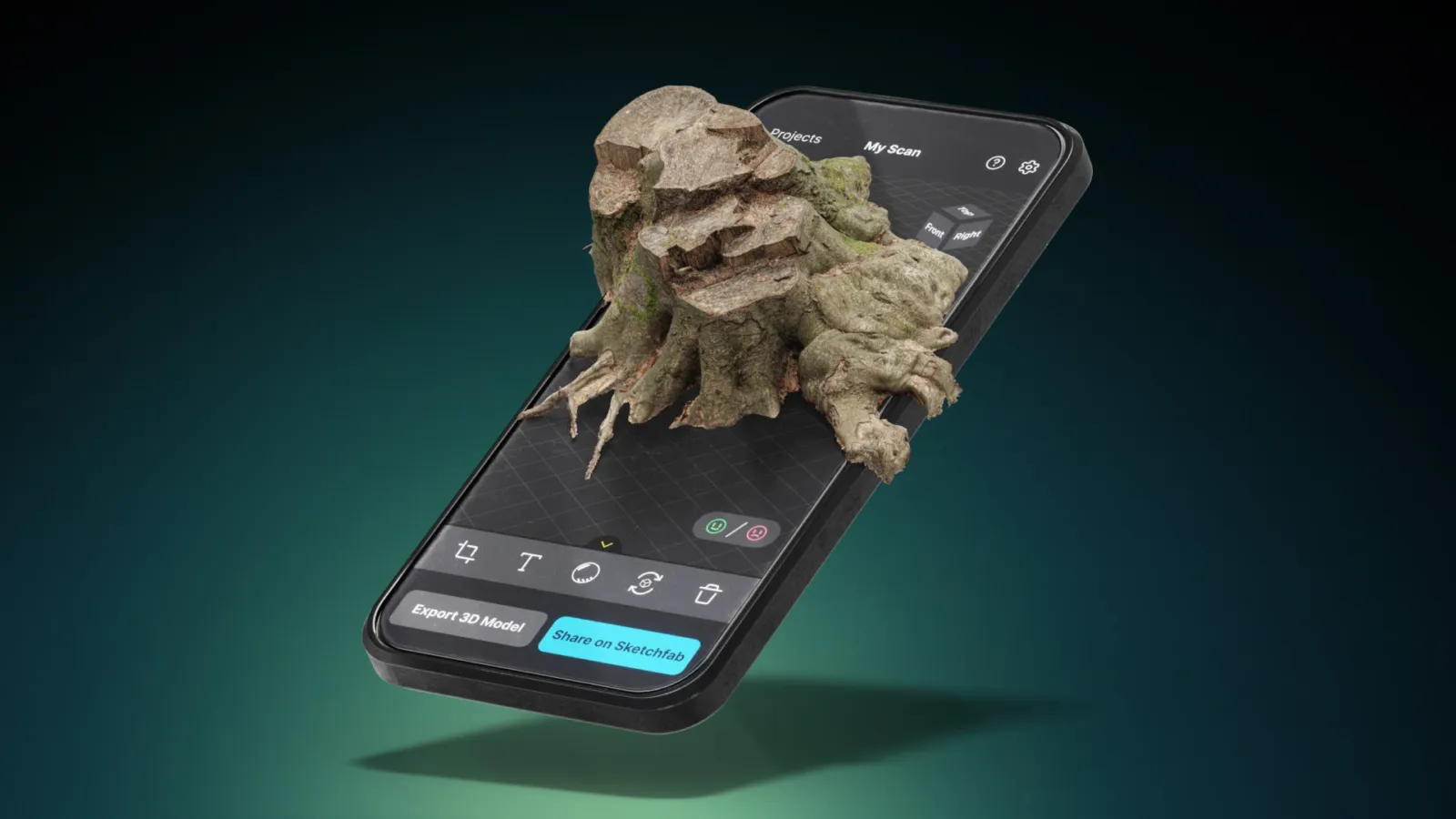
RealityCapture was Epic Games’ desktop photogrammetry application. Epic renamed the desktop product RealityScan with its 2.0 release, announced June 17, 2025. The current download and licensing pages use the RealityScan name.
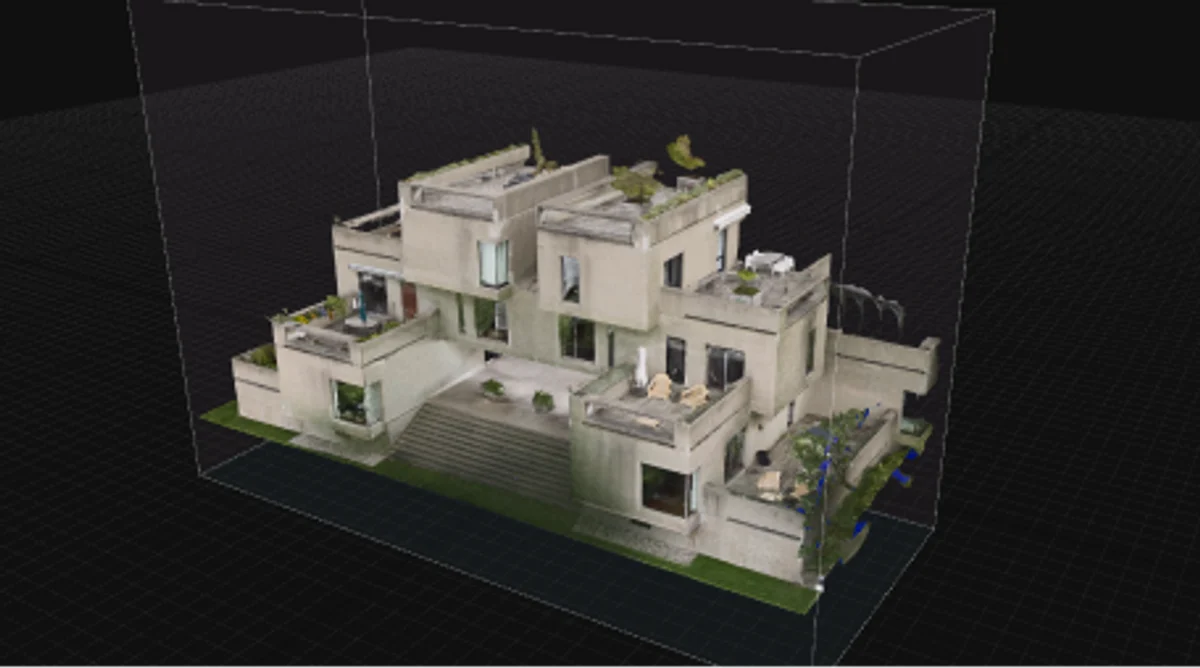
The software reconstructs 3D assets from photographs and laser scans. Its documented workflows include mesh creation, texturing, export, and command-line automation. Windows is the primary desktop environment; a Linux build is available for command-line workflows.
RealityCapture Decision Snapshot
A quick way to understand who this product may suit, where its limits matter, and which facts are most relevant before you compare alternatives.
Best suited toTeams and individual creators converting photos or laser scans into textured 3D assets, particularly for games, visual effects, and survey workflows.
Look elsewhere ifBuyers seeking a cloud-hosted, browser-first photogrammetry service or a desktop workflow that avoids Epic account and launcher requirements, and should evaluate alternatives such as Agisoft Metashape or Autodesk ReCap Pro instead.
PlatformsCLI, Linux, REST API, Webhooks, Windows
TechZella assessment7.7/10
RealityCapture — What Sets It Apart?
These are the product-specific differences that may matter when deciding whether the software fits your workflow. They are based on documented evidence rather than a universal ranking.
- Supports photo-based reconstruction and laser-scan workflows, with command-line automation and headless processing.
- The current RealityScan licensing page offers full features free to qualifying individuals, students, educators, and small businesses below its stated revenue threshold.
Editorial assessmentRealityCapture Pros & Cons
Pros
- Combines photo-based reconstruction and laser-scan workflows.
- Provides documented CLI and headless processing for repeatable jobs.
- Offers a free license path for users who meet the published eligibility conditions.
- Exports models in established 3D formats including OBJ and FBX.
Cons
- Current downloads and licensing use the RealityScan name, which may confuse users searching for legacy RealityCapture materials.
- Requires Epic Games Launcher and an Epic Games account for desktop installation.
- Model and texture generation requires compatible graphics hardware.
- The Linux edition is intended primarily for command-line use.
RealityCapture Gotchas & Operational Limits
These are documented constraints or practical friction points that may matter before you adopt the product.
RealityCapture was renamed RealityScan, and the legacy PPI licensing system has been retired.
New users should download and evaluate the current RealityScan product, while qualifying prior enterprise license holders can access legacy versions 1.4 and 1.5.
Evidence source ↗Linux availability is oriented toward command-line processing, not a regular desktop interface.
Linux buyers should validate their automation and administration workflow before committing to a production deployment.
Evidence source ↗RealityCapture Pricing & Plans
Free
$0
free
All features for qualifying students, educators, educational institutions, and individuals or small businesses meeting Epic's stated revenue conditions.
Check current pricing →RealityScan seat
$1,250
year per seat
Annual seat for individuals and businesses above the stated revenue threshold; includes one year of updates.
Check current pricing →30-day trial
$0
30 days
Trial option linked from the licensing page.
Check current pricing →Pricing may change. Verify current plans on the vendor's website.
Cost contextTotal Cost & Hidden Costs
Additional costs or implementation requirements that are documented in the available evidence.
Implementation and onboarding
The vendor provides tutorials, documentation, and sample datasets. No official implementation-time estimate was found; Linux or batch workflows may require command-line configuration.
Evidence source ↗Hardware and infrastructure
This is locally installed software, not a hosted processing service. The vendor lists minimum hardware requirements, including a supported GPU for model and texture generation; buyers should budget for suitable local compute.
Evidence source ↗Licensing and additional fees
The public licensing page lists $1,250 per seat per year for users above its revenue threshold and a 30-day trial. It directs buyers seeking more than 25 seats or Epic Pro Support to contact Epic; no processing overage fee is listed.
Evidence source ↗RealityCapture Competitors & Alternatives
Compare similar products directly, then see which alternatives may make more sense when your requirements differ.
At a glance
Graphic Design SoftwareOnly factors supported by the available research are shown. The comparison is descriptive, not a ranking.
Direct competitors
These products address broadly similar requirements. The descriptions focus on documented reasons a buyer might compare them with RealityCapture.
Agisoft MetashapePricing model: Node-locked and floating time-unlimited licenses are offered; a 30-day trial is available.
Autodesk ReCap ProPricing model: Paid subscription; Autodesk also documents a 30-day Pro trial and token-based cloud services.
CapabilitiesRealityCapture Features
Photogrammetry
- Reconstruct 3D models from photographs
- Process laser-scan data
- Generate and texture meshes
Automation and integration
- Command-line processing
- Headless mode
- RSCMD command files
- Remote control through REST or gRPC plugin
Export
- Export 3D models in formats including OBJ and FBX
- Export models for use in other 3D applications
RealityCapture Specifications
| Current product name | RealityScan; formerly RealityCapture |
|---|
| Desktop platforms | 64-bit Windows and Linux; Linux build recommended for CLI workflows |
|---|
| Minimum memory | At least 8 GB RAM per Epic documentation |
|---|
| Graphics | Compatible GPU required for model and texture generation |
|---|
| API and automation | CLI, headless mode, REST/gRPC remote-control plugin |
|---|
| Account requirement | Epic Games account required for desktop installation |
|---|
| Trial | 30 days |
|---|
Exit planningMigration & Lock-In
Documented portability, standards, export, or switching considerations. No switching-cost score is shown unless the evidence supports one.
Legacy product access
RealityCapture versions 1.4 and 1.5 remain available to holders of qualifying pre-April 23, 2024 enterprise licenses; the prior licensing server and PPI system are retired.
Evidence source ↗Model export
The CLI documentation supports model export using formats such as OBJ and FBX; exports can be used in other 3D applications.
Evidence source ↗Our evidence-based assessmentTechZella Score
A proprietary editorial score based on product capabilities, usability, value, performance, support and user sentiment evidence.
7.7/10Moderate confidence
Official documentation verifies image and laser-scan reconstruction, automation tools, and current licensing. G2 shows five reviews, too few to support strong conclusions about user sentiment or support.
Methodology v1.0. The assessment weighs feature coverage (25%), ease of use (15%), value for money (20%), performance (15%), support (10%) and user sentiment (15%), using researched product evidence and verified review evidence where available. It is a TechZella editorial assessment, not a direct user-review average.
Editorial transparency
Our Review Methodology
Key claims are linked to the sources used to verify them. This evidence record is separate from third-party user ratings.
TechZella evaluates software using documented product capabilities, pricing information, usability and value considerations, independent user evidence where available, and competitive context. The assessment is an editorial review, not a hands-on test unless one is explicitly identified. Our editorial assessment is based on 5 documented sources.
What TechZella adds- Supports photo-based reconstruction and laser-scan workflows, with command-line automation and headless processing.
- The current RealityScan licensing page offers full features free to qualifying individuals, students, educators, and small businesses below its stated revenue threshold.
Important limitations- Desktop installation requires an Epic Games account and the Epic Games Launcher.
- Model generation and texturing require a compatible GPU; official guidance recommends NVIDIA CUDA-capable graphics for Windows and says Linux is aimed at CLI workflows.
- The former RealityCapture name now refers to legacy versions; current desktop downloads and licensing use the RealityScan name.
Evidence-backed claimsRealityCapture is now named RealityScan for desktop.Epic's announcement identifies RealityScan 2.0 as the rebranded desktop application formerly called RealityCapture.
View source ↗Verified 2026-11-10Qualifying users can use RealityScan free; other users can purchase annual seats.The licensing page states free eligibility and a price of $1,250 per seat per year for users above the threshold.
View source ↗Verified 2026-11-10A 30-day trial is offered for paid seats.The licensing page provides a Start 30-day trial option.
View source ↗Verified 2026-11-10RealityScan supports command-line and headless processing.Epic's documentation lists command-line operations, RSCMD files, and headless mode.
View source ↗Verified 2026-11-10The documented Linux edition is suited to command-line processing.Epic's Linux instructions describe a CLI build and recommend CLI workflows rather than the desktop UI.
View source ↗Verified 2026-11-10G2 displayed five RealityCapture reviews and a 4.5 out of 5 average.The public G2 review page displayed an aggregate of 4.5/5 from five reviews.
View source ↗Verified 2026-11-10 Independent review sources
RealityCapture Ratings & Reviews
Ratings are published by the respective review platforms and may change over time.
Common questionsRealityCapture FAQs
Answers begin with the clearest available response, followed by the context that helps you act on it.
Is RealityCapture still available?
Yes. The current desktop application is named RealityScan. Epic states that qualifying holders of older RealityCapture Enterprise licenses can still download versions 1.4 and 1.5.
How much does RealityScan cost?
Epic lists free use for specified users meeting its eligibility conditions and $1,250 per seat per year for users above the revenue threshold.
Does RealityScan have a free trial?
Yes. The licensing page offers a 30-day trial.
Does RealityScan run on Linux?
Yes. Epic documents a Linux build and recommends using it for CLI-based workflows.
Can RealityScan automate processing?
Yes. Epic documents command-line operations, headless mode, RSCMD command files, and a remote-control plugin using REST or gRPC.
Community feedback
Reviews
No reviews yet. Be the first to share your experience.
Write a Review
Please log in to submit a review.
Recently added Graphic Design Software