
The feature is part of Vivaldi Browser, not a separate standalone blocker.
Users must use Vivaldi to access its built-in settings and lists.
Evidence source ↗
Vivaldi Ad Blocker is a free, built-in browser feature that blocks ads and trackers using filter lists. Users can adjust blocking by site and add supported lists.
The feature is free, built into Vivaldi, supports configurable block levels and lists, and is available on desktop and mobile. No reliable product-specific review ratings or broad independent review evidence were verified.
This profile combines documented product information and independent evidence where available. It is not a hands-on test unless TechZella explicitly identifies one.
A quick way to understand who this product may suit, where its limits matter, and which facts are most relevant before you compare alternatives.
Vivaldi users who want basic ad and tracker filtering built into their browser, adjustable per website, without installing a separate blocker extension.
Users who need an independently installed blocker, broad compatibility beyond Vivaldi, or a guaranteed way to block every ad.
Android, iOS, Linux, macOS, Windows
7.4/10
Vivaldi Ad Blocker is integrated into Vivaldi Browser rather than distributed as a separate application. It filters ads and trackers using block lists, with controls for global defaults and individual websites.
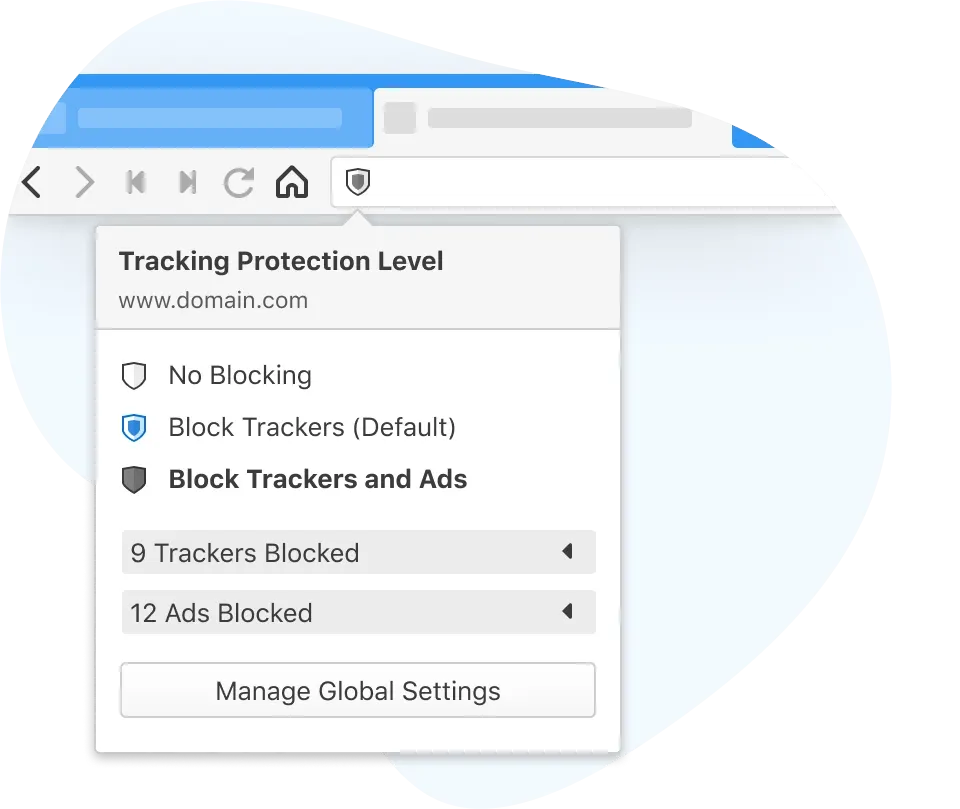
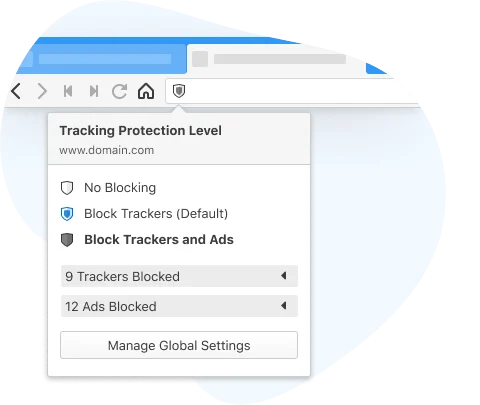
Users can choose no blocking, tracker blocking, or tracker-and-ad blocking. Vivaldi notes that list-based blocking cannot cover every ad source, and that blocking can affect website behavior.
These are the product-specific differences that may matter when deciding whether the software fits your workflow. They are based on documented evidence rather than a universal ranking.
These are documented constraints or practical friction points that may matter before you adopt the product.
Users must use Vivaldi to access its built-in settings and lists.
Evidence source ↗Users seeking stricter blocking may need to disable the partner-ad list in blocker sources.
Evidence source ↗Users may need to change the blocking level or add a site exception.
Evidence source ↗The integrated ad blocker is free to use; no separate blocker price or premium tier is listed.
Check current pricing →Pricing may change. Verify current plans on the vendor's website.
Vivaldi says users can install browser extensions for additional content blocking. Its help documentation identifies Chrome Web Store extensions as installable in Vivaldi. No direct comparative performance assessment is included here.



| Product form | Built-in Vivaldi Browser feature |
|---|---|
| Pricing | Free |
| Platform | Windows, macOS, Linux, Android, iOS |
| API | No public API verified |
| Integrations | No third-party blocker integrations verified; browser extensions are separately available in Vivaldi |
| Free trial | Not applicable; the blocker is free |
| Filter lists | Built-in sources and import of additional lists are documented |
Verified installation, hosting, administration, or environment details that can affect implementation.
| Installation or hosting | The blocker is included in Vivaldi Browser and runs as a browser feature; no separate blocker installation is described. Source ↗ |
|---|
A proprietary editorial score based on product capabilities, usability, value, performance, support and user sentiment evidence.
The feature is free, built into Vivaldi, supports configurable block levels and lists, and is available on desktop and mobile. No reliable product-specific review ratings or broad independent review evidence were verified.
Methodology v1.0. The assessment weighs feature coverage (25%), ease of use (15%), value for money (20%), performance (15%), support (10%) and user sentiment (15%), using researched product evidence and verified review evidence where available. It is a TechZella editorial assessment, not a direct user-review average.
Key claims are linked to the sources used to verify them. This evidence record is separate from third-party user ratings.
TechZella evaluates software using documented product capabilities, pricing information, usability and value considerations, independent user evidence where available, and competitive context. The assessment is an editorial review, not a hands-on test unless one is explicitly identified. Our editorial assessment is based on 3 documented sources.
Vivaldi describes the integrated blocker as free and says its ad-blocking functionality has no premium tier.
View source ↗Verified 2026-09-11Vivaldi documents no blocking, tracker blocking, and tracker-plus-ad blocking options.
View source ↗Verified 2026-09-11Vivaldi documents managing available sources and importing additional blocking lists.
View source ↗Verified 2026-09-11Vivaldi documents setting site-specific blocking levels and exceptions.
View source ↗Verified 2026-09-11Vivaldi explains that filter lists cannot include every ad source at all times.
View source ↗Verified 2026-09-11Vivaldi's Android help page explains blocking levels, exceptions, sources, and privacy statistics.
View source ↗Verified 2026-09-11No reviews yet. Be the first to share your experience.
Please log in to submit a review.
Yes. Vivaldi says the built-in ad blocker is free and has no premium blocking tier.
No separate standalone version was found; it is a built-in Vivaldi Browser feature.
Yes. Users can set a different blocking level or exception for an individual site.
No. Vivaldi states that list-based blocking cannot cover every ad source at all times.
A trial is not applicable because the feature is free. No public API or third-party integration for the blocker was verified.