
Running the emulator increases hardware requirements compared with running the IDE alone.
Google lists separate minimum RAM and disk requirements for Studio alone and Studio with the emulator.
Evidence source ↗
Google’s IDE for Android app development combines code editing, Gradle builds, device emulation, testing, debugging, and profiling.
Google documents a broad Android-specific toolset and free IDE access. G2 reviews praise integrated development tools while also reporting resource demands and setup friction.
This profile combines documented product information and independent evidence where available. It is not a hands-on test unless TechZella explicitly identifies one.
A quick way to understand who this product may suit, where its limits matter, and which facts are most relevant before you compare alternatives.
Developers building native Android apps who need Android SDK, Gradle, emulator, test, debugging, and profiling tools in one desktop IDE.
Teams seeking a general-purpose IDE or native iOS development environment. Android Studio is focused on Android, and its emulator and larger projects require capable local hardware, and should evaluate alternatives such as IntelliJ IDEA or Visual Studio Code instead.
ChromeOS, Linux, macOS, Windows
8.5/10
Android Studio is Google’s official integrated development environment for Android apps. It builds on IntelliJ IDEA editor and developer tools, adding Android-specific project, build, test, and device workflows.
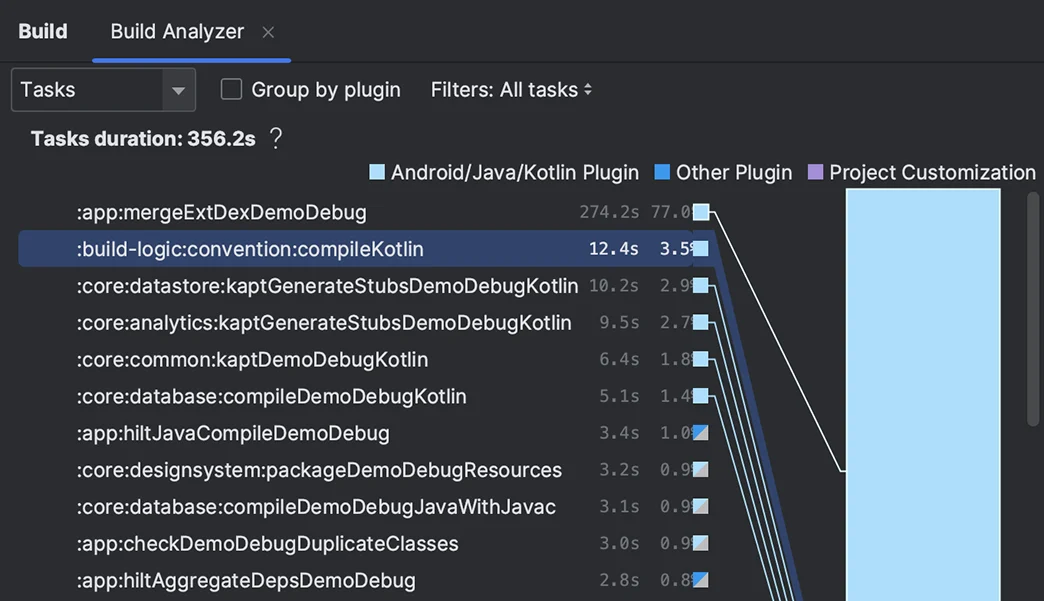
Its toolset includes Gradle builds, an Android Emulator, code templates, lint checks, profilers, and support for C++ through the NDK. Developers can deploy to an emulator or connected Android device.
The IDE is free to download. Gemini features are available within Android Studio, but some usage options and quotas are separate from the IDE’s price.
These are the product-specific differences that may matter when deciding whether the software fits your workflow. They are based on documented evidence rather than a universal ranking.
These are documented constraints or practical friction points that may matter before you adopt the product.
Google lists separate minimum RAM and disk requirements for Studio alone and Studio with the emulator.
Evidence source ↗ChromeOS users should not assume the desktop emulator workflow is available in that environment.
Evidence source ↗The IDE is free, but higher Gemini quotas or use of a personal API key may involve a subscription or token-based charges.
Evidence source ↗The IDE is free to download and use. Optional Gemini plans or API usage may have separate costs.
Check current pricing →Pricing may change. Verify current plans on the vendor's website.
Compare similar products directly, then see which alternatives may make more sense when your requirements differ.
These products address broadly similar requirements. The descriptions focus on documented reasons a buyer might compare them with Android Studio.
| Supported desktop environments | Windows, macOS, Linux, ChromeOS |
|---|---|
| Current stable release verified | Android Studio Quail 4, 2026.1.4 Patch 1 |
| Build system | Gradle with Android Gradle plugin |
| Emulator | Included with Android Studio |
| Integrations | Firebase, Google Play services, GitHub, Gradle |
| API | No standalone end-user Android Studio API identified; plugin extension APIs are documented |
| Free trial | Not applicable; Android Studio is free |
| Windows ARM support | Not currently supported in Google's installation requirements |
| Linux ARM support | Not currently supported in Google's installation requirements |
| ChromeOS deployment | Deployment supported to a connected hardware device |
Verified installation, hosting, administration, or environment details that can affect implementation.
| Installation or hosting | Installable desktop IDE for Windows, macOS, and Linux, with a ChromeOS package installed through the Linux environment. Source ↗ |
|---|
Documented portability, standards, export, or switching considerations. No switching-cost score is shown unless the evidence supports one.
Google provides guidance for migrating projects to Android Studio; Android Studio projects use Gradle build files.
Evidence source ↗A proprietary editorial score based on product capabilities, usability, value, performance, support and user sentiment evidence.
Google documents a broad Android-specific toolset and free IDE access. G2 reviews praise integrated development tools while also reporting resource demands and setup friction.
Methodology v1.0. The assessment weighs feature coverage (25%), ease of use (15%), value for money (20%), performance (15%), support (10%) and user sentiment (15%), using researched product evidence and verified review evidence where available. It is a TechZella editorial assessment, not a direct user-review average.
Key claims are linked to the sources used to verify them. This evidence record is separate from third-party user ratings.
TechZella evaluates software using documented product capabilities, pricing information, usability and value considerations, independent user evidence where available, and competitive context. The assessment is an editorial review, not a hands-on test unless one is explicitly identified. Our editorial assessment is based on 5 documented sources.
Google describes Android Studio as the official integrated development environment for Android app development.
View source ↗Verified 2026-10-01Google's product overview lists these development capabilities.
View source ↗Verified 2026-10-01Google's Android Developers Blog announced Android Studio on May 15, 2013, and described it as free.
View source ↗Verified 2026-10-01The official install page identified this build as the current download and stated it was last updated on September 28, 2026.
View source ↗Verified 2026-10-01Google's installation instructions list downloads and setup steps for these environments.
View source ↗Verified 2026-10-01Google documents a Firebase Assistant workflow for exploring and adding Firebase services to an app project.
View source ↗Verified 2026-10-01The public G2 product review page showed the rating and review count.
View source ↗Verified 2026-10-01No reviews yet. Be the first to share your experience.
Please log in to submit a review.
Is Android Studio free? Yes. Google’s announcement described Android Studio as free, and the current download page provides the IDE without a listed subscription price.
Which operating systems are supported? Google lists Windows, macOS, Linux, and ChromeOS installation options. ChromeOS requires its Linux environment.
Does Android Studio include an emulator? Yes. Google’s documentation says the Android Emulator comes with Android Studio, though it requires additional system resources.
Does Android Studio have an API? No standalone end-user API for Android Studio was identified in the reviewed product documentation. Android Studio supports development against Android APIs and provides plugin extension interfaces.
Is there a free trial? A trial is not applicable to the IDE because it is free. Gemini has separate usage limits and optional paid access routes.