
The FREE edition has functional caps, and saving is unavailable when a file exceeds them.
A creator may need to reduce model complexity or upgrade before continuing work on a larger rig.
Evidence source ↗
Live2D Cubism Editor rigs and animates layered 2D illustrations. Its SDKs render those models in games, apps, and web experiences.
Official materials document detailed modeling, animation, export, and SDK capabilities, plus a permanent but constrained FREE version. These are editorial assessments, not user ratings; public review evidence was insufficient to assess user sentiment.
This profile combines documented product information and independent evidence where available. It is not a hands-on test unless TechZella explicitly identifies one.
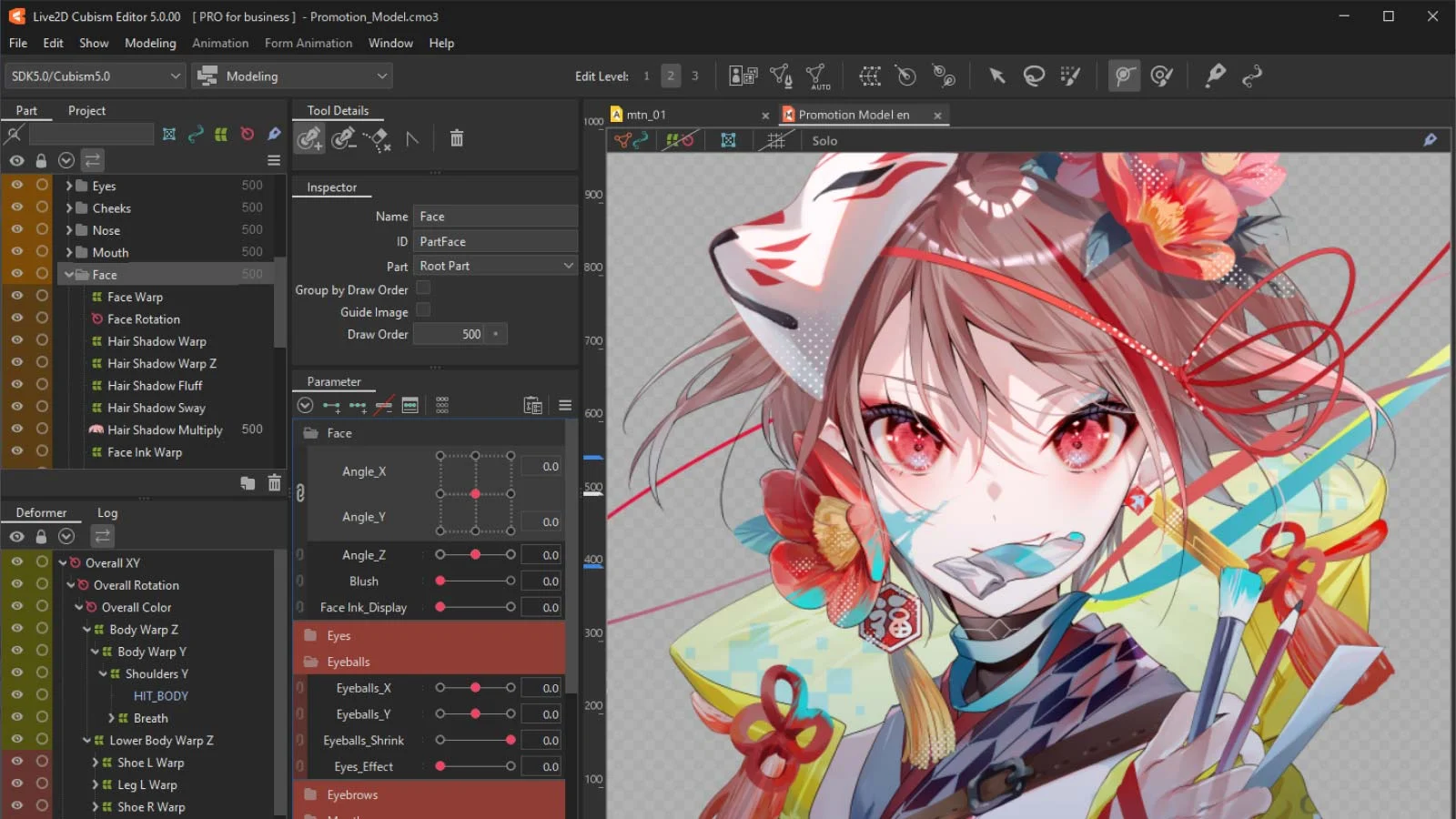
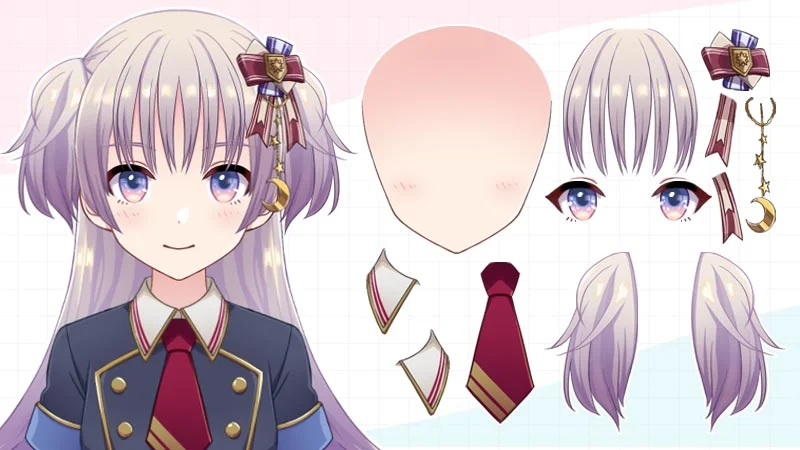
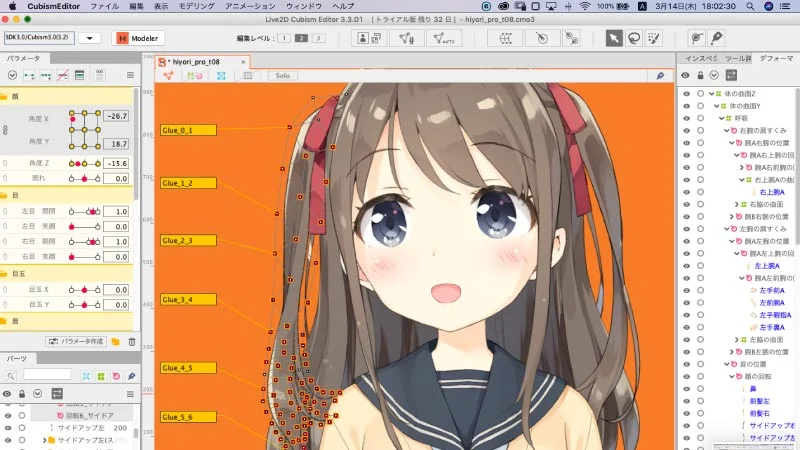
Live2D Cubism Editor creates rigged, animated characters from layered 2D illustrations. Its modeling workflow uses ArtMeshes, parameters, and deformers to produce movement while retaining the source artwork’s illustrated appearance.
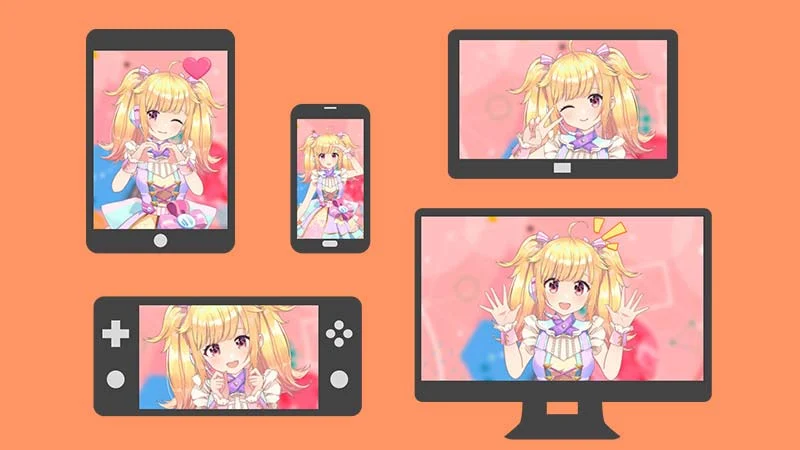
The Editor includes physics and lip-sync features. Creators can export animations, while developers can use separate Cubism SDKs to render models in applications and games. The Editor runs on Windows and macOS; SDK options extend to web and mobile environments.
A quick way to understand who this product may suit, where its limits matter, and which facts are most relevant before you compare alternatives.
Illustrators and small creative teams making rigged 2D characters for VTuber streaming, animation, games, or applications, especially when they need Live2D’s SDK ecosystem.
Teams creating traditional frame-by-frame animation, 3D characters, or models for Linux desktop authoring. Cubism Editor supports Windows and macOS, and FREE edition limits can constrain complex models, and should evaluate alternatives such as Spine or Inochi Creator instead.
Android, iOS, macOS, Web, Windows
6.6/10
These are the product-specific differences that may matter when deciding whether the software fits your workflow. They are based on documented evidence rather than a universal ranking.
These are documented constraints or practical friction points that may matter before you adopt the product.
A creator may need to reduce model complexity or upgrade before continuing work on a larger rig.
Evidence source ↗A business embedding Cubism models in a released application may need to budget for a publication agreement in addition to editor licenses.
Evidence source ↗Buyers should test the trial and verify system compatibility before committing to an annual plan.
Evidence source ↗Always-free edition with restrictions on model complexity and output.
Check current pricing →Trial of PRO functions; after expiry, users can continue with the limited FREE edition.
Check current pricing →For general users and small-scale enterprises with annual revenue below JPY 10 million.
Check current pricing →Renewable annual plan. The store lists lower amounts for subsequent renewal years; annual plans cannot be cancelled during their term.
Check current pricing →For medium or large businesses with annual revenue of JPY 10 million or more. SDK Release License is not included.
Check current pricing →Pricing may change. Verify current plans on the vendor's website.
Compare similar products directly, then see which alternatives may make more sense when your requirements differ.
| Decision factor | Live2D Cubism | Spine | Inochi Creator |
|---|---|---|---|
| Primary workflow | Rig and animate layered illustrations as expressive 2D models. | Create skeletal 2D animations, with a workflow focused on game integration. Source ↗ | Rig 2D illustrations for Inochi2D-compatible games and VTubing software. Source ↗ |
| Editor platforms | Cubism Editor supports Windows and macOS. | Spine lists Windows, macOS, and Linux desktop support. Source ↗ | Inochi Creator offers Windows, macOS, and Linux downloads. Source ↗ |
| Runtime licensing | SDK development is available without initial cost; certain published content requires a separate agreement and fee. | A Spine license permits runtime integration in games and applications under its license terms. Source ↗ | Inochi2D documents an open BSD 2-clause license with no project integration fees; its format is incompatible with Live2D models. Source ↗ |
Only factors supported by the available research are shown. The comparison is descriptive, not a ranking.
These products address broadly similar requirements. The descriptions focus on documented reasons a buyer might compare them with Live2D Cubism.

| Editor operating systems | Windows 10/11 64-bit; supported macOS versions |
|---|---|
| Minimum memory | Windows: 4 GB; macOS: 8 GB |
| Minimum display | 1440 × 900 pixels |
| Image input | PSD, PNG |
| Audio input | WAV |
| Video output | MP4, WebM, MOV |
| SDK options | Unity, Native, Web, Java, Unreal Engine, Cocos Creator; console SDK for registered developers |
| API | SDK and Core APIs for rendering and handling Cubism models; no REST API was identified in reviewed product materials |
| FREE edition limits | One texture file up to 2048 px; up to 100 ArtMeshes, 30 motion parameters, and 50 deformers |
| Company founded | July 31, 2006 |
Verified installation, hosting, administration, or environment details that can affect implementation.
| Installation or hosting | Downloadable desktop Editor for Windows and macOS; no hosted Editor service is documented. Source ↗ |
|---|---|
| SDK deployment | SDK options include Unity, Native, Web, Java, Unreal Engine, Cocos Creator, and console platforms for registered developers. Source ↗ |
Documented portability, standards, export, or switching considerations. No switching-cost score is shown unless the evidence supports one.
PRO and FREE versions are data-compatible, but FREE may require editing a PRO model to comply with its restrictions before saving.
Evidence source ↗A proprietary editorial score based on product capabilities, usability, value, performance, support and user sentiment evidence.
Official materials document detailed modeling, animation, export, and SDK capabilities, plus a permanent but constrained FREE version. These are editorial assessments, not user ratings; public review evidence was insufficient to assess user sentiment.
Methodology v1.0. The assessment weighs feature coverage (25%), ease of use (15%), value for money (20%), performance (15%), support (10%) and user sentiment (15%), using researched product evidence and verified review evidence where available. It is a TechZella editorial assessment, not a direct user-review average.
Key claims are linked to the sources used to verify them. This evidence record is separate from third-party user ratings.
TechZella evaluates software using documented product capabilities, pricing information, usability and value considerations, independent user evidence where available, and competitive context. The assessment is an editorial review, not a hands-on test unless one is explicitly identified. Our editorial assessment is based on 6 documented sources.
Live2D describes modeling and animation workflows and notes included physics and lip-sync features.
View source ↗Verified 2026-11-15The product page states the trial duration and the post-trial FREE option.
View source ↗Verified 2026-11-15The comparison page lists limits including one texture file up to 2048 pixels, 100 ArtMeshes, 30 motion parameters, and 50 deformers.
View source ↗Verified 2026-11-15The store distinguishes the plans by publisher revenue, with monthly, annual, and three-year options displayed.
View source ↗Verified 2026-11-15The official SDK page lists these SDKs and describes target environments and supported frameworks.
View source ↗Verified 2026-11-15Live2D says a publication agreement and applicable payment may be required for release, with exemptions and exceptions described on its licensing page.
View source ↗Verified 2026-11-15The company profile lists its founding date and Tokyo address.
View source ↗Verified 2026-11-15Answers begin with the clearest available response, followed by the context that helps you act on it.
No reviews yet. Be the first to share your experience.
Please log in to submit a review.