
Emacs features can execute Lisp code from content the user has chosen to trust.
Users should review trust settings and be cautious when opening unfamiliar files or directories.
Evidence source ↗
GNU Emacs is a free, extensible text editor for programming and general text work. Its built-in tools and Emacs Lisp let users customize editing and related workflows.
Official manuals document extensive editing, programming, version-control, and customization capabilities. G2 displays a 4.5/5 aggregate, while accessible review excerpts mention both flexibility and a learning curve. No hands-on testing was conducted.
This profile combines documented product information and independent evidence where available. It is not a hands-on test unless TechZella explicitly identifies one.
GNU Emacs is a free text editor and extensible working environment in the GNU Project. Development began in 1984. It supports programming and general text editing, with additional tools for file management, comparison, debugging, and other tasks.
Users can customize and extend Emacs with Emacs Lisp. The breadth of built-in functions and extensions can suit users who want to shape their own workflow, but G2 review excerpts and the product’s extensive manuals point to a learning curve. GNU publishes installers, source, and platform-specific installation instructions rather than a hosted editor service.
A quick way to understand who this product may suit, where its limits matter, and which facts are most relevant before you compare alternatives.
Developers and text-focused users who want a highly configurable editor, built-in tools, and the option to automate workflows with Emacs Lisp.
Users who need a centrally managed hosted editor or expect complex version-control administration to be available entirely through the editor's built-in interface, and should evaluate alternatives such as Visual Studio Code or Neovim instead.
Android, BSD, GNU/Linux, macOS, Windows
7.9/10
These are the product-specific differences that may matter when deciding whether the software fits your workflow. They are based on documented evidence rather than a universal ranking.
These are documented constraints or practical friction points that may matter before you adopt the product.
Users should review trust settings and be cautious when opening unfamiliar files or directories.
Evidence source ↗Teams may still need command-line tools for repository configuration and other intricate tasks.
Evidence source ↗Free software under the GNU General Public License. No paid software plan or trial period is listed. Printed manuals are sold separately.
Check current pricing →Pricing may change. Verify current plans on the vendor's website.
Compare similar products directly, then see which alternatives may make more sense when your requirements differ.
These products address broadly similar requirements. The descriptions focus on documented reasons a buyer might compare them with GNU Emacs.
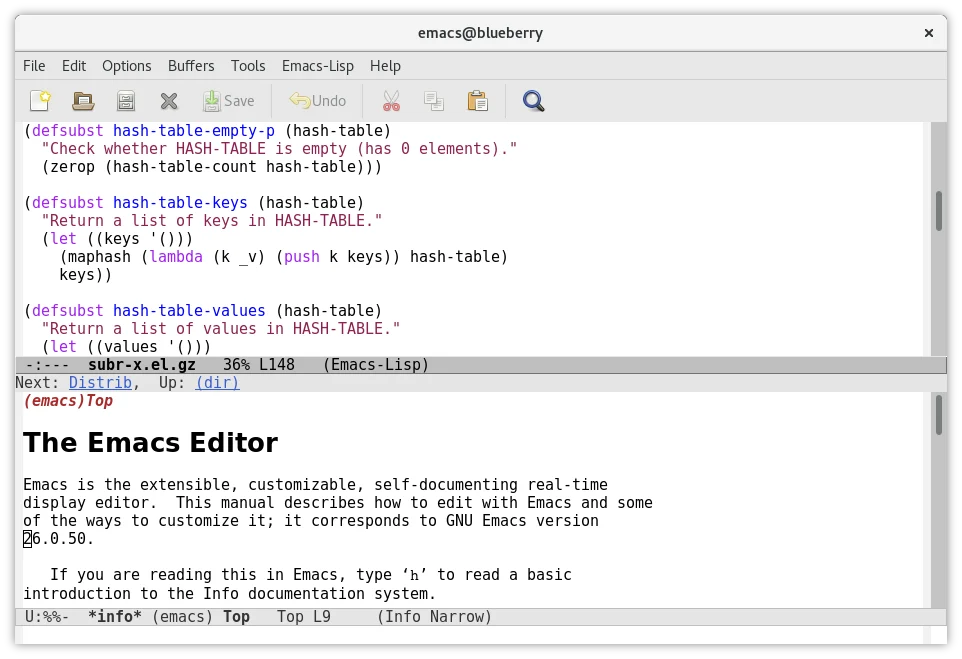
| License | GNU General Public License |
|---|---|
| Latest release found | 31.1, source archive dated 2026-08-24 |
| Platforms | GNU/Linux, BSD, macOS, Windows, Android; additional systems are listed by GNU |
| Extension language | Emacs Lisp |
| API | Emacs Lisp extension interface; documented D-Bus API |
| Version-control systems | Includes Git, Mercurial, Subversion, CVS, Bazaar, RCS, SCCS/CSSC, and SRC |
| Integrations | GDB; supported version-control backends; D-Bus; shell and subprocess tools |
| Free trial | Not applicable; software is free to use |
| Hosting | Installable software; no hosted service identified in reviewed official materials |
Verified installation, hosting, administration, or environment details that can affect implementation.
| Installation or hosting | Installable desktop and terminal software. GNU provides source and platform-specific download guidance; Linux and BSD distributions also provide packages. Source ↗ |
|---|
A proprietary editorial score based on product capabilities, usability, value, performance, support and user sentiment evidence.
Official manuals document extensive editing, programming, version-control, and customization capabilities. G2 displays a 4.5/5 aggregate, while accessible review excerpts mention both flexibility and a learning curve. No hands-on testing was conducted.
Methodology v1.0. The assessment weighs feature coverage (25%), ease of use (15%), value for money (20%), performance (15%), support (10%) and user sentiment (15%), using researched product evidence and verified review evidence where available. It is a TechZella editorial assessment, not a direct user-review average.
Key claims are linked to the sources used to verify them. This evidence record is separate from third-party user ratings.
TechZella evaluates software using documented product capabilities, pricing information, usability and value considerations, independent user evidence where available, and competitive context. The assessment is an editorial review, not a hands-on test unless one is explicitly identified. Our editorial assessment is based on 6 documented sources.
The GNU Project history says work on GNU Emacs began in September 1984.
View source ↗Verified 2026-10-01The manual's distribution section describes GNU Emacs as free software and identifies the GPL as its distribution license.
View source ↗Verified 2026-10-01The official download page lists these operating systems and gives platform-specific installation guidance.
View source ↗Verified 2026-10-01The manual describes VC and lists support for Git, Mercurial, Subversion, and other systems, while noting some operations require external tools.
View source ↗Verified 2026-10-01The official guided tour describes using Emacs Lisp to customize Emacs and add features.
View source ↗Verified 2026-10-01A GNU source mirror directory lists the Emacs 31.1 source archives with that date.
View source ↗Verified 2026-10-01Yes. GNU Emacs is free software distributed under the GNU General Public License. Printed manuals may be purchased separately.
The GNU Project offers the software as free software, not as a time-limited trial or paid subscription.
The official download page lists GNU/Linux, BSD systems, macOS, Windows, Android, Haiku, Solaris, and DOS/FreeDOS, among others.
Emacs Lisp is the documented extension and customization language. Emacs also documents a D-Bus API for using the D-Bus message bus system. The reviewed sources do not describe a hosted external REST API.
Yes. Its VC interface supports common Git operations. The manual notes that some tasks, including repository syncing, must be performed through command-line tools.
No reviews yet. Be the first to share your experience.
Please log in to submit a review.