
GeanyVC is a plugin and implements only a subset of version-control operations.
Users needing advanced branching, repository administration or broader workflows may still need command-line tools or a separate VCS client.
Evidence source ↗
Geany is a free, open-source desktop code editor with basic IDE features, including syntax highlighting, code completion, folding and plugin support.
The project documents core editing and IDE functions, plugin extensibility, and free GPL licensing. No verified third-party review-platform ratings or review counts were found, so user sentiment and support scores have low evidential confidence.
This profile combines documented product information and independent evidence where available. It is not a hands-on test unless TechZella explicitly identifies one.
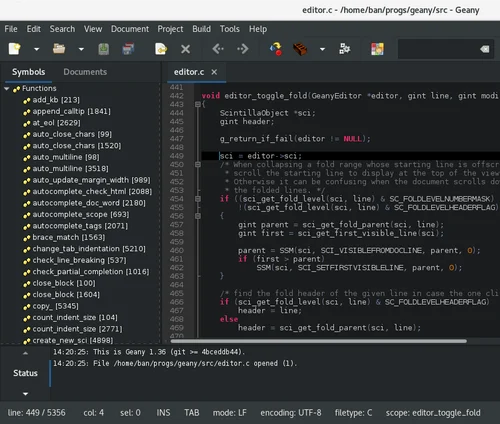
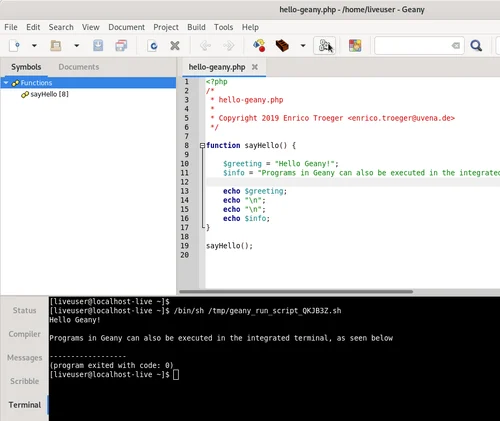
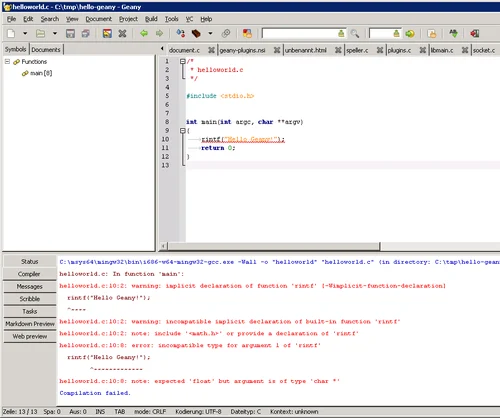
Geany is a desktop code editor that combines text editing with selected IDE functions. Its documented features include syntax highlighting, completion, call tips, code folding, symbol lists and an embedded terminal.
The application is designed around GTK and has packages for Linux distributions, plus prebuilt binaries for Windows and macOS. It is free and open source under GPL-2.0-or-later.
A quick way to understand who this product may suit, where its limits matter, and which facts are most relevant before you compare alternatives.
Developers who want a free desktop editor for common programming languages, with syntax assistance and configurable local build commands.
Teams needing a managed cloud IDE, built-in enterprise support, or a fully integrated language-server workflow should verify those requirements separately; Geany's core feature list does not establish them, and should evaluate alternatives such as Visual Studio Code or Notepad++ instead.
Linux, macOS, Windows
7.3/10
These are the product-specific differences that may matter when deciding whether the software fits your workflow. They are based on documented evidence rather than a universal ranking.
These are documented constraints or practical friction points that may matter before you adopt the product.
Users needing advanced branching, repository administration or broader workflows may still need command-line tools or a separate VCS client.
Evidence source ↗Organizations maintaining custom builds should account for platform-specific setup and dependencies.
Evidence source ↗Geany is distributed under GPL-2.0-or-later. No paid plans or separate trial are listed in the reviewed project materials.
Check current pricing →Pricing may change. Verify current plans on the vendor's website.
Compare similar products directly, then see which alternatives may make more sense when your requirements differ.
These products address broadly similar requirements. The descriptions focus on documented reasons a buyer might compare them with Geany.

| License | GPL-2.0-or-later |
|---|---|
| Platform | Linux, Windows, macOS |
| Deployment | Desktop application |
| Integrations | Plugin ecosystem; GeanyVC supports selected operations for Git, Mercurial, Subversion and other version-control systems. |
| API | C plugin API; no general-purpose hosted API verified. |
| Free trial | Not applicable; the software is free. |
Verified installation, hosting, administration, or environment details that can affect implementation.
| Installation or hosting | Desktop application. Linux users can install distribution packages; prebuilt binaries are available for Windows and macOS. Source builds require GTK libraries. Source ↗ |
|---|
A proprietary editorial score based on product capabilities, usability, value, performance, support and user sentiment evidence.
The project documents core editing and IDE functions, plugin extensibility, and free GPL licensing. No verified third-party review-platform ratings or review counts were found, so user sentiment and support scores have low evidential confidence.
Methodology v1.0. The assessment weighs feature coverage (25%), ease of use (15%), value for money (20%), performance (15%), support (10%) and user sentiment (15%), using researched product evidence and verified review evidence where available. It is a TechZella editorial assessment, not a direct user-review average.
Key claims are linked to the sources used to verify them. This evidence record is separate from third-party user ratings.
TechZella evaluates software using documented product capabilities, pricing information, usability and value considerations, independent user evidence where available, and competitive context. The assessment is an editorial review, not a hands-on test unless one is explicitly identified. Our editorial assessment is based on 3 documented sources.
The project README lists syntax highlighting, code completion, call tips, folding, supported file types, symbol lists, terminal emulation and plugins.
View source ↗Verified 2026-10-01The project README specifies GPL-2.0-or-later licensing for Geany.
View source ↗Verified 2026-10-01The README describes Linux distribution packages and directs users to prebuilt macOS and Windows binaries.
View source ↗Verified 2026-10-01The plugin page documents operations such as diff, status, blame, revert and commit for Git, Mercurial, Subversion and other systems.
View source ↗Verified 2026-10-01The releases page labels Geany 2.1 as the latest release and lists its release notes.
View source ↗Verified 2026-10-01Yes. The project distributes it under GPL-2.0-or-later.
The project documents Linux distribution packages and prebuilt binaries for Windows and macOS.
The project documents a plugin API for extending the application. The materials reviewed do not establish a hosted REST API.
The GeanyVC plugin offers selected operations for Git, Mercurial, Subversion and other systems. Its feature set is a subset of each system’s capabilities.
A separate trial is not applicable because Geany is free software.
No reviews yet. Be the first to share your experience.
Please log in to submit a review.