
Database support is not uniform across vendors.
Confirm whether the target database has complete or basic support before relying on advanced completion, introspection, inspections, or quick-fixes.
Evidence source ↗
DataGrip is JetBrains’ cross-platform database IDE for querying, exploring, and editing databases. It supports many database systems, with feature depth varying by database.
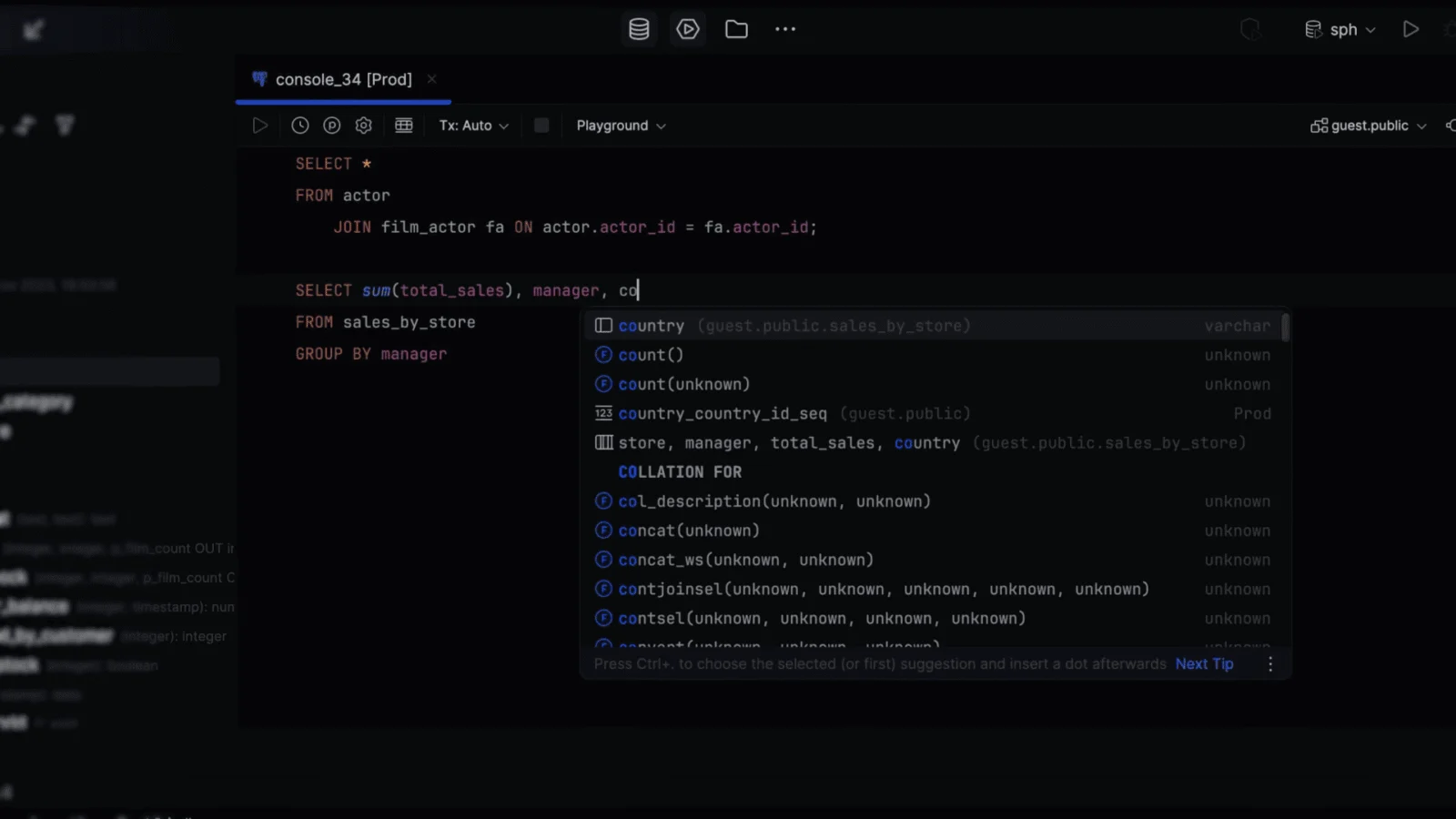
Official documentation describes broad database connectivity, SQL assistance, data editing, and query-plan tools. G2 displays a 4.6 rating from 126 reviews and summarizes praise for autocomplete and ease of use, alongside some reports of resource demands.
This profile combines documented product information and independent evidence where available. It is not a hands-on test unless TechZella explicitly identifies one.
DataGrip is JetBrains’ desktop IDE for working with databases and SQL. Users configure data sources to connect to local, remote, or cloud-hosted databases, then explore database objects, write queries, and view or edit data.
Database support varies by system. JetBrains classifies supported databases as having complete or basic support. Complete support includes richer introspection and coding assistance, while basic support provides more limited metadata and SQL highlighting.
A quick way to understand who this product may suit, where its limits matter, and which facts are most relevant before you compare alternatives.
Developers and database practitioners who work across supported database systems and want SQL editing, schema exploration, query execution, and data editing in one desktop IDE.
Teams requiring a browser-hosted database workspace, or users whose database has only basic support and depends on advanced database-aware code assistance, and should evaluate alternatives such as DBeaver instead.
Linux, macOS, Windows
8.1/10
These are the product-specific differences that may matter when deciding whether the software fits your workflow. They are based on documented evidence rather than a universal ranking.
These are documented constraints or practical friction points that may matter before you adopt the product.
Confirm whether the target database has complete or basic support before relying on advanced completion, introspection, inspections, or quick-fixes.
Evidence source ↗Commercial work requires a commercial subscription, even when the user is an individual developer.
Evidence source ↗Free license for qualifying non-commercial development, such as learning, hobby projects, and open-source contributions without commercial benefits.
Check current pricing →Individual commercial subscription. Taxes may apply. JetBrains also offers annual billing.
Check current pricing →Commercial organization licensing is quoted by JetBrains.
Check current pricing →Full-featured trial for new users.
Check current pricing →Pricing may change. Verify current plans on the vendor's website.



| Product type | Desktop database IDE |
|---|---|
| Platforms | Windows, macOS, Linux |
| Database connectivity | JDBC drivers and configured data sources |
| Deployment | Desktop installation; connects to local, remote, and cloud databases |
| Free trial | 30 days for new users |
| Free license | Available for qualifying non-commercial use |
| API and agent connectivity | MCP tools are documented for AI-agent workflows; no general-purpose public DataGrip application API was established in the reviewed sources |
| Data export | TXT, CSV, JSON, XML, Markdown, Excel, and other formats |
Verified installation, hosting, administration, or environment details that can affect implementation.
| Installation or hosting | Installed desktop IDE for Windows, macOS, and Linux. It connects to databases running locally or remotely, including on cloud platforms. Source ↗ |
|---|---|
| Database connectivity | Uses configured data sources and JDBC drivers to connect to supported databases; custom driver files can also be added. Source ↗ |
DBeaver Community is a relevant alternative for buyers seeking a free, open-source, multiplatform database tool with JDBC connectivity. Its published scope differs from DataGrip’s database-specific support tiers and JetBrains IDE coding assistance. Compare the exact database support and workflows needed before choosing.
Documented portability, standards, export, or switching considerations. No switching-cost score is shown unless the evidence supports one.
DataGrip can export and import data source settings, including global data sources and driver settings.
Evidence source ↗Exports data to formats including TXT, CSV, JSON, XML, Markdown, and Excel. Full database dumps are documented for PostgreSQL and MySQL using their command-line tools.
Evidence source ↗A proprietary editorial score based on product capabilities, usability, value, performance, support and user sentiment evidence.
Official documentation describes broad database connectivity, SQL assistance, data editing, and query-plan tools. G2 displays a 4.6 rating from 126 reviews and summarizes praise for autocomplete and ease of use, alongside some reports of resource demands.
Methodology v1.0. The assessment weighs feature coverage (25%), ease of use (15%), value for money (20%), performance (15%), support (10%) and user sentiment (15%), using researched product evidence and verified review evidence where available. It is a TechZella editorial assessment, not a direct user-review average.
Key claims are linked to the sources used to verify them. This evidence record is separate from third-party user ratings.
TechZella evaluates software using documented product capabilities, pricing information, usability and value considerations, independent user evidence where available, and competitive context. The assessment is an editorial review, not a hands-on test unless one is explicitly identified. Our editorial assessment is based on 6 documented sources.
JetBrains installation documentation identifies the three supported desktop operating systems.
View source ↗Verified 2026-10-01JetBrains explains that complete support includes enhanced code completion, introspection, inspections, and quick-fixes, while basic support is more limited.
View source ↗Verified 2026-10-01The data source documentation describes local and remote database connections and lists supported cloud database environments.
View source ↗Verified 2026-10-01JetBrains pricing lists a free non-commercial offer and a 30-day trial for new users.
View source ↗Verified 2026-10-01The documentation describes explain plans, analysis options, and tree, diagram, and flame-graph views for supported databases.
View source ↗Verified 2026-10-01JetBrains documents agent capabilities and MCP tools, including exposing the IDE as an MCP server.
View source ↗Verified 2026-10-01Answers begin with the clearest available response, followed by the context that helps you act on it.
No reviews yet. Be the first to share your experience.
Please log in to submit a review.