Editorial overview
Aggregated Overview
The app combines OATH codes with several YubiKey management functions and runs across desktop and mobile platforms. It is free, but requires compatible YubiKey hardware. Public store ratings are mixed, and no independent performance testing was found.
This profile combines documented product information and independent evidence where available. It is not a hands-on test unless TechZella explicitly identifies one.
Decision guideYubico Authenticator Decision Snapshot
A quick way to understand who this product may suit, where its limits matter, and which facts are most relevant before you compare alternatives.
Best suited toPeople and organizations already using compatible YubiKeys who want OATH codes stored on the key, or need a cross-platform interface for managing supported key functions.
Look elsewhere ifUsers seeking a standalone password vault, a cloud-synced authenticator that works without hardware, or full feature parity across every platform and key model, and should evaluate alternatives such as Google Authenticator or Microsoft Authenticator instead.
PlatformsAndroid, iOS, Linux, macOS, Windows
TechZella assessment7.6/10
Overview
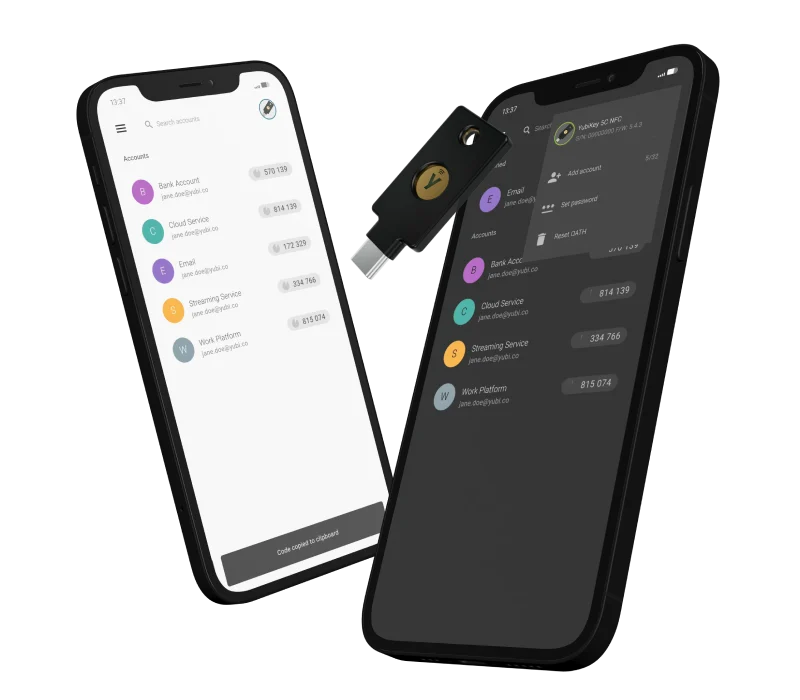
Yubico Authenticator is a companion application for compatible YubiKeys. It generates OATH one-time codes and provides interfaces for managing supported key features, including passkeys, PINs, fingerprints, and PIV certificates.
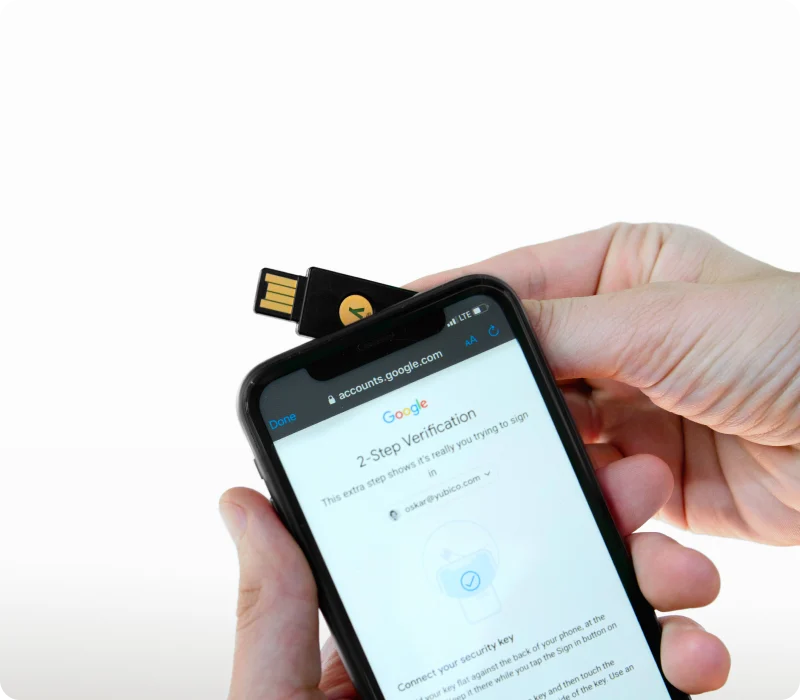
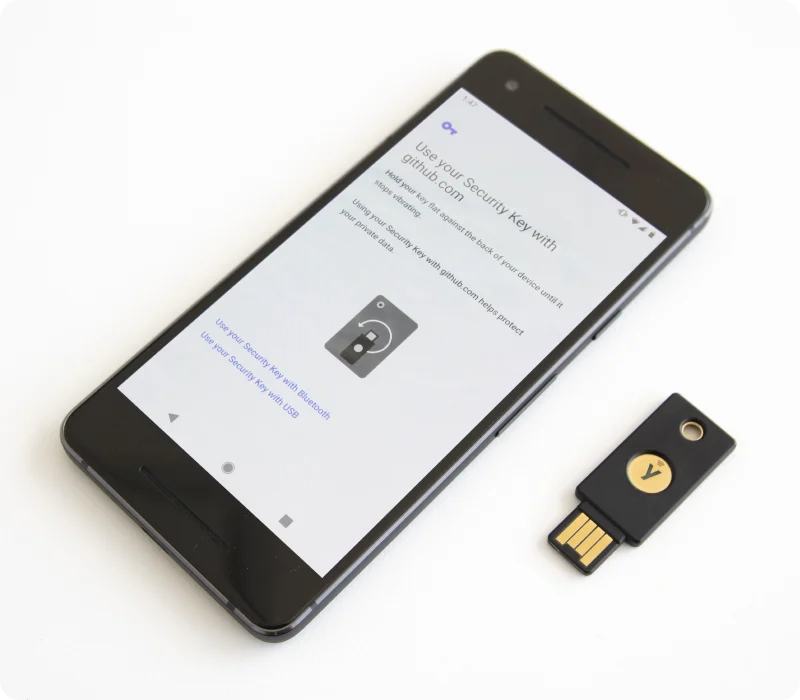
It is not a conventional password manager or a standalone software authenticator. OATH secrets are kept on the YubiKey, so users need compatible hardware to enroll and use those credentials. The app is available across desktop and mobile systems, but feature support varies by platform, key model, and connection.
Yubico Authenticator — What Sets It Apart?
These are the product-specific differences that may matter when deciding whether the software fits your workflow. They are based on documented evidence rather than a universal ranking.
- OATH secrets are stored on the YubiKey rather than in the phone or desktop app.
- One app manages OATH codes alongside supported FIDO2, PIV, and Yubico OTP functions.
- A configured key can be used with the app on another supported device without re-enrolling each OATH account.
6 key claims verifiedOur editorial team checked this profile against vendor documentation, product documentation, pricing information. Supported by 5 documented sources.
Editorial assessmentYubico Authenticator Pros & Cons
Pros
- Stores OATH secrets on the YubiKey rather than in the app.
- Works across supported desktop and mobile systems with the same configured key.
- Combines OTP generation with several YubiKey management functions.
- Free to download.
Cons
- Requires compatible YubiKey hardware for key-based functions.
- Functionality varies by platform, connection method, and key model.
- Some FIDO2 management features are not available on iOS/iPadOS.
- Backup-key enrollment is important for resilience if the primary key is lost.
Yubico Authenticator Gotchas & Operational Limits
These are documented constraints or practical friction points that may matter before you adopt the product.
The Authenticator app does not replace the YubiKey; OATH account setup and code generation require a compatible key.
Buyers should include compatible hardware and a backup-key plan in their rollout rather than budgeting for the app alone.
Evidence source ↗The iOS/iPadOS app does not support the full FIDO2 feature set, and USB-C support is partial on those platforms.
Confirm the exact key, interface, and required feature combination before standardizing on mobile use.
Evidence source ↗Importing Google Authenticator accounts through exported QR codes is supported only by the desktop and Android versions.
An iPhone-only migration may require another supported device for the initial import.
Evidence source ↗Security & Privacy
For security-sensitive software, TechZella focuses on documented architecture, authentication, data handling, deployment and privacy details that can affect a buying decision. This is product research, not an independent security audit.
Security posture at a glance
| Supported authentication | OATH TOTP and HOTP; supported FIDO2, PIV, and Yubico OTP management |
|---|
| Hosting | Installed desktop and mobile applications; no hosted account plan identified |
|---|
Security claims are presented only when supported by documented sources. The presence of this section does not constitute a penetration test, certification or independent security audit.
Plans & pricingYubico Authenticator Pricing & Plans
Yubico Authenticator
$0
one-time
Free application. A compatible YubiKey is required for key-based features and is sold separately.
Check current pricing →Pricing may change. Verify current plans on the vendor's website.
Cost contextTotal Cost & Hidden Costs
Additional costs or implementation requirements that are documented in the available evidence.
Compatible YubiKey hardware
The app is free, but its key-based credential functions require a compatible YubiKey. A second key may be needed for backup; hardware pricing varies by model and retailer.
Evidence source ↗Yubico Authenticator Features
OATH authentication
- Add OATH accounts by QR code or manual entry
- Generate TOTP and HOTP codes from credentials stored on a YubiKey
- Optionally require a touch or NFC interaction to generate a code
- Protect the OATH application with a password
- Rename, pin, and delete accounts
YubiKey management
- Manage supported FIDO2 passkeys and PINs
- Manage fingerprints on compatible YubiKey Bio models
- Manage supported PIV certificates and PIN, PUK, and management-key settings
- Configure supported Yubico OTP application slots
- Toggle supported key applications and reset individual applications
Cross-platform access
- Desktop applications for Windows, macOS, and Linux
- Mobile applications for Android, iOS, and iPadOS
- USB, Lightning, and NFC connection support in documented device and key combinations
Alternatives
Google Authenticator, Microsoft Authenticator, and 2FAS are software-authenticator options to consider when a buyer wants to generate verification codes without a YubiKey-based workflow. Yubico Authenticator is more relevant when the requirement is to keep OATH secrets on a YubiKey and manage supported key functions from the same app.
Yubico Authenticator Specifications
| Pricing | Free app; compatible YubiKey purchased separately |
|---|
| Platforms | Windows, macOS, Linux, Android, iOS, iPadOS |
|---|
| Hardware requirement | Compatible YubiKey |
|---|
| Supported authentication | OATH TOTP and HOTP; supported FIDO2, PIV, and Yubico OTP management |
|---|
| Connection | USB, Lightning, and NFC, subject to compatibility |
|---|
| API | No public Yubico Authenticator app API documented |
|---|
| Integrations | OATH-compatible services that accept authenticator-app codes; Yubico cites Azure MFA as an example |
|---|
| Free trial | Not applicable; the app is free |
|---|
| Hosting | Installed desktop and mobile applications; no hosted account plan identified |
|---|
Exit planningMigration & Lock-In
Documented portability, standards, export, or switching considerations. No switching-cost score is shown unless the evidence supports one.
Google Authenticator import
Google Authenticator's account-export QR codes can be imported using desktop or Android Yubico Authenticator. The iOS/iPadOS app cannot scan those export codes, though the migrated credentials can later be used there.
Evidence source ↗Backup credentials
Yubico recommends enrolling a backup YubiKey for each account. TOTP backup keys generate matching codes when provisioned with the same secret.
Evidence source ↗Our evidence-based assessmentTechZella Score
A proprietary editorial score based on product capabilities, usability, value, performance, support and user sentiment evidence.
7.6/10Moderate confidence
The app combines OATH codes with several YubiKey management functions and runs across desktop and mobile platforms. It is free, but requires compatible YubiKey hardware. Public store ratings are mixed, and no independent performance testing was found.
Methodology v1.0. The assessment weighs feature coverage (25%), ease of use (15%), value for money (20%), performance (15%), support (10%) and user sentiment (15%), using researched product evidence and verified review evidence where available. It is a TechZella editorial assessment, not a direct user-review average.
Editorial transparency
Our Review Methodology
Key claims are linked to the sources used to verify them. This evidence record is separate from third-party user ratings.
TechZella evaluates software using documented product capabilities, pricing information, usability and value considerations, independent user evidence where available, and competitive context. The assessment is an editorial review, not a hands-on test unless one is explicitly identified. Our editorial assessment is based on 5 documented sources.
What TechZella adds- OATH secrets are stored on the YubiKey rather than in the phone or desktop app.
- One app manages OATH codes alongside supported FIDO2, PIV, and Yubico OTP functions.
- A configured key can be used with the app on another supported device without re-enrolling each OATH account.
Important limitations- The app requires a compatible YubiKey for its key-based authentication and credential workflows; the app alone is not a password manager.
- Feature availability varies by key model, operating system, and connection method.
- Yubico recommends registering a backup key; losing the only key can interrupt access to its stored OATH credentials.
- iOS and iPadOS do not support the full set of FIDO2 management features available on desktop and Android.
Evidence-backed claimsThe app generates OATH TOTP and HOTP codes using credentials stored on a YubiKey.Yubico's guide describes adding OATH credentials to a key and generating codes through the app.
View source ↗Verified 2026-10-08The app is available for Windows, macOS, Linux, Android, iOS, and iPadOS.Yubico lists desktop and mobile downloads and documents supported operating systems.
View source ↗Verified 2026-10-08Yubico distributes its end-user software tools as free software.Yubico's software downloads page describes the tools as free and open source; the App Store lists Yubico Authenticator as free.
View source ↗Verified 2026-10-08Yubico Authenticator manages passkeys, FIDO2 PINs, and supported PIV certificates in addition to OATH accounts.The official overview lists these management features and additional Yubico OTP slot functions.
View source ↗Verified 2026-10-08Some features differ across platforms, key models, and interfaces.Yubico specifically documents FIDO2, USB-C, and NFC compatibility caveats.
View source ↗Verified 2026-10-08The Google Play listing identifies Yubico AB and gives a Stockholm business address.The listing's developer details show Yubico AB and Gävlegatan 22, 113 30 Stockholm, Sweden.
View source ↗Verified 2026-10-08 Independent review sources
Yubico Authenticator Ratings & Reviews
Ratings are published by the respective review platforms and may change over time.
Community feedback
Reviews
No reviews yet. Be the first to share your experience.
Write a Review
Please log in to submit a review.
FAQ
Is Yubico Authenticator a password manager?
No. It manages YubiKey functions and generates authentication codes; it is not a general-purpose password vault.
Does the app cost anything?
The app is free. A compatible YubiKey is required for its key-based functions and is purchased separately.
Which platforms are supported?
Yubico documents support for Windows, macOS, Linux, Android, iOS, and iPadOS. Minimum supported versions and feature availability vary.
Can I use it without a YubiKey?
The app’s key-based OATH and management functions require a compatible YubiKey.
Does it have an API or free trial?
No public API or separate free-trial offer for the app was identified. The application itself is free.
Can I move accounts from Google Authenticator?
Google Authenticator account-export QR codes can be imported in the desktop and Android versions. The iOS/iPadOS version cannot perform that import.
Recently added software