
DNS-based filtering does not block every ad, including some ads served from the same domain as the requested content.
Users seeking page-level or video-platform ad removal may need a separate client-side content blocker.
Evidence source ↗
AdGuard Home is a free, open-source DNS server that blocks ads and trackers across connected devices. It supports custom filtering, per-client settings, and encrypted DNS.
The assessment reflects documented DNS filtering, self-hosted deployment, and open-source availability. No reliable third-party review sample or performance benchmark was verified; user sentiment is set to a neutral midpoint.
This profile combines documented product information and independent evidence where available. It is not a hands-on test unless TechZella explicitly identifies one.
A quick way to understand who this product may suit, where its limits matter, and which facts are most relevant before you compare alternatives.
Households and technically comfortable users who want configurable DNS-based ad and tracker filtering across network devices, including devices that cannot run browser extensions.
Users who need page-element filtering or expect DNS filtering to remove ads served from the same domain as requested content, such as some YouTube and social-media ads, and should evaluate alternatives such as Pi-hole instead.
Docker, Linux, macOS, Self-hosted, Windows
7.5/10
AdGuard Home is a self-hosted DNS server for network-wide filtering. It redirects domains matched by filtering rules, allowing connected devices to use shared protection without installing separate client software.
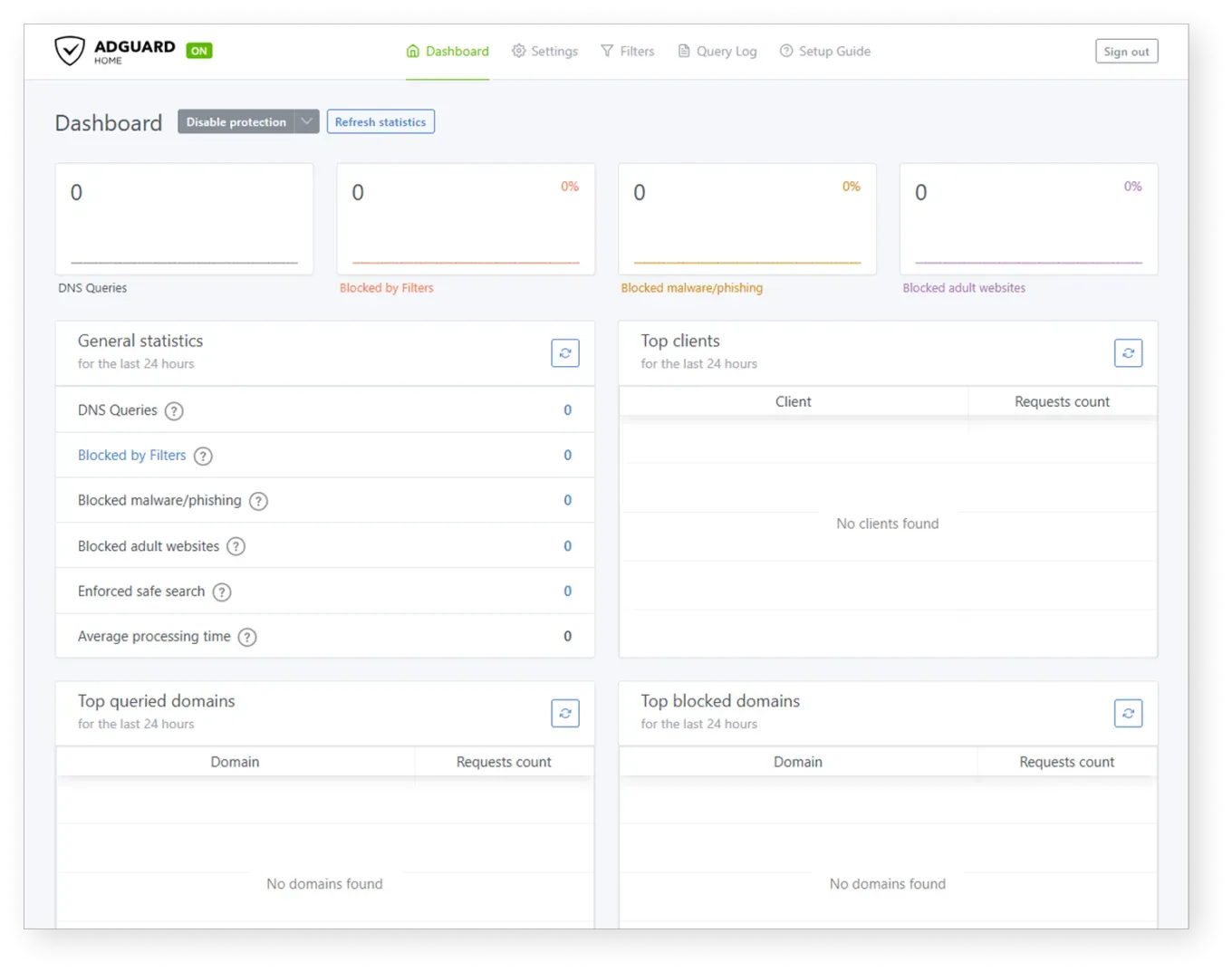
Operators can choose upstream DNS servers, customize blocklists and rules, review DNS activity, and configure policies for individual clients. Setup requires a host for the server and network devices configured to send DNS requests to it.
The project is free and open source. DNS filtering has a defined scope: it cannot reliably block ads delivered from the same domain as wanted content, so it does not replace every browser-based blocker.
These are the product-specific differences that may matter when deciding whether the software fits your workflow. They are based on documented evidence rather than a universal ranking.
These are documented constraints or practical friction points that may matter before you adopt the product.
Users seeking page-level or video-platform ad removal may need a separate client-side content blocker.
Evidence source ↗A port conflict can prevent AdGuard Home from starting until the host resolver or container networking is reconfigured.
Evidence source ↗For security-sensitive software, TechZella focuses on documented architecture, authentication, data handling, deployment and privacy details that can affect a buying decision. This is product research, not an independent security audit.
| Deployment | Self-hosted; manual installation, Docker, and Snap options |
|---|
Security claims are presented only when supported by documented sources. The presence of this section does not constitute a penetration test, certification or independent security audit.
Free, open-source, self-hosted software under GPL-3.0. Hardware and ongoing operation are separate user responsibilities.
Check current pricing →Pricing may change. Verify current plans on the vendor's website.
Compare similar products directly, then see which alternatives may make more sense when your requirements differ.
These products address broadly similar requirements. The descriptions focus on documented reasons a buyer might compare them with AdGuard Home.


| License | GPL-3.0 |
|---|---|
| Pricing | Free and open source |
| Deployment | Self-hosted; manual installation, Docker, and Snap options |
| Platforms | Linux, macOS, Windows, FreeBSD, OpenBSD, and Raspberry Pi support are documented through installation instructions and release builds. |
| Administration interface | Browser-based web interface |
| API | REST API |
| Integrations | Home Assistant integration is documented |
| DNS protocols | DNS-over-HTTPS, DNS-over-TLS, DNS-over-QUIC, DNSCrypt |
| Log storage | Stored on the device running AdGuard Home; retention managed by the user |
| Free trial | Not applicable; the software is free |
Verified installation, hosting, administration, or environment details that can affect implementation.
| Installation or hosting | Self-hosted software with manual installation, an official Docker image, and a Linux Snap package. A router or other network configuration must direct devices to the DNS server. Source ↗ |
|---|---|
| Log storage | DNS query logs are stored on the device running AdGuard Home; users manage log retention. Source ↗ |
A proprietary editorial score based on product capabilities, usability, value, performance, support and user sentiment evidence.
The assessment reflects documented DNS filtering, self-hosted deployment, and open-source availability. No reliable third-party review sample or performance benchmark was verified; user sentiment is set to a neutral midpoint.
Methodology v1.0. The assessment weighs feature coverage (25%), ease of use (15%), value for money (20%), performance (15%), support (10%) and user sentiment (15%), using researched product evidence and verified review evidence where available. It is a TechZella editorial assessment, not a direct user-review average.
Key claims are linked to the sources used to verify them. This evidence record is separate from third-party user ratings.
TechZella evaluates software using documented product capabilities, pricing information, usability and value considerations, independent user evidence where available, and competitive context. The assessment is an editorial review, not a hands-on test unless one is explicitly identified. Our editorial assessment is based on 4 documented sources.
The official project repository describes the software as free and open source and identifies the GPL-3.0 license.
View source ↗Verified 2026-10-05The project documentation explains that the DNS server redirects tracking domains to a sinkhole.
View source ↗Verified 2026-10-05The official FAQ identifies custom rules, server blocking policy, and network activity monitoring as capabilities.
View source ↗Verified 2026-10-05The project README links to its REST API and Python client used to build the Home Assistant integration.
View source ↗Verified 2026-10-05AdGuard's privacy information says query logs are stored locally and their retention is managed by the user.
View source ↗Verified 2026-10-05The project lists YouTube, Twitch, and sponsored social posts as examples of ads DNS-level filtering cannot block when ads share domains with content.
View source ↗Verified 2026-10-05No reviews yet. Be the first to share your experience.
Please log in to submit a review.
Is AdGuard Home free? Yes. The project describes it as free and open source under GPL-3.0.
Does it require a client app on every device? No. Devices can use it when their DNS settings or network configuration point to the AdGuard Home server.
Can it block YouTube ads? DNS filtering cannot reliably block ads that share a domain with the content, including examples such as YouTube and Twitch ads in the project’s documentation.
Does it have an API? Yes. The project provides a REST API and documents a Python client used to build the Home Assistant integration.
Where are DNS query logs stored? On the device running AdGuard Home. The operator manages their retention.
Is there a free trial? A separate trial is not listed; the software itself is free.