Editorial overview
Aggregated Overview
Scores reflect documented editing, search, scripting, HTML, version-control, and remote-file capabilities, plus one public review listing. They are editorial assessments, not TechZella user ratings or hands-on test results.
This profile combines documented product information and independent evidence where available. It is not a hands-on test unless TechZella explicitly identifies one.
Decision guideBBEdit Decision Snapshot
A quick way to understand who this product may suit, where its limits matter, and which facts are most relevant before you compare alternatives.
Best suited toMac-based developers, web authors, and writers who need a text-focused editor with strong multi-file search, text transformation, HTML tools, scripting, and direct FTP/SFTP workflows.
Look elsewhere ifTeams requiring a native Windows or Linux version, or buyers seeking a general-purpose IDE with documented cross-platform availability, and should evaluate alternatives such as Visual Studio Code or Sublime Text instead.
TechZella assessment8.3/10
Overview
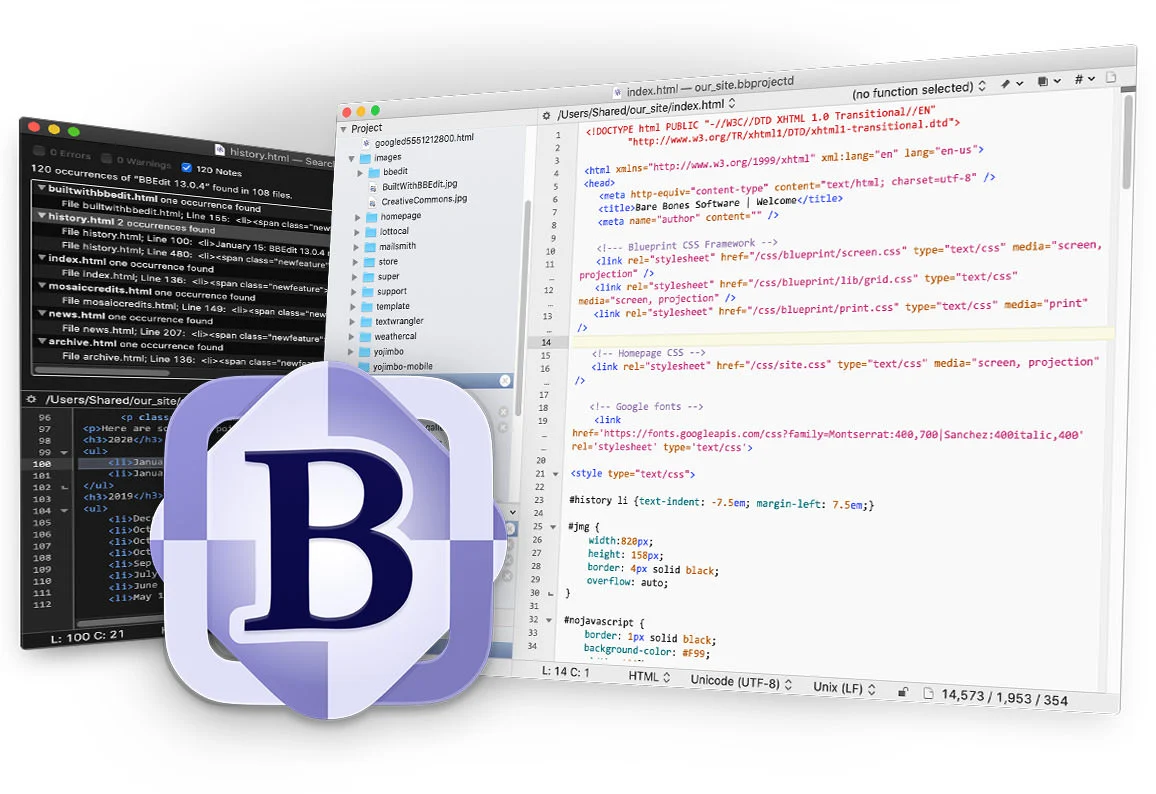
BBEdit is a native macOS text and code editor from Bare Bones Software. It supports prose, source code, and textual data, with tools for editing, searching, and manipulating files.
Its workflow features include projects, language-aware completion, syntax coloring, HTML authoring, AppleScript, Unix command-line tools, and built-in Git and Subversion support. Remote FTP and SFTP files can also be opened, edited, and saved.
BBEdit 16 requires macOS 14 or later and supports both Intel and Apple silicon Macs. It is not available for Windows or Linux.
BBEdit — What Sets It Apart?
These are the product-specific differences that may matter when deciding whether the software fits your workflow. They are based on documented evidence rather than a universal ranking.
- Offers a permanent free mode after a 30-day trial, while paid licenses restore advanced features.
- Combines text editing with grep-based multi-file operations, AppleScript, Unix command-line tools, and built-in remote FTP/SFTP file access.
- BBEdit 16 can search image files for text using macOS-provided recognition.
6 key claims verifiedOur editorial team checked this profile against vendor documentation, pricing information, product documentation. Supported by 4 documented sources.
CapabilitiesBBEdit Features
Text and Code Editing
- Syntax coloring and function navigation for supported languages
- Code folding
- Text and code completion
- Grep-style pattern search and replace
- Multi-file search and replacement
- Projects and file comparison
Web Authoring and Remote Files
- HTML markup tools and syntax checking
- Preview HTML and Markdown documents
- Open, edit, and save files on FTP and SFTP servers
- Web site project settings for deployment locations
Automation and Integrations
- AppleScript support
- Unix command-line tools
- macOS Shortcuts actions
- Built-in Git and Subversion support
- AI Chat worksheets for ChatGPT, Claude, and Ollama
BBEdit 16 Additions
- Search image files for text
- Expanded Shortcuts actions
- Vi keyboard emulation
- W3C HTML checker support
BBEdit Specifications
| Current version researched | BBEdit 16.0.3 |
|---|
| Platform | macOS 14 or later |
|---|
| Processor support | Intel and Apple silicon |
|---|
| Distribution | Direct download and Mac App Store |
|---|
| Free trial | 30 days with full feature access |
|---|
| Free tier | Permanent Free Mode after evaluation, with a reduced feature set |
|---|
| Integrations | Git, Subversion, AppleScript, macOS Shortcuts, FTP/SFTP, ChatGPT, Claude, Ollama, and language servers |
|---|
| API | AppleScript, command-line tools, Shortcuts actions, and supported AI-service API connections; no general-purpose BBEdit web API verified |
|---|
| Hosting | Locally installed macOS desktop software |
|---|
| Latest maintenance release verified | 16.0.3, released August 25, 2026 |
|---|
Operational limitsBBEdit Gotchas & Operational Limits
These are documented constraints or practical friction points that may matter before you adopt the product.
Free Mode retains core editing but excludes advanced features after the 30-day evaluation.
Buyers should check the feature comparison chart before relying on Git integration, code completion, or web-authoring tools without a paid license.
Evidence source ↗BBEdit 16 has a newer macOS requirement than prior versions.
Organizations with Macs that cannot run macOS 14 or later may need to retain an older BBEdit release.
Evidence source ↗Chat API usage is billed by the third-party provider, not by Bare Bones.
AI worksheet costs and account support depend on the selected service and its terms.
Evidence source ↗BBEdit Pricing & Plans
Free Mode
$0
ongoing
Available after the 30-day evaluation. Provides the permanent core feature set; selected advanced features are excluded.
Check current pricing →BBEdit 16 Individual License
$59.99
one-time
Direct individual license for the full feature set; taxes may apply.
Check current pricing →Mac App Store Monthly Subscription
$4.99
month
Subscription providing access to advanced features through the Mac App Store.
Check current pricing →Mac App Store Annual Subscription
$49.99
year
Annual subscription providing access to advanced features through the Mac App Store.
Check current pricing →Multi-user licenses
Request quote
Multi-user pricing is available from Bare Bones Software.
Check current pricing →Pricing may change. Verify current plans on the vendor's website.
Cost contextTotal Cost & Hidden Costs
Additional costs or implementation requirements that are documented in the available evidence.
Third-party AI service usage
ChatGPT API use is not included in BBEdit's price and is charged by the service provider; BBEdit does not collect payment for that usage.
Evidence source ↗Mac App Store subscription
The Mac App Store offers monthly and annual subscriptions, while direct purchase is available as a separate license option.
Evidence source ↗Our evidence-based assessmentTechZella Score
A proprietary editorial score based on product capabilities, usability, value, performance, support and user sentiment evidence.
8.3/10Moderate confidence
Scores reflect documented editing, search, scripting, HTML, version-control, and remote-file capabilities, plus one public review listing. They are editorial assessments, not TechZella user ratings or hands-on test results.
Methodology v1.0. The assessment weighs feature coverage (25%), ease of use (15%), value for money (20%), performance (15%), support (10%) and user sentiment (15%), using researched product evidence and verified review evidence where available. It is a TechZella editorial assessment, not a direct user-review average.
Editorial assessmentBBEdit Pros & Cons
Pros
- Permanent Free Mode offers ongoing core editing after the full-feature evaluation.
- Combines advanced text search and transformation with HTML authoring tools.
- Provides built-in remote FTP/SFTP access and file editing.
- Includes AppleScript, Unix command-line tools, and Shortcuts integration.
Cons
- BBEdit 16 requires macOS 14 or later and is unavailable for Windows and Linux.
- Several developer and web-authoring features are restricted to paid use.
- AI worksheet provider usage may require a separate account, API key, and usage charges.
Independent review sources
BBEdit Ratings & Reviews
Ratings are published by the respective review platforms and may change over time.
Community feedback
Reviews
No reviews yet. Be the first to share your experience.
Write a Review
Please log in to submit a review.
BBEdit Competitors & Alternatives
Compare similar products directly, then see which alternatives may make more sense when your requirements differ.
Direct competitors
These products address broadly similar requirements. The descriptions focus on documented reasons a buyer might compare them with BBEdit.
FAQ
Does BBEdit have a free version?
Yes. After the 30-day full-feature evaluation, BBEdit continues in Free Mode with a permanent core feature set. Some advanced features require a paid license or subscription.
What operating systems does BBEdit support?
BBEdit 16 requires macOS 14 or later and runs on Intel and Apple silicon Macs. The vendor does not offer Windows or Linux versions.
What does BBEdit cost?
The direct individual BBEdit 16 license is US$59.99 before tax. Mac App Store subscriptions cost US$4.99 monthly or US$49.99 annually.
Does BBEdit have an API?
Research verified AppleScript support, command-line tools, macOS Shortcuts actions, and AI worksheets that use supported service APIs. A separate general-purpose BBEdit web API was not verified.
Which integrations are documented?
BBEdit documents Git, Subversion, AppleScript, macOS Shortcuts, FTP/SFTP workflows, and AI worksheets for ChatGPT, Claude, and Ollama.
Editorial transparency
Our Review Methodology
Key claims are linked to the sources used to verify them. This evidence record is separate from third-party user ratings.
TechZella evaluates software using documented product capabilities, pricing information, usability and value considerations, independent user evidence where available, and competitive context. The assessment is an editorial review, not a hands-on test unless one is explicitly identified. Our editorial assessment is based on 4 documented sources.
What TechZella adds- Offers a permanent free mode after a 30-day trial, while paid licenses restore advanced features.
- Combines text editing with grep-based multi-file operations, AppleScript, Unix command-line tools, and built-in remote FTP/SFTP file access.
- BBEdit 16 can search image files for text using macOS-provided recognition.
Important limitations- The current BBEdit 16 release requires macOS 14 or later and has no Windows or Linux version.
- Advanced capabilities, including Git and Subversion integration, code completion, and web-authoring tools, are excluded from Free Mode.
- AI worksheet use involves third-party services and may require the user's own API key or provider setup.
Evidence-backed claimsBBEdit 16 requires macOS 14 or later and supports Intel and Apple silicon Macs.The current product page lists macOS 14.0 or later and universal support for Intel and Apple silicon.
View source ↗Verified 2026-10-01BBEdit 16 is sold directly for US$59.99, with upgrade prices for earlier versions.Bare Bones lists US$59.99 for an individual license, US$29.99 to upgrade from version 15, and US$39.99 from version 14 or earlier.
View source ↗Verified 2026-10-01A 30-day evaluation is followed by an ongoing Free Mode.The product page states that full features are available during evaluation and that BBEdit continues to run in Free Mode afterward.
View source ↗Verified 2026-10-01BBEdit supports grep-style search, AppleScript, command-line workflows, Git, and Subversion.The official product overview and comparison chart identify these features and integrations.
View source ↗Verified 2026-10-01BBEdit 16 added text searching within image files and expanded macOS Shortcuts support.The version 16 release notes describe image text search and additional Shortcuts actions.
View source ↗Verified 2026-10-01BBEdit AI Chat worksheets support ChatGPT, Claude, and Ollama.The feature comparison chart identifies worksheets for conversations with these services.
View source ↗Verified 2026-10-01