Editorial overview
Aggregated Overview
Official documentation verifies extensive Java and Kotlin development, debugging, refactoring, integrations, and a free core tier. G2 displays a 4.6 rating; its review summary notes code-completion and refactoring strengths alongside resource-use concerns.
This profile combines documented product information and independent evidence where available. It is not a hands-on test unless TechZella explicitly identifies one.
Decision guideIntelliJ IDEA Decision Snapshot
A quick way to understand who this product may suit, where its limits matter, and which facts are most relevant before you compare alternatives.
Best suited toJava and Kotlin developers who want code analysis, refactoring, debugging, build-tool support, and framework tooling in a desktop IDE.
Look elsewhere ifTeams seeking a browser-hosted development environment or primarily focused on a non-JVM language may prefer another tool or a more specialized JetBrains IDE, and should evaluate alternatives such as Eclipse or Visual Studio Code instead.
PlatformsLinux, macOS, Windows
TechZella assessment8.4/10
Overview
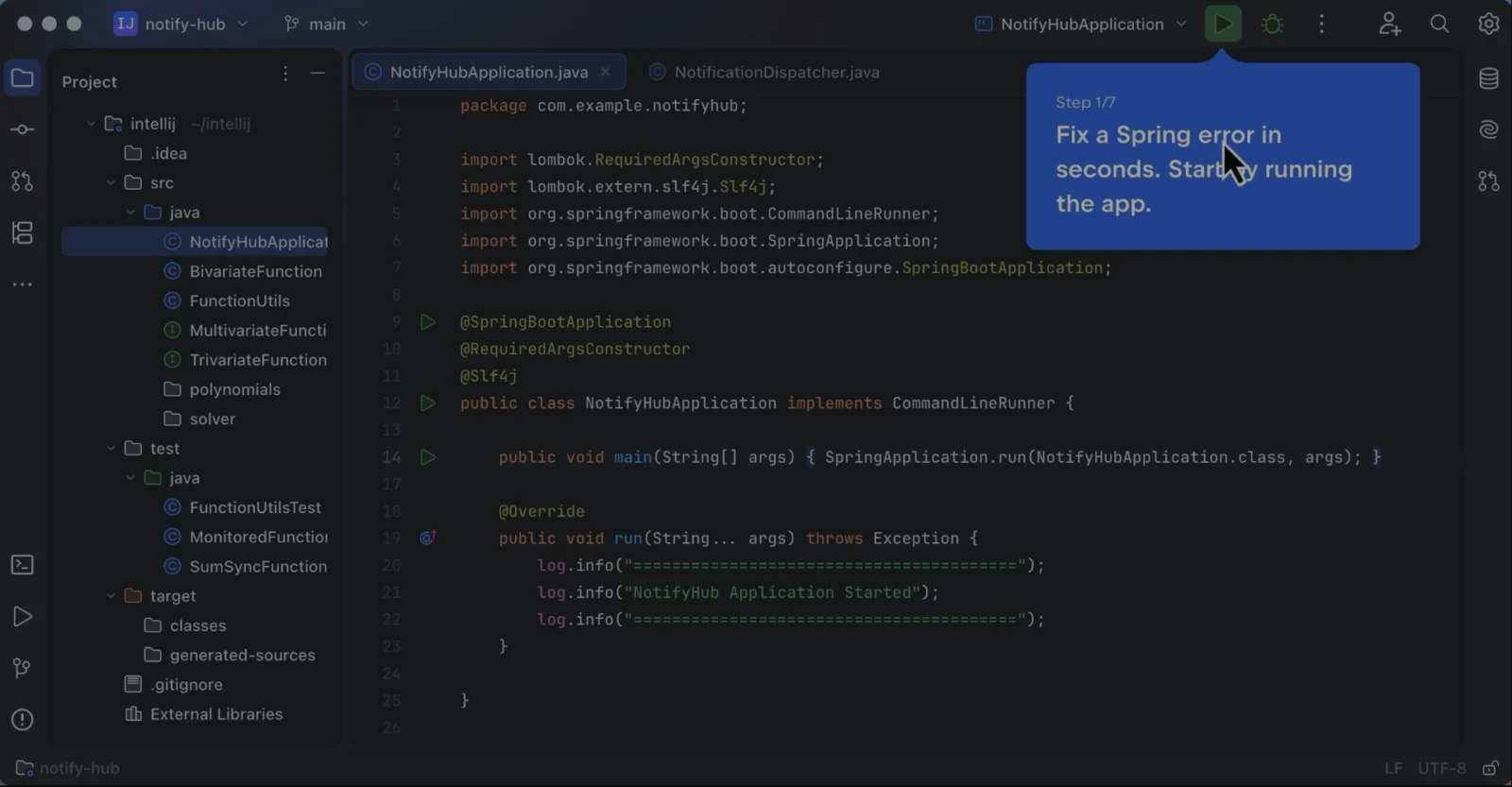
IntelliJ IDEA is JetBrains’ desktop integrated development environment for Java, Kotlin, and JVM projects. It combines code navigation, completion, static analysis, refactoring, debugging, and build-tool workflows.
Since version 2025.3, JetBrains distributes one unified product. Core features remain free, while an Ultimate subscription unlocks additional tooling. New users can try Ultimate for 30 days, then continue with the free feature set or subscribe.
IntelliJ IDEA — What Sets It Apart?
These are the product-specific differences that may matter when deciding whether the software fits your workflow. They are based on documented evidence rather than a universal ranking.
- The unified product provides a free core Java and Kotlin feature set, with a 30-day trial of Ultimate capabilities.
- IDE-integrated database tools, HTTP requests, version control, debugging, and build-tool workflows reduce the need to switch between separate developer utilities.
- An extensible plugin marketplace and an open plugin-development API support additional languages and internal extensions.
7 key claims verifiedOur editorial team checked this profile against vendor documentation, product documentation, pricing information. Supported by 6 documented sources.
CapabilitiesIntelliJ IDEA Features
Code intelligence
- Context-aware code completion
- Static code inspections and quick fixes
- Automated refactoring
- Code navigation
Development workflow
- JVM debugger
- Maven and Gradle integration
- Git, Mercurial, Perforce, and Subversion integration
- HTTP Client
- Plugin marketplace and plugin-development API
Ultimate tooling
- Advanced framework tooling
- Database tools
- Profiler
- Remote development and additional integrations
IntelliJ IDEA Specifications
| Product type | Desktop integrated development environment |
|---|
| Primary languages | Java and Kotlin; also supports JVM languages and plugin-enabled technologies |
|---|
| Operating systems | Windows, macOS, Linux |
|---|
| Minimum hardware | 4-core x86_64 or ARM64 CPU, 8 GB RAM, 10 GB disk space |
|---|
| Remote development | Supported; remote server and local client |
|---|
| Plugin API | Open API and dedicated SDK for plugin development |
|---|
| Application API | No hosted product API verified; IDE includes an HTTP Client for calling and testing web services |
|---|
| Free trial | 30-day Ultimate trial |
|---|
Operational limitsIntelliJ IDEA Gotchas & Operational Limits
These are documented constraints or practical friction points that may matter before you adopt the product.
After the 30-day Ultimate trial or an expired subscription, advanced subscription features are unavailable, while the free feature set remains usable.
Evaluate which workflows depend on paid framework, database, or other advanced tooling before relying on trial-only functionality.
Evidence source ↗JetBrains documents possible performance and project-import problems with the Linux Snap package.
Linux users encountering these issues may need to use the Toolbox App or a standalone installation instead.
Evidence source ↗IntelliJ IDEA Pricing & Plans
Free core feature set
$0
Core IntelliJ IDEA functionality remains free after the Ultimate trial or when no subscription is active.
Check current pricing →IntelliJ IDEA Ultimate for organizations
$719
year per user
Annual organization subscription; check JetBrains for other billing options and current terms.
Check current pricing →IntelliJ IDEA Ultimate trial
$0
30 days
Trial access to Ultimate features. The free core feature set remains available when the trial ends.
Check current pricing →Pricing may change. Verify current plans on the vendor's website.
Cost contextTotal Cost & Hidden Costs
Additional costs or implementation requirements that are documented in the available evidence.
Ultimate subscription
The official pricing page lists an organization annual subscription at $719 per user. The core feature set can be used free; confirm individual and monthly rates on the live pricing page.
Evidence source ↗Our evidence-based assessmentTechZella Score
A proprietary editorial score based on product capabilities, usability, value, performance, support and user sentiment evidence.
8.4/10Moderate confidence
Official documentation verifies extensive Java and Kotlin development, debugging, refactoring, integrations, and a free core tier. G2 displays a 4.6 rating; its review summary notes code-completion and refactoring strengths alongside resource-use concerns.
Methodology v1.0. The assessment weighs feature coverage (25%), ease of use (15%), value for money (20%), performance (15%), support (10%) and user sentiment (15%), using researched product evidence and verified review evidence where available. It is a TechZella editorial assessment, not a direct user-review average.
Editorial assessmentIntelliJ IDEA Pros & Cons
Pros
- Offers code analysis, navigation, completion, and refactoring for Java and Kotlin development.
- Brings debugging, build, version-control, and HTTP request workflows into the IDE.
- Provides free core features and an Ultimate trial.
- Supports plugins and custom plugin repositories.
Cons
- Advanced tooling requires a paid Ultimate subscription.
- Runs as a desktop application with specific operating-system and hardware requirements.
- G2's review summary notes resource use may be a concern on lower-end systems.
Independent review sources
IntelliJ IDEA Ratings & Reviews
Ratings are published by the respective review platforms and may change over time.
Community feedback
Reviews
No reviews yet. Be the first to share your experience.
Write a Review
Please log in to submit a review.
IntelliJ IDEA Competitors & Alternatives
Compare similar products directly, then see which alternatives may make more sense when your requirements differ.
Direct competitors
These products address broadly similar requirements. The descriptions focus on documented reasons a buyer might compare them with IntelliJ IDEA.
FAQ
Is IntelliJ IDEA free?
Yes. Its core feature set is free. Advanced Ultimate capabilities are available through a subscription, with a 30-day trial.
Which operating systems are supported?
JetBrains documents support for Windows, macOS, and Linux.
Does IntelliJ IDEA have an API?
JetBrains documents an open API and SDK for building IDE plugins. This is distinct from a hosted application API.
Can IntelliJ IDEA test HTTP services?
Yes. Its built-in HTTP Client can compose and execute requests from IDE files.
Editorial transparency
Our Review Methodology
Key claims are linked to the sources used to verify them. This evidence record is separate from third-party user ratings.
TechZella evaluates software using documented product capabilities, pricing information, usability and value considerations, independent user evidence where available, and competitive context. The assessment is an editorial review, not a hands-on test unless one is explicitly identified. Our editorial assessment is based on 6 documented sources.
What TechZella adds- The unified product provides a free core Java and Kotlin feature set, with a 30-day trial of Ultimate capabilities.
- IDE-integrated database tools, HTTP requests, version control, debugging, and build-tool workflows reduce the need to switch between separate developer utilities.
- An extensible plugin marketplace and an open plugin-development API support additional languages and internal extensions.
Important limitations- Some advanced framework, database, and JVM tooling requires an Ultimate subscription.
- The desktop application has specific hardware and operating-system requirements; BSD-based operating systems are not supported.
- G2's displayed review summary identifies resource demands as a concern for users on lower-end systems.
Evidence-backed claimsIntelliJ IDEA provides a free core feature set and a 30-day Ultimate trial.JetBrains documentation describes the unified product, free core functionality, and trial access to advanced tooling.
View source ↗Verified 2026-10-01The IDE supports Windows, macOS, and Linux.The official installation guide identifies these supported operating systems.
View source ↗Verified 2026-10-01The IDE includes integrated version control and build-tool workflows.JetBrains documents integrations for Git, Mercurial, Perforce, Subversion, Gradle, and Maven.
View source ↗Verified 2026-10-01IntelliJ IDEA can execute HTTP requests in the editor.The HTTP Client documentation describes editing and executing requests, including OpenAPI-based completion.
View source ↗Verified 2026-10-01The product supports extensions through plugins and provides an API for plugin development.JetBrains documents Marketplace and local plugins, custom repositories, an open API, and a dedicated SDK.
View source ↗Verified 2026-10-01IntelliJ IDEA launched in 2001.JetBrains' product anniversary page states the first version was released in January 2001.
View source ↗Verified 2026-10-01JetBrains lists an organization annual IntelliJ IDEA Ultimate subscription at $719 per user.The official product pricing page displays the annual organization price.
View source ↗Verified 2026-10-01